
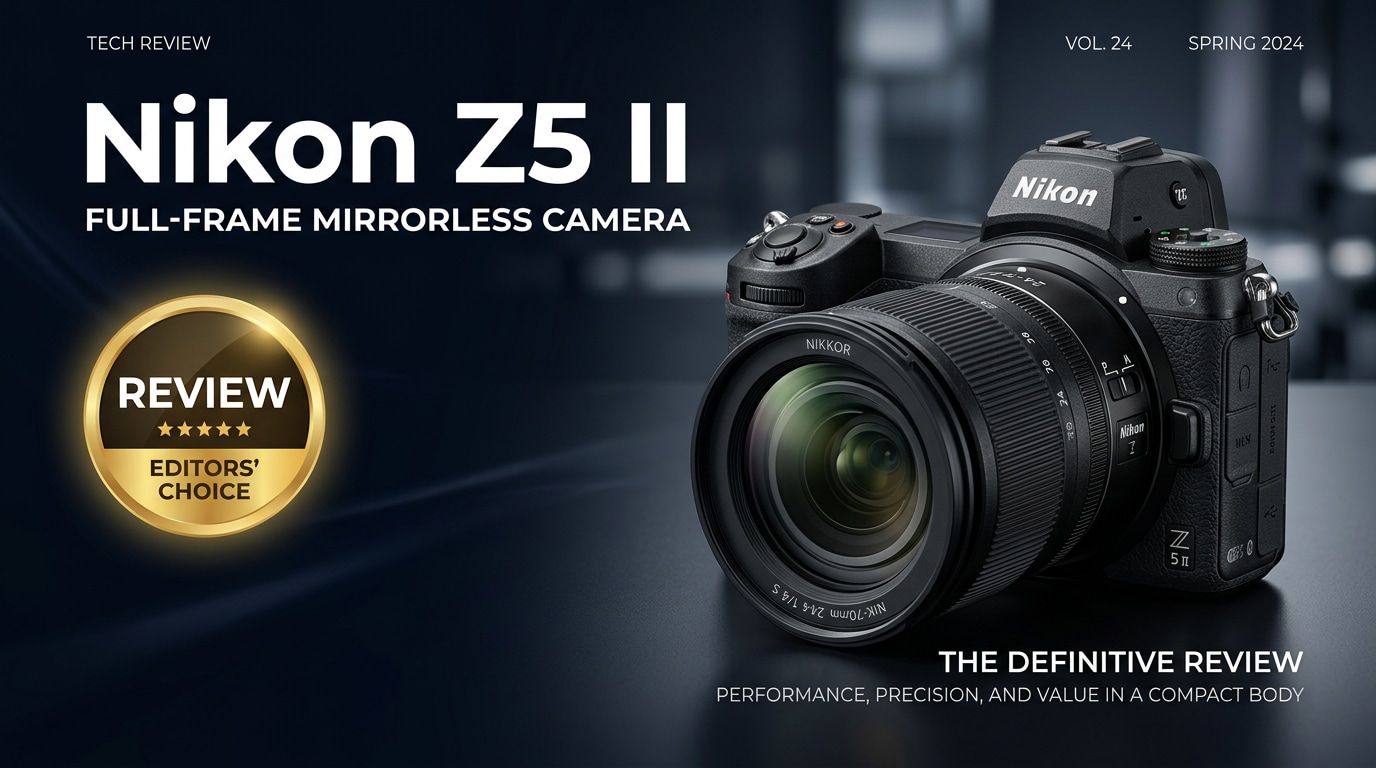
The Nikon Z5 II is a compact full-frame mirrorless camera aimed at creators who want reliable image quality, in-body stabilization, and modern autofocus without paying flagship prices. It refines the original Z5 with better responsiveness and workflow-friendly features, making it a practical option for travel, everyday photography, and casual video content.
Repair Corrupted Files To Save Your Data
 Security Verified. Over 7,302,189 people have downloaded it.
In this article
Introduction
The Nikon Z5 II sits at the entry point of Nikon's full-frame Z system, but it is built to deliver dependable image quality and handling that feels anything but basic. With in-body image stabilization, dual SD card slots, and a familiar ergonomic design, it targets DSLR upgraders and creators who want a travel-friendly camera that still offers serious control and performance.
What's New About Nikon Z5 II
The original Z5 was already a strong value, and the Nikon Z5 II focuses on refining that foundation rather than reinventing it. The key updates are about speed, responsiveness, and reliability in everyday use.
- Improved processing pipeline for snappier startup, menus, and image review.
- Refined autofocus algorithms with better face and eye detection for both humans and pets.
- More responsive continuous shooting, making it easier to capture short action bursts.
- Enhanced video usability with more stable AF behavior and better heat management.
- Firmware-driven upgrades to subject detection and compatibility with newer Z-mount lenses.
Combined, these changes make the Nikon Z5 II feel more confident in the hand, particularly for hybrid shooters bouncing between stills and video throughout the day.
Full Specs at a Glance
Sensor and Image Quality
At its core, the Nikon Z5 II pairs a full-frame sensor with Nikon's modern processing to deliver clean files and flexible dynamic range.
| Feature | Nikon Z5 II Specification |
|---|---|
| Sensor Type | 24.3 MP full-frame CMOS (FX-format) |
| ISO Range | 100–51,200 (expandable down and up for special situations) |
| Image Stabilization | 5-axis in-body image stabilization (IBIS), up to several stops of compensation |
| Image Formats | RAW (NEF), JPEG, HEIF (depending on settings and firmware) |
| Dynamic Range | Wide usable range, suitable for recovering shadows and highlights in post |
Body Design and Connectivity
The Z5 II keeps Nikon's recognizable ergonomics while adding the connectivity modern creators expect.
| Feature | Nikon Z5 II Specification |
|---|---|
| Mount | Nikon Z mount (full-frame) |
| Card Slots | Dual SD (UHS-II) slots for backup, overflow, or RAW/JPEG split |
| Viewfinder & Screen | High-resolution EVF, tilting touchscreen LCD for flexible angles |
| Video Modes | Up to 4K UHD, Full HD at multiple frame rates, with clean HDMI output |
| Connectivity | USB-C, HDMI, microphone input, headphone out, Wi-Fi, and Bluetooth |
Real-World Performance
On paper, the Nikon Z5 II looks capable, but its real strength is how consistent it feels when you are shooting in varied conditions, from city streets to dim interiors.
Autofocus and Tracking
The autofocus system in the Nikon Z5 II benefits from refined subject detection, making it more trustworthy than the original Z5 for people and pets.
- Face and eye AF: Quickly locks onto eyes in portraits, making shallow depth-of-field shooting more forgiving.
- Tracking moving subjects: Works well for casual sports, events, and kids running around, provided light is reasonable.
- Low-light AF: Slows a bit in very dark scenes but remains usable for typical indoor or evening environments.
For users upgrading from older DSLRs, the AF experience feels more like a modern mirrorless camera, with accurate focus across much of the frame rather than only at the center.
Video and Stabilization
While the Nikon Z5 II is not aimed squarely at professional filmmakers, it handles everyday video tasks with ease.
- 4K recording: Suitable for YouTube, social media, and client snippets, with pleasing color straight out of camera.
- IBIS plus lens VR: The in-body stabilization, especially combined with stabilized Z-mount lenses, offers steady handheld clips and sharper low-light stills.
- Audio and monitoring: Mic and headphone jacks give you basic control over audio quality on location.
For creators who mostly need talking-head videos, travel vlogs, product walkthroughs, or behind-the-scenes clips, the Nikon Z5 II delivers reliable footage without demanding a complex rig.
Pros & Cons
Advantages of the Nikon Z5 II
- Full-frame image quality in a relatively compact, comfortable body.
- Effective 5-axis in-body image stabilization that benefits both photos and video.
- Dual UHS-II SD card slots for instant backup and flexible workflow setups.
- Refined autofocus with solid face and eye detection for people and pets.
- Great value for creators moving into the Nikon Z ecosystem.
Limitations to Consider
- Continuous burst rate and buffer not ideal for serious sports or wildlife work.
- Video feature set is oriented toward casual creators rather than high-end cinema use.
- Some 4K modes may include a crop, depending on settings.
- No top-tier weather sealing like Nikon's flagship bodies, so extra care is needed in harsh conditions.
Who Is This Camera For?
The Nikon Z5 II is designed for users who want a balanced tool rather than a specialized one. It suits:
- DSLR upgraders: Photographers stepping from older Nikon DSLRs who want modern AF, EVF, and mirrorless conveniences.
- Travel and everyday shooters: Those who prioritize portability while still wanting full-frame depth of field and low-light performance.
- Hybrid creators: Content creators who split their time between stills and short-form video for social media or small business projects.
- Enthusiasts on a budget: Shooters who care more about image quality, reliability, and handling than having the fastest frame rates or most advanced video formats.
If your work involves fast-paced sports, wildlife, or heavy color grading and advanced video codecs, you may outgrow the Z5 II. But for most everyday and travel scenarios, it is a capable and reassuringly straightforward camera.
What to Do If Your Nikon Z5 II Files Get Corrupted
Why Use Repairit
Even with dual card slots and careful backups, files from your Nikon Z5 II can still become corrupted due to card errors, improper ejection, or power loss while recording. When that happens, using a dedicated repair tool is far safer than random trial-and-error. Wondershare Repairit is built specifically to fix damaged photo and video files from cameras, SD cards, and drives. You can explore all options on the Repairit official website and quickly bring otherwise unreadable Nikon footage back to life.
Key Features of Repairit for Nikon Z5 II Owners
- Repairs corrupted photo and video files from cameras, cards, and external drives.
- Supports a wide range of popular file formats and severe corruption scenarios.
- Lets you preview repaired files before saving them to a safe location.
How to Repair Nikon Z5 II Files Step by Step
-
Choose a Location to Repair Data
Install and launch Wondershare Repairit on your computer, then point it to where your Nikon Z5 II files are saved. This can be the SD card from the camera, a specific folder on an external drive, or a directory on your internal disk. If you already know which photos or clips are damaged, add those files directly so Repairit can focus on them from the start.

-
Deep Scan the Location
After confirming the target, let Repairit run a deep scan of the selected card, drive, or folder. During this stage, the tool inspects file headers and structure, identifies corruption, and extracts whatever data can be repaired. It is important to allow the scan to complete without removing the SD card or disconnecting the drive, so Repairit can uncover every recoverable Nikon Z5 II photo or video.

-
Preview and Repair Your Desired Data
When the analysis and repair process finishes, Repairit shows you a list of recovered items along with a preview window. Play back your Nikon Z5 II clips and open still images to verify that they look and sound as expected. Select only the files you want to keep and save them to a new, healthy location rather than the original SD card, reducing the chance of further damage or overwrite.

Conclusion — Should You Buy?
The Nikon Z5 II refines an already capable entry-level full-frame body, adding smoother performance, more confident autofocus, and creator-friendly dual card slots. It is not the fastest camera in Nikon's Z lineup, nor the most advanced for video, but it hits a very practical sweet spot for everyday photography and content creation.
If you want a compact, reliable full-frame camera for travel, family life, portraits, and casual video, the Nikon Z5 II is an excellent choice. Pair it with a sensible backup routine and a dedicated repair tool like Repairit, and you can shoot day to day with far more peace of mind about your images and footage.
FAQ
-
1. Is the Nikon Z5 II good for beginners?
Yes. The Nikon Z5 II offers straightforward controls, in-body stabilization, and dependable autofocus, so newcomers can get sharp, well-exposed images while still having room to grow into more advanced settings. -
2. How does the Nikon Z5 II perform in low light?
Thanks to its full-frame sensor, effective IBIS, and useful high-ISO range, the Nikon Z5 II handles low light very well, especially when paired with fast prime lenses or stabilized zooms. -
3. Is the Nikon Z5 II suitable for video creators?
The Nikon Z5 II is well-suited to casual and social media video, offering good 4K quality, helpful stabilization, and microphone support. However, filmmakers who need advanced codecs and higher frame rates may prefer higher-tier models. -
4. What should I do if my Nikon Z5 II SD card gets corrupted?
Stop using the card immediately to avoid overwriting data. Then connect it to a computer and use a repair and recovery tool such as Wondershare Repairit to scan the card, repair corrupted Nikon Z5 II files, and restore what can be recovered. -
5. Does the Nikon Z5 II have dual card slots for backup?
Yes. The Nikon Z5 II includes dual UHS-II SD card slots that you can configure for real-time backup, overflow storage, or separating RAW and JPEG files, reducing the risk of losing important images or videos.




