
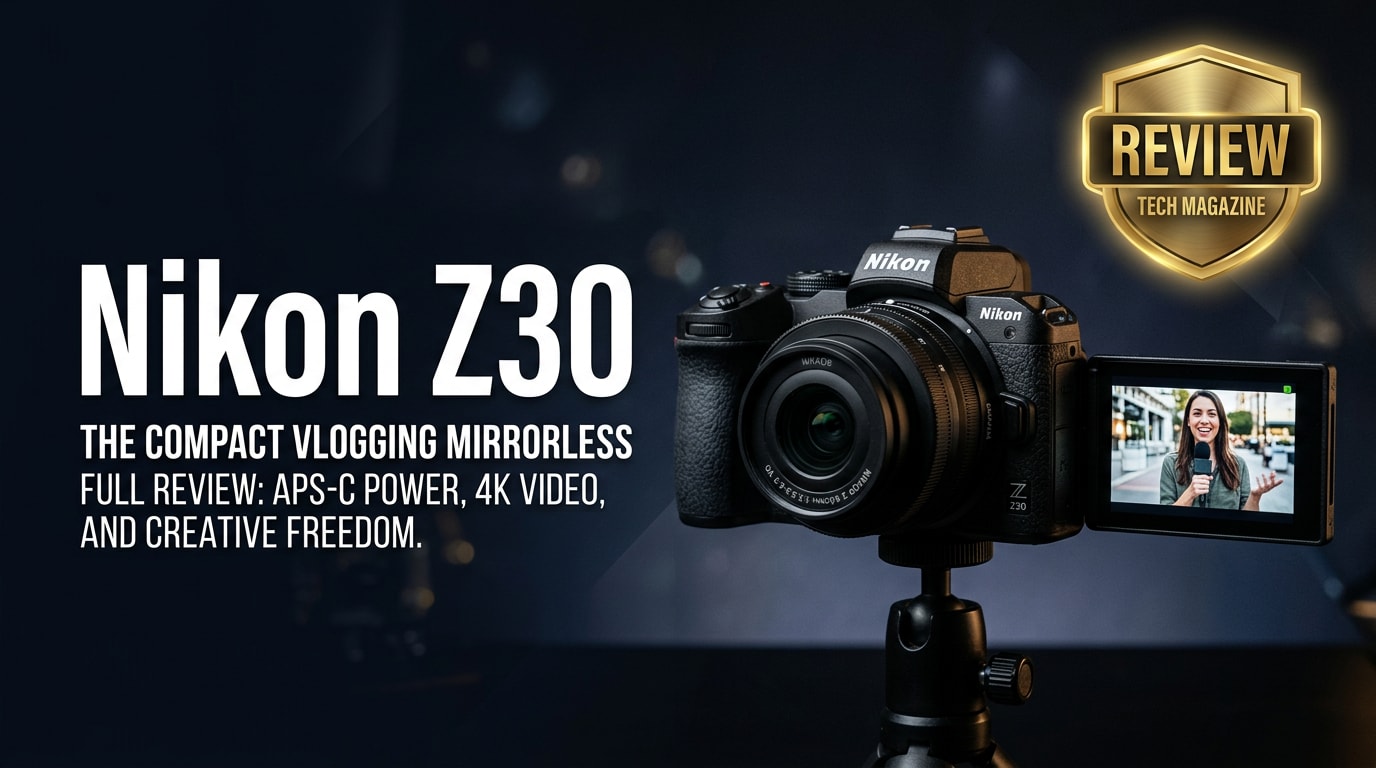
The Nikon Z30 is a compact mirrorless camera tailored to vloggers and online creators who want cleaner video than a smartphone without dealing with complex pro gear. With 4K recording, a flip-out screen, and creator-friendly audio options, it aims to simplify everyday shooting for YouTube, TikTok, and streaming while staying lightweight and affordable.
Repair Corrupted Files To Save Your Data
 Security Verified. Over 7,302,189 people have downloaded it.
In this article
Introduction
The Nikon Z30 is a small, lightweight mirrorless camera built primarily for video creators, vloggers, and streamers. It delivers 4K UHD video, a fully articulating touchscreen, and simple external mic options in a body that is easy to carry all day. In this review, you will see what is new, the core specs, how it performs, and what to do if your Nikon Z30 footage ever becomes corrupted.
What's New About Nikon Z30
The Nikon Z30 takes the Z-mount system in a more creator-focused direction by trimming features most vloggers do not need and adding tools that matter for video.
- No electronic viewfinder, which helps keep the body compact and affordable while emphasizing LCD-based shooting and vlogging.
- Optimized for long-form video, with 4K/30p recording using the full sensor width and extended clip lengths compared with many entry cameras.
- Front-facing tally lamp, red recording border, and fully articulating screen designed to reassure solo shooters that they are actually recording.
- Improved built-in stereo mics and a 3.5 mm mic jack, plus compatibility with Nikon's wind muff, to give cleaner on-camera audio.
- Deep integration with Nikon's SnapBridge app for quick file transfers to a phone and easy remote control.
- USB-C power delivery support, helpful for live streaming and long studio sessions without swapping batteries constantly.
Full Specs at a Glance
Key video features
| Feature | Details |
|---|---|
| Video resolutions | 4K UHD up to 30p (no crop), Full HD up to 120p for slow motion |
| Recording limits | Up to approx. 125 minutes in Full HD and 35 minutes in 4K (subject to conditions) |
| Autofocus for video | Hybrid AF with eye and face detection for people and animals |
| Audio options | Stereo built-in mics, 3.5 mm mic input, on-screen audio levels |
| Stabilization | Electronic VR for video, plus lens-based VR on compatible Z-mount lenses |
Photo and handling highlights
| Feature | Details |
|---|---|
| Sensor | 20.9 MP APS-C (DX-format) CMOS |
| ISO range | ISO 100–51200 (expandable to ISO 204800) |
| Burst shooting | Up to 11 fps with continuous AF/AE |
| Lens mount | Nikon Z mount (DX and FX lenses, plus F-mount glass via adapter) |
| Screen | 3.0-inch vari-angle touchscreen, approx. 1.04M dots |
| Connectivity | USB-C, micro HDMI, Wi-Fi, Bluetooth (SnapBridge support) |
| Media | Single UHS-I SD card slot |
| Weight | Approx. 405 g with battery and card |
Real-World Performance
In real-world use, the Nikon Z30 feels tuned for creators who shoot handheld, in mixed light, and often alone.
- Image quality: The 20.9 MP sensor produces detailed 4K with pleasing color and solid dynamic range, especially for skin tones in vlogs.
- Low light: At moderate ISOs, noise is controlled and footage looks clean for indoor shooting and evening street walks, though very high ISO shows visible grain.
- Autofocus: Face and eye detection lock onto subjects reliably, even when you move around the frame or hold products close to the lens.
- Rolling shutter: Present but manageable for casual pans; fast whip-pans are not ideal but typical for this class.
- Overheating: Reports of nikon z30 overheating are rare in normal indoor conditions, but very long 4K sessions in hot environments can reduce recording time; using external power and giving the camera breaks helps.
- Handling and controls: The deep grip, customizable buttons, and flat-top design make it easy to operate one-handed while monitoring the flip screen.
Pros & Cons
| Pros | Cons |
|---|---|
| Excellent 4K video quality with no crop and reliable autofocus ideal for vlogging. | No electronic viewfinder, which some hybrid shooters may miss for stills. |
| Fully articulating screen and tally indicators designed for solo creators. | Single SD card slot and UHS-I speed only, limiting redundancy and buffer clearing. |
| Good built-in mics and mic input, with optional wind muff support. | No in-body image stabilization; relies on lens VR and electronic stabilization. |
| Compact, lightweight body that is easy to carry for daily content creation. | 20.9 MP resolution is fine for web but less flexible for heavy cropping in stills. |
| Attractive price point for beginners moving up from smartphones. | Menu depth can feel overwhelming initially, especially for new Nikon users. |
Who Is This Camera For?
The nikon z30 vlog camera is aimed squarely at creators who prioritize video over stills and want a simple, travel-friendly setup.
- Beginner vloggers and YouTubers: Auto modes, clear on-screen prompts, and a flip-out screen make it easy to start filming yourself with minimal setup.
- Streamers and online teachers: Paired with USB power and Nikon's webcam tools or a capture card, the Z30 becomes a clean, sharp streaming camera.
- Content creators upgrading from phones: If you want better background blur, cleaner low-light performance, and lens flexibility, the nikon z30 for beginners is a strong step up.
- Travel and lifestyle shooters: Its compact build plus versatile Z-mount lenses work well for travel diaries, food content, and everyday B-roll.
What to Do If Your Nikon Z30 Files Get Corrupted
Repairit introduction
Occasionally, nikon z30 clips can become corrupted due to sudden power loss, a faulty SD card, or interrupted transfers. When that happens, a dedicated repair tool can often rescue your footage. Wondershare Repairit is built exactly for this job: it analyzes damaged media, fixes structural issues, and rebuilds playable files without complex settings. You can learn more and access downloads from the Repairit official website, which covers both quick fixes and advanced repair scenarios.
Key Repairit features
- Repairs corrupted or unplayable repair nikon z30 files in common formats such as MP4 and MOV.
- Supports batch processing so you can fix multiple fix corrupted nikon videos from a shoot in one operation.
- User-friendly interface with clear prompts that guide beginners through each repair step.
Step-by-step: repair Nikon Z30 files
-
Choose a Location to Repair Data
Start Wondershare Repairit and open the Video Repair or Data Repair module, depending on where your nikon z30 4k video files are stored. Click the add button or drag your damaged clips from the SD card, backup folder, or any project directory into the program window. Review the list to be sure every file you want to repair is included before moving forward.

-
Deep Scan the Location
Click the repair button to start a deep analysis of each imported file. Repairit examines video headers, frames, and metadata to detect what is corrupted and reconstruct a healthy structure. Let the scan run uninterrupted; you can watch the progress bar and status indicators to see which clips are being processed and when they finish.

-
Preview and Repair Your Desired Data
When the repair completes, select a clip and use the built-in preview to check playback quality, including image smoothness and synced audio. Tick the boxes next to the files that look correct and choose a safe destination folder on your computer, separate from the original SD card to avoid overwriting. Save the repaired videos; they are now ready for editing or direct upload.

Conclusion — Should You Buy?
The Nikon Z30 combines 4K video, a fully articulating screen, solid autofocus, and good audio options in a compact body, making it a compelling choice for vloggers, streamers, and beginners upgrading from smartphones. It favors video-first creators over stills-focused photographers, and that focus pays off in everyday usability.
If your priority is simple, reliable video creation rather than top-tier photo specs, the Z30 is easy to recommend. Pair it with quality SD cards and a repair solution like Wondershare Repairit so that even if a card error or power loss corrupts your footage, you still have a practical path to getting your important clips back.
FAQ
-
1. Is the Nikon Z30 good for beginners?
Yes. The Nikon Z30 is designed with beginners in mind, offering simple controls, auto modes, and a fully articulating screen that makes it easy to frame and record yourself without prior camera experience. -
2. Does the Nikon Z30 shoot 4K video?
Yes. The Nikon Z30 records 4K UHD video up to 30p using the full width of the sensor, as well as Full HD at higher frame rates up to 120p for smooth slow-motion sequences. -
3. Can I use the Nikon Z30 as a webcam for streaming?
You can use the Nikon Z30 as a webcam by connecting it to a computer and using Nikon's webcam utility software or a compatible HDMI capture card, making it suitable for live streaming and online meetings. -
4. How does the Nikon Z30 perform in low light?
The Nikon Z30 performs well in typical indoor and evening conditions thanks to its APS-C sensor and flexible ISO range. Noise is controlled at moderate ISOs, though image grain increases at very high ISO levels, as expected in this class. -
5. How do I fix corrupted Nikon Z30 video files?
If your Nikon Z30 video files appear corrupted, stop using the SD card immediately, copy the files to your computer, and open them in Wondershare Repairit. The tool will scan, repair, and let you preview the recovered clips before saving them to a safe location.




