
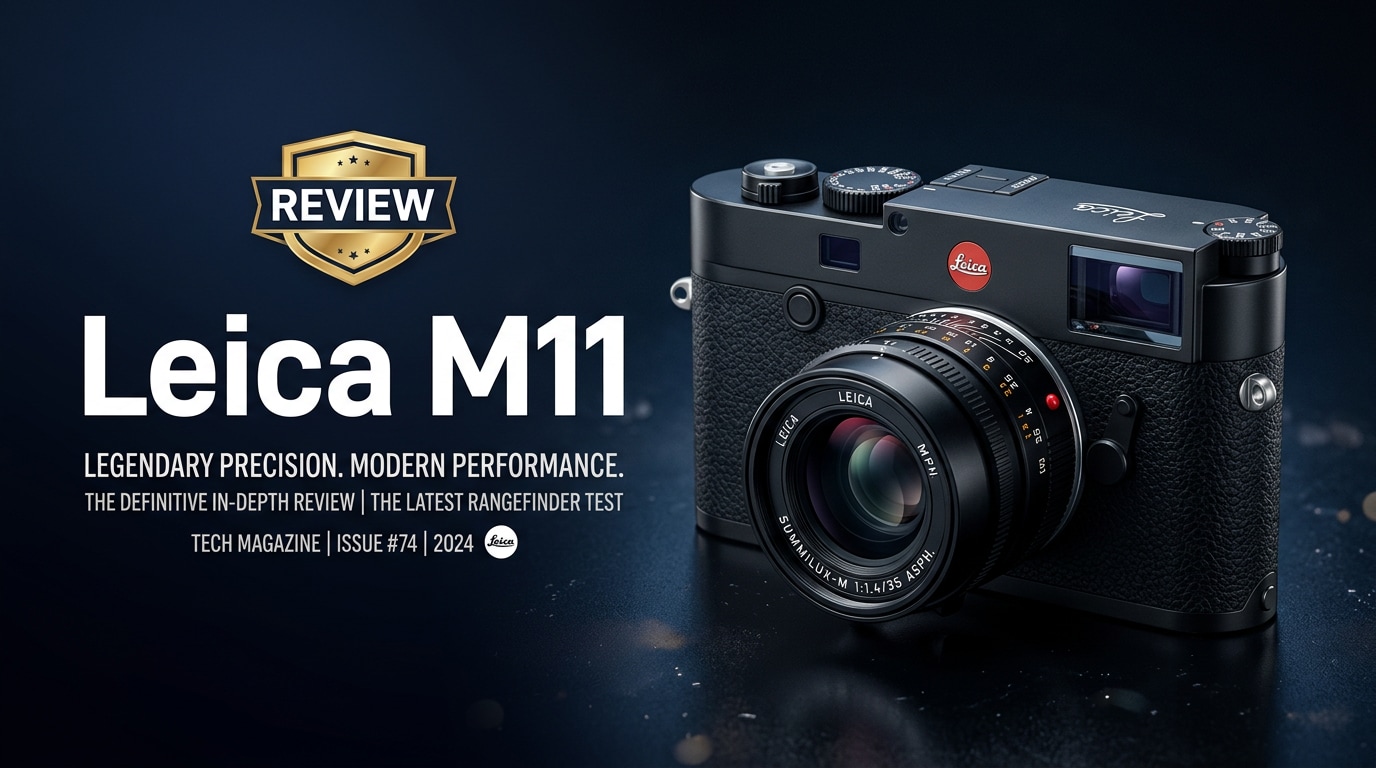
The Leica M11 is a full-frame digital rangefinder that blends Leica's iconic manual-focus design with a thoroughly modern sensor, flexible resolution options, and updated connectivity. It targets photographers who value deliberate, minimalistic shooting but still want cutting-edge image quality, robust RAW files, and a long-term lens ecosystem.
Repair Corrupted Files To Save Your Data
 Security Verified. Over 7,302,189 people have downloaded it.
In this article
Introduction
The Leica M11 is a high-resolution, full-frame digital rangefinder camera that keeps the classic M-series shooting experience while adding a new-generation sensor, refined ergonomics, and more flexible file options. It is aimed at photographers who prioritize manual control, compact prime lenses, and long-term system investment over autofocus speed and video-first features.
What's New About Leica M11
The Leica M11 introduces one of the biggest generational leaps in the digital M line. Its key update is a high-resolution BSI CMOS sensor with triple-resolution technology, letting you choose between detailed 60 MP files or smaller 36 MP and 18 MP outputs from the full sensor area.
Leica has also reworked the body design. The traditional removable baseplate is gone, replaced by direct access to the battery and SD card, making changes much faster. A larger-capacity battery boosts real-world endurance, and internal storage means you can keep shooting even without a card.
The interface is simplified too, echoing the SL and Q lines with a cleaner menu layout, more customizable buttons, and a focus on only the essentials for stills photography. Connectivity has been modernized with USB-C and improved integration with the Leica Fotos app for mobile workflows.
Full Specs at a Glance
Sensor and Image Pipeline
At the heart of the Leica M11 is a cutting-edge full-frame sensor tuned for maximum detail and tonal depth while still supporting flexible file sizes.
| Feature | Specification |
|---|---|
| Sensor type | Full-frame BSI CMOS |
| Effective resolution | Up to 60 MP with triple-resolution (60/36/18 MP) |
| ISO range | Native ISO 64 to high expanded settings for low light |
| File formats | Leica M11 RAW (DNG) and JPEG |
| Dynamic range | Wide dynamic range suitable for high-contrast scenes |
| Metering | Multi-field, center-weighted, and spot options |
Body, Storage, and Connectivity
The camera maintains the familiar M silhouette while making it more practical for digital shooting and modern workflows.
| Feature | Specification |
|---|---|
| Mount | Leica M bayonet (compatible with M lenses) |
| Viewfinder | Optical rangefinder with bright-line frames |
| Display | High-resolution rear LCD with touch functionality |
| Storage | SD card slot plus built-in internal memory |
| Ports | USB-C for data transfer and charging |
| Battery | High-capacity rechargeable battery with improved life |
| Connectivity | Integration with Leica Fotos app via wireless connection |
Real-World Performance
In real-world use, the Leica M11 delivers very detailed files with excellent micro-contrast and color rendering, especially when paired with modern APO and classic M lenses. The 60 MP mode is ideal for large prints and cropping flexibility, while the 36 MP and 18 MP modes ease storage demands and speed up post-processing.
Base ISO shooting provides extremely clean images with impressive dynamic range, allowing deep shadow recovery from DNG files. At higher ISOs, noise is present but fine-grained and manageable for documentary and street work. The manual-focus rangefinder experience encourages slower, more intentional shooting, which suits travel, reportage, and environmental portraiture.
The updated battery and removal of the baseplate have a clear impact on usability. Battery swaps and card changes are much faster, and the built-in memory offers a safety net if you forget or fill a card. USB-C charging simplifies packing for trips. However, the lack of in-body stabilization means careful technique or faster shutter speeds are still critical, especially at 60 MP.
Pros & Cons
Pros
- High-resolution full-frame sensor with flexible 60/36/18 MP output options.
- Classic Leica M rangefinder handling and compact lens ecosystem.
- Improved battery life, easier access to battery and SD card, and internal storage.
- Clean, simplified interface and robust Leica M11 RAW (DNG) workflow.
- Excellent build quality and long-term system value.
Cons
- No in-body image stabilization; relies on steady technique and lens choice.
- Manual focus only, which can be challenging for fast action or low-light candid work.
- Premium pricing compared to many high-spec mirrorless cameras.
- Large 60 MP files demand fast cards, powerful computers, and more storage.
- Limited video-focused features compared to hybrid-oriented bodies.
Who Is This Camera For?
The Leica M11 is designed for photographers who value a tactile, minimalist shooting experience over automation. If you enjoy manual focus, pre-visualizing frames, and working with small, high-quality primes, the M11 fits naturally into documentary, street, fine-art, and travel work.
It will especially appeal to existing M shooters wanting more resolution and a cleaner digital workflow, or new users drawn to the rangefinder approach and Leica glass. If you primarily shoot fast-paced sports, need advanced autofocus tracking, or rely heavily on video features, a mirrorless body with AF and stabilization may be a better fit.
What to Do If Your Leica M11 Files Get Corrupted
Why Use Repairit for Leica M11 File Issues
Even with a robust camera like the Leica M11, memory card errors, sudden power loss, or file transfer interruptions can leave precious DNGs, JPEGs, or video clips unreadable. In those situations, a dedicated repair tool is far more effective than simply trying to reopen files.
Wondershare Repairit is built specifically to fix corrupt or unplayable media and documents, including high-resolution camera files. It analyzes damaged data from your cards or drives, repairs structural issues, and lets you preview results before saving, reducing the risk of losing important work from a shoot.
Key Features of Repairit for Leica M11 Users
- Repairs corrupted or unplayable photo and video files from cameras, SD cards, external drives, and local storage.
- Supports mainstream formats, including high-resolution RAW images and common video codecs used in modern cameras.
- Guided, step-based workflow with built-in preview so you can confirm file quality before exporting repaired versions.
Step-by-Step: Repairing Leica M11 Files with Repairit
-
Choose a Location to Repair Data
Install and open Wondershare Repairit on your computer. Connect the storage device that contains your damaged Leica M11 files, such as an SD card, card reader, or external drive. In the interface, browse to the folder that holds your problematic DNGs, JPEGs, or video clips and add them to the repair list. This keeps the repair process focused on only the files you need.

-
Deep Scan the Location
Start the scan to let Repairit analyze the selected files in detail. The software examines headers, metadata, and internal structure to detect what is causing your Leica M11 photos or videos to fail. During this deep scan, Repairit automatically applies targeted repair techniques that match the format and type of corruption, so you do not need to tweak technical settings yourself.

-
Preview and Repair Your Desired Data
Once the scan and repair process finishes, Repairit shows a list of recoverable items. Use the preview feature to open repaired Leica M11 images or clips and check sharpness, color, and playability. When you are satisfied, select the files you want to keep, choose a safe output folder on a different drive than the original card, and save the repaired versions to complete the recovery.

Conclusion — Should You Buy?
The Leica M11 is a powerful evolution of the classic M concept, pairing a high-resolution full-frame sensor with a familiar rangefinder body and streamlined controls. It offers outstanding image quality, flexible resolution choices, and a modernized user experience while preserving the optical viewfinder and manual-focus workflow that define the M system.
If you value deliberate composition, compact primes, and a long-term lens ecosystem more than autofocus speed or spec-sheet extremes, the M11 is a compelling choice. Combine it with solid backup habits and a reliable repair tool like Wondershare Repairit, and you can keep your files safe while enjoying one of the most distinctive shooting experiences available today.
FAQ
-
1. What memory cards work best with the Leica M11?
Use high-quality SD UHS-I or UHS-II cards from reputable brands with fast write speeds. This helps the Leica M11 handle continuous shooting and large DNG files reliably while reducing the risk of write errors that can corrupt images. -
2. Does the Leica M11 have image stabilization?
The Leica M11 body does not include in-body image stabilization, and most M lenses are not stabilized. You will get the best results by using steady handholding technique, bracing against solid surfaces, or choosing faster shutter speeds. -
3. Can the Leica M11 shoot in different resolutions?
Yes. The camera offers multiple resolution modes from the same full-frame sensor, letting you choose between detailed 60 MP files or smaller 36 MP and 18 MP outputs. This flexibility allows you to balance detail, storage space, and workflow speed. -
4. How should I back up photos from my Leica M11?
After each shoot, copy files from your SD card to at least two separate locations, such as an external drive and a cloud backup. Verify that all images open correctly before formatting the card in the Leica M11 to minimize the chance of accidental data loss. -
5. What can I do if my Leica M11 files become corrupted?
Stop using the card immediately to avoid overwriting lost data. Then connect it to a computer and use a repair and recovery tool like Wondershare Repairit to scan, repair, and restore corrupted photos or videos where possible.




