
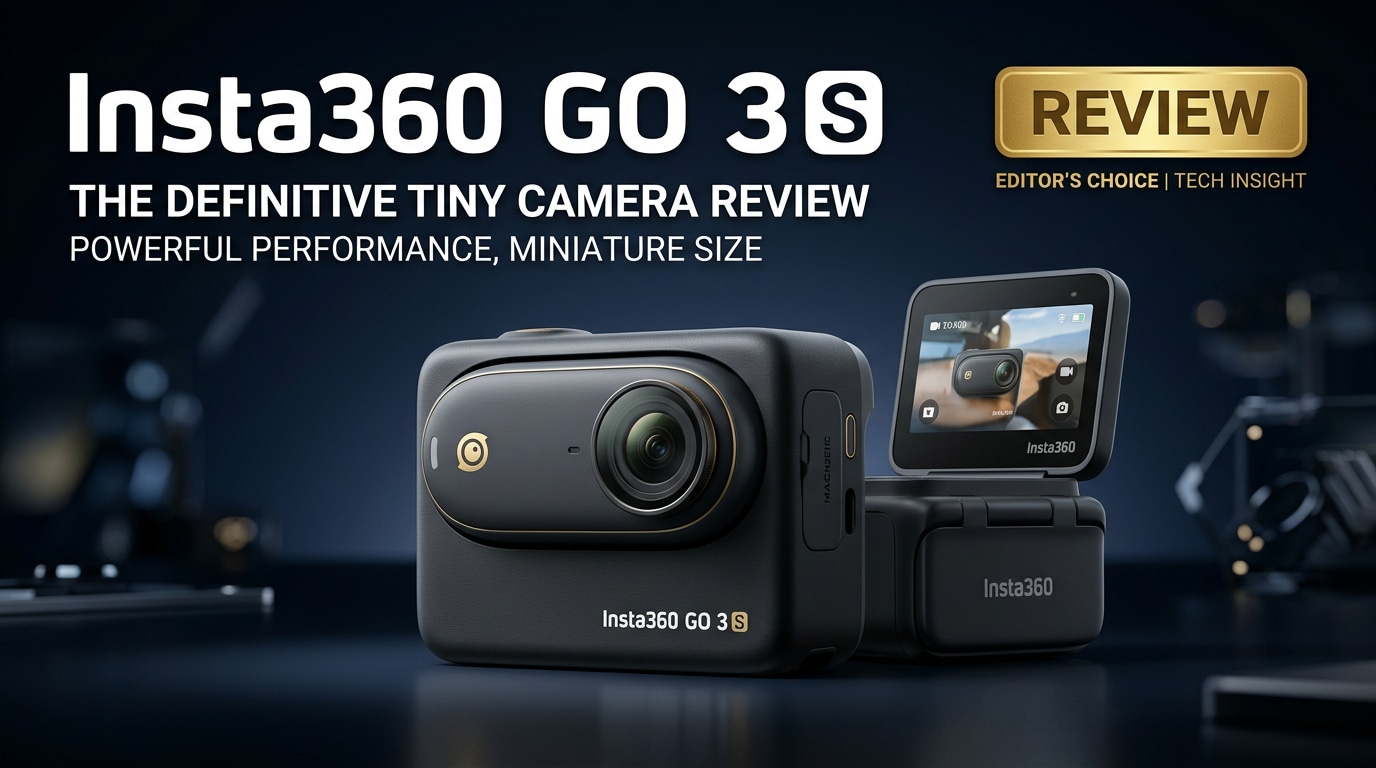
The Insta360 GO 3S is a thumb-sized action camera built for creators who want frictionless, hands-free shooting in almost any situation. Despite its tiny body, it records crisp 4K video, offers flexible magnetic mounting, and pairs with an Action Pod for framing, remote control, and longer sessions. This review walks through what is new, its core specs, real-world performance, and how to protect and repair your Insta360 footage if files ever become corrupted.
Repair Corrupted Files To Save Your Data
 Security Verified. Over 7,302,189 people have downloaded it.
In this article
What's New About Insta360 GO 3S
The Insta360 GO 3S refines the GO formula with a set of meaningful upgrades over the GO 3, while keeping the same ultra-compact form factor and magnetic mounting ecosystem.
- 4K resolution bump: The headline improvement is true Insta360 GO 3S 4K capture, bringing much sharper footage, better crop flexibility, and cleaner details for large screens or reframing in editing.
- Improved low-light performance: New tuning and processing deliver cleaner shadows and more natural colors in dim interiors, evening walks, and city scenes.
- Refined stabilization: Updated Insta360 GO 3S stabilization helps keep walking, biking, and POV shots smooth, even when the camera is clipped to clothing or gear.
- Smarter modes and controls: Upgrades to interval capture, timelapse, slow motion, and hands-free controls make it easier to capture short, shareable clips with minimal setup.
- Ecosystem continuity: It works with familiar mounts, accessories, and the Insta360 app, so existing Insta360 users can slot it into their current workflow.
Full Specs at a Glance
Core video and photo specs
Here is a quick look at the most important Insta360 GO 3S specs for creators comparing tiny action cameras.
| Feature | Insta360 GO 3S Specification |
|---|---|
| Sensor & Lens | Ultra-wide lens on a compact sensor, optimized for POV and action |
| Max Video Resolution | Up to Insta360 GO 3S 4K recording with various frame rate options |
| Photo Capture | High-resolution still photos with HDR and interval shooting modes |
| Stabilization | Advanced electronic stabilization tailored for body and gear mounting |
| Water Resistance | Camera module rated for water resistance out of the box (check official depth rating) |
| Special Modes | Timelapse, hyperlapse, slow motion, and hands-free capture modes |
Battery, storage, and connectivity
Beyond image quality, the GO 3S is designed to fit easily into everyday carry and creator kits.
| Feature | Details |
|---|---|
| Battery Life | Optimized for short clips; total runtime extends when paired with Action Pod |
| Storage | Built-in storage options (capacity varies by model); designed for quick offloads |
| Charging | Charges via the pod or cable; supports on-the-go top-ups between sessions |
| Connectivity | Wi-Fi and Bluetooth for app control, previews, and wireless transfers |
| Mounting | Magnetic mounts, clips, and accessories for clothing, helmets, and gear |
Real-World Performance
Video quality and 4K sharpness
In day-to-day use, the jump to 4K is immediately noticeable. Footage from the Insta360 GO 3S looks cleaner and more detailed than earlier GO models, especially for wide landscape shots or busy city scenes where small textures matter. The extra resolution also helps when you want to crop to vertical for social media without losing too much quality.
Dynamic range is solid for such a small camera, with highlight and shadow detail holding up in mixed lighting. While low light still shows some noise, the GO 3S performs better than its predecessors, with more usable results in indoor and evening scenarios.
Stabilization, audio, and usability
The Insta360 action camera stabilization on the GO 3S is tuned for POV and body-mounted shots. Walking, jogging, and riding footage stays impressively smooth for such a light camera, making it ideal for first-person clips where you do not want to think about gimbal setups.
Audio is clear enough for casual voice capture at close range, especially when the camera is mounted on a shirt or hat brim. For more serious vlogging, an external mic with the Action Pod or a separate audio recorder will still deliver better quality, but the onboard mics are perfectly fine for social clips.
Overall usability is where the GO 3S shines. Its tiny size means you actually bring it with you, and the magnetic mounting system turns everyday objects into potential camera rigs. That convenience often matters more than the spec sheet for creators who want spontaneous, document-your-day footage.
Pros & Cons
Pros
- Tiny, wearable form factor that is easy to mount nearly anywhere.
- Sharp Insta360 GO 3S 4K video with improved detail over previous GO models.
- Effective Insta360 GO 3S stabilization for walking and POV shots.
- Hands-free operation and smart capture modes that simplify quick shooting.
- Seamless app integration for previews, control, and one-tap social sharing.
Cons
- Designed for short clips, not extended continuous recording sessions.
- Low light is improved but still behind larger-sensor cameras.
- Built-in storage cannot be swapped like removable microSD cards.
- Small size makes it easier to misplace if you are not careful.
Who Is This Camera For?
The Insta360 GO 3S is ideal for creators who prioritize convenience and POV flexibility over having the largest sensor or most configurable camera. It is especially well suited for:
- Daily vloggers and lifestyle creators who want a tiny, always-with-you camera for hands-free clips.
- Sports and fitness enthusiasts who need a small, light camera for running, cycling, skateboarding, and gym content.
- Parents and travelers who want quick, unobtrusive clips of family moments and trips without carrying a bulky rig.
- Social-first creators focused on vertical video and short-form content that can be captured and posted rapidly.
If you regularly shoot long interviews, controlled studio work, or need extensive manual controls, a larger camera such as a traditional action cam or mirrorless body may be a better fit. But for wearable, go-anywhere shooting, the GO 3S delivers a unique balance of size and capability.
What to Do If Your Insta360 GO 3S Files Get Corrupted
Why use Repairit for Insta360 GO 3S footage
Because the Insta360 GO 3S relies on tiny storage and frequent transfers between the camera, Action Pod, and phone or computer, file corruption can happen due to sudden power loss, interrupted copies, or card errors. When valuable clips refuse to play or appear broken, dedicated repair software gives you a better chance of saving them.
Wondershare Repairit is built to fix corrupted videos, photos, and other files from action cameras like the GO 3S. It uses a guided workflow, supports a wide range of formats, and lets you preview repaired clips before saving them. You can learn more and download it from the Repairit official website.
Key features of Repairit for Insta360 GO 3S
- Repairs corrupted repair corrupted insta360 files and other media from the Insta360 GO series in a step-by-step workflow.
- Supports recovery and repair from memory cards, SSDs, HDDs, and external drives used with your insta360 action camera.
- Offers preview before saving so you only keep the repairit video repair results that look correct.
Step-by-step: Repair corrupted Insta360 GO 3S files
- Choose a Location to Repair Data
Open Wondershare Repairit and pick the module that matches your issue, such as Video Repair or Data Recovery. Connect the storage device that holds your GO 3S media, whether it is a microSD card, card reader, or external drive. In the main window, select the exact disk, partition, or folder where the damaged insta360 go 3s clips are stored, then confirm to start.

- Deep Scan the Location
Start a deep scan so Repairit can search the chosen location for corrupted, lost, or unreadable GO 3S videos and photos. Let the scan complete without disconnecting the drive or camera to avoid further damage. As results appear, use the filters and search bar to narrow down to your fix insta360 go 3s video files by type, name, or date.

- Preview and Repair Your Desired Data
When the scan ends, check the list of found items and select the insta360 go 3s features clips you care about most. Use the built-in preview to confirm that playback looks normal, the timeline is complete, and audio is present. Once satisfied, click Recover, choose a safe destination on a different drive or partition, and let Repairit save the repaired versions there so you do not overwrite the original media.

Conclusion — Should You Buy?
The Insta360 GO 3S delivers an appealing mix of portability, 4K image quality, and creative mounting options in an action camera that is barely larger than a thumb. For creators who prioritize POV flexibility, easy social-ready clips, and a minimal footprint over all-out manual control, it is one of the most convenient tiny cameras available.
If you adopt the GO 3S, it is worth pairing it with a dependable repair toolkit like Wondershare Repairit. With so many quick clips moving across small cards, phones, and computers, having a way to restore corrupted footage helps protect your work and lets you focus on capturing your day rather than worrying whether the files will open later.
FAQ
-
1. Does the Insta360 GO 3S record in 4K?
Yes, the Insta360 GO 3S records in up to 4K resolution, providing a clear step up in sharpness and fine detail compared with earlier GO models that were limited to lower resolutions. -
2. How long can the Insta360 GO 3S record continuously?
The GO 3S is optimized for short clips rather than long, uninterrupted takes. Actual continuous recording time depends on settings and temperature, so for long events it is better suited to capturing highlights in multiple shorter segments. -
3. Is the Insta360 GO 3S waterproof out of the box?
The camera module offers built-in water resistance to a specified depth, enough for splashes and light water use. For more demanding underwater shooting, you should use dedicated waterproof housing and follow Insta360's official guidelines. -
4. What should I do if my Insta360 GO 3S videos will not play?
First, try another media player and ensure your device supports the required codecs. If the files still refuse to open or show errors, use Wondershare Repairit to scan and repair the corrupted video structure before attempting playback again. -
5. Can I recover deleted Insta360 GO 3S files from my memory card?
If the card is not physically damaged and new data has not overwritten the deleted clips, data recovery tools like Wondershare Repairit can often locate and restore lost or deleted Insta360 GO 3S footage from the storage device.




