
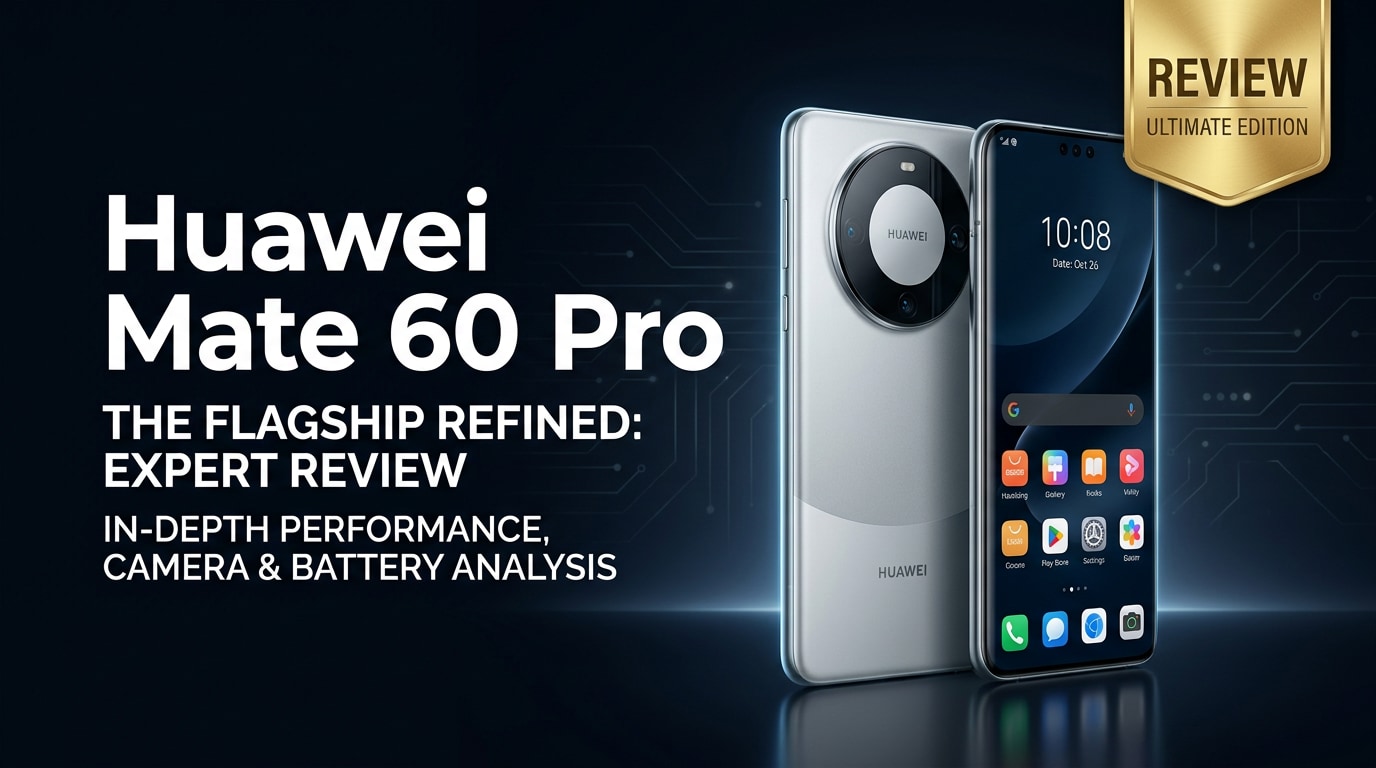
The Huawei Mate 60 Pro is a flagship smartphone that aims to stand out with powerful performance, a versatile camera system, and a premium build. It targets users who want high-end hardware and are open to Huawei's unique software experience. This review looks at its design, display, performance, battery life, and reliability, and explains what to do if your important photos, videos, or documents on the Mate 60 Pro suddenly become corrupted or inaccessible.
Repair Corrupted Files To Save Your Data
 Security Verified. Over 7,302,189 people have downloaded it.
In this article
What’s New About Huawei Mate 60 Pro
The Mate 60 Pro review starts with what makes this phone different from earlier Mate devices and rival flagships. Huawei focuses on design refinement, powerful hardware, and improved imaging while doubling down on its own ecosystem.
- Refined curved design with a distinctive circular rear camera module and premium finishes.
- Upgraded flagship-level chipset for smoother gaming, multitasking, and AI-driven features.
- Improved camera algorithms for better low-light photos, portrait separation, and video stabilization.
- Fast wired and wireless charging with efficient battery management for heavy users.
- Deeper integration with Huawei services and AppGallery as an Android alternative.
Price, Storage, and Design
Price and configurations
Huawei positions the Huawei flagship phone in the premium segment, with pricing that depends on RAM and storage options. Exact prices vary by region and sales channel, but you can typically choose from several storage tiers so you do not run out of space for photos, 4K videos, and apps.
| Variant | Who it suits |
|---|---|
| Base storage model | General users who mostly stream media and store moderate photos and apps. |
| Mid-tier storage model | Mobile photographers and gamers who install many apps and save offline content. |
| Top storage model | Power users and creators capturing lots of 4K video and RAW-style photos. |
Before buying, check local bundles or launch promotions that may include accessories or trade-in discounts to reduce the overall cost.
Design and build quality
The Huawei smartphone design emphasizes symmetry and comfort in hand. The curved glass and metal frame feel sturdy while still looking elegant. The circular camera island is instantly recognizable, helping the phone stand out from more generic rectangular camera blocks.
- Slim profile and balanced weight make it comfortable for one-handed use.
- Premium finish options that resist fingerprints better than glossy competitors.
- Solid build with tight tolerances, minimal flex, and a reassuring in-hand feel.
- Water and dust resistance (where specified), offering extra confidence for outdoor use.
Display, Performance, and Daily Use
The Mate 60 Pro's display is designed to compete with other premium flagships. Expect a bright, high-resolution panel with smooth refresh rates that make scrolling and animations feel fluid.
- High-resolution OLED display with vivid colors and deep blacks for movies and games.
- Adaptive refresh rate (where supported) to balance smoothness with power efficiency.
- Good outdoor visibility thanks to strong peak brightness and effective auto-brightness.
Performance is driven by Huawei's in-house chipset, optimized for AI tasks, multitasking, and gaming. In everyday use, the phone handles social media, navigation, browsing, video streaming, and productivity apps with ease.
- Fast app launches and smooth app switching even with many apps in memory.
- Stable frame rates in most popular mobile games at higher graphic settings.
- Efficient thermal management that keeps the device comfortable during extended sessions.
As an Android alternative, the Mate 60 Pro runs Huawei's own software stack, built on EMUI or HarmonyOS, with AppGallery and web-based installs replacing Google Play. Most mainstream needs are covered, but there can be some extra steps when setting up specific Western apps and services.
Camera Review
The Mate 60 Pro camera system is one of the phone's biggest selling points. Huawei continues its tradition of powerful imaging hardware combined with advanced computational photography.
- High-resolution main sensor for detailed daylight shots with accurate exposure.
- Ultra-wide lens to capture landscapes, architecture, and group photos without stepping back.
- Telephoto or periscope zoom options (depending on variant) for crisp shots at a distance.
- Improved night mode that brightens scenes without completely washing out contrast.
Color tuning tends toward vibrant yet natural tones, and skin rendering looks flattering in portraits. Autofocus is generally quick, with reliable subject tracking for children, pets, or street scenes.
Video performance is similarly strong. The phone can record high-resolution footage with good dynamic range, and stabilization helps reduce handshake while walking. It is a capable choice for vlogging, short-form content, and family recordings, though you should periodically back up large clips to avoid filling internal storage.
Battery, Charging, and Software Experience
The Mate 60 Pro battery is built for long days. With a large capacity and efficient chipset, most users can expect all-day endurance without babying the phone.
- Comfortable full-day battery life with mixed use, including social apps, browsing, photography, and some gaming.
- Fast wired charging that can take the battery from low to usable levels in a short time.
- Wireless charging and reverse wireless charging support on many models for topping up accessories.
Charging speeds are competitive, but using the included charger (or an official compatible one) yields the best results. Battery health tools in the settings can help you monitor long-term capacity and optimize charging behavior overnight.
On the software side, Huawei's interface is polished and feature-rich with extensive theming, system-wide dark mode, and productivity features like split-screen, floating windows, and device collaboration. The main trade-off is the reliance on Huawei AppGallery and alternative app sources instead of Google Play, which may require minor workarounds for some users and apps.
Pros and Cons of Huawei Mate 60 Pro
To make this Mate 60 Pro review more practical, here is a quick breakdown of its strengths and weaknesses.
| Pros | Cons |
|---|---|
|
|
What to Do If Your Huawei Mate 60 Pro Files Get Corrupted
Use Repairit to fix damaged files
Even a premium phone is not immune to file corruption. Interrupted transfers, sudden shutdowns, or storage glitches can make your videos, photos, or documents unplayable. When this happens on the Huawei Mate 60 Pro, a specialized repair tool is far more reliable than trial-and-error apps. Repairit by Wondershare is purpose-built to repair corrupted media and documents from phones, cameras, and computers. You can learn more from the Repairit official website and use it alongside regular backups to protect your memories.
Key features of Repairit
- Repairs corrupted videos, photos, and documents from phones, cameras, computers, and other storage devices.
- Step-by-step, click-through workflow designed so non-technical users can repair files with confidence.
- Supports batch repair and lets you preview the fixed files before saving them to a safe location.
Step-by-step guide: Repair Huawei Mate 60 Pro files with Repairit
-
Step 1: Add your corrupted Huawei Mate 60 Pro files to Repairit
Install and open Repairit on your computer. On the home screen, choose the type of content you need to fix, such as Video, Photo, or File. Connect your Mate 60 Pro with a USB cable or first copy the problematic files from the phone to a folder on your computer. Click the add button in Repairit, browse to that folder, and select all corrupted items you want to repair.

-
Step 2: Start the repair and let Repairit analyze each file
After the files appear in the list, click the Repair button. Repairit automatically scans the structure of every selected video, photo, or document, identifies typical corruption patterns, and tries to rebuild headers, frames, and metadata. During this phase, you only need to keep the program running and avoid disconnecting storage until the progress bar for all files reaches 100%.

-
Step 3: Preview the repaired results and save them safely
When the repair finishes, click the Preview icon beside each item to make sure the file opens or plays correctly. If the quality looks acceptable, hit Save, choose a secure folder on your computer or an external drive, and confirm. After that, you can copy the repaired files back to your phone file repair source, such as the Mate 60 Pro's internal storage or SD card, while keeping backup copies in case anything goes wrong later.

Conclusion — When Should You Buy?
The Mate 60 Pro specs and real-world performance make it a strong choice if you value design, camera versatility, and long battery life, and you are comfortable with Huawei's ecosystem. It suits mobile photographers, gamers, and professionals who want premium hardware and are willing to adapt to a non-Google setup.
If seamless access to every Google service is your top priority, you might prefer a different flagship. But if you are open to an alternative and want a standout device, the Huawei Mate 60 Pro delivers a compelling package. Pairing it with a tool like Repairit ensures that even if your videos or photos are corrupted, you have a clear path to fix them and keep your memories intact.
FAQ
-
1. Is the Huawei Mate 60 Pro good for photography and video?
Yes. The Huawei Mate 60 Pro offers a versatile camera system with strong low-light performance, detailed photos, and stable video, making it suitable for both casual users and mobile creators. -
2. How long does the Huawei Mate 60 Pro battery last in daily use?
With mixed usage such as social media, browsing, photography, and some gaming, the Mate 60 Pro generally lasts a full day on a single charge, and fast charging helps quickly top it up when needed. -
3. What should I do if videos on my Huawei Mate 60 Pro will not play?
First, restart the phone and try a different media player. If the videos are still unplayable, copy them to a computer and use a repair tool like Repairit to scan and fix potential file corruption. -
4. Can I recover corrupted photos from my Huawei Mate 60 Pro without data loss?
If the storage is physically intact, you can often repair corrupted photos without additional data loss using specialized software such as Repairit, which attempts to fix the file structure while preserving content. -
5. Do I need technical skills to use Repairit with my Huawei Mate 60 Pro files?
No. Repairit is built with a guided, step-by-step interface, so you only need to add the corrupted files, start the repair, then preview and save the fixed versions.




