
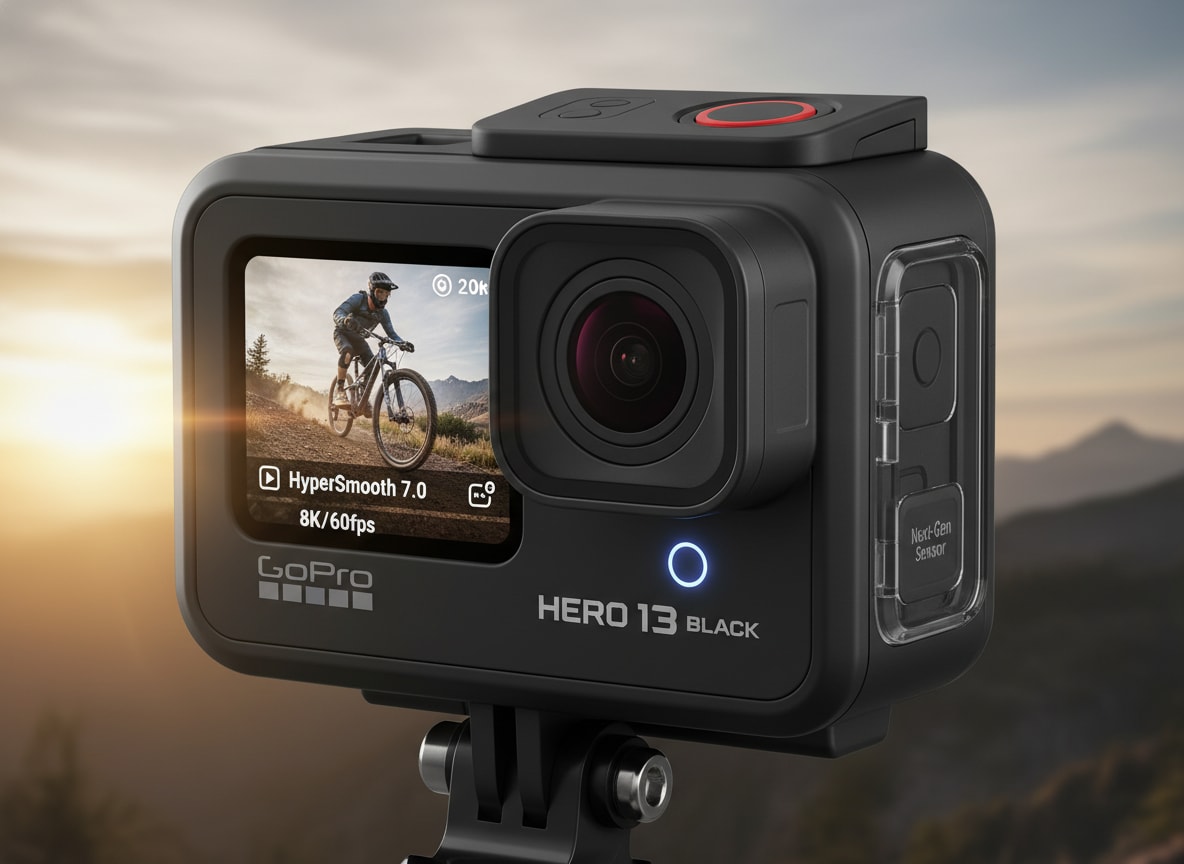
The GoPro Hero 13 Black is GoPro's latest flagship action camera, built for creators who need rugged durability, sharper 4K footage, and rock-solid stabilization in any environment. From mountain trails to underwater adventures, it brings smarter shooting modes, stronger low light performance, and creator-friendly tools that make capturing and sharing content easier than ever.
Repair Corrupted Files To Save Your Data
 Security Verified. Over 7,302,189 people have downloaded it.
In this article
What Is New About GoPro Hero 13 Black
The GoPro Hero 13 Black builds on the Hero 12 with a collection of refinements rather than a radical redesign. GoPro focused on smarter processing, more flexible frame rates, and better reliability in demanding environments.
Headlining upgrades include improved stabilization with more natural motion, cleaner 4K footage at higher bitrates, and enhanced low light handling for twilight rides or indoor gym sessions. GoPro has also polished its interface, fine-tuned the horizon lock behavior, and introduced more creator-focused presets to reduce setup time before each shot.
Battery optimization and thermals have been refined to keep recording stable during longer high-resolution sessions. For creators who rely on their camera day in and day out, these small improvements add up to a smoother, less frustrating shooting experience.
Full Specs at a Glance
Core video and photo specs
On paper, the Hero 13 specs will look familiar to long-time GoPro users, but several under-the-hood tweaks improve real-world results.
| Category | Details |
|---|---|
| Max video resolution | Up to 5.3K (select modes) and 4K at high frame rates for smooth action |
| Frame rates | Common options include 4K60/120, 2.7K, and 1080p high-FPS slow motion modes |
| Photo resolution | High-megapixel stills with RAW support for better editing flexibility |
| Stabilization | Next-gen digital stabilization and horizon leveling for smoother clips |
| Color profiles | Standard and flatter profiles for grading, plus auto tone optimization |
Together, these options are designed to cover everything from cinematic b-roll to high-speed POV footage. The higher frame rates in 4K are particularly useful for action sports where motion blur and judder can easily ruin a key moment.
Design, battery, and connectivity
The body of the GoPro 13 features familiar ruggedness, with a few quality-of-life improvements.
| Category | Details |
|---|---|
| Build & durability | Rugged, waterproof body suitable for harsh outdoor and underwater use |
| Battery | Improved power management for longer 4K shoots and better heat control |
| Mounting | Built-in folding fingers compatible with standard GoPro mounts |
| Connectivity | Wi-Fi, Bluetooth, and app integration for remote control and quick sharing |
| Audio | Enhanced onboard microphones with improved wind noise reduction |
From a usability standpoint, these updates aim to keep you recording longer with fewer interruptions, while also improving the reliability of wireless transfers and remote control from your phone.
Real-World Performance
Stabilization and image quality
In day-to-day use, the improvements to stabilization are some of the most visible changes in this GoPro Hero 13 review. Handheld walking shots and handlebar-mounted footage look more natural, with less of the over-smoothed, floating sensation some users disliked in earlier generations.
Image quality in 4K is crisp, with better detail retention in fine textures like gravel, tree leaves, and water spray. Higher bitrates help maintain clarity during fast motion and complex scenes, which is crucial when you are shooting mountain biking, skiing, or motorsports. Dynamic range is stronger in mixed lighting, giving you more latitude to recover shadows in editing.
Low light, audio, and usability
Low light performance, while still limited by the small sensor, is improved over previous generations. Noise levels are better controlled, and color rendering is more consistent under street lights or indoor lighting. You still get the best results by keeping ISO as low as possible, but the Hero 13 is more forgiving when conditions are not perfect.
Audio is noticeably clearer in windy conditions, thanks to updated wind reduction algorithms and more intelligent mic switching. For vloggers, that means fewer ruined clips when recording on ridgelines, beaches, or while riding an e-scooter through the city.
Usability refinements include a faster, more responsive touchscreen and simplified presets. It is easier to switch from a 4K60 POV mode to a cinematic wide shot without diving through endless menus, which helps you stay focused on the action instead of the camera.
Pros & Cons
Key advantages
- Excellent 4K video quality with improved bitrates and detail retention.
- More natural, reliable stabilization that keeps footage smooth without feeling artificial.
- Stronger low light performance compared with earlier GoPro generations.
- Rugged, waterproof build that is ready for action sports and travel.
- Refined interface and presets that speed up switching between shooting scenarios.
Where it falls short
- Incremental upgrade for Hero 12 owners who do not push their cameras to the limit.
- Sensor size still limits low light quality compared with larger hybrid cameras.
- Extended high-resolution recording can still be constrained by heat and battery life.
- Requires fast, high-quality microSD cards to avoid dropped frames or file issues.
Who Is This Camera For?
The GoPro Hero 13 Black is best suited to users who regularly shoot intense action, fast-paced travel, or dynamic vlogs where stabilization and durability matter more than interchangeable lenses. Mountain bikers, skiers, surfers, skaters, and moto riders will all benefit from the updated stabilization and higher bitrates.
For creators moving up from older models like the Hero 9, 10, or 11, the jump in stabilization, color science, and usability is significant. If you already own a Hero 12 and mainly film casual clips, the difference may feel subtle, but professionals and frequent shooters will appreciate the extra reliability and polish.
What to Do If Your GoPro Hero 13 Black Files Get Corrupted
Why use Repairit for GoPro recovery
Despite all its strengths, no action camera is immune to file corruption caused by sudden power loss, card errors, or accidental removal of the SD card mid-write. When that happens on your GoPro Hero 13 Black, clips may refuse to play, show error messages, or lose audio. Wondershare Repairit is designed to fix precisely these kinds of issues, helping you restore unusable GoPro footage and photos with a guided, beginner-friendly workflow. You can learn more from the Repairit official website.
Step-by-step: Repair GoPro Hero 13 Black files
A. Repairit key features for GoPro users
- Repairs seriously corrupted GoPro file corrupted fix scenarios, including broken headers, playback errors, and missing audio in videos shot on the GoPro Hero 13 Black.
- Supports SD cards, microSD cards, and external drives from many camera brands, so you can use one tool for all your GoPro data recovery and media repair needs.
- Provides a preview of repaired files before saving, letting you confirm that your repair GoPro videos efforts have actually restored usable footage.
B. Step-by-step: Repair corrupted GoPro Hero 13 Black files with Repairit
-
Choose a Location to Repair Data
Start Wondershare Repairit and select the module that matches the type of damaged content you are dealing with, such as video repair or photo repair. Connect the SD card from your GoPro Hero 13 Black or the external drive where you saved the clips. In the interface, browse to that card, folder, or disk and confirm it as the source location so Repairit knows exactly where to scan for problematic files.

-
Deep Scan the Location
Click the scan button to launch a deep analysis of the selected storage. Repairit will automatically search for corrupted, partially recorded, or unreadable GoPro files and evaluate how badly they are damaged. As the scan progresses, you will see a list of detected items along with details like file name, duration, size, and format. Let the process finish so the tool can rebuild as much of the underlying structure as possible.

-
Preview and Repair Your Desired Data
When the scan completes, select the repaired clips you want to keep and use the preview window to play them back. Check both video and audio to make sure your gopro file corrupted fix results meet your expectations. If everything looks right, click the recover or save button and choose a safe destination on your computer, not the original SD card. Saving to a new location reduces the risk of overwriting data and gives you a clean, fixed copy of your GoPro 13 features footage to edit and share.

Conclusion — Should You Buy?
The GoPro Hero 13 Black is a polished evolution of GoPro's flagship, offering sharper 4K footage, smarter stabilization, and more dependable performance in challenging conditions. For action sports lovers, dedicated travelers, and serious vloggers, it delivers a strong balance of image quality, durability, and ease of use in a tiny package.
If you are coming from an older model and regularly push your camera with high-intensity shooting, the upgrade makes clear sense. Hero 12 owners should weigh how much they value incremental gains in stability, low light, and workflow. Whatever you choose, pairing your camera with a consistent backup routine and a repair tool like Wondershare Repairit will help ensure that corrupted clips never erase your best moments.
FAQ
-
1. Is the GoPro Hero 13 Black worth upgrading from the Hero 12?
It depends on how you use your camera. If you often shoot fast action, low light scenes, or long 4K sessions, the Hero 13's refined stabilization, image processing, and reliability make the upgrade appealing. Casual users satisfied with their Hero 12's quality may see only modest differences in everyday clips. -
2. What memory card is best for the GoPro Hero 13 Black?
Use a reputable UHS-I microSD card rated V30 or higher to handle 4K and high frame rate recording. Avoid generic or ultra-cheap cards, as they are more likely to cause dropped frames, overheating, or file corruption in demanding shooting modes. -
3. How can I avoid corrupted videos on my GoPro Hero 13 Black?
Always stop recording before powering off the camera, never remove the battery or SD card while writing, and format your card in-camera on a regular basis. Keeping firmware updated and using high-quality cards also reduces the chance of file corruption. -
4. Can I repair corrupted Hero 13 Black files myself?
In many cases, yes. Stop using the affected SD card immediately, copy its contents to a computer, and run a repair tool like Wondershare Repairit. The software scans for damaged videos and photos, attempts to rebuild their structure, and lets you preview results before saving fixed copies. -
5. Does repairing GoPro files reduce video quality?
Proper repair tools are designed to restore files as close as possible to their original state. While very heavily damaged footage may not be fully recoverable, tools like Repairit focus on preserving resolution, frame rate, and audio quality whenever the underlying data is still intact.




