
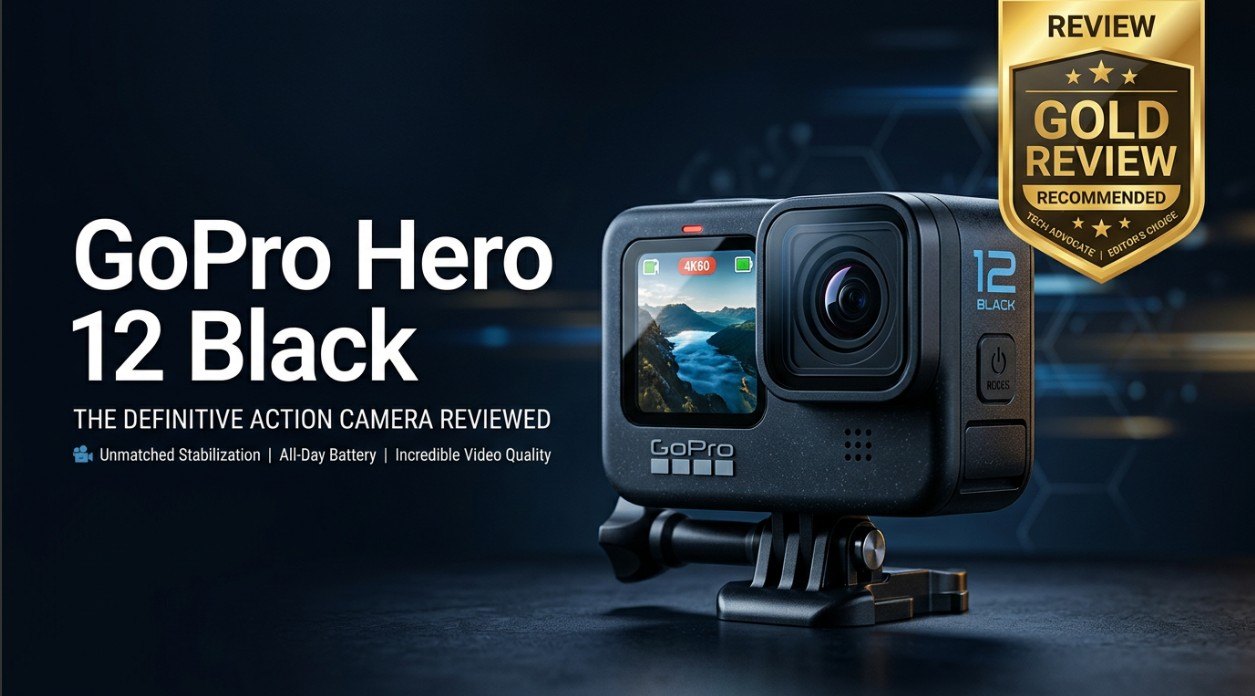
The GoPro Hero 12 Black is a flagship action camera built for creators, adventurers, and everyday users who want crisp 5.3K footage in a compact, rugged body. It refines stabilization, battery efficiency, and pro-level controls while staying familiar for long-time GoPro fans. Whether you are filming fast action, vlogs, or travel clips, the Hero 12 Black is designed to capture smoother, more vibrant video and handle demanding shoots without getting in your way.
Repair Corrupted Files To Save Your Data
 Security Verified. Over 7,302,189 people have downloaded it.
In this article
The GoPro Hero 12 Black is the latest generation of GoPro's iconic action camera line, designed to capture sharp 5.3K and 4K footage in a compact, waterproof body. It keeps the proven 1/1.9-inch sensor from the Hero 11 Black but improves power efficiency, color, and creator-focused tools like timecode syncing and flexible shooting controls. From helmet cams and chest mounts to travel rigs and vlogging setups, the Hero 12 Black aims to deliver stabilized, cinematic video while remaining tough enough for harsh outdoor conditions.
What Is New About GoPro Hero 12 Black
The GoPro Hero 12 Black is not a complete redesign, but it brings several meaningful upgrades over the Hero 11 Black that make shooting smoother and more reliable.
- Refined power management for longer run times, especially at high resolutions and frame rates.
- Improved HyperSmooth stabilization that better handles sudden movements and horizon shifts.
- New HDR video modes for richer detail in high-contrast scenes.
- Enhanced timecode and sync features aimed at multi-camera and professional workflows.
- More flexible shooting presets, including vertical video modes for social media.
- Cleaner audio capture with better wind-noise handling when using the built-in microphones.
Taken together, these updates make the Hero 12 Black more creator-friendly, especially for people who rely on their GoPro action camera for regular content production rather than occasional vacation clips.
Full Specs at a Glance
On paper, the GoPro Hero 12 specs look familiar, but the combination of resolution options, frame rates, and advanced processing still makes it a powerful compact camera.
Core camera hardware
| Feature | GoPro Hero 12 Black Specification |
|---|---|
| Sensor | 1/1.9-inch CMOS sensor with 8:7 aspect ratio |
| Maximum video resolution | GoPro Hero 12 5.3K video up to high frame rates |
| Photo resolution | Up to 27MP still images |
| Waterproof rating | Waterproof to 10m (33ft) without housing |
| Stabilization | HyperSmooth advanced digital stabilization with horizon leveling |
| Battery | Rechargeable lithium-ion with improved power management |
| Storage | microSD card slot supporting high-capacity UHS-I cards |
Video and photo recording options
| Mode | Details |
|---|---|
| Video resolutions | 5.3K, 4K, 2.7K, and 1080p at various frame rates for action and slow motion |
| Recording formats | High-bitrate MP4 files using H.264/H.265 codecs |
| Photo modes | Single, burst, time-lapse, and RAW photo capture for more flexibility in editing |
| Special modes | TimeWarp, star trails, light painting, and vertical video presets |
| Connectivity | Wi-Fi, Bluetooth, and accessory support for mics and mounts |
Real-World Performance
In everyday use, the GoPro Hero 12 Black feels responsive and dependable. Menus are snappy, quick capture works as expected, and the camera boots quickly enough to grab spontaneous shots.
Image quality is strong across 5.3K and 4K modes, with good detail and faithful color, especially in bright outdoor scenes. HDR video helps balance shadows and highlights in tricky lighting, reducing the need to rescue details later in editing.
Stabilization remains a standout. HyperSmooth does an impressive job smoothing out footsteps, helmet shake, and handlebar vibrations. Horizon leveling keeps footage visually pleasing even when the camera tilts, making it easier to produce professional-looking clips straight out of camera.
Battery performance is improved compared with earlier generations, especially during longer recording sessions. However, heavy use of high-bitrate 5.3K modes or cold weather can still drain the battery quickly, so carrying spares is wise for full-day shoots.
Because the Hero 12 Black writes large, high-bitrate MP4 files to microSD cards, it remains sensitive to card quality and handling. Sudden power loss, card removal during recording, or file system errors can cause GoPro file corrupted problems that require repair before the footage can be used.
Pros & Cons
Pros
- High-quality 5.3K and 4K footage with strong detail and pleasing color.
- Excellent HyperSmooth stabilization for hand-held and mounted shots.
- Improved power efficiency for longer recording times.
- Rugged, waterproof design that handles rough conditions without a case.
- Creator-friendly features such as timecode syncing and vertical video modes.
- Familiar interface and accessories for existing GoPro users.
Cons
- Incremental upgrade for Hero 11 Black owners rather than a dramatic leap.
- Battery life can still drop quickly in extreme conditions or at maximum settings.
- Relies heavily on microSD card quality, which can lead to gopro sd card repair or recovery needs after errors.
- Advanced options may feel complex for first-time action camera users.
Who Is This Camera For?
The GoPro Hero 12 review story makes the most sense if you look at who benefits most from this camera.
- Action sports enthusiasts: Riders, skiers, divers, and climbers who need rugged, stabilized footage in a compact form.
- Travelers and vloggers: People who want a small, versatile camera that can capture stabilized wide shots and creative time-lapses.
- Content creators and professionals: Filmmakers using multiple GoPro Hero 12 Black units for action sequences or behind-the-scenes angles, where timecode and sync are valuable.
- Upgraders from older GoPros: Anyone on a much older model (Hero 8 or earlier) will see a major jump in quality, stabilization, and features.
If you already own a Hero 11 Black and mainly shoot casual clips, you may not notice a huge difference. But for regular shooters and creators, the Hero 12 Black is a solid, refined evolution of the GoPro action camera formula.
What to Do If Your GoPro Hero 12 Black Files Get Corrupted
Use Repairit to bring damaged clips back
Intensive 5.3K and 4K recording on high-capacity microSD cards increases the risk of corrupted MP4 files, especially if the battery dies mid-shot, the camera crashes, or the card is removed too soon. When that happens, your computer or editor may refuse to open the clip, or playback may freeze or show errors.
Instead of deleting those files, you can use Wondershare Repairit to repair them. Wondershare Repairit is a dedicated data repair solution that helps restore broken videos, photos, and other files from GoPro cameras, memory cards, and more. It guides you through scanning a location, reconstructing damaged structures inside your footage, and previewing the repaired results before saving them. You can learn more and download it from the Repairit official website.
Step-by-step: repair GoPro Hero 12 Black footage
Key features of Repairit for GoPro users
- Repairs corrupted fix corrupted gopro video files, photos, and other media from SD cards, external drives, and your GoPro storage folder.
- Supports batch repair so you can handle multiple broken Hero 12 Black clips in one streamlined session.
- Offers built-in preview and selective recovery to save only the repaired repair gopro hero footage you actually need.
How to repair corrupted GoPro Hero 12 Black files with Repairit
-
Choose a Location to Repair Data
Open Wondershare Repairit and select the module that matches your issue, such as video repair for damaged GoPro clips. Insert your GoPro microSD card into a card reader or open the folder on your computer where your Hero 12 Black footage is stored. In Repairit, pick that card or folder as the target location so the program knows exactly where to look for corrupted MP4 files created by your GoPro Hero 12 Black.

-
Deep Scan the Location
Start the scan and let Repairit work through the selected card or directory. It will analyze each file for signs of corruption, such as missing headers, damaged metadata, or incomplete video streams. As the deep scan progresses, you will see a list of problem files appear with their names, sizes, and formats. Repairit then attempts to rebuild the structure of your gopro file corrupted clips so that media players and editors can open them again.

-
Preview and Repair Your Desired Data
When the repair phase completes, highlight any video or photo to preview it directly in Repairit. Check that the clip plays through smoothly, without major glitches, freezes, or audio issues. Once you are satisfied, select the items you want to keep and click to save them, choosing a secure destination on your computer that is different from the original card. This way, your repaired Hero 12 Black footage is safely stored and ready to edit or share, even if the original card still needs gopro sd card repair or reformatting.

Conclusion — Should You Buy?
The GoPro Hero 12 Black refines a proven design with better stabilization, smarter power handling, and creator-focused tools that make it a strong choice for regular shooters. For anyone upgrading from much older GoPro models, the difference in image quality, stabilization, and flexibility will be immediately noticeable.
However, recording high-bitrate footage still means taking care of your microSD cards and planning for potential file issues. Pairing the Hero 12 Black with quality storage and a dedicated repair tool like Wondershare Repairit gives you both excellent performance and a safety net when clips become corrupted.
FAQ
-
1. Is the GoPro Hero 12 Black worth upgrading from the Hero 11 Black?
If you shoot often and value longer run times, slightly better stabilization, and creator-focused additions like refined timecode support, the Hero 12 Black is a worthwhile step up. If your Hero 11 Black already meets your needs and you only film occasionally, the differences may feel incremental. -
2. What memory card should I use with the GoPro Hero 12 Black?
Use a high-quality UHS-I microSD card with a V30 or higher video speed rating from reputable brands. Fast, reliable cards help prevent dropped frames, overheating, and the fix corrupted gopro video headaches that come from recording high-bitrate 4K or 5.3K footage on slower media. -
3. Why did my GoPro Hero 12 Black video file get corrupted?
Common causes include the battery dying while recording, turning the camera off abruptly, or removing the microSD card before stopping the recording. Card faults, physical shocks, or file system errors can also create a gopro file corrupted situation that stops clips from opening normally. -
4. Can I fix corrupted GoPro Hero 12 Black footage without the camera?
Yes. You can remove the microSD card, connect it to your computer, and use a repair tool such as Wondershare Repairit to scan, repair, and export the damaged clips. This process does not require the camera itself, only access to the corrupted files. -
5. Does repairing GoPro files reduce video quality?
A proper repair aims to restore the file structure so the original video and audio can play normally. If the corruption is not severe, most repaired clips are very close to the original quality. When damage is extensive, a few frames or sections may be lost, but a tool like Repairit maximizes what can be recovered.




