
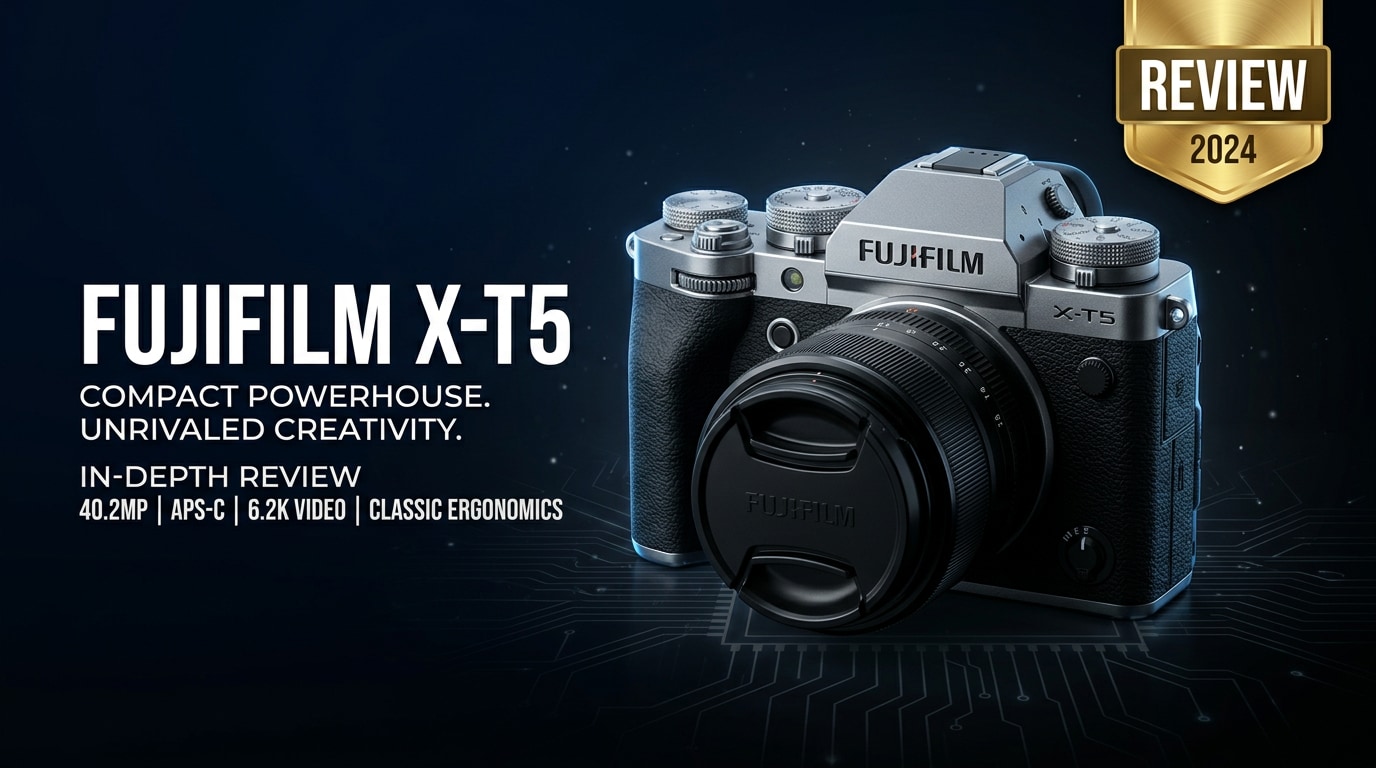
The Fujifilm X-T5 is a compact APS-C mirrorless camera aimed at photographers and hybrid creators who want high resolution stills, reliable autofocus, and advanced video tools in a classic, dial-based body. With a 40MP sensor, in-body image stabilization, and Fujifilm's renowned color science, it targets enthusiasts and professionals needing serious performance without moving to a bulky full-frame system.
Repair Corrupted Files To Save Your Data
 Security Verified. Over 7,302,189 people have downloaded it.
In this article
What's New About Fujifilm X-T5
The Fujifilm X-T5 review story starts with a clear shift back toward stills-focused shooting while keeping serious video power. Compared with the X-T4 and mid-range bodies like the X-S20, the X-T5 brings a higher resolution sensor, improved stabilization, and refined ergonomics in a smaller package.
- 40.2MP X-Trans CMOS 5 HR sensor for more detail and crop flexibility.
- X-Processor 5 delivering faster processing, better noise control, and advanced autofocus algorithms.
- 7-stop in-body image stabilization (IBIS) in a body that is actually smaller and lighter than the X-T4.
- Up to 6.2K 30p and oversampled 4K video, plus F-Log and F-Log2 for color grading.
- Enhanced subject-detection AF (people, animals, vehicles, and more).
- Improved EVF optics and higher-resolution LCD despite the simpler 3-way tilt design.
- Better battery life and dual UHS-II card slots for more robust workflows.
Unlike the more vlogging-oriented X-S20, the X-T5 leans into the traditional DSLR-style shooting experience while quietly packing many of Fujifilm's latest technologies inside.
Full Specs at a Glance
Sensor and Image Pipeline
| Feature | Specification |
|---|---|
| Sensor Type | 40.2MP APS-C X-Trans CMOS 5 HR |
| ISO Range (native) | ISO 125–12800 (expandable to ISO 64–51200) |
| Image Processor | X-Processor 5 |
| Stabilization | 5-axis IBIS, up to 7 stops with compatible lenses |
| Continuous Shooting | Up to 15 fps (mechanical), higher with electronic shutter |
| Video Resolution | Up to 6.2K 30p, 4K 60p, Full HD up to 240p |
| Log Profiles | F-Log, F-Log2 |
| Color Profiles | Full set of Fujifilm Film Simulations |
Body, Handling, and Connectivity
| Feature | Specification |
|---|---|
| Mount | Fujifilm X-mount |
| Viewfinder | OLED EVF, 3.69M dots, 0.8x magnification |
| Rear Screen | 3-inch 1.84M-dot 3-way tilt LCD |
| Storage | Dual UHS-II SD card slots |
| Battery | NP-W235; improved endurance vs X-T4 |
| Weather Sealing | Yes, dust and moisture resistance |
| Ports | USB-C, micro-HDMI, mic in, remote; headphone via USB-C adapter |
| Wireless | Wi-Fi and Bluetooth for remote control and transfer |
From a specs perspective, the Fujifilm X-T5 specs clearly target users who want high resolution and rich video options in a compact body that still feels like a camera first, not a computer.
Real-World Performance
In real shooting, the Fujifilm X-T5 photography experience is dominated by detail, dynamic range, and Fujifilm's signature color rendering. The 40MP sensor captures crisp files with strong latitude for editing, especially at low ISO. Landscape and studio shooters benefit most, but even general-purpose work gains from the added resolution.
Autofocus performance is a noticeable step up from previous generations. The Fujifilm X-T5 autofocus system locks onto faces and eyes reliably in most conditions, and the subject-detection algorithms make it easier to track people, animals, and vehicles. It still trails some full-frame competitors in extreme low light and very fast action, but for weddings, portraits, travel, and events it is more than capable.
IBIS is another highlight. The rated 7 stops of stabilization allows surprisingly slow shutter speeds for handheld stills, and smooth handheld footage for casual video work. Combined with Fujifilm's compact primes, the system is a strong travel and street package.
On the video side, the Fujifilm X-T5 video capabilities are impressive for a camera that is still primarily photo-focused. 6.2K recording and oversampled 4K look detailed and clean, F-Log2 provides extra dynamic range for grading, and the file formats integrate well into professional NLE workflows. Rolling shutter can appear when panning quickly at 6.2K, and the lack of a fully articulating screen will bother solo video shooters, but overall quality is excellent.
In regular use, heat management, card performance, and file reliability depend heavily on using fast, high-quality SD cards. Cheaper or slower cards can introduce bottlenecks or even Fujifilm X-T5 problems like recording interruptions and corrupted clips, which is why a solid backup and repair strategy matters.
Pros & Cons
Pros
- High-resolution 40MP sensor with excellent detail and dynamic range.
- Compact, retro-styled body with tactile analog dials for shutter speed and ISO.
- Effective 7-stop IBIS for low-light stills and smooth handheld video.
- Strong overall autofocus performance with subject-detection capabilities.
- 6.2K and oversampled 4K video with F-Log2 for high-end grading workflows.
- Dual UHS-II card slots and robust weather sealing make it reliable for professional work.
- Deep ecosystem of sharp, characterful Fujifilm X-mount lenses.
Cons
- 40MP files are large, demanding more storage and faster cards.
- 3-way tilt screen is less flexible than a fully articulating display for vlogging.
- Rolling shutter is visible in certain video modes with quick movement.
- AF still lags behind some rivals for the very fastest sports and wildlife work.
- No built-in headphone jack; relies on USB-C adapter for audio monitoring.
Who Is This Camera For?
The X-T5 is squarely aimed at photographers and hybrid shooters who want a compact, durable camera with a traditional handling experience. If your primary focus is still images and you appreciate Fuji's color science, the X-T5 becomes an easy recommendation.
Compared with the X-S20, the Fujifilm X-T5 vs X-S20 decision boils down to priorities. The X-T5 offers higher resolution, more direct controls, and a more photography-first design. The X-S20, by contrast, is better for vloggers who want a deep grip, fully articulating screen, and more overt video-centric features. If you mainly shoot stills and occasional video, the X-T5 will likely feel more rewarding.
Professionals shooting weddings, portraits, editorial, and commercial work will appreciate the dual card slots, weather sealing, and consistent output. Enthusiasts stepping up from entry-level cameras gain a platform that leaves plenty of room to grow without committing to a heavy full-frame system.
What to Do If Your Fujifilm X-T5 Files Get Corrupted
Why Files Get Corrupted
Even with a robust camera like the X-T5, photo and video files can become unreadable. Common causes include suddenly removing the SD card during writing, power loss while recording, using low-quality or counterfeit cards, formatting mistakes, or unexpected system errors during transfer. Symptoms may include clips that will not open, images that show as black or partially loaded, or files that trigger error messages in your editor.
When this happens, you should immediately stop using the affected card or drive to avoid overwriting data, then move to specialist repair software to salvage your work.
How to Repair Fujifilm X-T5 Files with Repairit
Repairit Introduction
To fix Fujifilm X-T5 file recovery issues quickly, a dedicated repair tool is far more reliable than random manual tricks. Wondershare Repairit is designed specifically to repair corrupted or unplayable photos, videos, and documents from cameras, memory cards, and computers. It works with popular formats from Fujifilm cameras, offers a simple interface, and lets you preview repaired files before saving. You can learn more and download the tool from the Repairit official website.
Key Features of Repairit
- Repairs corrupted or unplayable photos and videos from cameras, memory cards, and drives.
- Supports many popular file formats and storage locations in a single, streamlined tool.
- Offers preview before saving repaired files so you only recover what you actually need.
Step-by-step guide
-
Choose a Location to Repair Data
Install and open Repairit on your computer, then point it to where your damaged X-T5 files are stored. This could be the SD card from your camera, a folder on an external drive, or a directory on your internal disk. Add the corrupted Fujifilm photos or video clips into the repair list so the software knows exactly which items to analyze.

-
Deep Scan the Location
Start the repair process so Repairit can run a deep scan on the selected media. During this stage, the program inspects the file structure, looks for header and index damage, and automatically applies the best repair routines for each format. Let the scan complete without unplugging your card or drive; interrupting the process can reduce the chances of a successful fix.

-
Preview and Repair Your Desired Data
When the scan finishes, Repairit shows a list of the recoverable items. Use the built-in viewer to preview photos and play back video clips so you can verify that the corruption issues are gone. Select only the files you want to keep, then save them to a different, healthy storage location to avoid writing over any remaining recoverable data on the original card.

Conclusion — Should You Buy?
The X-T5 brings together a high-resolution sensor, robust in-body stabilization, and confident autofocus in a compact, tactile body that feels great to use. For travel, street, landscape, portrait, and general professional work, it delivers image quality and reliability that comfortably rival many larger systems, while the video modes are strong enough for serious hybrid projects.
If you value classic handling, Fujifilm colors, and a stills-first design with deep video support, the X-T5 is an excellent long-term companion. Combined with consistent backups and a capable repair tool like Repairit to safeguard against corruption, it is a dependable core for a modern, lightweight creative kit.
FAQ
-
1. Is the Fujifilm X-T5 good for professional photography?
Yes. The Fujifilm X-T5 specs include a 40MP sensor, 7-stop IBIS, dual card slots, and access to excellent X-mount lenses. These features make it suitable for professional genres such as weddings, portraits, editorial, and commercial work. -
2. Can the Fujifilm X-T5 record 4K or higher video?
Yes. The Fujifilm X-T5 video modes include up to 6.2K 30p and oversampled 4K, plus F-Log and F-Log2 for flexible grading. While it is still more photo-oriented than some cinema-style bodies, it is fully capable for serious video projects. -
3. Does the Fujifilm X-T5 have in-body image stabilization (IBIS)?
Yes. The camera includes 5-axis IBIS rated up to 7 stops with compatible lenses, which significantly helps for low-light handheld shooting and smoother video capture. -
4. What should I do if my Fujifilm X-T5 photos or videos become corrupted?
Stop shooting on the affected card immediately to prevent overwriting data. Connect the card or drive to your computer and use a repair tool such as Wondershare Repairit to scan, repair, and recover the damaged files before reusing the storage. -
5. How does the Fujifilm X-T5 compare to the Fujifilm X-S20?
The X-T5 focuses on stills with a higher-resolution 40MP sensor, classic dials, and a more photography-centric layout. The X-S20 offers a deeper grip, fully articulating screen, and some vlogger-friendly features. Choose the X-T5 if you prioritize still photography and the X-S20 if you emphasize self-shooting and video flexibility.




