
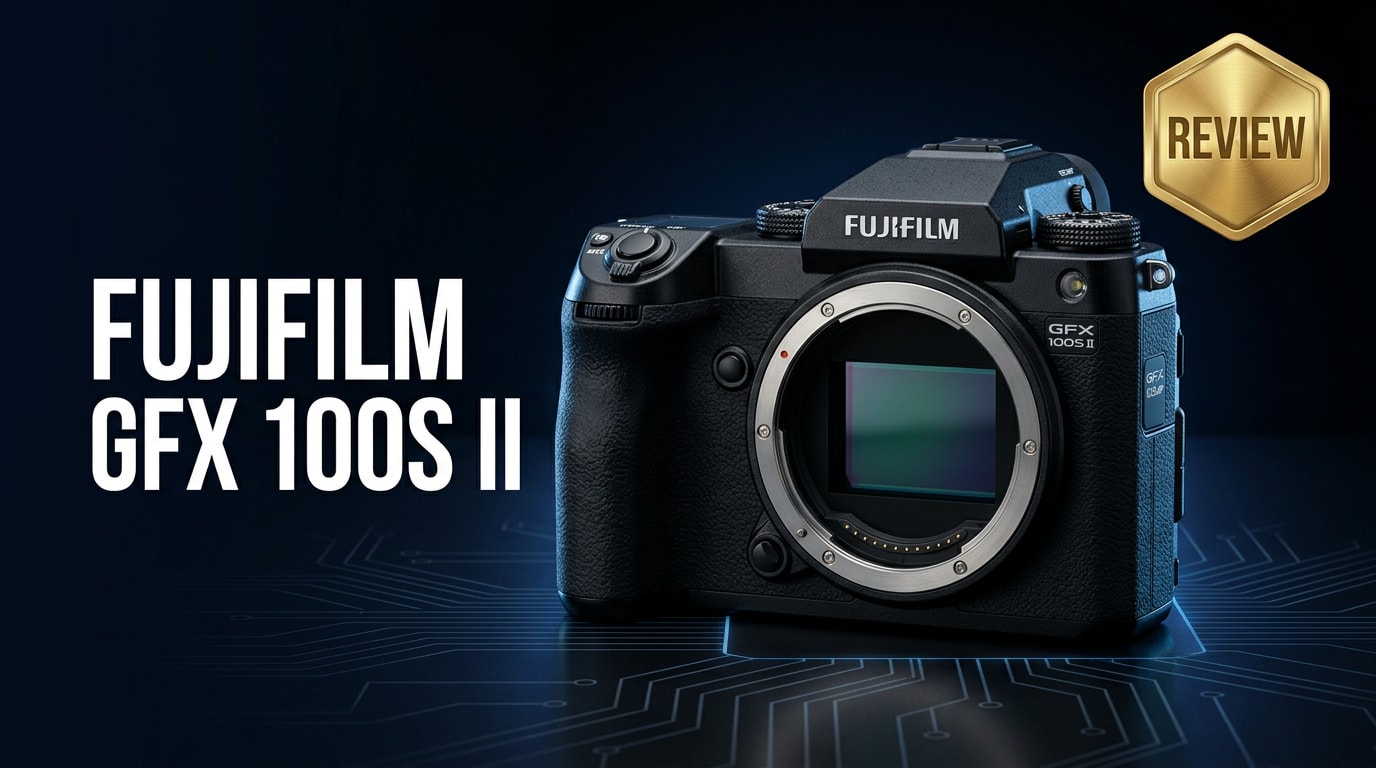
The Fujifilm GFX 100S II is a 102MP medium format mirrorless camera that brings huge-sensor image quality into a body not much larger than a full-frame DSLR. It targets professionals and advanced enthusiasts who want exceptional detail, dynamic range, and color while still being able to shoot handheld, on location, and even for hybrid photo-video work.
Repair Corrupted Files To Save Your Data
 Security Verified. Over 7,302,189 people have downloaded it.
In this article
What's New About Fujifilm GFX 100S II
The GFX 100S II refines Fujifilm's compact medium format concept with better speed, stability, and usability. While the resolution remains at 102MP, the processing pipeline and autofocus have been updated to feel more responsive in everyday shooting.
- Improved subject-detection autofocus that better tracks faces, eyes, and moving subjects across the large frame.
- More effective in-body image stabilization (IBIS), helping you shoot handheld at slower shutter speeds without sacrificing detail.
- Enhanced video toolset, giving hybrid creators more reliable recording options from the large medium format sensor.
- Refined ergonomics and menus designed to keep the camera approachable despite its professional capabilities.
Full Specs at a Glance
Sensor and core imaging specs
| Feature | Specification |
|---|---|
| Sensor type | Medium format CMOS (larger than 35mm full-frame) |
| Effective resolution | Approx. 102 megapixels |
| Image stabilization | In-body image stabilization (IBIS), multi-stop compensation |
| ISO range | Wide native ISO range designed for low noise and high dynamic range |
| File formats | Fujifilm RAW (RAF), JPEG, plus standard video formats |
Body, storage, and connectivity
| Feature | Specification |
|---|---|
| Body design | DSLR-style compact medium format body with deep grip |
| Memory card slots | Dual SD card slots (use fast, high-quality UHS-II cards recommended) |
| Viewfinder and LCD | High-resolution EVF and tilting rear touchscreen |
| Connectivity | USB-C, HDMI, headphone and microphone ports, wireless connectivity |
| Power | Rechargeable lithium-ion battery compatible with extended sessions |
Real-World Performance
In real-world use, the Fujifilm GFX 100S II delivers images with immense detail and smooth tonal transitions that medium format is known for, but without feeling slow or fragile on location. Autofocus acquisition is notably faster and more confident than older generations, especially with face and eye tracking in portraits.
Handheld shooting benefits from the strengthened IBIS, so you can reliably capture sharp frames at slower shutter speeds, useful for available-light interiors and travel assignments. Video performance is more practical for hybrid work, producing rich, gradable files, though this camera still leans toward stills-first shooters.
Pros & Cons
Pros
- Stunning 102MP medium format files with exceptional dynamic range and color.
- Improved autofocus and IBIS make medium format more usable handheld.
- Relatively compact, weather-resistant body for on-location work.
- Dual card slots and robust connectivity for professional workflows.
- Better video support for hybrid creators who prioritize stills.
Cons
- Still larger and heavier than many full-frame systems.
- Lens ecosystem, while strong, is more costly than APS-C or full-frame equivalents.
- Video feature set is capable but not as advanced as dedicated cinema or video-centric bodies.
- Large files demand fast cards, powerful computers, and careful backup habits.
Who Is This Camera For?
The GFX 100S II is best suited to photographers and studios that prioritize ultimate image quality over absolute speed. Portrait, fashion, editorial, fine art, advertising, and landscape shooters will see the most benefit from its 102MP files and medium format look.
Hybrid creators who mainly shoot stills but deliver some video to clients can also take advantage of the camera's improved video features. If you often print large, crop aggressively, or license high-end commercial imagery, the step up from full-frame can be easy to justify.
What to Do If Your Fujifilm GFX 100S II Files Get Corrupted
Repairit introduction
Even with careful handling, RAW photos and video clips from the Fujifilm GFX 100S II can occasionally become corrupted due to card errors, interrupted writes, or transfer issues. When important work refuses to open or play correctly, Wondershare Repairit offers a focused way to repair damaged media files without needing deep technical skills. You can explore the full toolkit and download the software from the Repairit official website.
Key features of Repairit
- Repairs corrupted photos and videos from cameras, memory cards, and external drives so you can rescue critical GFX 100S II shoots.
- Supports common formats, including RAW stills, JPEG, MP4, MOV, and more, fitting neatly into Fujifilm-based workflows.
- Guides you through a simple three-step repair process that is approachable for beginners yet effective for working professionals.
Step-by-step: repair GFX 100S II files
-
Choose a Location to Repair Data
Launch Wondershare Repairit on your computer and pick the module that matches your issue, such as photo repair or video repair. Click the option to add files, then browse to the folder containing your problematic Fujifilm GFX 100S II RAW images or clips. You can pull them directly from a memory card, card reader, or a local drive. Confirm to load the selected files into the repair queue.

-
Deep Scan the Location
Start the repair process to let Repairit analyze each file in depth. The software checks for structural damage, header issues, playback errors, and missing data segments that prevent your GFX 100S II photos or videos from opening correctly. During this phase you can monitor progress on-screen while continuing other tasks, as the scan and repair run automatically in the background.

-
Preview and Repair Your Desired Data
Once Repairit finishes scanning, you will see a list of repaired items with preview options. Open a few representative RAW files and video clips to confirm that colors, sharpness, and playback look as expected. When you are satisfied, select the files you want to keep and click to save them, choosing a safe destination on your computer or an external drive. This ensures your recovered GFX 100S II work is protected and ready for editing or delivery.

Conclusion — Should You Buy?
The Fujifilm GFX 100S II brings flagship medium format image quality into a body that is practical for everyday professional use. Its 102MP sensor, upgraded autofocus, and effective stabilization make it a compelling choice for photographers who demand high resolution, subtle tonal control, and reliable handling on real assignments.
If your work involves important client shoots, large prints, or irreplaceable personal projects, pairing the GFX 100S II with a dependable repair tool like Wondershare Repairit adds an extra layer of safety. Together, they form a powerful system for capturing and protecting top-tier images and video.
FAQ
-
1. Is the Fujifilm GFX 100S II worth upgrading from the original GFX 100S?
For many users, yes. The GFX 100S II brings refinements in autofocus, stabilization, and responsiveness that make day-to-day shooting smoother. If you rely on faster focusing, more stable handheld performance, or want the latest processing for both stills and video, the upgrade can be worthwhile. If you mostly work in controlled studio conditions and are satisfied with your current camera, you may choose to wait. -
2. Can the Fujifilm GFX 100S II be used for handheld photography?
It is well-suited to handheld work thanks to its compact medium format body and in-body image stabilization. While good technique is still important, the IBIS helps counteract camera shake so you can shoot sharp images at slower shutter speeds than older medium format systems allowed. -
3. What memory cards should I use with the GFX 100S II?
Use high-quality, high-speed SD cards from trusted brands, ideally UHS-II cards. Fast cards help the camera clear its buffer more quickly, maintain longer burst sequences, and reduce the risk of write errors that may cause file corruption during intensive shooting or video recording. -
4. How can I reduce the risk of corrupting my GFX 100S II files?
Format new or reused cards in-camera before important shoots, avoid removing cards or batteries while the camera is writing data, and back up your files as soon as possible to at least two separate locations. If a card shows errors, stop using it and consider a repair solution like Wondershare Repairit rather than forcing additional writes. -
5. Can I repair corrupted RAW or video files from the GFX 100S II?
In many cases, yes. If your RAW photos or video clips become inaccessible or fail to play, Wondershare Repairit can scan for structural problems and attempt to restore them. While severely damaged files may not always be recoverable, running a repair scan often salvages important media that would otherwise be lost.




