
Repair Corrupted Files To Save Your Data
 Security Verified. Over 7,302,189 people have downloaded it.
In this article
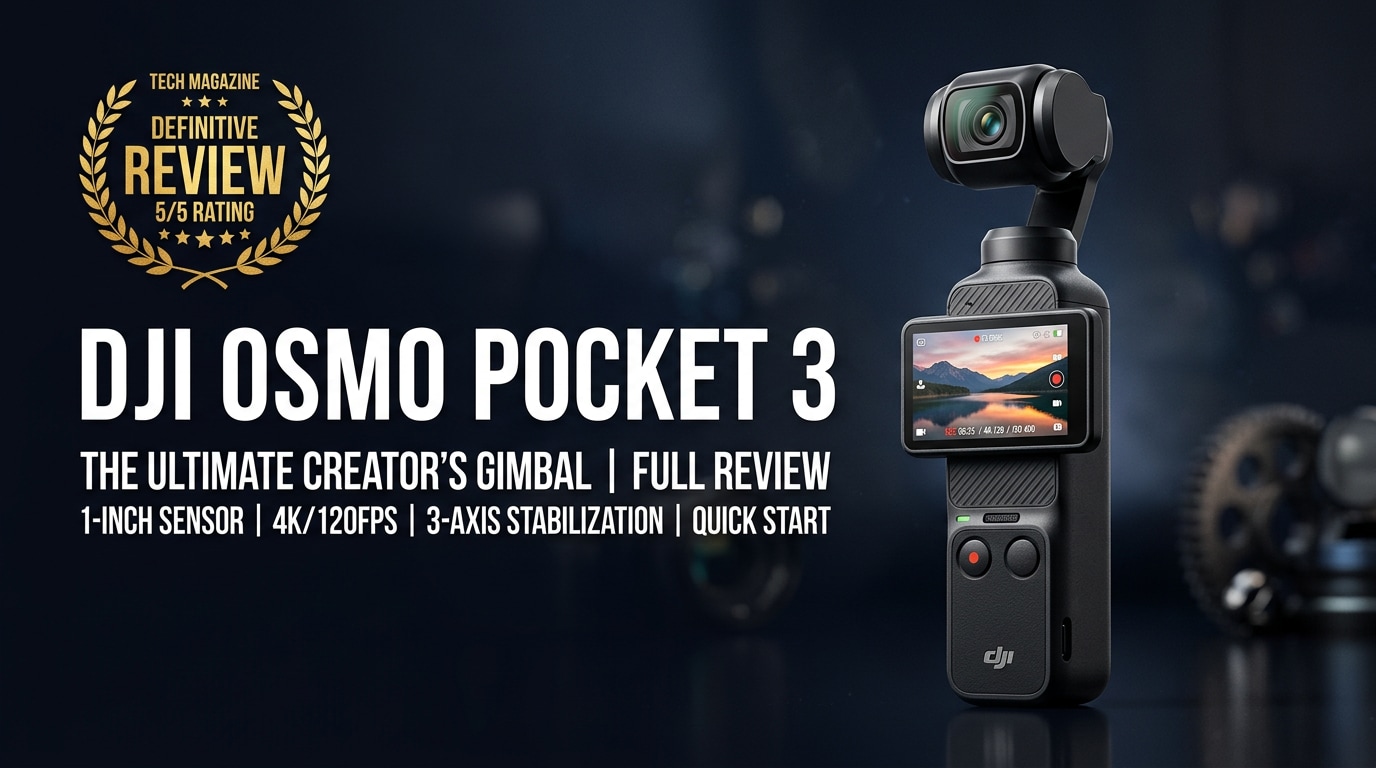
What's New About DJI Osmo Pocket 3
The latest Osmo Pocket 3 refresh focuses on better image quality, smarter shooting, and easier handling for solo creators. Its upgraded sensor improves low-light performance and dynamic range, making night streets and mixed lighting scenes look cleaner and more detailed. Enhanced gimbal algorithms deliver even smoother stabilization when walking, jogging, or panning quickly.
Alongside hardware changes, DJI adds creator-focused modes such as intelligent tracking, automatic framing, and ready-made templates for vertical content. A more responsive touchscreen and streamlined menu layout make it faster to switch resolutions, frame rates, and aspect ratios, so you spend less time digging in settings and more time recording.
Full Specs at a Glance
Core imaging specs
| Feature | Details |
|---|---|
| Sensor | Upgraded 1-inch (type) sensor designed for improved low-light and better dynamic range |
| Max video resolution | Up to 4K recording with high frame rate options suited for smooth motion and slow motion |
| Stabilization | Integrated 3-axis mechanical gimbal with refined stabilization algorithms |
Body, power, and storage
| Feature | Details |
|---|---|
| Form factor | Pocket-sized all-in-one camera and gimbal, optimized for one-handed use |
| Battery life | Designed to cover typical vlog sessions; runtime varies by resolution and frame rate |
| Storage | Uses high-speed microSD cards; DJI recommends V30/U3 or better for 4K video |
Real-World Performance
In everyday use, the DJI Osmo Pocket 3 feels far more capable than its tiny size suggests. The mechanical gimbal keeps footage level and steady while walking, climbing stairs, or riding in vehicles, which is ideal for travel vlogs and event coverage. Footage at 4K looks crisp with pleasing color, especially in daylight and controlled lighting.
Low-light scenes benefit from the larger sensor, with cleaner shadows and less visible noise than earlier pocket gimbal cameras. Autofocus locks on quickly for talking-head clips at arm's length, while subject tracking helps keep faces centered when moving. For social platforms, switching to vertical framing and higher frame rates gives creators flexible options for TikTok, Instagram Reels, and YouTube Shorts.
Pros & Cons
Pros
- Pocketable body that combines camera and 3-axis gimbal in a single lightweight unit.
- High-quality 4K footage with improved low-light performance compared to older models.
- Fast, simple operation with a touchscreen interface ideal for solo shooters.
- Stable footage when walking or panning, without needing a separate gimbal for your phone.
- Creator-friendly modes like subject tracking, face detection, and vertical content options.
Cons
- Fixed lens limits flexibility compared with interchangeable-lens camera systems.
- Small body can be harder to grip securely without a handle or accessory.
- Battery life, while decent, may not cover a full shooting day without external power.
- Requires fast, high-quality microSD cards to avoid dropped frames or errors in 4K.
Who Is This Camera For?
The dji osmo pocket 3 is built for creators who prioritize portability and simplicity while still demanding stable, high-resolution footage. Travel vloggers, city explorers, and casual filmmakers who often shoot spontaneously will appreciate how quickly it powers on and starts recording, with no need to balance a gimbal or set up a larger rig.
It also suits social media creators who produce vertical and horizontal content, parents wanting smoother family videos, and anyone who finds phone gimbals fiddly or bulky. If you mainly shoot static interviews or need heavy low-light performance and lens flexibility, a larger camera might be better, but for run-and-gun daily capture, the Pocket 3 hits a sweet spot.
What to Do If Your DJI Osmo Pocket 3 Files Get Corrupted
Why DJI files get corrupted
Even with a reliable device like the DJI Pocket 3 video setup, issues such as sudden power loss, improper ejection of the microSD card, low-quality storage media, or interrupted file transfers can lead to corrupted 4K footage. When that happens, clips may refuse to play, show codec errors, stutter heavily, or lose audio synchronization. The good news is that many of these issues can be fixed without reshooting.
How to repair corrupted DJI Osmo Pocket 3 videos with Repairit
Introducing Repairit for DJI creators
When important DJI Osmo Pocket 3 clips become unplayable, a dedicated repair tool is often more effective than generic media players. Wondershare Repairit is designed to analyze and fix damaged video structures from cameras, drones, and action cams. You can download it safely from the Repairit official website and use it to repair your Pocket 3 footage without altering the original files.
Key features of Repairit for Pocket 3 footage
- Repairs corrupted or unplayable video files from devices such as the pocket 3 gimbal, drones, and action cameras.
- Supports popular camera formats and offers batch repair to process many damaged clips in one go.
- Lets you preview fixed videos before saving them, so you only recover the results that look correct.
Step-by-step: Repair corrupted DJI Osmo Pocket 3 files
- Choose a Location to Repair Data
Install and open Wondershare Repairit on your computer, then point it to where your damaged DJI Pocket 3 video files are stored. This could be a folder copied from the microSD card, an external drive, or a backup directory. Add the problematic MP4 or MOV clips to the list so Repairit knows exactly which files to analyze.

- Deep Scan the Location
Start the repair process and let Repairit perform a deep scan of each selected clip. The software inspects file headers, metadata, and video/audio streams to identify damage, then reconstructs playable structures in the background. During this stage, your original Pocket 3 footage remains untouched while Repairit prepares repaired versions.

- Preview and Repair Your Desired Data
Once scanning and repair are complete, use Repairit's built-in player to preview the recovered videos. Check that image quality, audio, length, and smooth playback meet your expectations. When you are satisfied, select the clips you want to keep, choose a safe output folder on your computer, and save the repaired files separately from the originals.

Conclusion — Should You Buy?
The osmo pocket 3 review verdict is that this tiny camera offers a compelling blend of portability, stabilized 4K quality, and creator-friendly tools. For many vloggers and travelers, it delivers better stabilization and convenience than a smartphone-and-gimbal combo, while still being small enough to carry everywhere.
If you value quick setup, smooth footage, and minimal gear, the dji osmo pocket 3 is an excellent everyday camera. Combine it with quality microSD cards, regular backups, and a repair tool like Wondershare Repairit to protect your footage, and you have a reliable, flexible setup for capturing trips, events, and daily moments in polished 4K.
FAQ
-
1. Does the DJI Osmo Pocket 3 record 4K at high frame rates?
Yes, the DJI Osmo Pocket 3 can record 4K video at high frame rates, which is ideal for smooth motion and creative slow-motion shots, depending on the recording mode you select. -
2. Is the DJI Osmo Pocket 3 better than using a smartphone gimbal?
For many creators, the Pocket 3 is more convenient because it combines a dedicated camera and 3-axis gimbal in one compact body. While smartphones can be more versatile overall, the Pocket 3 often wins on stabilization, ease of use, and always-ready portability. -
3. How long does the DJI Osmo Pocket 3 battery last?
Battery life varies with resolution, frame rate, and screen brightness, but it typically covers regular vlog sessions or short shoots. For longer days or travel, carrying a power bank or planning charging breaks is recommended. -
4. What memory card should I use with the DJI Osmo Pocket 3?
Use a high-quality microSD card from a reputable brand, rated V30/U3 or faster, with enough capacity for 4K recording. Following DJI's recommended card list helps avoid dropped frames or write errors. -
5. How can I fix corrupted DJI Osmo Pocket 3 video files?
First, stop using the microSD card to prevent overwriting data, then copy the damaged files to your computer. Use a specialized repair tool such as Wondershare Repairit to scan and restore corrupted or unplayable clips from your DJI Osmo Pocket 3.




