
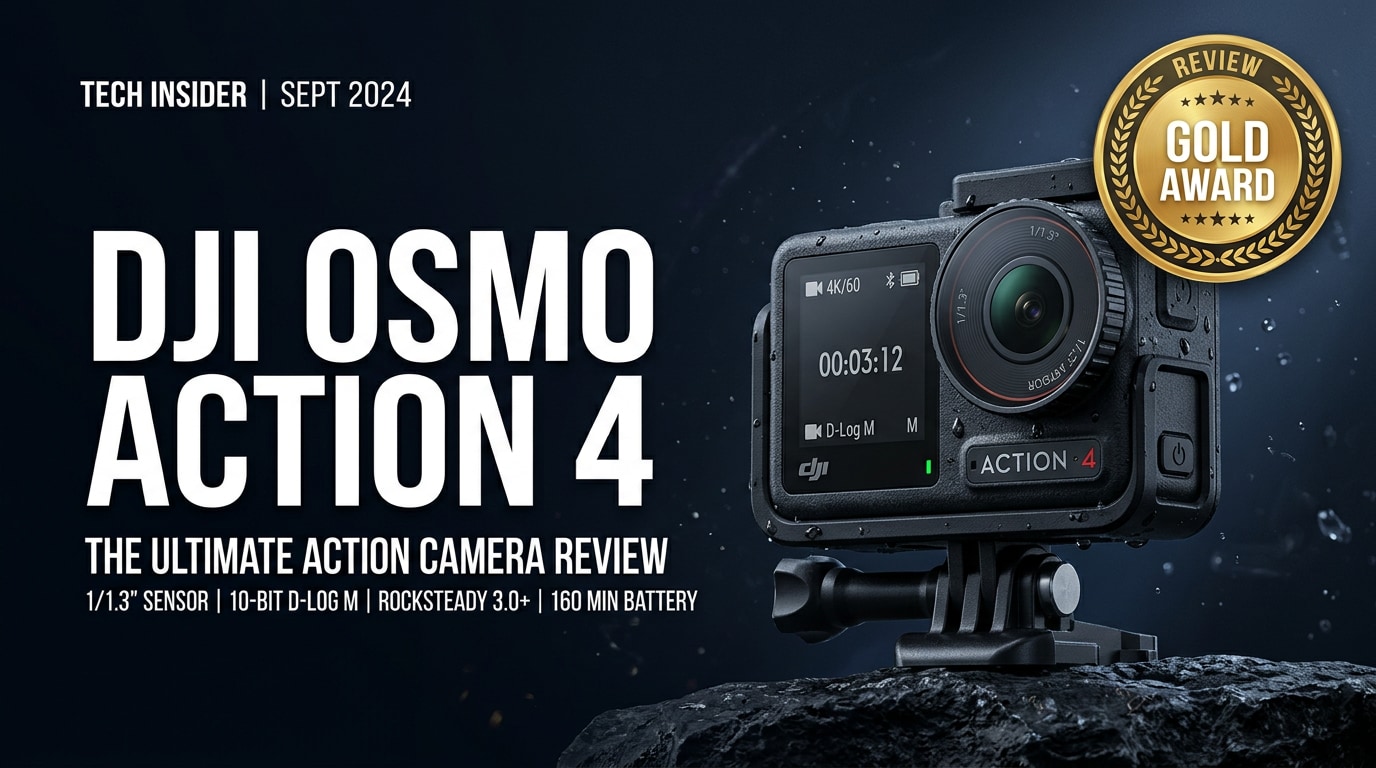
The DJI Osmo Action 4 is a rugged 4K action camera built for creators who care about image quality as much as durability. With a larger sensor, strong low-light performance, and advanced stabilization, it aims to deliver cinematic footage whether you are skiing, surfing, commuting, or vlogging your daily life.
Repair Corrupted Files To Save Your Data
 Security Verified. Over 7,302,189 people have downloaded it.
In this article
What's New About DJI Osmo Action 4
New sensor and imaging upgrades
The headline upgrade in the DJI Osmo Action 4 is its larger 1/1.3-inch image sensor, which is similar in size to many smartphone flagships. This sensor improves dynamic range, reduces noise, and delivers cleaner shadows, especially in dim environments like city streets at night or indoor gyms. The camera also supports 10-bit D-Log M color, giving editors more flexibility when grading footage for YouTube, client projects, or social media.
DJI has tuned the color science for more natural skin tones and richer skies without looking oversaturated. The default image profile looks ready to share, while flat color options keep highlights from clipping when shooting in harsh sunlight.
Usability and workflow improvements
The Action 4 keeps the dual-screen design, letting you frame shots easily from the front or back, which is ideal for vlogging. Magnetic quick-release mounts make it simple to swap from helmet to chest mount or selfie stick without fiddling with screws. DJI has also improved horizon stabilization options, so your footage stays level even during fast pans and rotations.
Connectivity is enhanced with faster Wi-Fi transfers and smoother integration with the DJI Mimo app. This makes it easier to offload clips, apply quick edits, and share to social platforms without always needing a laptop.
Full Specs at a Glance
Core video and photo specs
| Feature | DJI Osmo Action 4 Specs |
|---|---|
| Sensor | 1/1.3-inch CMOS, wide dynamic range |
| Maximum video resolution | 4K up to 120 fps (select modes and aspect ratios) |
| Stabilization | RockSteady 3.0 / HorizonSteady / HorizonBalancing electronic stabilization |
| Color profiles | Normal, 10-bit D-Log M, and other creative profiles |
| Photo modes | Standard, HDR, burst, interval, and timelapse |
Battery, storage, and durability
| Category | Details |
|---|---|
| Battery | Fast-charging battery with extended runtime and cold-weather optimization |
| Storage | Supports UHS-I microSD cards (V30 or higher recommended) |
| Waterproof rating | Waterproof to depths suitable for typical diving and watersports (without housing in many cases) |
| Mounting system | Magnetic quick-release mounts and standard action camera accessories |
| Ports & connectivity | USB-C, Wi-Fi, Bluetooth, and app-based control |
Real-World Performance
Low-light and image quality
The Action 4's larger sensor gives it an advantage in dim conditions where many action cams struggle. Night rides, indoor skateparks, or evening city scenes look cleaner, with more detail in shadows and fewer blotchy artifacts. Highlights such as street lights and illuminated signs hold more texture before blowing out.
In daylight, 4K footage is sharp and detailed, with well-controlled noise and a pleasing balance between contrast and softness. The camera's 10-bit recording option is particularly useful for creators who grade footage in editing software, preserving more subtle gradations in skies, water, and skin tones.
Stabilization, audio, and usability
DJI's RockSteady 3.0 and HorizonSteady modes work impressively well, keeping footage watchable even on bumpy trails or handheld shots while running. HorizonSteady can maintain a level horizon through significant rotation, making it ideal for POV mount footage. The stabilization does crop the image slightly, but the tradeoff for smoother footage is worth it for most creators.
Built-in microphones capture clear audio with good wind reduction for an action camera, and external audio workflows are supported via compatible accessories if you want higher-end sound. Dual screens and intuitive menus make it easy to adjust settings on the fly, and the magnetic mounting system shortens setup time between shots.
Pros & Cons
- Pros
- Large 1/1.3-inch sensor with excellent low-light performance for an action camera.
- Impressive stabilization modes that keep footage smooth and level.
- Dual screens and magnetic mounting for fast, flexible shooting.
- 10-bit color and flat profiles for advanced color grading.
- Robust, waterproof body designed for tough environments.
- Cons
- Extended 4K recording in very hot conditions can still trigger heat management limits.
- Best performance requires high-quality, fast microSD cards.
- Advanced color workflows may be overkill for casual users.
Who Is This Camera For?
The DJI Osmo Action 4 is ideal for creators who frequently shoot in mixed or low light, such as travel vloggers, city filmmakers, commuters, and indoor sports enthusiasts. Its balance of dynamic range, stabilization, and rugged build makes it a strong choice for anyone who wants reliable, cinematic-looking footage from a compact camera.
It is also a good fit for social media creators who need vertical video, fast mounting options, and dependable recording. If you are upgrading from an older action camera and want better low-light quality without moving to a larger system, the Action 4 sits in a sweet spot.
What to Do If Your DJI Osmo Action 4 Files Get Corrupted
Repairit introduction
Even with a reliable camera like the DJI Osmo Action 4, footage can become corrupted due to card errors, power loss, or disconnecting storage too early. When this happens, a dedicated repair tool can save the day. Wondershare Repairit is designed to fix damaged or unplayable videos from action cameras, drones, and other devices, helping you recover important clips without complicated manual work. You can learn more on the Repairit official website.
Key features of Repairit
- Repairs corrupted videos, photos, and files from devices like the DJI Osmo Action 4, drones, DSLRs, and phones.
- Supports a wide variety of formats, resolutions, and storage locations, including microSD cards and external drives.
- Offers a quick repair flow for common issues and an advanced mode to tackle severely damaged footage.
Step-by-step: fix corrupted Osmo Action 4 videos
-
Choose a Location to Repair Data
Install and launch Wondershare Repairit on your computer. Connect the microSD card or drive that holds your DJI Osmo Action 4 videos, or browse to the folder where you copied them. In the interface, select the relevant location and add the corrupted video files you want to repair. This prepares Repairit to analyze the clips without editing or overwriting your originals.

-
Deep Scan the Location
Start the scan so Repairit can inspect each selected file in depth. The software looks at video headers, frames, and metadata to identify what went wrong, such as incomplete recordings or structural errors. This deep analysis allows Repairit to design a targeted repair process for each clip while leaving your source media untouched.

-
Preview and Repair Your Desired Data
When the repair finishes, use the built-in player to preview the fixed DJI Osmo Action 4 clips. Check that video and audio play smoothly and that key moments are intact. Once you are satisfied, select the files you want to keep and click to save them, choosing a different drive or folder from the original card for safer long-term storage.

Conclusion — Should You Buy?
The DJI Osmo Action 4 offers a compelling mix of low-light image quality, robust stabilization, and creator-friendly design. Its larger sensor, dual screens, and magnetic mounting system make it a versatile tool for travel, sports, and everyday vlogging without weighing down your bag.
If you want a compact camera that can handle challenging light while delivering flexible footage for editing, the Action 4 is an excellent option. Combine it with good shooting habits, regular backups, and a repair solution like Wondershare Repairit, and you will have a reliable setup for capturing and protecting your best moments.
FAQ
-
1. Does the DJI Osmo Action 4 overheat when recording 4K video?
The DJI Osmo Action 4 is engineered to manage heat efficiently, but very long 4K recordings in hot environments can still cause temperature warnings or shutdowns. To reduce risk, record in shaded areas when possible, lower resolution or frame rate for extended takes, and give the camera short breaks between clips. -
2. What memory card is recommended for the DJI Osmo Action 4?
Use a high-quality UHS-I microSD card rated V30 or higher from a reputable brand. Faster, certified cards help maintain stable recording at high bitrates, reduce the chance of dropped frames, and lower the risk of file corruption. -
3. Can I shoot vertical videos with the DJI Osmo Action 4?
Yes. The DJI Osmo Action 4 supports vertical shooting and works well with mounts designed for portrait orientation. This makes it easy to capture vertical clips optimized for TikTok, Instagram Reels, and YouTube Shorts. -
4. How can I prevent DJI Osmo Action 4 files from getting corrupted?
Always use supported high-speed cards, avoid removing the card or battery while recording, and stop recording before powering off the camera. Regularly format cards in-camera, keep firmware updated, and back up footage promptly to minimize data loss risks. -
5. Can I repair corrupted DJI Osmo Action 4 videos without losing quality?
In many cases, yes. Tools like Wondershare Repairit can rebuild damaged video headers and structures so that clips play again with minimal or no visible quality loss. The final outcome depends on how severely the files were damaged and whether key data segments are still present.




