
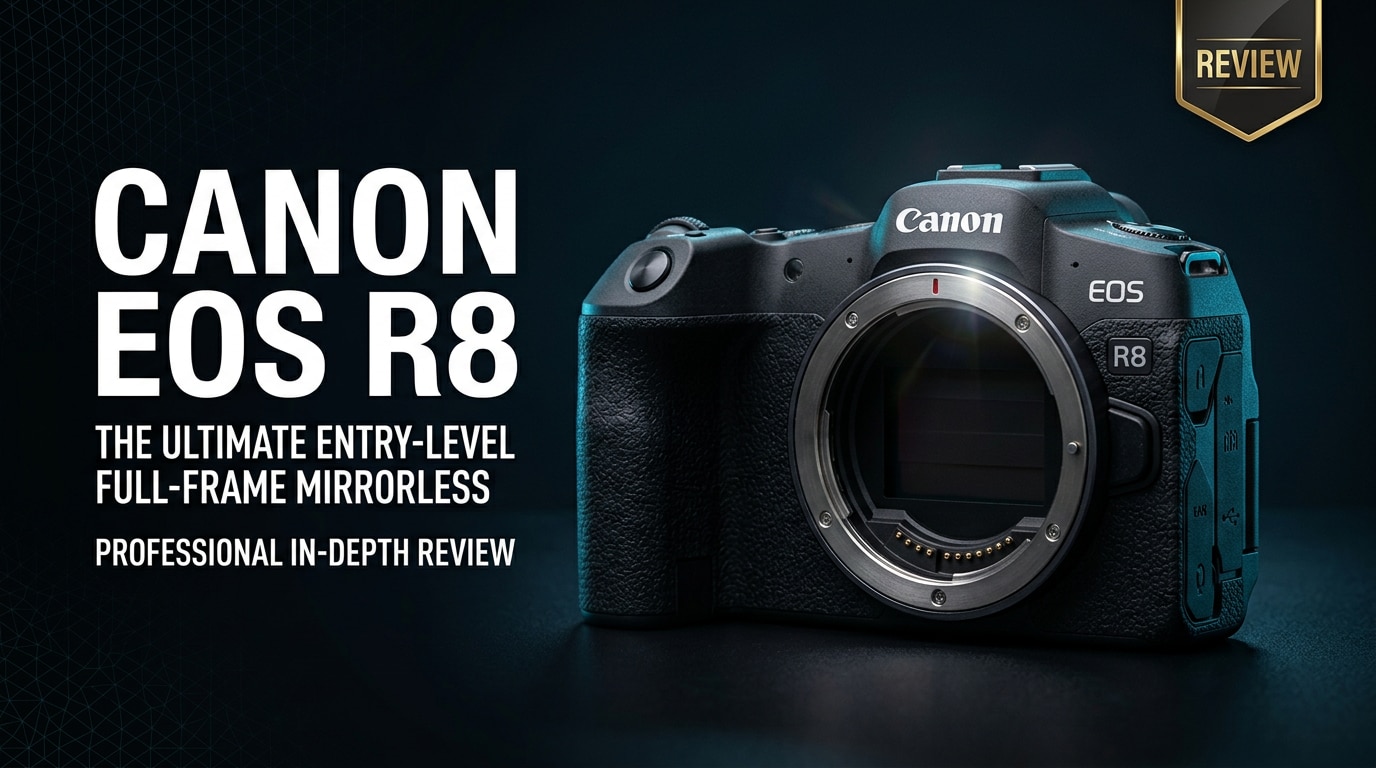
The Canon EOS R8 is a compact full-frame mirrorless camera designed for creators who want high-end image quality in a lightweight, travel-friendly body. Blending advanced autofocus, strong low-light performance, and oversampled 4K video, it aims to be a flexible hybrid tool for both photos and video without overwhelming beginners or holding back growing enthusiasts.
Repair Corrupted Files To Save Your Data
 Security Verified. Over 7,302,189 people have downloaded it.
In this article
Introduction
The Canon EOS R8 sits between entry-level and enthusiast full-frame mirrorless bodies, offering the image quality and autofocus of Canon's higher-end sensors in a surprisingly light package. It targets vloggers, travel shooters, and hybrid creators who need dependable 4K video, fast subject tracking, and strong low-light performance, without stepping into bulky pro-level gear or complex workflows.
What's New About Canon EOS R8
The Canon EOS R8 brings several features from Canon's more advanced models into a slimmer, more affordable body, making it a modern option for hybrid shooting.
- Updated 24.2MP full-frame sensor with improved dynamic range and low-light performance compared to older entry-level full-frame Canons.
- Dual Pixel CMOS AF II with subject-detection, including people, animals, vehicles, and more, covering a wide area of the frame.
- Oversampled 4K 30p using the full sensor width for sharper video with rich detail and minimal moiré.
- High-speed bursts up to 40 fps with the electronic shutter for capturing fast action and fleeting moments.
- Compact, lightweight body that is closer in size to an APS-C camera but still delivers full-frame look and shallow depth of field.
- Improved video tools such as focus breathing correction (with compatible lenses), clean HDMI out, and flexible frame rates.
Full Specs at a Glance
Core imaging specs
| Feature | Canon EOS R8 Specs |
|---|---|
| Sensor | 24.2MP full-frame CMOS (approx. 36 x 24 mm) |
| Mount | Canon RF mount |
| ISO range | 100–102,400 (expandable further in extended modes) |
| Autofocus system | Dual Pixel CMOS AF II with subject-detection (people, animals, vehicles) |
| AF coverage | Up to nearly 100% of the frame, depending on mode |
| Shooting speed | Up to 40 fps (electronic shutter), up to approx. 6 fps (mechanical/first-curtain) |
| Viewfinder | 0.39-inch OLED EVF, ~2.36M dots |
| Rear screen | 3.0-inch vari-angle touchscreen LCD |
| Image stabilization | No in-body IS; relies on lens IS and digital IS for video |
| Storage | Single SD card slot (UHS-I) |
| Battery life | Modest; better for short shoots or with spares |
Video and connectivity highlights
| Feature | Details |
|---|---|
| Video resolution | 4K up to 60p (oversampled from 6K up to 30p, with crop at higher frame rates), Full HD up to 180p |
| File formats | MP4 with H.264/H.265 codecs, standard Canon picture profiles, C-Log support on select modes |
| HDMI output | Clean HDMI for external recorders or streaming setups |
| Audio | 3.5mm mic input, headphone output for monitoring |
| Connectivity | Wi-Fi and Bluetooth for remote control and image transfer |
| USB | USB-C for data transfer and simple connectivity (check region for power/streaming support) |
Real-World Performance
In day-to-day use, the Canon EOS R8 feels nimble and responsive, especially for creators coming from bulkier DSLRs or older mirrorless cameras.
Autofocus performance is a major strength. Dual Pixel CMOS AF II locks onto eyes and faces quickly, tracking confidently across the frame, whether you are shooting fast-moving kids, pets, or street scenes. For video, sticky subject detection makes self-filming and vlogs much easier, especially when using the vari-angle screen.
Image quality from the 24.2MP full-frame sensor is impressive for its class. You get clean files with good dynamic range and smooth tonal transitions, leaving plenty of room for editing. Low-light performance is strong; high-ISO shots retain usable detail with controlled noise, particularly when exposed carefully.
For video, oversampled 4K up to 30p from the full sensor width looks sharp and detailed. Rolling shutter is reasonably controlled for a camera in this price range, and Canon's color science makes skin tones look natural straight out of camera. While there is no in-body stabilization, pairing the body with an RF lens that has optical IS, plus careful technique or a small gimbal, delivers stable results for most handheld scenarios.
The main compromise is battery life and the single UHS-I SD card slot. You should expect to carry at least one spare battery for a full day of mixed shooting, especially if you record a lot of 4K video. The single card slot is fine for many enthusiasts and content creators, but wedding and event shooters may prefer dual slots for redundancy.
Pros & Cons
Pros
- Lightweight, compact full-frame body that is easy to carry all day.
- Excellent autofocus with reliable subject detection for people, animals, and vehicles.
- High-quality oversampled 4K video up to 30p from the full width of the sensor.
- Strong low-light performance with usable files at higher ISO values.
- Fully articulating touchscreen, ideal for vlogging and creative angles.
- Simple menus and guided modes that make it accessible for beginners.
Cons
- No in-body image stabilization, so you rely on lens IS and supports.
- Single UHS-I SD card slot, which may be limiting for some professionals.
- Modest battery life compared with larger, higher-end bodies.
- Limited physical controls compared to more advanced Canon R-series cameras.
Who Is This Camera For?
The Canon EOS R8 is an excellent fit for hybrid creators who want a step up in image quality without stepping into heavy pro gear or complex setups.
- Beginner and intermediate photographers upgrading from smartphones or entry-level APS-C systems who want full-frame depth of field and better low-light performance.
- Vloggers and YouTubers who value a compact body, vari-angle screen, reliable autofocus, and good 4K video for self-shooting.
- Travel and lifestyle shooters who need a lightweight camera for everyday carry that still delivers professional-looking results.
- Hybrid creators and small businesses producing social content, short promos, and behind-the-scenes footage where flexibility and speed are crucial.
If you shoot long-form events or need dual card slots and all-day battery endurance, you may want a higher-end body. For most creators, though, the EOS R8 balances features, price, and portability extremely well.
What to Do If Your Canon EOS R8 Files Get Corrupted
Why use Repairit for Canon EOS R8 files
Even with a reliable camera like the Canon EOS R8, memory card issues, sudden battery loss, or interrupted transfers can still corrupt valuable photos and videos. Wondershare Repairit is a dedicated media and data repair tool that helps you fix damaged MP4/MOV clips and photo files from your camera, cards, or drives. With an intuitive interface and guided workflow available on the Repairit official website, you can often restore unplayable footage and unreadable images without needing advanced technical knowledge.
Key features of Repairit for Canon EOS R8 users
- Repairs corrupted or unplayable video and photo files from cameras, memory cards, external drives, and computers without overwriting the originals.
- Supports a wide range of formats, including common Canon codecs used in Canon EOS R8 MP4/MOV video and still image files.
- Beginner-friendly workflow with clear prompts, progress indicators, and a preview window to verify repaired media before saving.
Step-by-step guide: How to repair Canon EOS R8 files
-
Choose a Location to Repair Data
Start by launching Wondershare Repairit and selecting the appropriate module for what went wrong with your Canon EOS R8 media, such as Video Repair or File Repair. Connect your SD card or external drive if needed, then browse to the folder containing the clips or photos that no longer open or play correctly. Add all problematic files to the repair list so they can be processed together.

-
Deep Scan the Location
After importing the damaged media, click to begin the repair process. Repairit runs a deep analysis on each Canon EOS R8 file, checking for structural errors, broken headers, and playback issues that typically prevent your editor or player from reading the content. The software then attempts to rebuild missing or inconsistent data segments, generating a repaired version while leaving the original file untouched, so you always have a backup.

-
Preview and Repair Your Desired Data
When the scan completes, use the built-in preview window to check each repaired video or photo. Confirm that your Canon EOS R8 clips now play smoothly with proper audio and that still images display without distortion or artifacts. Once satisfied, choose a safe output folder on your computer and save the fixed versions there, keeping them separate from the original corrupted media to avoid accidental overwrites.

Conclusion — Should You Buy?
The Canon EOS R8 delivers full-frame image quality, advanced autofocus, and high-quality 4K video in a body that stays genuinely lightweight and compact. For many creators, it strikes the right balance between performance and portability, making it an appealing choice for travel, vlogging, and everyday hybrid shooting.
If you can work around its single SD card slot, modest battery life, and lack of in-body stabilization, the EOS R8 is a strong value that can serve as a main camera for growing enthusiasts and serious content creators. Paired with a solid backup routine and a repair tool like Wondershare Repairit for corrupted media, it becomes a dependable hub for both your photo and video projects.
FAQ
-
1. Is the Canon EOS R8 good for beginners?
Yes. The Canon EOS R8 is beginner friendly thanks to its guided shooting modes, straightforward menus, and reliable subject-detection autofocus. It offers room to grow with full manual control and full-frame image quality once your skills improve. -
2. Can the Canon EOS R8 shoot 4K video without crop?
The Canon EOS R8 can record oversampled 4K from the full sensor width at up to 30p with no crop, delivering detailed, sharp footage. Higher frame-rate modes may introduce a crop depending on the specific settings you choose. -
3. Does the Canon EOS R8 have in-body image stabilization (IBIS)?
No. The Canon EOS R8 does not include in-body image stabilization. For steadier results, you should use RF lenses with optical IS, enable digital IS in video when appropriate, or rely on supports like a tripod or gimbal. -
4. What should I do if my Canon EOS R8 video files will not play?
Stop recording immediately and avoid shooting new clips on the same card to prevent overwriting damaged data. Copy everything to a computer, then use a repair tool like Wondershare Repairit to scan and fix corrupted MP4 or MOV files from your Canon EOS R8. -
5. Which memory card is best for the Canon EOS R8?
Use a fast, reputable UHS-I SD card rated V30 or higher for stable 4K recording with the Canon EOS R8. Faster cards help prevent dropped frames and reduce buffer clearing times when shooting bursts of stills.




