
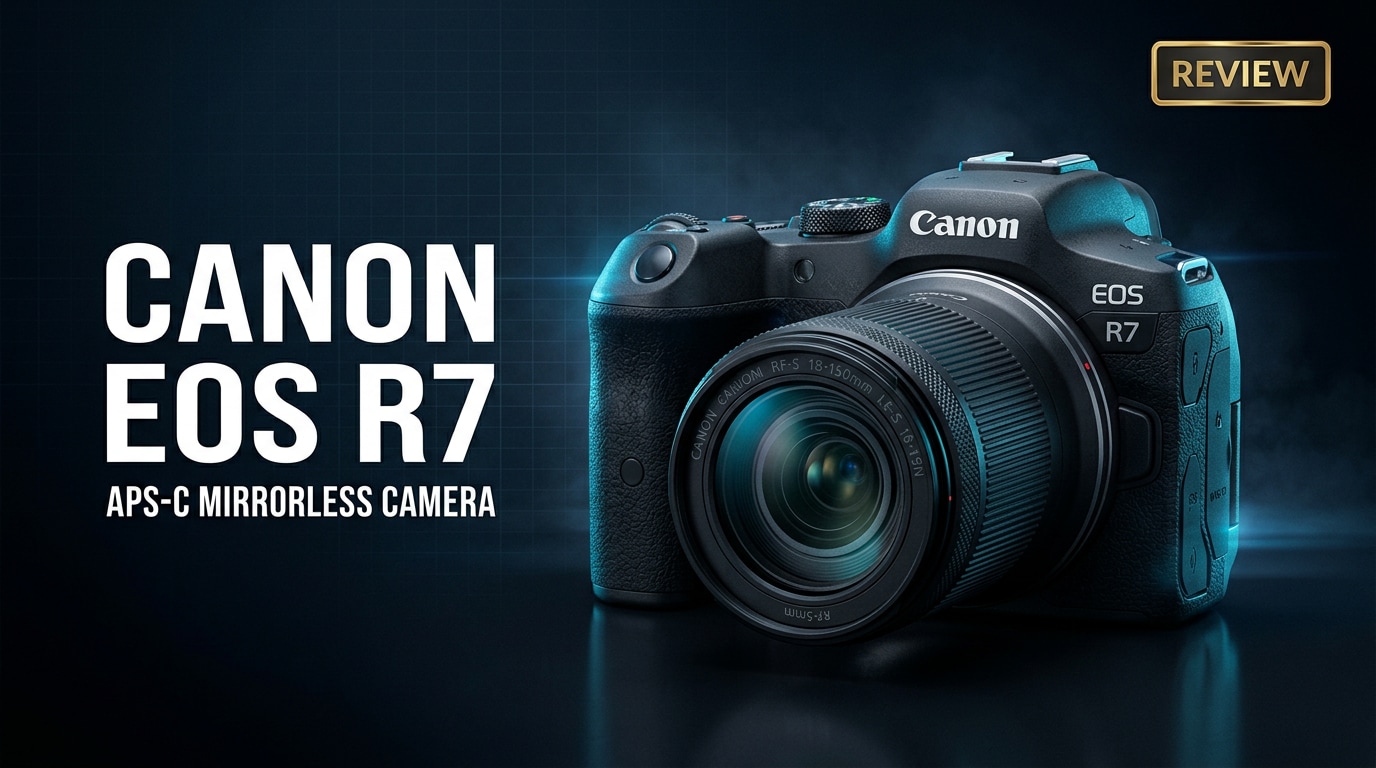
The Canon EOS R7 is a fast APS-C mirrorless camera built around Canon's RF mount, aimed at hybrid creators who need speed, reach, and reliable autofocus. It combines a high-resolution sensor, advanced subject tracking, and flexible 4K video modes in a compact, weather-sealed body, making it ideal for sports, wildlife, and content creation on the go.
Repair Corrupted Files To Save Your Data
 Security Verified. Over 7,302,189 people have downloaded it.
In this article
Introduction
The Canon EOS R7 is Canon's flagship APS-C mirrorless body in the RF system, delivering 32.5MP resolution, rapid bursts, and subject-detection autofocus in a rugged, compact package. It is built for photographers and videographers who want the responsiveness of a sports camera and the reach of a crop sensor, without the size and cost of pro full-frame gear.
What's New About Canon EOS R7
The Canon EOS R7 marks a major step in Canon's APS-C lineup by fully embracing the RF mount ecosystem. Compared with earlier DSLRs and EF-M mirrorless models, it brings a host of modern features that make it far more capable for demanding hybrid work.
- New 32.5MP APS-C sensor paired with Canon's latest DIGIC X processor for faster readout, better noise control, and richer detail.
- Dual Pixel CMOS AF II with deep-learning subject detection for people, animals, and vehicles, inherited from Canon's higher-end R-series bodies.
- In-body image stabilization (IBIS) rated up to 7 stops with compatible lenses, a first for Canon APS-C mirrorless.
- High-speed shooting up to 15 fps mechanical and 30 fps electronic, ideal for wildlife, action, and sports.
- More flexible 4K video with oversampled 4K 30p, 4K 60p, and support for Canon Log 3 and HDR PQ for greater grading latitude.
- Dual UHS-II SD card slots for safer recording and more efficient file management during events or long shoots.
- Improved ergonomics, including a new AF joystick and control dial combo near the thumb for faster AF point selection.
Together, these updates make the Canon EOS R7 a clear evolution over older APS-C bodies like the EOS 90D or EOS M6 Mark II, especially for creators who want a single camera that can confidently handle both stills and video.
Full Specs at a Glance
| Feature | Canon EOS R7 Specs |
|---|---|
| Sensor & Mount | 32.5MP APS-C CMOS sensor, RF mount, 1.6x crop factor |
| Image Processor | DIGIC X |
| ISO Range | Native ISO 100-32000 (expandable to ISO 51200) |
| Autofocus System | Dual Pixel CMOS AF II with subject detection (people, animals, vehicles), up to 651 AF areas |
| Continuous Shooting | Up to 15 fps with mechanical shutter, up to 30 fps with electronic shutter (with AF/AE tracking) |
| Image Stabilization | In-body image stabilization (IBIS) up to 7 stops with compatible RF lenses |
| Video Recording | 4K 60p (crop), oversampled 4K 30p from 7K, Full HD up to 120p, Canon Log 3 and HDR PQ |
| Viewfinder & LCD | 2.36M-dot OLED EVF, 0.39-inch, 1.62M-dot fully articulating touchscreen LCD |
| Storage & Ports | Dual UHS-II SD card slots, USB-C, micro HDMI, mic in, headphone out, remote terminal |
| Connectivity | Wi-Fi, Bluetooth for remote control and file transfer via Canon Camera Connect app |
| Battery & Build | LP-E6NH battery, weather-sealed body, approx. 612 g with battery and card |
Real-World Performance
On paper, the Canon EOS R7 is impressive, but it is real-world shooting that reveals how capable this camera is for demanding creators.
Autofocus and Speed
The Dual Pixel CMOS AF II system in the Canon EOS R7 is far beyond what older Canon APS-C cameras offered. It reliably locks onto eyes and faces, holds onto animals in erratic motion, and tracks vehicles through the frame.
- People and eye detection work very well for portraits, events, and vlogging, even in lower light.
- Animal detection is a major advantage for birds and wildlife, particularly when combined with the 1.6x crop factor and long RF lenses.
- At 15 fps mechanical and 30 fps electronic, the buffer is deep enough for typical bursts in sports or wildlife, especially when paired with fast UHS-II cards.
The joystick and rear control wheel make moving AF points quick when you want to override automatic subject detection, and the AF remains sticky across most of the frame.
Image Quality and Dynamic Range
The 32.5MP APS-C sensor delivers crisp, detailed files, especially at low to mid ISO. For photographers moving from older 24MP bodies, the extra resolution helps with cropping wildlife and sports shots while maintaining usable detail.
- Dynamic range is strong for an APS-C sensor, giving you flexibility to pull shadows and tame highlights in RAW post-processing.
- Noise is well controlled up to around ISO 6400; with careful exposure, ISO 12800 can still be acceptable for web and smaller prints.
- Color rendering is familiar Canon, with pleasing skin tones and vibrant but not oversaturated hues for landscapes and nature.
JPEGs straight from the camera look good, but the EOS R7 really shines when you work with RAW files to maximize detail and tonal range.
Video Performance
For video, the Canon EOS R7 is designed with hybrid creators in mind. Oversampled 4K 30p from the full sensor width provides sharp footage with good detail, while 4K 60p offers smoother motion when you need it.
- Oversampled 4K 30p footage looks clean, with fine detail and relatively low moire, ideal for YouTube, documentaries, and client work.
- 4K 60p brings a crop but remains very usable for action, sports, and B-roll that benefits from slow motion.
- Canon Log 3 and HDR PQ support give more flexibility for grading and matching with higher-end Canon R-series cameras.
- IBIS combined with optical stabilization in RF lenses delivers smoother handheld footage, though it is not a complete replacement for a gimbal in fast movement scenes.
There can be limits with very long 4K clips in hot environments, and thermal management is something to keep in mind if you shoot long events or interviews in 4K 60p. Using high-quality, fast UHS-II cards and giving the camera breaks between long takes helps maintain reliability.
Pros & Cons
Pros
- Excellent autofocus with subject detection for people, animals, and vehicles.
- Fast burst rates up to 30 fps electronic, ideal for action and wildlife.
- In-body image stabilization for sharper handheld stills and steadier video.
- Oversampled 4K 30p and 4K 60p options with Canon Log 3 support.
- Dual UHS-II SD card slots for redundancy and flexible file management.
- Comfortable ergonomics and solid weather-sealed build in a compact body.
- Strong value for creators who want high performance without full-frame size and cost.
Cons
- Rolling shutter is more noticeable in electronic shutter mode, especially with fast pans.
- 4K 60p involves a crop, which can be limiting for wide-angle work.
- Potential overheating during very long 4K sessions in hot conditions.
- APS-C depth of field is less shallow than full-frame for those prioritizing extreme background blur.
- RF lens ecosystem, while growing, can be expensive compared with older EF glass.
Who Is This Camera For?
The Canon EOS R7 is best suited to photographers and videographers who need speed, reach, and versatility in a relatively small package.
- Wildlife and bird photographers: The 1.6x crop factor effectively extends telephoto reach, while fast bursts and animal eye AF help you catch fleeting action.
- Sports and action shooters: 15 fps mechanical and responsive AF tracking mean you can follow fast-moving subjects at events, youth sports, and action scenes.
- Hybrid content creators and YouTubers: 4K video options, a fully articulating screen, microphone and headphone ports, and IBIS tick most boxes for high-quality content creation.
- Enthusiasts upgrading from DSLR: Those coming from older APS-C DSLRs like the EOS 80D or 90D will find better AF, video, and handling with the EOS R7.
- Travel and adventure shooters: Weather sealing, light weight, and flexible lenses make it a strong companion for hikes, trips, and outdoor adventures.
While ambitious beginners can absolutely use this camera, it is primarily targeted at enthusiasts and serious hobbyists who are ready to invest time learning its many customization options.
What to Do If Your Canon EOS R7 Files Get Corrupted
Why Use Repairit for Canon EOS R7 Files
Even with careful shooting habits, issues like sudden power loss, card errors, or improper ejection can corrupt images and videos from your Canon EOS R7. When that happens, a specialized repair tool gives you a better chance of saving valuable work than manual tricks or basic utilities. Wondershare Repairit is built specifically to repair damaged or unplayable media files from cameras and memory cards, making it a strong option for EOS R7 users. You can learn more and download it directly from the Repairit official website.
Key Features of Repairit
- Repairs corrupted or unplayable video and photo files from cameras and memory cards.
- Supports many popular formats and storage devices with a straightforward workflow.
- Offers preview of repaired files before saving them back to a safe location.
Step-by-Step: Repair Canon EOS R7 Photos and Videos
-
Choose a Location to Repair Data
Start by launching Wondershare Repairit on your computer and selecting the repair or recovery module that matches your issue (such as video repair or photo repair). Connect the storage device that holds your Canon EOS R7 files, whether that is an SD card, card reader, external drive, or local folder. In Repairit, browse to this location and add the corrupted EOS R7 photos or videos you want to fix.

-
Deep Scan the Location
After selecting the affected files or storage path, let Repairit run a thorough scan. The software analyzes the chosen media, looks for structural damage, and attempts to reconstruct playable versions of your EOS R7 footage and images. Depending on card size and the number of files, this process may take a while; allow it to finish so Repairit can list all the items it is able to repair.

-
Preview and Repair Your Desired Data
When the scan completes, you will see a list of recoverable Canon EOS R7 files. Use the built-in preview feature to open key photos or clips and confirm they play correctly and look as expected. Select the items you want to keep, then click to repair and save them. Always choose a different, safe destination drive or folder instead of writing back to the original SD card, which reduces the risk of further corruption or data loss.

Conclusion — Should You Buy?
The Canon EOS R7 offers an impressive mix of speed, autofocus intelligence, and 4K video performance in a compact APS-C body. For wildlife, sports, and hybrid creators who value reach and responsiveness, it is one of the most compelling options in Canon's lineup, especially if you want to stay within the RF ecosystem.
If you are moving up from an older DSLR or want a serious yet reasonably priced hybrid camera, the EOS R7 is easy to recommend. Combine it with good backup habits and a reliable repair solution like Wondershare Repairit, and you will be well prepared to protect your photos and footage from unexpected corruption or card failures.
FAQ
-
1. Is the Canon EOS R7 good for beginners?
The Canon EOS R7 can work for motivated beginners, but it is mainly designed for enthusiasts. Its autofocus system, custom controls, and advanced video modes are powerful, yet they may feel overwhelming if you are completely new to interchangeable-lens cameras. If you are willing to learn, though, it can be a camera that you grow into for many years. -
2. Does the Canon EOS R7 overheat when recording 4K video?
The Canon EOS R7 generally manages 4K recording well for typical clip lengths, especially in oversampled 4K 30p. Very long continuous takes, shooting in high ambient temperatures, or recording in 4K 60p can increase the risk of overheating and may trigger recording limits. Planning shorter takes and giving the camera occasional breaks helps avoid issues. -
3. What memory card should I use with the Canon EOS R7?
The Canon EOS R7 uses SD cards and performs best with fast UHS-II cards, particularly for burst photography and high-bitrate 4K video. Choose reputable brands with U3 or V60/V90 ratings to maintain buffer performance and reduce the chance of write errors or dropped frames. -
4. How can I reduce the risk of corrupting Canon EOS R7 files?
Format new cards in-camera, avoid removing the battery or card while the access light is active, and do not fill cards completely to the limit. Eject cards safely when transferring to a computer, use high-quality SD cards, and back up important shoots as soon as possible to at least two separate locations. -
5. Can I recover deleted or corrupted Canon EOS R7 photos and videos?
In many cases, yes. Stop using the card immediately to avoid overwriting data, then use a repair and recovery solution such as Wondershare Repairit to scan the storage device, attempt to repair damaged media, and save any recoverable Canon EOS R7 files to a safe new location.




