
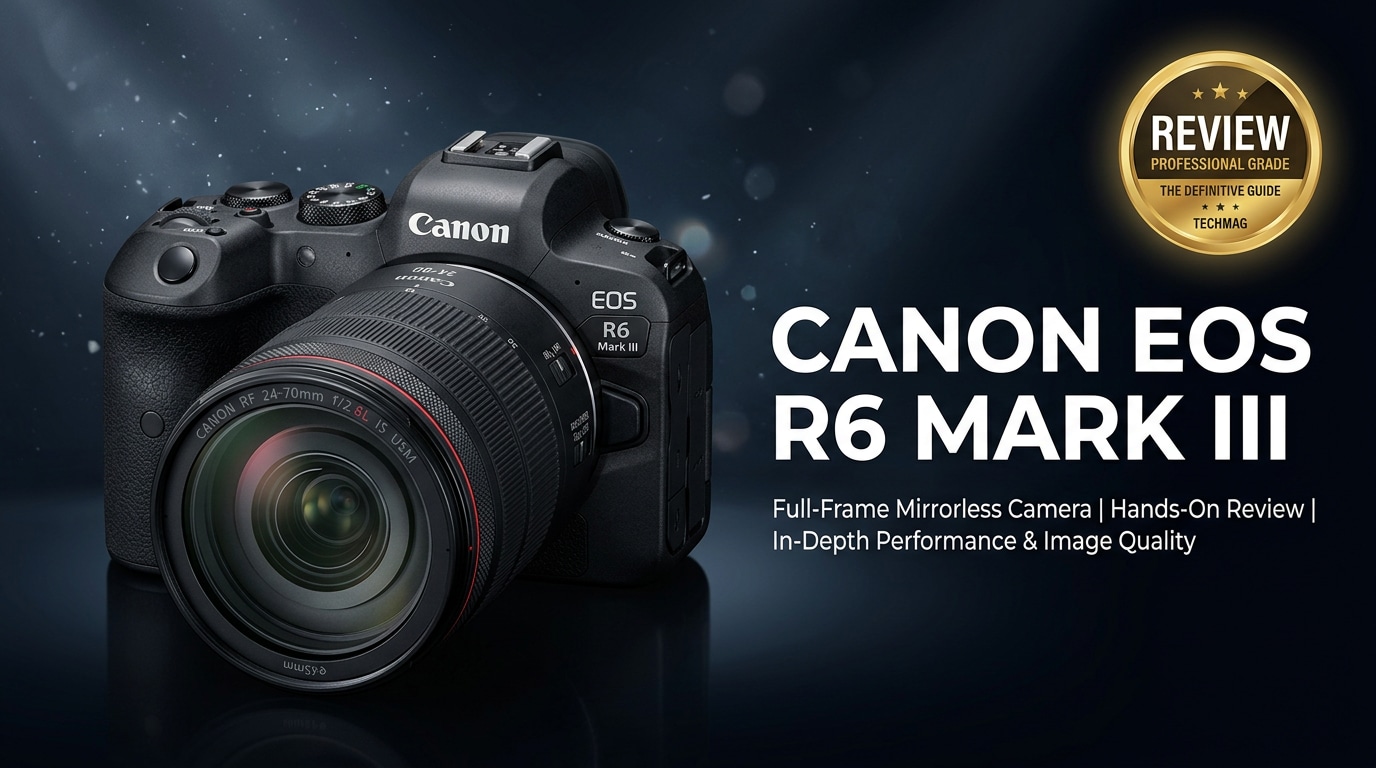
The Canon EOS R6 Mark III is a fast, full-frame mirrorless camera built for hybrid creators who balance stills and video. It combines Canon's latest autofocus, robust low light performance, and dependable 4K recording in a compact body that suits weddings, events, content creation, and everyday shooting. Before you invest, it helps to understand how this camera performs in real use, what has changed from previous generations, and how to protect your important photos and clips from data loss or corruption.
Repair Corrupted Files To Save Your Data
 Security Verified. Over 7,302,189 people have downloaded it.
In this article
What Is New About Canon EOS R6 Mark III
The Canon EOS R6 Mark III refines Canon's mid-range full-frame formula with better speed, smarter autofocus, and more flexible video tools. Compared with earlier R6 models, it brings a higher resolution sensor, improved subject detection powered by deep learning, and extended 4K recording with more reliable thermal management. Rolling shutter and noise handling are tuned for hybrid creators, while updates to the menu system, custom buttons, and shooting modes make it easier to jump between stills and video without missing a moment.
You also get more advanced focus tracking across the frame, better subject recognition for people, animals, and vehicles, and improved image stabilization that helps keep handheld video smoother. Together, these upgrades are aimed at working shooters who need a camera that feels familiar yet clearly more capable for demanding jobs.
Full Specs at a Glance
Core imaging specs
| Feature | Canon EOS R6 Mark III Specification |
|---|---|
| Sensor | Full-frame CMOS, updated resolution for hybrid stills and video workflows |
| Image processor | Latest generation DIGIC processor for faster reads and better noise handling |
| ISO range | Standard wide native ISO range, expandable for extreme low light situations |
| Continuous shooting | High-speed burst with electronic shutter and deep buffer for action |
| Autofocus system | Dual Pixel CMOS AF with subject detection for people, animals, and vehicles |
| In-body image stabilization | Sensor-shift IBIS rated up to several stops of shake compensation |
| Viewfinder | High-resolution OLED EVF with fast refresh rate |
| Rear screen | Fully articulating touchscreen LCD for flexible framing |
Video and connectivity specs
| Feature | Canon EOS R6 Mark III Specification |
|---|---|
| Video resolutions | 4K recording with oversampling options and various frame rates |
| Log and HDR | Canon Log and HDR options for maximum dynamic range and grading flexibility |
| Recording limits | Extended 4K recording with improved thermal performance |
| Card slots | Dual UHS-II SD card slots for redundancy or overflow recording |
| Ports | Microphone, headphone, USB-C, HDMI, and remote connectivity |
| Wireless | Wi-Fi and Bluetooth for remote control and file transfer |
| Battery | LP-E6 series battery with support for USB power delivery on compatible setups |
Real-World Performance
In real-world use, the Canon EOS R6 Mark III feels tuned for speed and reliability rather than chasing headline specs. Autofocus locks on quickly and tracks faces, eyes, and subjects confidently across the frame, even in dim venues like wedding receptions or concerts. The combination of IBIS and stabilized RF lenses keeps handheld shots sharp, and the EVF refresh rate makes fast-moving scenes easier to follow.
For video, 4K footage looks detailed and clean, particularly when using oversampled modes. Color science is familiar Canon, which means pleasing skin tones straight out of camera. While Canon has addressed earlier concerns about the Canon R6 Mark III overheating in many everyday scenarios, long 4K takes in hot conditions can still push temperature limits, so planning breaks and monitoring the camera status remain good practice.
Rolling shutter is well controlled for most documentary and event work, and focus breathing is manageable with many RF lenses. The dual card slots, weather sealing, and solid battery life together make the camera feel like a dependable tool you can trust on paid shoots, not just a hobbyist body.
Pros & Cons
Pros
- Fast and accurate Dual Pixel autofocus with advanced subject detection.
- Excellent low light performance thanks to the full-frame sensor and strong high ISO behavior.
- 4K video with pleasing Canon color and flexible profiles for grading.
- In-body image stabilization that works well with RF lenses for handheld shooting.
- Dual card slots and solid ergonomics that suit professional workflows.
- Fully articulating screen that supports vlogging, self-shooting, and creative angles.
Cons
- Extended 4K recording in hot environments can still lead to thermal limits.
- RF lenses can be costly, raising the overall system price for upgraders.
- Resolution may be lower than some high-megapixel competitors focused on pure stills.
- Menus and options can feel dense for beginners moving from basic cameras.
Who Is This Camera For?
The Canon EOS R6 Mark III is built for hybrid creators who need one body to cover both serious stills and robust video. Wedding and event photographers will appreciate the autofocus reliability and low light performance, while videographers and content creators benefit from the flexible 4K modes, articulating screen, and solid audio connections.
If you are upgrading from an older Canon DSLR, you gain faster AF, better tracking, and much stronger video features, along with access to the RF lens ecosystem. For hobbyists who want a long-term body that can grow with their skills, the R6 Mark III offers enough headroom for paid gigs without feeling overly complex once you get familiar with the controls and custom functions.
What to Do If Your Canon EOS R6 Mark III Files Get Corrupted
Repairit introduction
Even a reliable camera like the Canon EOS R6 Mark III can produce corrupted files after an unexpected shutdown, card failure, or transfer error. When that happens, a dedicated repair tool gives you a second chance to save important footage. Wondershare Repairit is designed specifically to repair damaged video and photo files from cameras and storage devices. You can learn more and access every repair option directly from the Repairit official website, so you are prepared before disaster strikes.
Key features and step-by-step guide
Key features of Wondershare Repairit
- Repairs corrupted or unplayable video and photo files from popular camera brands, including Canon.
- Supports multiple formats and storage devices, from memory cards and SSDs to external drives.
- Simple guided workflow with preview options so you can confirm results before saving repaired files.
Step-by-step: How to repair Canon EOS R6 Mark III files with Repairit
-
Choose a Location to Repair Data
Open Wondershare Repairit and pick the module that matches your damaged media, such as Video Repair or Photo Repair. Click the add button or drag and drop the corrupted Canon EOS R6 Mark III files into the window. If you are unsure which clips are damaged, you can also select the memory card, camera folder, or external drive where your footage is stored so Repairit knows exactly where to scan.

-
Deep Scan the Location
Start the repair scan to let Repairit analyze your selected media in depth. The software checks headers, metadata, and internal file structure to locate errors that prevent your Canon clips or images from opening or playing correctly. Allow the process to run without interruption so every problematic file is examined and the best repair strategy is applied.

-
Preview and Repair Your Desired Data
Once Repairit completes its scan and repair routines, it will list the recovered items with a preview option. Play your fixed Canon videos or open repaired photos directly inside the program to ensure they look and sound right. Select the files you want to keep and click to save them, choosing a safe destination such as another folder, a different drive, or a new memory card so you avoid overwriting any remaining raw data on the original source.

Conclusion — Should You Buy?
The Canon EOS R6 Mark III delivers a well-balanced mix of speed, low light strength, and versatile 4K video that suits modern hybrid creators. Its autofocus, stabilization, and reliability make it a strong option for weddings, events, and content production where missed moments are not acceptable.
If you want a capable full-frame workhorse rather than a niche specialty body, the R6 Mark III is easy to recommend, especially for existing Canon users ready to move into the RF ecosystem. Just remember that choosing the right camera is only half the equation; protecting your footage matters just as much. Using a tool like Wondershare Repairit gives you a dependable safety net when corrupted files threaten a client job or once-in-a-lifetime memory.
FAQ
-
1. Is the Canon EOS R6 Mark III good for professional work?
Yes. With fast autofocus, strong low light performance, and capable 4K recording, the Canon EOS R6 Mark III is well suited for professional weddings, events, and content creation, especially for hybrid shooters who deliver both stills and video. -
2. Does the Canon EOS R6 Mark III overheat when recording 4K video?
The camera manages heat better than earlier generations, but very long 4K sessions in hot environments can still reach temperature limits. Using quality cards, avoiding direct sun, and planning brief breaks between extended takes can reduce the risk. -
3. What memory cards are recommended for the Canon EOS R6 Mark III?
Fast UHS-II SD cards from reputable brands are recommended, particularly if you shoot long bursts of raw photos or high bitrate 4K video. Slower cards may cause buffering, recording stops, or reduced shooting speed. -
4. How can I recover corrupted video files from my Canon EOS R6 Mark III?
Stop using the memory card immediately to avoid overwriting data, then connect it to a computer. Use a dedicated repair solution such as Wondershare Repairit to scan and repair corrupted clips, and always save recovered files to a different storage location. -
5. Is the Canon EOS R6 Mark III a worthwhile upgrade from an older Canon DSLR?
For most DSLR users, the EOS R6 Mark III offers better autofocus, improved low light performance, stronger video options, and access to RF lenses. If you are ready to move to mirrorless and invest in new glass, it is a substantial all-round upgrade.




