
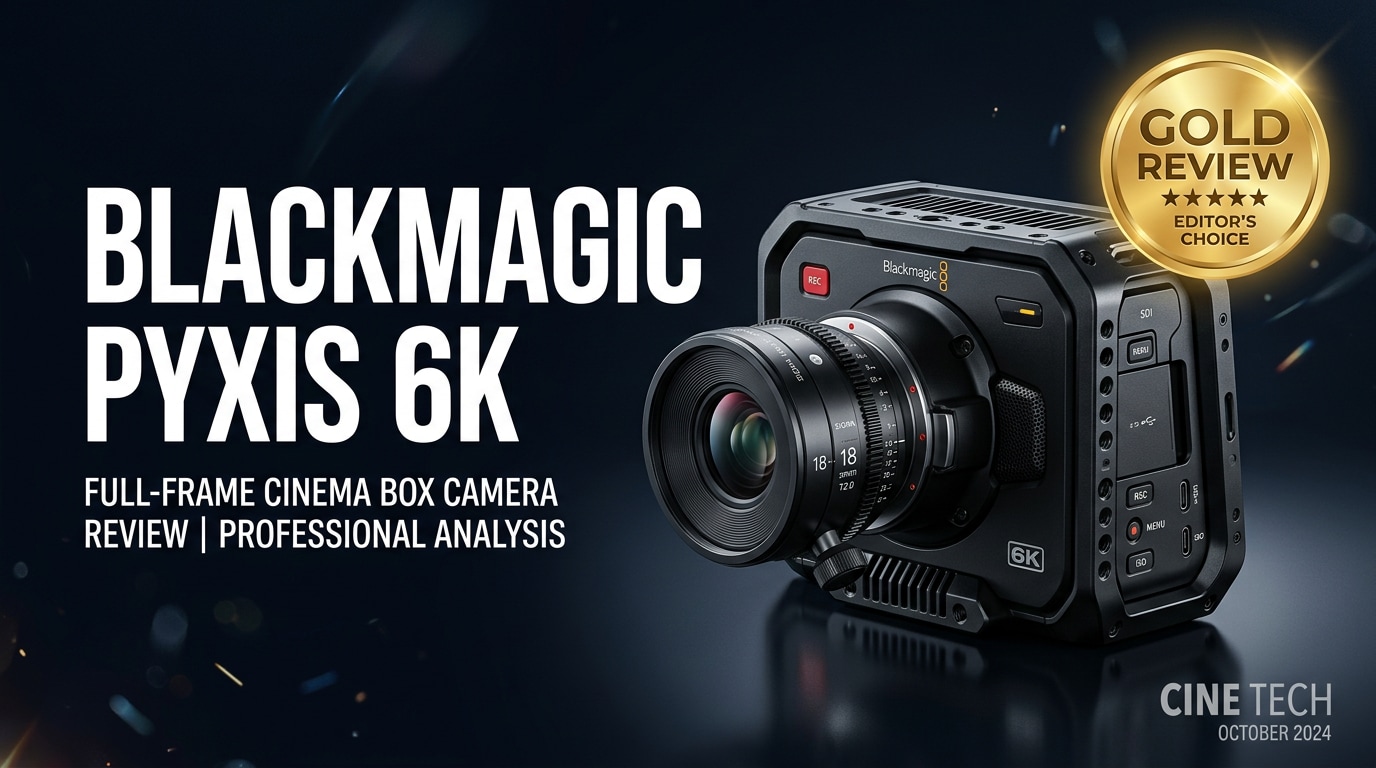
The Blackmagic PYXIS 6K is a compact, modular cinema camera built for filmmakers who need high-end 6K image quality in a flexible, production-ready body. With Blackmagic RAW recording, pro connectivity, and a box-style design that rigs easily for gimbals, cars, or studio setups, it aims to offer a serious alternative to larger cinema systems and hybrid mirrorless cameras.
Repair Corrupted Files To Save Your Data
 Security Verified. Over 7,302,189 people have downloaded it.
In this article
What's New About Blackmagic PYXIS 6K
The Blackmagic PYXIS 6K pushes Blackmagic Design's cinema line into a more modular, box-style form factor while keeping the familiar Blackmagic OS and color science. Compared with the Pocket Cinema Camera series and URSA models, the PYXIS 6K focuses on flexibility: multiple mounting points, interchangeable lens mounts, and pro I/O baked into a compact cube that fits easily on gimbals, drones, or cramped sets.
You still get 6K Blackmagic RAW, high frame rates, and powerful monitoring tools, but now in a body that feels more at home on rigged productions, multi-cam studio shoots, and custom builds where balance and accessories matter as much as the sensor.
Full Specs at a Glance
Sensor and Recording
At its core, the Blackmagic PYXIS 6K is designed around a large-format 6K sensor tuned for cinematic latitude and flexible post-production.
| Feature | Details |
|---|---|
| Sensor Resolution | Up to 6K capture with wide dynamic range for grading flexibility |
| Recording Codecs | Blackmagic RAW (BRAW) in multiple compression ratios; ProRes support in selected modes |
| Max Frame Rates | High frame rate options in both 6K and windowed resolutions for slow motion |
| Bit Depth | Professional 12-bit workflow via BRAW, ideal for HDR and heavy color work |
| Recording Media | High-speed CFexpress cards and/or SSDs, depending on configuration and rig |
Body, I/O, and Power
The PYXIS 6K emphasizes production-ready connectivity and rigging, so it slots into existing cinema workflows without excessive adapters.
| Feature | Details |
|---|---|
| Form Factor | Compact box-style body with multiple mounting points for cages, rails, and accessories |
| Lens Mount Options | Interchangeable mounts (such as LPL/PL/EF, depending on configuration) to match cinema and stills lenses |
| Video Outputs | Professional monitoring and output options suitable for on-set video villages and recorders |
| Audio Inputs | Balanced pro audio support with phantom power via dedicated inputs |
| Power | External power options plus support for industry-standard batteries for long shoots |
Real-World Performance
On set, the Blackmagic PYXIS 6K is built to deliver a clean, gradable image that holds up in demanding conditions. The 6K resolution gives you room for reframing, stabilizing, and cropping to different aspect ratios, while BRAW keeps file sizes manageable without sacrificing grade latitude.
Blackmagic OS remains one of the most intuitive camera interfaces around, so changing frame rates, monitoring LUTs, or audio levels is quick. The box-style body balances nicely on gimbals and car rigs, and the extensive mounting points simplify building full cinema rigs with matte boxes, follow focus, and wireless video.
Low-light performance is usable for narrative work, with noise that responds well to modern denoising tools, and highlight roll-off has the soft, filmic character Blackmagic cameras are known for. With proper media, the camera can run long takes without skipped frames, though underperforming cards can still cause dropped frames or corrupted clips.
Pros & Cons
Pros
- 6K BRAW recording with strong dynamic range for serious grading workflows.
- Modular box-style design that rigs easily for gimbals, drones, cars, and studio builds.
- Professional I/O and power options that integrate with existing cinema gear.
- Familiar Blackmagic OS with fast, touch-based menu navigation.
- Excellent value for a cinema-focused camera at its price point.
Cons
- Requires rigging (handles, EVF, batteries) for comfortable handheld use.
- High data rates demand fast, reliable media and plenty of storage.
- No built-in lens stabilization; depends on lens or rig support.
- Corrupted clips can occur if power or media fails during recording.
Who Is This Camera For?
The Blackmagic PYXIS 6K is aimed at filmmakers who have outgrown hybrid mirrorless cameras and want a dedicated cinema tool that still stays compact. It is well-suited to indie narrative productions, commercials, music videos, and branded content where image quality and rigging flexibility matter more than stills features.
Solo shooters can benefit from the compact footprint and friendly OS, especially when paired with a simple cage and external power, while small production teams will appreciate how easily it slots into multi-cam setups and more complex rigs. If you rely heavily on color grading and VFX, the 6K BRAW workflow is a major advantage.
What to Do If Your Blackmagic PYXIS 6K Files Get Corrupted
Use Repairit to Rescue Damaged PYXIS 6K Footage
Even with careful media management, Blackmagic PYXIS 6K clips can be corrupted by sudden power loss, card removal, or storage failures. When that happens, specialized repair software is often the fastest way to save an important take. Wondershare Repairit is built specifically to repair damaged, unplayable, or partially corrupted video files from cinema cameras, including high-resolution 6K material. You can learn more and download it from the Repairit official website.
Key Features of Repairit
- Repairs corrupted or unplayable video files from cameras, drones, and phones, including demanding cinema workflows.
- Supports batch repair and multiple high-resolution formats up to 4K and 6K so you can fix entire shooting days at once.
- Uses a simple, guided interface that works for both beginners and professionals under tight delivery deadlines.
Step-by-Step: Repair Blackmagic PYXIS 6K Video Files
-
Choose a Location to Repair Data
Open Wondershare Repairit and go to the Video Repair module. Click to add files, then select the corrupted Blackmagic PYXIS 6K clips from your recording location. This might be a CFexpress card, an external SSD you used on set, or a project folder on your editing workstation.

-
Deep Scan the Location
Start the repair process so Repairit can analyze the damaged files. The software reviews the structure, headers, and metadata of your 6K footage to identify what is causing playback errors, freezes, missing frames, or black screens. Let the scan complete without interrupting the drive or disconnecting your media.

-
Preview and Repair Your Desired Data
When the repair finishes, select each fixed clip and use the built-in preview to confirm that the video and audio play correctly. Once you are satisfied, choose a different, healthy drive as the destination and save the repaired files. You can then relink them inside your NLE and continue the edit without having to re-shoot critical scenes.

Conclusion — Should You Buy?
The Blackmagic PYXIS 6K combines serious cinema image quality with a compact, modular body that is easy to rig for almost any production. With 6K BRAW, strong dynamic range, and pro connectivity, it offers a compelling step up from mirrorless cameras without the size and cost of traditional cinema systems.
If your work relies on flexible grading, multi-role rigging, and a streamlined on-set experience, the PYXIS 6K is an excellent candidate. Pair it with reliable media, solid backup habits, and a repair tool like Wondershare Repairit, and you will have a robust end-to-end workflow that keeps your footage safe from shoot to final export.
FAQ
-
1. What recording formats does the Blackmagic PYXIS 6K support?
The Blackmagic PYXIS 6K primarily records in Blackmagic RAW at various resolutions and compression levels, and also supports Apple ProRes in selected frame rate and resolution combinations, depending on your chosen recording mode and media performance. -
2. Is the Blackmagic PYXIS 6K a good choice for solo shooters?
Yes. The PYXIS 6K's compact box-style body, intuitive Blackmagic OS, and powerful monitoring tools work well for solo operators, though you will likely want to add accessories such as a top handle, side grip, and external battery for comfortable all-day use. -
3. What kind of media should I use with the Blackmagic PYXIS 6K?
You should use high-speed, reliable media that meets Blackmagic's official recommendations, such as certified CFexpress cards or fast SSDs. Using slow or unverified media increases the risk of dropped frames, recording errors, and corrupted video files. -
4. Can I repair corrupted Blackmagic PYXIS 6K footage?
In many cases, yes. If clips are damaged by power loss, card removal, or system crashes, tools like Wondershare Repairit can analyze and repair the corrupted video structure so the files become playable again and can be used in your edit. -
5. Is the Blackmagic PYXIS 6K suitable for professional film and TV work?
The PYXIS 6K is designed for professional workflows, with 6K BRAW, robust connectivity, and flexible rigging options. When combined with quality lenses, sound recording, and proper support gear, it can be used confidently for film, TV, and commercial productions.




