
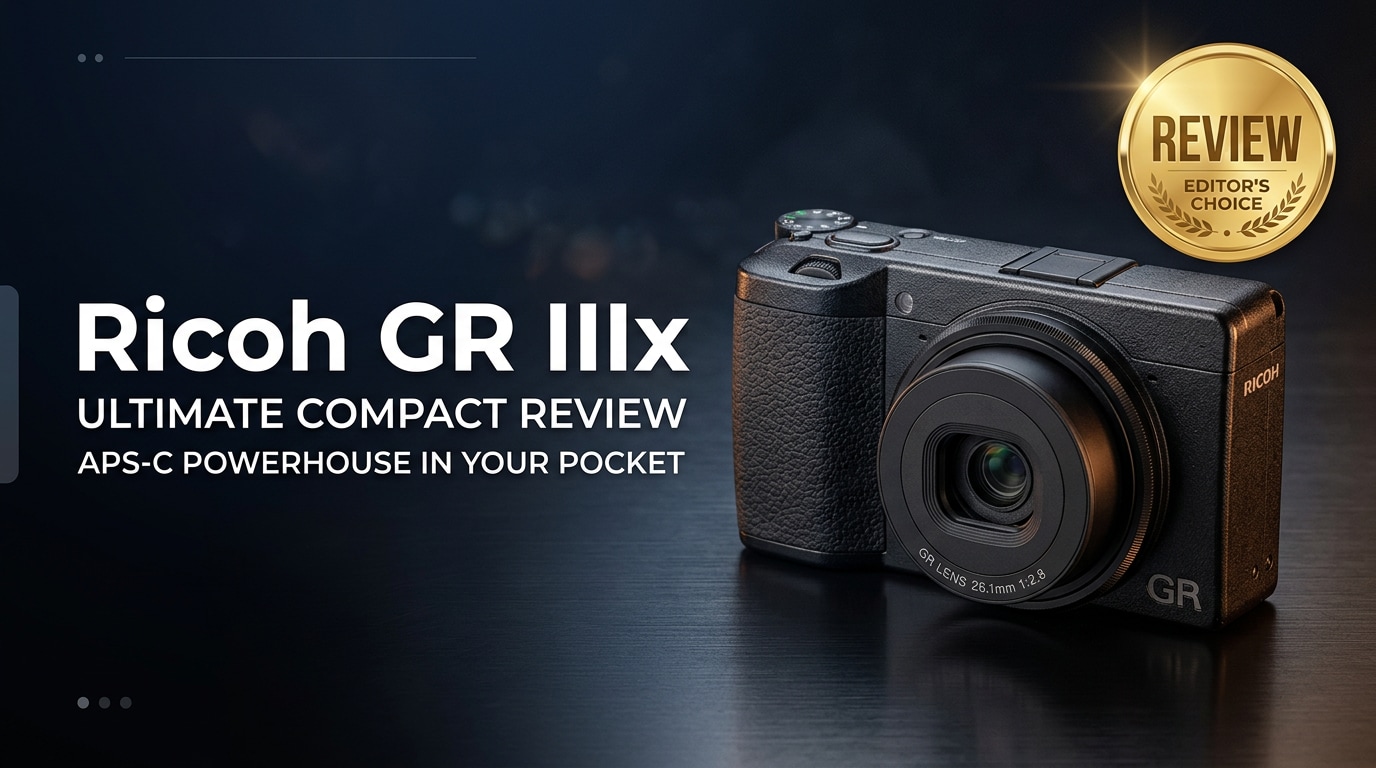
The Ricoh GR IIIx is a pocketable APS-C compact camera built for photographers who want prime-lens sharpness and street-ready speed in a discreet body. With a 40mm-equivalent lens, intuitive controls, and robust stabilization, it excels at everyday carry, travel, and candid portraits while remaining small enough to slip into a jacket or jeans pocket.
Repair Corrupted Files To Save Your Data
 Security Verified. Over 7,302,189 people have downloaded it.
In this article
What's New About Ricoh GR IIIx
Compared with earlier GR models, the Ricoh GR IIIx focuses on changing your perspective rather than the entire system. The headline addition is its 26.1mm f/2.8 lens, delivering a 40mm-equivalent field of view that feels more natural for portraits and tighter street framing than the classic 28mm on the GR III.
Ricoh also refined autofocus algorithms, close-up performance, and in-body stabilization for better low-light shots. The GR IIIx keeps the same 24.2MP APS-C sensor, compact magnesium body, and responsive touch interface, ensuring that GR users feel instantly at home while enjoying a more intimate perspective.
Full Specs at a Glance
Key imaging specs
| Feature | Ricoh GR IIIx Specs |
|---|---|
| Sensor | 24.2MP APS-C CMOS (approx. 23.5 x 15.6 mm) |
| Lens | 26.1mm f/2.8 (40mm-equivalent), 7 elements in 5 groups, 9-blade diaphragm |
| Image formats | JPEG, DNG RAW (GR IIIx RAW files widely supported) |
| ISO range | ISO 100–102400 (expandable), Auto ISO support |
| Image stabilization | 3-axis in-body Shake Reduction, up to 4 stops compensation |
| Autofocus | Hybrid AF: contrast-detect + on-sensor phase detection |
| Burst shooting | Up to 4 fps continuous shooting |
| Video recording | Full HD 1920x1080 at 60/30/24p, H.264 codec |
| Metering modes | Multi-segment, center-weighted, spot |
| Shutter speed | 1/4000s to 30s, Bulb mode supported |
Body, storage, and connectivity
| Feature | Details |
|---|---|
| Display | 3.0-inch fixed touchscreen LCD, approx. 1,037k dots |
| Storage | 1x SD/SDHC/SDXC card slot (UHS-I) |
| Battery life | Approx. 200 shots per charge (CIPA), rechargeable DB-110 battery |
| Dimensions | Approx. 109.4 x 61.9 x 35.2 mm |
| Weight | Approx. 262 g including battery and card |
| Wireless | Wi-Fi and Bluetooth for app connectivity and transfer |
| Ports | USB-C (data/charging), external power support via adapter |
| Build | Magnesium alloy front frame, minimalist black design |
| Extras | Built-in ND filter, crop modes (50mm & 71mm-equivalent), highlight-weighted metering |
Real-World Performance
In everyday shooting, the Ricoh GR IIIx feels fast, invisible, and dependable. The 40mm-equivalent lens gives a natural look for street portraits and layered scenes, with excellent central sharpness even wide open. Corner performance is strong for a compact prime, especially once stopped down to f/4–f/5.6.
Autofocus locks quickly in good light, and the snap focus feature remains a favorite for classic zone-focus street techniques. The in-body stabilization helps keep ISO lower at night, while the 24.2MP sensor delivers low-noise files with flexible dynamic range. JPEG colors have Ricoh's recognizable punch, while DNG GR IIIx RAW files grade cleanly in post-production.
For video, the GR IIIx is more of an emergency tool than a dedicated cinema camera, but Full HD footage is usable for clips and behind-the-scenes moments. The small body can get warm during longer recording sessions, so short bursts work best. Overall responsiveness, buffer clearing, and boot time make it well suited to fast-moving street photography.
Pros & Cons
Pros
- 40mm-equivalent lens offers a versatile, natural perspective for street and portraits.
- Large 24.2MP APS-C sensor in a genuinely pocketable body.
- Fast handling with customizable controls and snap focus for street work.
- Effective 3-axis stabilization for handheld low-light shooting.
- DNG RAW support for flexible editing and long-term compatibility.
- Discreet design with near-silent operation for candid shooting.
Cons
- Fixed lens and no viewfinder may not suit every photographer.
- Battery life is modest; a spare battery is almost essential for long days.
- Video is limited to Full HD, with no 4K option.
- Single SD card slot with UHS-I speeds only.
- Fixed rear screen with no tilt or articulation.
Who Is This Camera For?
The Ricoh GR IIIx is aimed at photographers who want DSLR-level image quality in the smallest possible package, particularly those who favor a tighter field of view. It is ideal for street shooters who like to work close but not wide, travel photographers seeking a minimalist setup, and documentary storytellers who value discretion.
If you often shoot portraits, details, or layered scenes rather than expansive cityscapes, the GR IIIx will likely fit your eye better than the 28mm GR III. Creators who already own larger systems can treat it as a premium everyday carry camera that never feels like a burden, ensuring you always have a capable tool with you.
What to Do If Your Ricoh GR IIIx Files Get Corrupted
Why use Repairit for GR IIIx media
Even reliable cameras can produce unreadable or corrupted files after a bad card, sudden power loss, or transfer interruption. When treasured Ricoh GR IIIx photos or videos refuse to open, a dedicated repair tool can save the day. Wondershare Repairit is designed to fix broken media from cameras, memory cards, and computers, giving you a straightforward way to rescue shoots that would otherwise be lost. To explore supported formats and features in detail, visit the Repairit official website.
Key features of Repairit for GR IIIx shooters
- Repairs corrupted photos and videos from cameras, SD cards, and external or internal drives.
- Handles multiple formats and error scenarios in one toolkit, from unreadable files to playback glitches.
- Lets you preview repaired images and clips before saving them back to safe storage.
Step-by-step: repair damaged Ricoh GR IIIx files
-
Choose a Location to Repair Data
Open Wondershare Repairit and pick the module that matches your damaged Ricoh GR IIIx content, such as photo repair or video repair. Click to add the problematic files directly from your SD card, backup folder, or local drive. This tells Repairit exactly which items to analyze, avoiding any risk to healthy images or clips.

-
Deep Scan the Location
Start the repair process and let Repairit run its deep analysis. The software inspects file headers, structure, and metadata from your Ricoh GR IIIx shots to pinpoint errors and rebuild missing elements. During this stage, you simply wait while Repairit works through each item; larger batches and long video clips may take more time to process.

-
Preview and Repair Your Desired Data
When the scan finishes, you will see a list of recoverable photos and videos. Use the built-in preview window to check image sharpness and confirm that repaired clips play smoothly. Select only the Ricoh GR IIIx files you want to keep, then save them to a secure destination such as your computer or an external drive, not back to the original SD card.

Conclusion — Should You Buy?
The Ricoh GR IIIx delivers high-end APS-C image quality, a sharp 40mm-equivalent lens, and genuinely pocket-sized portability. For street photographers, travelers, and creators who want a tighter, people-friendly perspective than 28mm, it is one of the most compelling compact cameras available.
If you are comfortable with a fixed lens, modest battery life, and basic video, the GR IIIx rewards you with discreet operation and consistently strong files. Pair it with disciplined backups and a repair tool like Wondershare Repairit, and you have a compact system ready to capture everyday life without weighing you down.
FAQ
-
1. Is the Ricoh GR IIIx good for street photography?
Yes. The Ricoh GR IIIx is excellent for street photography thanks to its compact size, quiet shutter, APS-C sensor, and 40mm-equivalent lens that suits candid portraits and tighter urban scenes. -
2. How is the Ricoh GR IIIx different from the GR III?
The main difference is the lens. The GR IIIx uses a 40mm-equivalent lens, while the GR III offers a wider 28mm-equivalent. Both share the same sensor, stabilization, and overall body design. -
3. Can I shoot RAW with the Ricoh GR IIIx?
Yes. The Ricoh GR IIIx records DNG RAW files that are widely supported by major editors like Lightroom, Capture One, and many free converters, giving you maximum flexibility in post. -
4. What should I do if my Ricoh GR IIIx photos become corrupted?
Stop using that memory card immediately, copy any readable images to a computer, and then use a repair tool such as Wondershare Repairit to attempt recovery of damaged photos or videos. -
5. Does the Ricoh GR IIIx have image stabilization?
Yes. The GR IIIx includes in-body Shake Reduction, which helps reduce blur from camera shake when shooting handheld at slower shutter speeds or in low light.




