
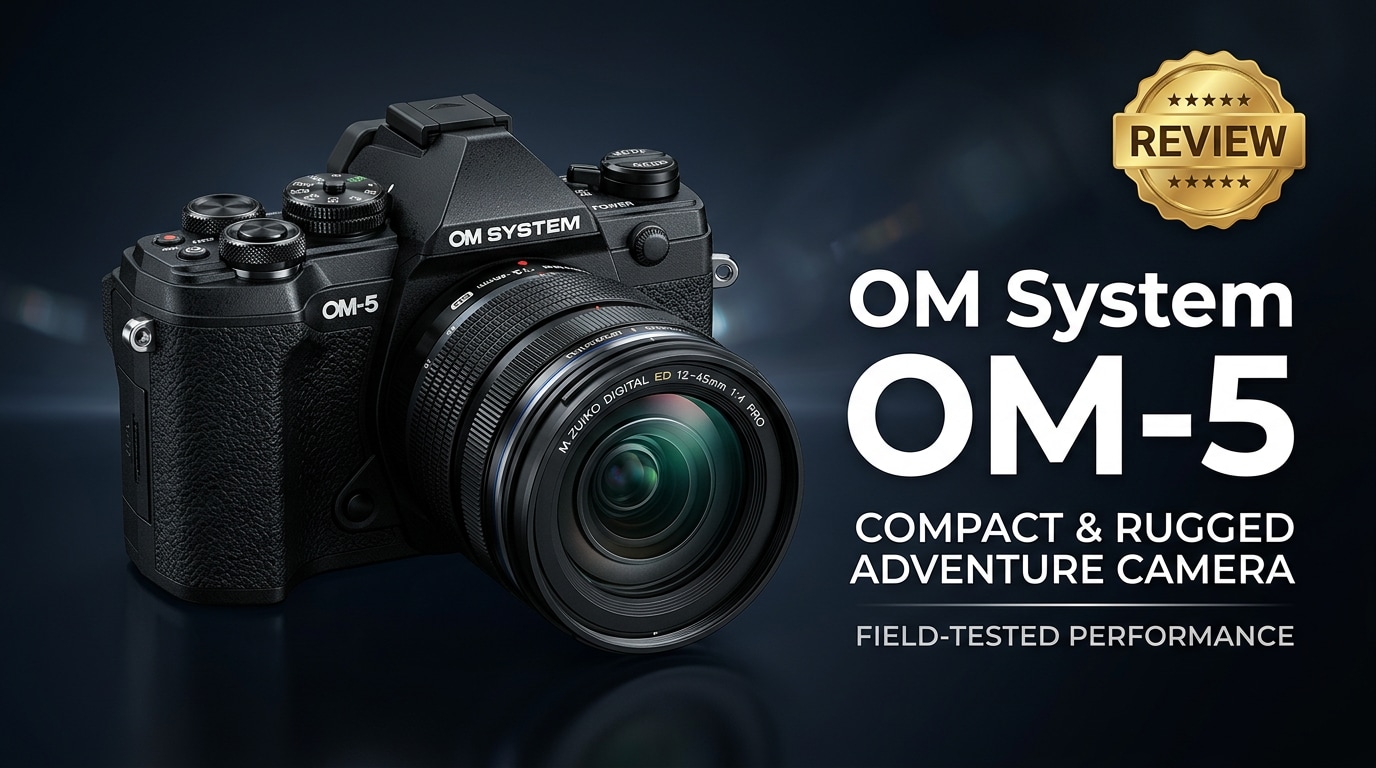
The OM System OM-5 is a compact, weather-sealed Micro Four Thirds mirrorless camera that blends portability with advanced computational features. A direct successor to the Olympus enthusiast line, it delivers powerful in-body stabilization, proven image quality, and versatile photo and video tools in a body small enough for everyday carry, travel, and outdoor adventures.
Repair Corrupted Files To Save Your Data
 Security Verified. Over 7,302,189 people have downloaded it.
In this article
What's New About OM System OM-5
The OM System OM-5 builds on the beloved OM-D E-M5 Mark III, but refines it for modern hybrid creators. The core 20 MP Micro Four Thirds sensor remains, yet OM System has added updated computational photography features such as improved Handheld High Res Shot, Live ND up to ND16, and enhanced subject detection AF.
Its IP53-rated weather sealing, inherited from higher-end OM bodies, is a major upgrade for outdoor shooters, allowing you to keep working in rain, snow, or dusty environments. The camera also gains better video options, including vertical video support and improved menu refinements aimed at vloggers and travel filmmakers.
Full Specs at a Glance
Sensor and imaging pipeline
| Feature | OM System OM-5 Specification |
|---|---|
| Sensor type | 20.4 MP Live MOS Micro Four Thirds |
| Image processor | TruePic IX |
| ISO range | ISO 200-25,600 (expandable to ISO 64 equivalent) |
| Stabilization | 5-axis in-body IS, up to 6.5 stops (up to 7.5 stops with Sync IS lenses) |
| Continuous shooting | Up to 10 fps (mechanical), up to 30 fps (electronic, single AF point) |
| High-res modes | Handheld High Res Shot (approx. 50 MP), Tripod High Res Shot (approx. 80 MP) |
Video and connectivity
| Feature | OM System OM-5 Specification |
|---|---|
| Video resolution | 4K UHD up to 30p, DCI 4K up to 24p, Full HD up to 120p |
| Video tools | OM-Log400, vertical video, Focus Peaking, zebra, time-lapse, Live ND |
| Autofocus system | 121-point cross-type phase-detection + contrast AF |
| Viewfinder and LCD | 2.36M-dot EVF; 3.0-inch 1.04M-dot fully articulating touchscreen |
| Weather sealing | IP53-rated dust, splash, and freeze resistance (to -10°C) |
| Connectivity | Wi-Fi, Bluetooth, USB, micro HDMI, mic input |
| Weight (body only) | Approx. 366 g (0.81 lb) with battery and card |
Real-World Performance
Out in the field, the OM System OM-5 feels purpose-built for hiking, city exploration, and light documentary work. The compact body pairs well with small primes or travel zooms, keeping your kit light while still providing excellent image quality up to moderate ISO levels.
Autofocus is fast and decisive in good light, with face and eye detection performing reliably for people and casual portraits. In lower light, the camera still locks focus but may hunt slightly more than larger-sensor competitors.
The 5-axis in-body stabilization is a standout. Handheld shots at slow shutter speeds remain sharp, and video footage looks smooth even when walking. Combined with features like Live ND and Handheld High Res Shot, you can capture creative long exposures or high-detail landscapes without a tripod, which is a major advantage for travel photographers.
For video, 4K footage is detailed and stable, and OM-Log400 gives more flexibility for grading. The fully articulating screen and microphone input make the OM-5 a capable vlogging companion, though rolling shutter and more limited bitrates mean it is better suited to enthusiast content than heavy professional cinema work.
Pros & Cons
Pros
- Extremely compact, lightweight body ideal for travel and everyday carry.
- Excellent 5-axis in-body stabilization for sharp photos and smooth handheld video.
- Robust IP53 weather sealing suited to challenging outdoor conditions.
- Advanced computational features like Live ND, Handheld High Res Shot, and Pro Capture.
- Fully articulating touchscreen and mic input for flexible video and vlogging setups.
- Large ecosystem of small, sharp Micro Four Thirds lenses.
Cons
- 20 MP sensor resolution may feel modest compared to some higher-resolution competitors.
- Single UHS-II SD card slot instead of dual slots for redundancy.
- Autofocus and video specs trail some newer APS-C and full-frame hybrid cameras.
- Smaller sensor limits extreme shallow depth-of-field effects compared to full-frame.
Who Is This Camera For?
The OM System OM-5 is tailor-made for creators who value portability, durability, and flexibility over sheer sensor size. Travel photographers, hikers, and outdoor enthusiasts will appreciate how little space it takes in a bag, especially when paired with compact zooms and primes.
It is also a strong option for hybrid shooters who want one camera that can comfortably handle stills, 4K video, and social media-friendly vertical clips, without the bulk of many modern hybrids. If you often shoot in bad weather or remote locations and need a camera that simply keeps working, the OM-5 aligns well with that use case.
What to Do If Your OM System OM-5 Files Get Corrupted
Repairit overview
Even with careful handling, files from your OM System OM-5 can become corrupted due to SD card errors, sudden battery loss, or transfer issues. When your photos or 4K clips refuse to open or play, a dedicated repair tool can save hours of reshooting. Wondershare Repairit is designed specifically to fix damaged or unplayable media and document files with a guided workflow suitable for beginners. You can learn more from the Repairit official website and choose between online and desktop versions, depending on your needs.
Key Repairit features
- Repairs corrupted or unplayable video and photo files from cameras, action cams, and drones.
- Supports a wide range of formats and storage devices, including SD cards and external drives.
- Offers a guided, step-by-step workflow that works well for both beginners and professionals.
Step-by-step: repair OM-5 files
-
Choose a Location to Repair Data
Launch Repairit and pick the file type you want to fix, such as video or photo. Click to add your damaged OM System OM-5 files directly from the SD card, camera folder, or a backup drive. Once you have selected the affected clips or images, confirm to load them into the repair queue.

-
Deep Scan the Location
Start the repair process so Repairit can analyze each OM-5 file in depth. The software checks for header damage, missing metadata, and structural inconsistencies that cause playback or opening errors. It then attempts to reconstruct the original data using its built-in algorithms, working through all selected files in one batch.

-
Preview and Repair Your Desired Data
When the repair completes, use the built-in preview window to check whether your OM-5 videos play smoothly and photos display correctly. Tick the files and versions you want to keep, then save them to a safe location such as a different folder, another SD card, or an external drive. Avoid overwriting the original card until you confirm that the recovered files are intact.

Conclusion — Should You Buy?
The OM System OM-5 delivers an appealing mix of portability, weather sealing, and computational features that few rivals can match at its size. Its proven 20 MP sensor, excellent stabilization, and deep Micro Four Thirds lens lineup make it a powerful yet compact tool for travel and outdoor photography.
If you prioritize a small, rugged hybrid camera that you can carry all day, the OM-5 is easy to recommend. Combine it with a solid backup workflow and a repair solution like Repairit, and you will be well equipped to protect your photo and video files even when things go wrong unexpectedly.
FAQ
-
1. Is the OM System OM-5 good for travel photography?
Yes. The OM System OM-5 is compact, lightweight, and weather sealed, making it very well suited for travel, hiking, and everyday carry, especially with small Micro Four Thirds lenses. -
2. How good is the video quality on the OM System OM-5?
The OM System OM-5 records 4K video with strong in-body stabilization and OM-Log400 for flexible color grading. It is excellent for casual to enthusiast-level creators, though not as feature-rich as some larger, video-focused hybrid bodies. -
3. Does the OM System OM-5 have good weather sealing?
Yes. The camera is rated to IP53 for dust, splash, and freeze resistance when paired with weather-sealed lenses, making it reliable for shooting in rain, snow, and dusty environments. -
4. What should I do if my OM System OM-5 SD card becomes corrupted?
Stop using the card immediately to avoid overwriting data. Then connect it to a computer and use a recovery and repair tool such as Wondershare Repairit to attempt to repair damaged files and recover as many photos and videos as possible. -
5. Can I use my old Olympus Micro Four Thirds lenses on the OM System OM-5?
Yes. The OM System OM-5 uses the Micro Four Thirds mount, so it is compatible with existing Olympus-branded and other Micro Four Thirds lenses, subject to normal compatibility considerations.




