
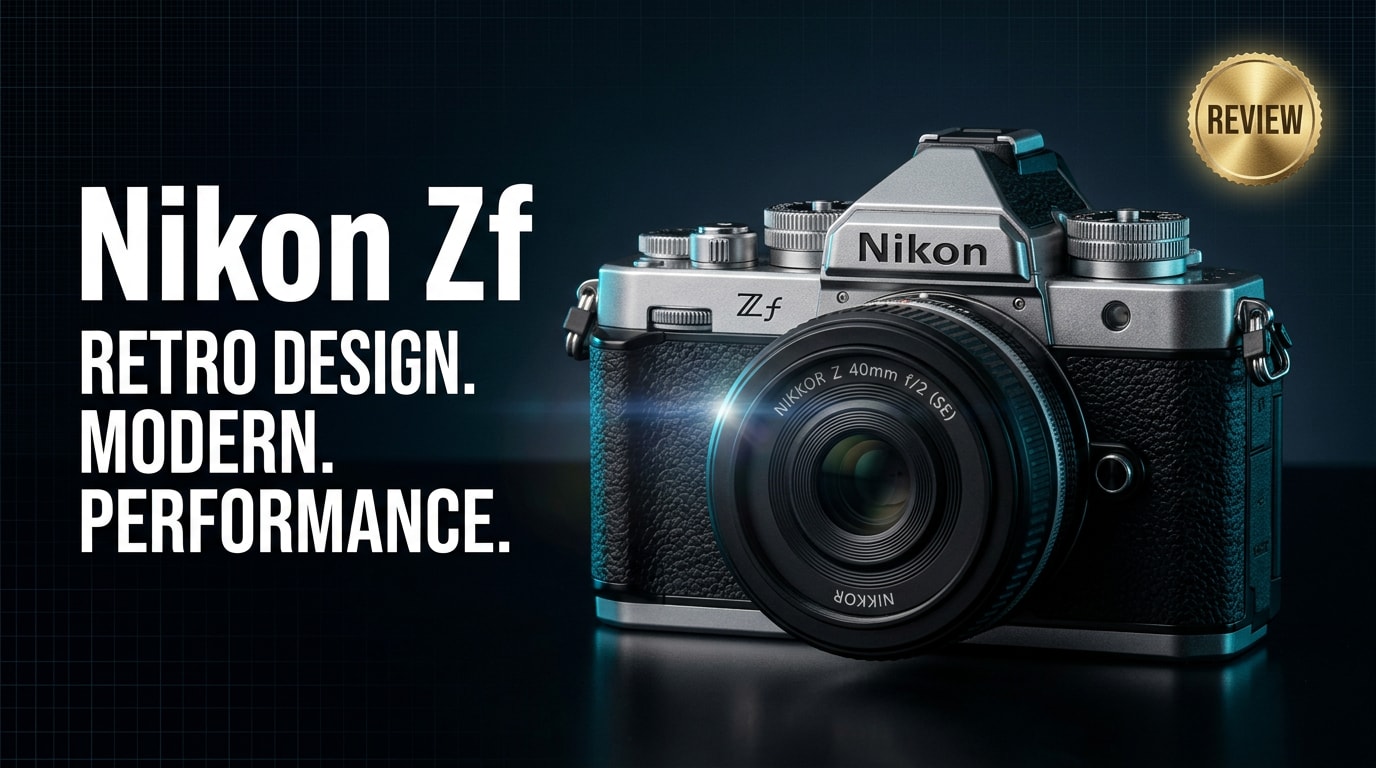
The Nikon Zf is a retro-styled full-frame mirrorless camera that fuses classic film-camera controls with Nikon's latest imaging tech. With tactile dials, modern autofocus, strong low-light performance, and 4K video, it targets photographers and hybrid creators who want both character and cutting-edge performance in one compact body.
Repair Corrupted Files To Save Your Data
 Security Verified. Over 7,302,189 people have downloaded it.
In this article
What's New About Nikon Zf
The Nikon Zf review story starts with how successfully Nikon blends nostalgia and cutting-edge tech. It borrows its design language from classic Nikon FM/FE film cameras while packing the latest Z-mount electronics inside.
- Dedicated shutter-speed, ISO, and exposure-compensation dials give a film-era shooting feel.
- A modern full-frame sensor and EXPEED processor deliver better dynamic range, color, and noise handling than previous retro-inspired Nikons.
- Advanced subject-detection autofocus now recognizes people, animals, and vehicles across the frame.
- Improved in-body image stabilization (IBIS) keeps stills sharp and video steadier in low light.
- 4K video, modern codecs, and clean HDMI output make it far more capable for creators than prior Nikon retro bodies.
Together, these updates make the Nikon full frame mirrorless experience feel truly contemporary while still appealing to photographers who love tactile controls.
Full Specs at a Glance
This section summarizes the key Nikon Zf specs so you can quickly see how it stacks up as a retro-style camera and as a serious tool for modern work.
Core imaging specs
| Feature | Specification |
|---|---|
| Sensor type | Full-frame CMOS sensor |
| Resolution | High-resolution stills suitable for detailed prints and cropping |
| ISO range | Wide native ISO range optimized for strong Nikon Zf low light performance |
| Image stabilization | In-body image stabilization (IBIS) for handheld stills and video |
| Autofocus system | On-sensor phase-detect AF with subject detection and eye AF |
| Continuous shooting | Fast burst rates suitable for action and street photography |
| Video recording | 4K UHD video with oversampling and advanced profiles |
| Lens mount | Nikon Z-mount, compatible with a wide range of Z lenses |
Body, handling, and connectivity
| Feature | Specification |
|---|---|
| Design | Retro-inspired body with mechanical dials and magnesium alloy construction |
| Weather sealing | Sealed around key points to handle typical outdoor shooting conditions |
| Viewfinder & LCD | High-resolution EVF and fully articulating touchscreen |
| Storage | Memory card slot(s) supporting fast SD media |
| Connectivity | USB-C, HDMI, microphone input, headphone out, Wi-Fi, Bluetooth |
| Battery life | Rated for a full shooting day with sensible power management |
Real-World Performance
In practice, the Nikon Zf feels responsive and refined. Start-up times and shutter lag are minimal, so it never gets in the way when you see a moment unfolding.
Autofocus and tracking
- The Nikon Zf autofocus system locks onto faces and eyes confidently, even in dimly lit interiors or city streets at night.
- Subject-detection AF for people, animals, and vehicles works well for everyday documentary, travel, and lifestyle shooting.
- Continuous AF with burst shooting is accurate enough for casual sports, kids, and pets.
Image quality and low light
- Files show good dynamic range, letting you recover shadows and highlights in RAW processing.
- High-ISO noise is well controlled for a camera of this class, supporting clean results for night scenes and indoor events.
- Color is pleasing out of camera, with profiles that suit portraits, landscapes, and monochrome looks.
Nikon Zf video performance
- 4K capture is detailed enough for YouTube, client content, and documentary-style projects.
- IBIS and lens-based stabilization provide smoother handheld shots, especially with wide to normal focal lengths.
- Log-style or flat profiles and clean HDMI output support more advanced grading and external recording.
Overall, the camera delivers a satisfying blend of characterful shooting experience and modern reliability for both stills and motion work.
Pros & Cons
| Pros | Cons |
|---|---|
|
|
Who Is This Camera For?
The retro style camera approach of the Nikon Zf makes it ideal for photographers who value both aesthetics and control. It is especially appealing if you enjoy slowing down and being intentional with each frame.
- Street and travel photographers will appreciate the compact body, discreet look, and responsive AF.
- Portrait shooters benefit from flattering color, eye-detection AF, and shallow depth of field on full frame.
- Hybrid creators who alternate between stills and 4K video will find a balanced tool for social content, documentaries, and personal projects.
- Enthusiasts upgrading from APS-C can treat this as a stylish entry into the mirrorless camera for creators space.
If you prioritize maximum speed, dual card redundancy, and oversized grips, a different body might suit you better. But if you want a camera that feels inspiring to hold and look at while still delivering modern performance, the Nikon Zf review perspective strongly favors this model.
What to Do If Your Nikon Zf Files Get Corrupted
Repairit introduction
Even with a reliable camera like the Nikon Zf, memory cards can fail, footage can be interrupted, or files can become unreadable for many reasons. When that happens, specialized repair software is essential. Wondershare Repairit is designed to fix corrupted photos, videos, and other media from cameras, cards, and drives. It offers a guided workflow so both beginners and professionals can attempt recovery before writing off a failed shoot. To explore all options and download the latest version, visit the Repairit official website.
Key features
- Repairs damaged or unplayable Nikon Zf videos and photos from SD cards, external drives, and local folders.
- Supports many popular formats, including high-resolution stills and 4K clips commonly used by creators.
- Offers a straightforward, step-by-step interface that walks you through scanning, repairing, and saving recovered files.
Step-by-step repair guide
-
Choose a Location to Repair Data
Stop shooting with the affected card immediately to avoid overwriting data. Launch Wondershare Repairit on your computer and select the storage location that contains your damaged Nikon Zf files. This could be an inserted SD card, an external SSD, or a folder where you copied the camera contents. Add the problematic photos or videos to the repair list so Repairit knows exactly what to process.

-
Deep Scan the Location
Start the deep scan to let Repairit analyze the selected location sector by sector. The software looks for broken headers, truncated data, and playback errors that commonly affect Nikon Zf video and image files. During this phase, you can monitor the progress bar and see which files are being detected. Allow the scan to finish so Repairit can apply its full set of repair strategies in the background.

-
Preview and Repair Your Desired Data
When the scan completes, Repairit will display a list of recoverable items. Use the built-in preview function to check whether repaired Nikon Zf clips play back correctly and whether photos open without artifacts. Select only the files you want to keep, then choose a safe output destination on a different drive or card. Click the option to save, and Repairit will export the repaired versions so you can continue editing and sharing your work.

Conclusion — Should You Buy?
The Nikon Zf combines a nostalgic, analog-inspired design with the capabilities of a serious modern mirrorless camera. Its mix of full-frame image quality, capable autofocus, reliable IBIS, and 4K video makes it a strong all-round choice for photographers and hybrid creators who want their gear to feel special in the hand.
If you love tactile controls and retro styling but refuse to compromise on performance, the Nikon Zf is an excellent option to put on your shortlist. Pair it with a dependable repair tool like Wondershare Repairit so that, even if your media becomes corrupted, you have a realistic chance to recover your photos and videos from important shoots.
FAQ
-
1. Is the Nikon Zf good for low-light photography?
Yes. The Nikon Zf uses a full-frame sensor with strong high-ISO performance and in-body image stabilization, making it well suited for low-light scenes, indoor events, and night street shooting. -
2. Can the Nikon Zf handle serious video work?
The Nikon Zf video feature set includes 4K recording, advanced autofocus, and useful exposure tools. It is capable for YouTube channels, travel films, and hybrid creator workflows, especially when paired with good audio and stabilization techniques. -
3. Which lenses work best with the Nikon Zf?
The camera uses the Nikon Z-mount. Native Nikon Z lenses deliver the best autofocus and optical performance, but you can adapt F-mount lenses with Nikon's adapter if you already own DSLR glass. -
4. Is the Nikon Zf weather-sealed?
Yes. The Nikon Zf features a magnesium alloy body with sealing around key points to help protect against dust and moisture, making it suitable for typical outdoor and travel shooting conditions. -
5. What should I do if my Nikon Zf photos or videos get corrupted?
Stop using the memory card immediately, back up any files you can still access, and then use a repair tool like Wondershare Repairit to scan, repair, and recover the damaged Nikon Zf media before reformatting the card.




