
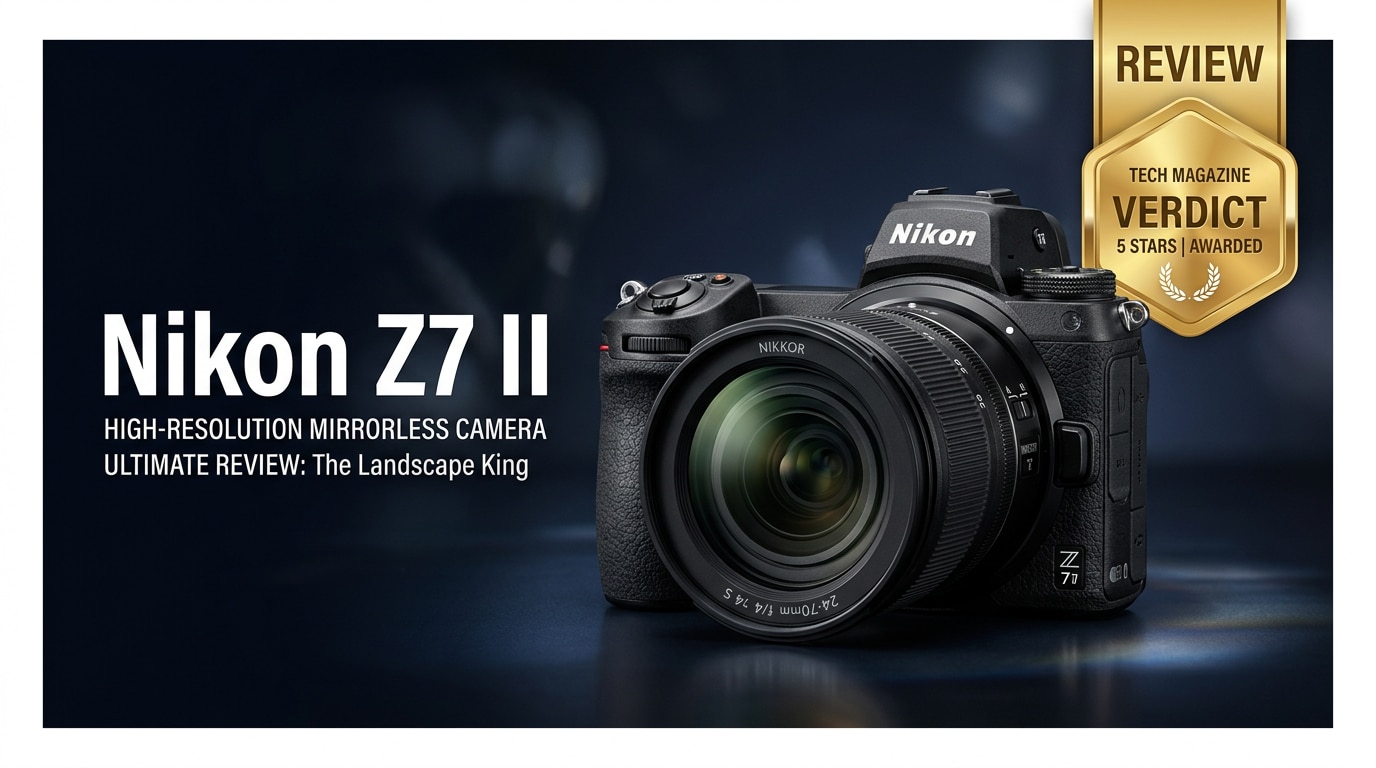
The Nikon Z7 II is a full-frame mirrorless camera built for photographers who need outstanding resolution, dynamic range, and dependable performance. With a 45.7MP sensor, dual processors, and improved autofocus, it is a powerful tool for landscapes, portraits, studio work, and serious hybrid creators who want both high-quality stills and video in a robust yet compact body.
Repair Corrupted Files To Save Your Data
 Security Verified. Over 7,302,189 people have downloaded it.
In this article
Introduction
The Nikon Z7 II takes Nikon's high-resolution mirrorless line to a more mature, well-rounded level. It combines a 45.7MP full-frame sensor, dual EXPEED 6 processors, and better autofocus tracking with practical touches like dual card slots and improved buffering. For photographers who care about detail, color, and reliability as much as portability, it is one of the most compelling bodies in the Z-mount ecosystem.
What's New About Nikon Z7 II
The Nikon Z7 II builds directly on the original Z7, addressing key pain points while keeping the same core imaging pipeline and resolution.
- Dual EXPEED 6 processors for faster overall performance, improved AF, and deeper buffers.
- Enhanced eye and face detection AF for both people and animals, active in wide-area AF modes.
- Dual card slots: one CFexpress Type B/XQD and one UHS-II SD for backup or overflow recording.
- Improved continuous shooting up to 10 fps with a larger buffer, especially useful for action or weddings.
- 4K UHD up to 60p (with a crop at 60p), plus better support for external recording and N-Log/HLG workflows.
- Refined ergonomics and menus, including more custom options, better button assignments, and improved live view behavior.
- USB-C power delivery and charging, making it easier to run the camera for long studio or timelapse sessions.
Full Specs at a Glance
Below is a quick overview of the key Nikon Z7 II specs that matter most for photographers and hybrid shooters.
Sensor and Image Quality
| Feature | Specification |
|---|---|
| Sensor type | 45.7MP full-frame (FX-format) BSI CMOS |
| Native ISO range | ISO 64–25,600 (expandable to ISO 32–102,400 equiv.) |
| Image processor | Dual EXPEED 6 |
| Continuous shooting | Up to 10 fps with AF/AE tracking |
| In-body stabilization | 5-axis sensor-shift VR, up to 5 stops compensation |
| Viewfinder | 3.69M-dot OLED EVF, 0.8x magnification |
| Rear screen | 3.2-inch tilting touchscreen, 2.1M dots |
Video and Connectivity
| Feature | Specification |
|---|---|
| Video resolution | 4K UHD up to 60p; Full HD up to 120p |
| Log / HDR profiles | N-Log and HLG (HDR) with external recorder support |
| Card slots | 1x CFexpress Type B/XQD, 1x UHS-II SD |
| Connectivity | USB-C, HDMI, mic in, headphone out, Wi-Fi, Bluetooth |
| Battery | EN-EL15c with USB-C charging and power delivery |
| Body construction | Weather-sealed magnesium alloy |
Real-World Performance
In actual shooting, the Nikon Z7 II feels noticeably more responsive than the original Z7. Startup is snappier, menus react quickly, and the camera clears its buffer faster when you shoot long bursts of RAW files.
Autofocus is a major improvement, especially for portraits and events. Eye and face detection lock on more reliably, and subject tracking is more confident in low light or backlit conditions. For static scenes like landscapes or architecture, the camera delivers exceptionally detailed files with wide dynamic range, making it easy to recover highlights and shadows in post.
For Nikon Z7 II video, 4K footage is sharp, with good color and latitude, particularly when using N-Log and an external recorder. Rolling shutter is well controlled for this resolution class, although fast pans can still show some skew. The addition of 4K/60p, even with the crop, adds flexibility for slow motion and smoother motion rendering.
Battery life is adequate for a day of mixed shooting if you are conservative, and USB-C power makes it simple to extend runtimes for timelapses, interviews, or tethered work. Weather sealing and solid build quality inspire confidence in demanding outdoor environments.
Pros & Cons
Pros
- Extremely detailed 45.7MP files with excellent dynamic range at base ISO.
- Dual EXPEED processors improve AF tracking, responsiveness, and buffer depth.
- Dual card slots offer flexible backup and overflow options.
- Strong 5-axis IBIS for low-light handheld shooting and stable video.
- 4K up to 60p plus N-Log/HLG for serious video work.
- Comfortable grip, intuitive controls, and good weather sealing.
Cons
- Very high resolution can expose lens flaws and requires good shooting technique.
- 4K/60p comes with a crop, limiting wide-angle options in that mode.
- Autofocus, while much improved, still trails some competitors in fast action.
- Large file sizes demand fast cards and plenty of storage.
- Price may be overkill for casual shooters who do not need 45.7MP.
Who Is This Camera For?
The Nikon Z7 II is tailored to photographers and creators who prioritize image quality and print-ready detail over sheer speed. It is an ideal fit for:
- Landscape and nature photographers who want maximum resolution, dynamic range, and color depth.
- Studio, portrait, and commercial shooters who need high-resolution files for retouching, large prints, and demanding clients.
- Fine art and architecture photographers who care about micro-contrast and edge-to-edge sharpness.
- Hybrid creators who need both high-quality stills and capable 4K video in a single body.
- Existing Nikon DSLR users looking to move into the Z-mount ecosystem while maintaining familiar color and handling.
If your work rarely needs huge prints or heavy cropping, you might be better served by a lower-resolution, more affordable body. But if you live in Lightroom and love pulling every bit of detail out of your RAW files, the Z7 II is squarely aimed at you.
What to Do If Your Nikon Z7 II Files Get Corrupted
Why Use Repairit for Nikon Z7 II
High-resolution stills and 4K video from the Nikon Z7 II are valuable, but they can still fall victim to card errors, sudden power loss, or file system issues. When photos or clips become unplayable, a specialized repair tool is far more effective than simple re-downloading or basic OS checks. Wondershare Repairit is designed to handle corrupted or damaged media from cameras like the Z7 II through an intuitive, guided workflow you can follow without technical expertise. You can learn more on the Repairit official website.
How to Repair Nikon Z7 II Files Step by Step
Key features of Repairit for Nikon Z7 II users
- Repairs corrupted or unplayable photo and video files from a wide range of cameras and storage devices.
- Supports batch repair so you can fix multiple nikon z7 ii clips or images in one process.
- Simple, guided interface that walks both beginners and advanced users through each repair step.
Step-by-step guide
-
Choose a Location to Repair Data
Install and launch Wondershare Repairit on your computer, then go to the video or photo repair module depending on what is damaged. Click to add files and point Repairit to the folder, memory card, or external drive where your nikon z7 ii images or videos are stored. You can add a single file or select multiple corrupted clips and RAW/JPEG files for batch repair.

-
Deep Scan the Location
Start the repair process so Repairit can analyze each selected Nikon Z7 II file in depth. The software checks headers, metadata, and internal structure to locate inconsistencies or damage, then automatically applies the most suitable repair method. During this deep scan, you do not have to adjust complex settings; simply wait while the progress bar moves through each item in the list.

-
Preview and Repair Your Desired Data
When the scan and repair phase finishes, Repairit shows a preview option next to your Nikon Z7 II photos and videos. Play repaired clips or inspect images to confirm that playback, colors, and details look correct. If you are satisfied, select the files you want to keep, click Save, and choose a safe destination folder on your computer or another drive. Avoid saving to the same card that had issues to prevent further data problems.

Conclusion — Should You Buy?
The Nikon Z7 II is a refined, high-resolution mirrorless camera that delivers superb image quality, improved autofocus, and practical upgrades like dual card slots and USB-C power. For landscape, studio, and detail-focused shooters, it offers a compelling blend of resolution, dynamic range, and reliability in a relatively compact body.
If you value clean files, deep editing flexibility, and a growing Z-mount lens ecosystem, the Nikon Z7 II is easy to recommend. Pair it with careful card management, regular backups, and a dedicated repair solution such as Wondershare Repairit so that even if files become corrupted, you have a realistic path to restoring your work.
FAQ
-
1. Is the Nikon Z7 II good for beginners?
The Nikon Z7 II can be used by beginners, but its high resolution, advanced features, and price make it better suited to enthusiasts and professionals. New photographers who are willing to learn and want long-term room to grow can still benefit from it, but many casual users may find a simpler, more affordable body easier to start with. -
2. Can the Nikon Z7 II shoot 4K video?
Yes. The Nikon Z7 II records 4K UHD video up to 60p, along with Full HD up to 120p. It also supports N-Log and HLG (HDR) when paired with compatible external recorders, making it a capable tool for hybrid creators who need both professional-quality stills and video. -
3. How do I avoid corrupting Nikon Z7 II memory cards?
To reduce the risk of card corruption, always format cards in-camera, avoid removing the card or battery while the access lamp is active, use reputable, high-speed cards, and replace cards that show recurring errors. Regularly offload and back up your files instead of filling cards to the limit. -
4. Can corrupted Nikon Z7 II files be repaired?
In many cases, yes. While no method can guarantee 100% recovery, dedicated tools like Wondershare Repairit can repair a wide range of corrupted photo and video files created by the Nikon Z7 II, restoring playability or visibility when standard players or editors fail. -
5. Does the Nikon Z7 II have dual card slots?
Yes. The Nikon Z7 II includes one CFexpress Type B/XQD slot and one UHS-II SD slot. This allows you to set up backup recording, split stills and video to different cards, or use overflow mode when one card fills up.




