
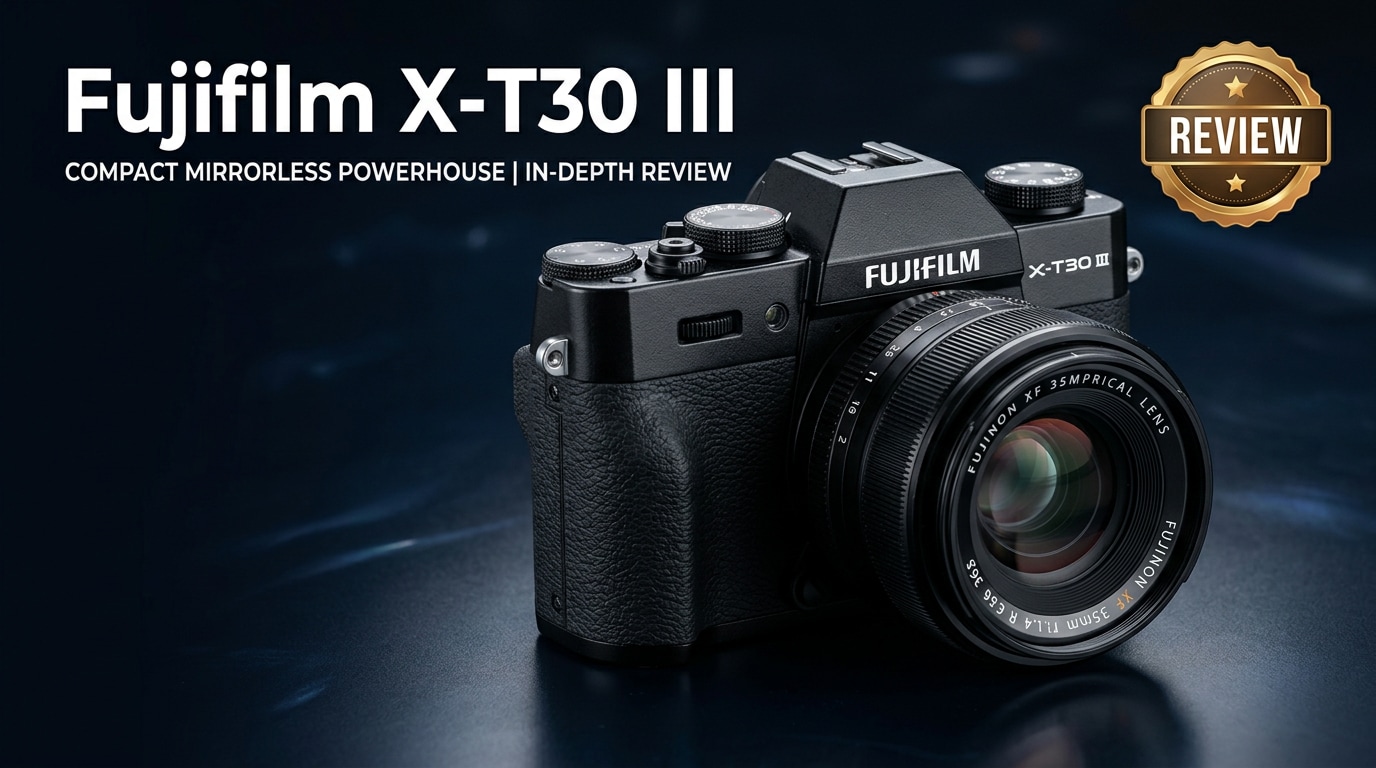
The Fujifilm X-T30 III is a compact APS-C mirrorless camera aimed at photographers and hybrid creators who want high-end performance without the bulk. It combines classic Fuji styling with modern autofocus, 4K video, and rich film simulations, making it a versatile option for travel, street, vlogging, and everyday shooting.
Repair Corrupted Files To Save Your Data
 Security Verified. Over 7,302,189 people have downloaded it.
In this article
What is New About Fujifilm X-T30 III
Updated imaging and processing
The Fujifilm X-T30 III continues Fujifilm's tradition of pairing a high-resolution APS-C X-Trans sensor with a fast X-Processor, delivering crisp stills and detailed 4K footage. Compared with earlier X-T30 generations, you get more refined color, better noise control at higher ISOs, and smoother tonal transitions, particularly in skin tones and skies.
Fujifilm also expands its popular film simulation modes, giving creators more in-camera looks that mimic classic Fujifilm stocks. This lets you shoot JPEGs that need minimal post-processing, which is especially helpful for travel and social media workflows.
Autofocus, handling, and usability tweaks
Autofocus is noticeably more confident than in previous versions, with improved subject detection and tracking for people and fast-moving subjects. In real use, this means fewer missed moments in street, family, or event photography.
On the handling side, Fujifilm refines menu options, custom buttons, and touch-screen behavior, helping hybrid shooters switch quickly between stills and video. These refinements may seem small on paper, but they add up to a smoother daily shooting experience for creators who move fast.
Full Specs at a Glance
Core imaging specifications
| Feature | Fujifilm X-T30 III Specification |
|---|---|
| Sensor type and size | APS-C X-Trans CMOS sensor |
| Resolution | Approx. 26 MP (effective) |
| Image processor | Latest-generation Fujifilm X-Processor |
| ISO range | ISO 160-12800 (expandable in both directions) |
| Burst shooting | Up to 8 fps with mechanical shutter; higher with electronic shutter |
| Viewfinder | 0.39-inch OLED EVF with high magnification |
| Rear screen | Tilting touchscreen LCD |
Video, connectivity, and storage
| Feature | Fujifilm X-T30 III Specification |
|---|---|
| Video recording | 4K recording with multiple frame-rate options, Full HD high-speed modes |
| Video formats | Common mirrorless codecs suitable for NLE editing |
| External recording | Clean output over HDMI for use with external recorders |
| Card slot | Single SD card slot (UHS-I compatible) |
| Connectivity | USB-C, HDMI micro, 3.5 mm audio interfaces, Wi-Fi, and Bluetooth |
| Battery | Rechargeable lithium-ion pack with USB charging support |
Real-World Performance
Image quality and dynamic range
The Fujifilm X-T30 III produces detailed images with pleasing color right out of camera, especially when using Fujifilm's film simulations. RAW files offer solid dynamic range, giving you flexibility to recover shadows and highlights without banding or color shifts.
Noise performance is competitive for an APS-C body, staying clean through mid-level ISOs and retaining usable detail even when you push into higher values for indoor or night scenes.
Autofocus, speed, and battery life
Continuous autofocus is reliable for portraits, kids, and casual action. Eye and face detection lock on quickly under decent light, and tracking does a good job of following moving subjects across the frame.
The camera's burst rate and buffer are adequate for most everyday action scenarios, though not aimed at pro-level sports. Battery life is respectable for such a compact body, but filming long 4K clips or shooting bursts will drain it faster, so carrying a spare battery is wise.
Video performance for creators
For creators focusing on YouTube, vlogging, and travel films, the Fujifilm X-T30 III offers appealing 4K detail and attractive color that requires minimal grading. Rolling shutter is controlled, and autofocus during video is generally sticky enough for walk-and-talk content and B-roll.
However, its compact size means you must pay attention to heat buildup, clip length limits, and card speed when recording long takes. Pairing the camera with a fast SD card and an external mic delivers a much more polished result.
Pros & Cons
- Pros
- Excellent image quality and color straight out of camera
- Compact, lightweight body with classic dial-based controls
- Strong 4K video options suitable for hybrid creators
- Reliable autofocus with face and eye detection
- Rich selection of Fujifilm film simulations for creative looks
- Cons
- Single UHS-I SD card slot limits redundancy and maximum throughput
- Battery life can feel short for intensive video days
- Smaller body can be cramped with large zoom lenses
- Potential thermal and recording time limits in extended 4K sessions
Who Is This Camera For?
The Fujifilm X-T30 III fits photographers and filmmakers who want an everyday or travel camera that is easy to carry yet powerful enough for serious work. Enthusiasts moving up from smartphones, creators needing a compact B-camera, and hobbyists who love Fujifilm's colors will feel at home.
It can also serve beginners who want room to grow. Auto modes and guided menus make it approachable, while manual dials and RAW support give you space to learn exposure and more advanced techniques over time.
What to Do If Your Fujifilm X-T30 III Files Get Corrupted
Why file corruption happens
Even with a capable camera like the Fujifilm X-T30 III, things can go wrong: the battery might die during recording, an SD card could be removed too early, or a computer transfer may be interrupted. These issues can leave you with unplayable video clips, unreadable RAW photos, or damaged project files.
Instead of trying random fixes that risk further damage, it is safer to use a dedicated repair tool designed to analyze and reconstruct corrupted media structures.
Key features of Wondershare Repairit
Wondershare Repairit is built specifically to repair broken videos, photos, and documents from cameras, cards, and drives, including footage shot on the Fujifilm X-T30 III. You can quickly access it from the Repairit official website and follow an on-screen workflow that guides you through every step.
It supports the common video and photo formats used in Fujifilm and other mirrorless systems, and lets you preview repaired files before saving them, so you only restore what actually works.
Step-by-step: Repair Fujifilm X-T30 III files
Key features
- Repairs corrupted or unplayable video, photo, and document files from cameras, SD cards, external drives, and computers.
- Supports a wide range of formats common to mirrorless workflows, making it suitable for Fujifilm, Sony, Canon, and more.
- Provides an intuitive repair interface with file previews before export, so you can verify results safely.
Step-by-step guide
- Choose a Location to Repair Data
Install and open Wondershare Repairit on your computer. From the main interface, add the damaged Fujifilm X-T30 III files by pointing Repairit to the SD card, external drive, or local folder where they are stored. You can select individual clips, entire folders, or multiple media types so everything you shot on the camera is included.

- Deep Scan the Location
After importing the corrupted files, start the repair process. Repairit runs a deep analysis on each selected item, checking headers, metadata, and internal structure to detect what is broken. During this scan, your original media is left untouched while the software builds repaired versions in the background, so you do not risk further data loss.

- Preview and Repair Your Desired Data
When Repairit completes its processing, you will see a list of recovered items. Use the built-in preview to play back video clips and open photos, confirming that playback, sound, and visual quality meet your needs. Finally, choose the files you want to keep and save them to a secure destination, such as a different folder or drive, to protect your repaired Fujifilm X-T30 III media from future issues.

Conclusion — Should You Buy?
The Fujifilm X-T30 III earns its place as a compact powerhouse for hybrid creators. It offers excellent image quality, attractive color science, capable autofocus, and solid 4K video tools in a body that is easy to pack in any bag.
If you value portability, creative film simulations, and a shooting experience built around tactile dials, the X-T30 III is a compelling option. Pairing it with disciplined backup habits and a reliable repair solution like Wondershare Repairit gives you added protection, so you can focus on capturing your best work with confidence.
FAQ
-
1. Is the Fujifilm X-T30 III good for beginners?
Yes. While it has advanced features, the Fujifilm X-T30 III remains beginner friendly thanks to its auto modes, intuitive menus, and physical dials that help new users understand exposure and settings over time. -
2. Can the Fujifilm X-T30 III handle serious video work?
The X-T30 III is well suited for YouTube, travel films, and short narrative projects. It offers detailed 4K, good autofocus, and clean external output. For very long continuous recording, you should manage heat, battery life, and consider an external recorder. -
3. What memory card should I use with the Fujifilm X-T30 III?
Use a high-quality UHS-I SD card from a reputable brand with fast write speeds, especially for 4K video or continuous bursts. Always format the card in-camera before important shoots to reduce the risk of file errors. -
4. What can I do if X-T30 III video files will not play?
First try another media player and copy the files to a different device. If they still fail, use a repair tool such as Wondershare Repairit to scan and fix corrupted video containers and restore playability. -
5. How can I avoid corrupted files on the Fujifilm X-T30 III?
Wait for recording to finish before powering off, never remove the SD card while the camera is writing, use quality cards, keep batteries charged, and always back up your footage before formatting cards in-camera.




