
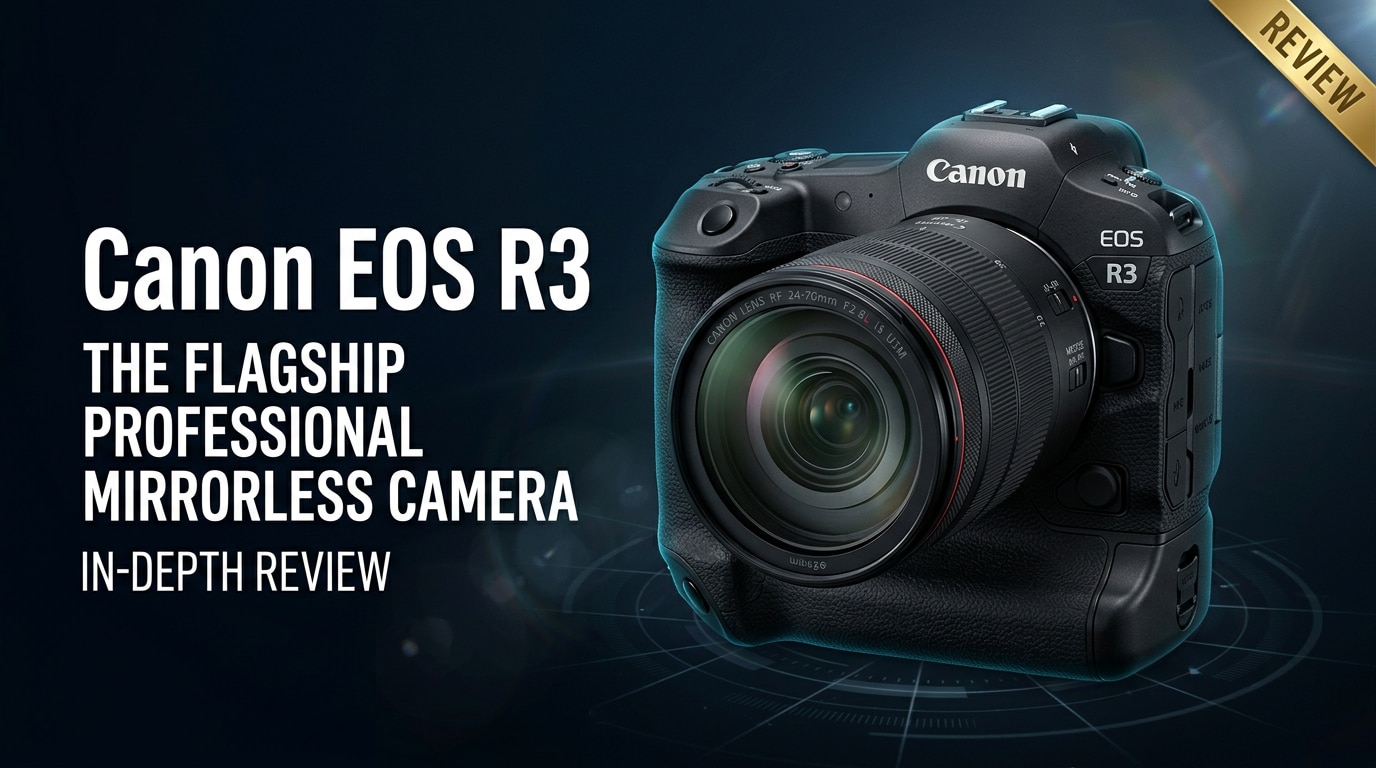
The Canon EOS R3 is a pro-level full-frame mirrorless camera built for extreme speed, rock-solid autofocus, and dependable performance in the harshest conditions. Aimed at sports, wildlife, and news shooters, it combines a stacked sensor, advanced subject tracking, and a rugged, integrated-grip body that feels instantly familiar to 1D-series users while embracing modern mirrorless advantages for stills and video.
Repair Corrupted Files To Save Your Data
 Security Verified. Over 7,302,189 people have downloaded it.
In this article
What's New About Canon EOS R3
Stacked sensor and speed boost
The Canon EOS R3 is the first Canon mirrorless body to feature a 24.1 MP full-frame stacked BSI CMOS sensor. This architecture delivers ultra-fast readout, dramatically cutting rolling shutter and enabling blackout-free shooting up to 30 fps with the electronic shutter. It also unlocks high-speed data transfer for video, including oversampled 4K and high-frame-rate recording, while keeping noise levels well controlled at higher ISOs.
Combined with the DIGIC X processor, the camera offers a deep buffer for long bursts, which is vital when capturing decisive moments in professional sports or unpredictable wildlife action. The stacked design is a major leap beyond traditional sensors found in older DSLRs and even many current mirrorless models.
Next-gen autofocus and ergonomics
One of the headline innovations is Canon's Eye Control AF, which allows you to select focus points by simply looking at them in the viewfinder. Paired with subject detection for people, animals, and vehicles, the focus system feels intuitive and responsive in dynamic shooting situations.
The Canon EOS R3 also brings an integrated vertical grip, weather-sealed magnesium alloy construction, and large, tactile buttons optimized for gloved use. Its ergonomic design bridges the gap between Canon's 1D X DSLR series and the more compact R5/R6 bodies, giving professionals the durability and handling they expect in the field.
Full Specs at a Glance
Core imaging specs
| Feature | Canon EOS R3 Specs |
|---|---|
| Sensor | 24.1 MP full-frame stacked BSI CMOS |
| Image Processor | DIGIC X |
| Native ISO Range | ISO 100–102,400 (expandable) |
| Continuous Shooting | Up to 30 fps electronic, 12 fps mechanical |
| Autofocus System | Dual Pixel CMOS AF II with Eye Control AF |
| AF Points | Up to 1,053 AF zones over wide frame coverage |
| Video Recording | 6K RAW (internal), 4K oversampled, up to 120p |
| Stabilization | In-body IS up to 8 stops (with compatible lenses) |
| Viewfinder | 5.76M-dot OLED EVF, 120 fps refresh |
| LCD Screen | 3.2-inch vari-angle touchscreen, 4.15M dots |
Body, controls, and connectivity
| Feature | Details |
|---|---|
| Body Design | Integrated vertical grip, magnesium alloy, weather sealed |
| Storage | Dual card slots: 1x CFexpress Type B, 1x UHS-II SD |
| Battery | LP-E19 (shared with EOS-1D X Mark III) |
| Connectivity | Wi-Fi, Bluetooth, Ethernet, USB-C, HDMI micro, mic & headphone |
| Weight | Approx. 1,015 g (body with battery and card) |
| Other Features | Weather sealing, illuminated buttons, multi-function shoe |
Real-World Performance
Autofocus and tracking in the field
In practical use, the Canon EOS R3 autofocus system locks on quickly and tenaciously tracks subjects across the frame. Eye, face, and head detection are reliable for fast-moving athletes, while animal and vehicle tracking work well in motorsports and wildlife scenarios. Eye Control AF can feel almost instantaneous once calibrated, letting you jump between subjects without hunting through AF points.
Low-light performance is particularly impressive. The camera maintains accurate focus in dim arenas or pre-dawn wildlife shoots, with minimal hesitation. Combined with high burst speeds, this makes missed focus less likely during critical split-second moments.
Image quality and dynamic range
Despite its relatively modest 24.1 MP resolution, the Canon EOS R3 delivers clean files with excellent color and strong dynamic range. RAW files offer flexibility for recovering shadows and highlights, which is essential when dealing with harsh stadium lighting or high-contrast outdoor scenes.
Noise control is well balanced. ISO values up to 12,800 are very usable for professional delivery, and even higher settings can be acceptable for online or news use. Skin tones remain natural, and Canon's color science continues to be a strong point for both JPEGs and video.
Video performance for hybrid creators
The R3 is a capable hybrid tool, offering 6K RAW internal video, oversampled 4K, and high-frame-rate options up to 120p in 4K. Rolling shutter is significantly reduced thanks to the stacked sensor, which helps when panning quickly or tracking fast vehicles.
Dual Pixel AF II provides smooth, confident focus pulls in video, with subject tracking mirroring its stills performance. The combination of in-body stabilization and lens IS makes handheld footage more stable, though careful technique is still recommended for the cleanest results. For many hybrid creators, the R3 offers a robust balance of quality, reliability, and workflow-friendly file options.
Pros & Cons
| Pros | Cons |
|---|---|
| Blazing-fast 30 fps electronic shutter with deep buffer for action | Lower resolution than some rivals, which may limit heavy cropping |
| Highly advanced autofocus with Eye Control AF and subject tracking | Large, heavy body compared with smaller mirrorless options |
| Excellent low-light performance and strong dynamic range | Premium price places it firmly in the professional segment |
| Integrated grip and rugged weather sealing ideal for field work | 6K/4K high-bitrate video can demand fast, high-capacity cards |
| Comprehensive connectivity for wired and wireless workflows | Learning curve for Eye Control AF and deep custom menus |
Who Is This Camera For?
The Canon EOS R3 is designed for photographers and hybrid shooters who prioritize speed, reliability, and professional ergonomics over sheer megapixel count. It excels in sports, wildlife, news, and event coverage where capturing the moment matters more than extreme resolution.
If you are upgrading from a 1D-series DSLR or need a robust second body alongside an EOS R5 or R6, the R3 provides a familiar handling experience with modern mirrorless benefits. Content creators who shoot both high-end stills and demanding video will also appreciate its strong autofocus, stabilization, and flexible recording formats.
What to Do If Your Canon EOS R3 Files Get Corrupted
Why use Repairit for Canon EOS R3 files
Even with a reliable camera like the Canon EOS R3, memory card errors, sudden power loss, or interrupted transfers can corrupt valuable photos and videos. When this happens, a dedicated repair tool is far more effective than simply trying to reopen the files in your editor or player. Wondershare Repairit is built specifically to analyze and fix damaged media files from cameras like the R3, giving you a straightforward way to rescue important work.
You can explore everything the software offers, including supported formats and detailed usage guides, on the Repairit official website. It is designed for photographers and videographers who need a dependable, non-technical path to get broken files working again.
Key Repairit features
- Repairs corrupted or unplayable photo and video files from popular camera brands, including Canon, Nikon, Sony, and more.
- Guided workflow with clear options so you can scan, repair, and save your files without advanced technical knowledge.
- Built-in preview window that lets you inspect repaired images and clips before committing them to a safe storage location.
Step-by-step: repair corrupted EOS R3 files
-
Choose a Location to Repair Data
Launch Wondershare Repairit on your computer and navigate to the section for repairing photos or videos, depending on what is damaged. Connect the card reader or storage device that holds your Canon EOS R3 files, then add the corrupted clips or images directly to the program. You can also select the folder on your hard drive where you copied the R3 footage.

-
Deep Scan the Location
Start the repair scan so Repairit can analyze each selected file for structural errors, missing metadata, and playback issues. The software will work through your EOS R3 media, rebuilding headers and correcting inconsistencies where possible. Let the process finish without interrupting it, especially if you are scanning large 4K or 6K video files from a long shoot.

-
Preview and Repair Your Desired Data
Once the scan is complete, Repairit will display a list of files it can fix, along with their repair status. Use the preview feature to play back videos or view photos so you can verify that key moments from your Canon EOS R3 shoots are intact. When you are satisfied, select the files you want to keep and save them to a reliable destination, such as your main working drive or a dedicated backup disk.

Conclusion — Should You Buy?
The Canon EOS R3 delivers flagship speed, advanced autofocus, and a durable, integrated-grip body aimed squarely at professionals who cannot afford to miss the shot. Its stacked sensor, deep buffer, and robust video capabilities make it a powerful choice for sports, wildlife, and news shooters who need a dependable hybrid tool.
If you prioritize responsiveness, tracking, and ruggedness over ultra-high resolution, the R3 is an excellent long-term investment. Paired with disciplined backup habits and a reliable repair solution like Wondershare Repairit, it can anchor a professional workflow that is both fast and resilient when unexpected file problems arise.
FAQ
-
1. Is the Canon EOS R3 good for sports and wildlife photography?
Yes. The Canon EOS R3 is purpose-built for fast action, offering a stacked full-frame sensor, high burst rates up to 30 fps, and advanced subject tracking that excels in sports, wildlife, and photojournalism environments. -
2. Can the Canon EOS R3 handle professional video work?
The R3 supports 6K RAW, oversampled 4K, and high-frame-rate 4K up to 120p, combined with reliable Dual Pixel AF II and in-body stabilization. These features make it suitable for professional hybrid shooters who need both high-quality stills and video. -
3. What memory cards should I use with the Canon EOS R3?
For best performance, use fast, reputable CFexpress Type B cards along with high-quality UHS-II SD cards that meet Canon's recommendations. High-speed, high-endurance cards help maintain continuous shooting and reduce the risk of recording errors or corruption. -
4. What can cause Canon EOS R3 files to become corrupted?
Common causes include removing the card while the camera is writing, sudden battery loss, faulty or counterfeit memory cards, file system errors, and interrupted transfers to your computer. Any of these issues can damage photo or video files on the card. -
5. How can I repair corrupted Canon EOS R3 videos or photos?
Stop using the affected card immediately to avoid overwriting data, then connect it to your computer and use a dedicated repair tool like Wondershare Repairit. The software can scan, repair, and help you recover damaged photo or video files from your Canon EOS R3 media.




