
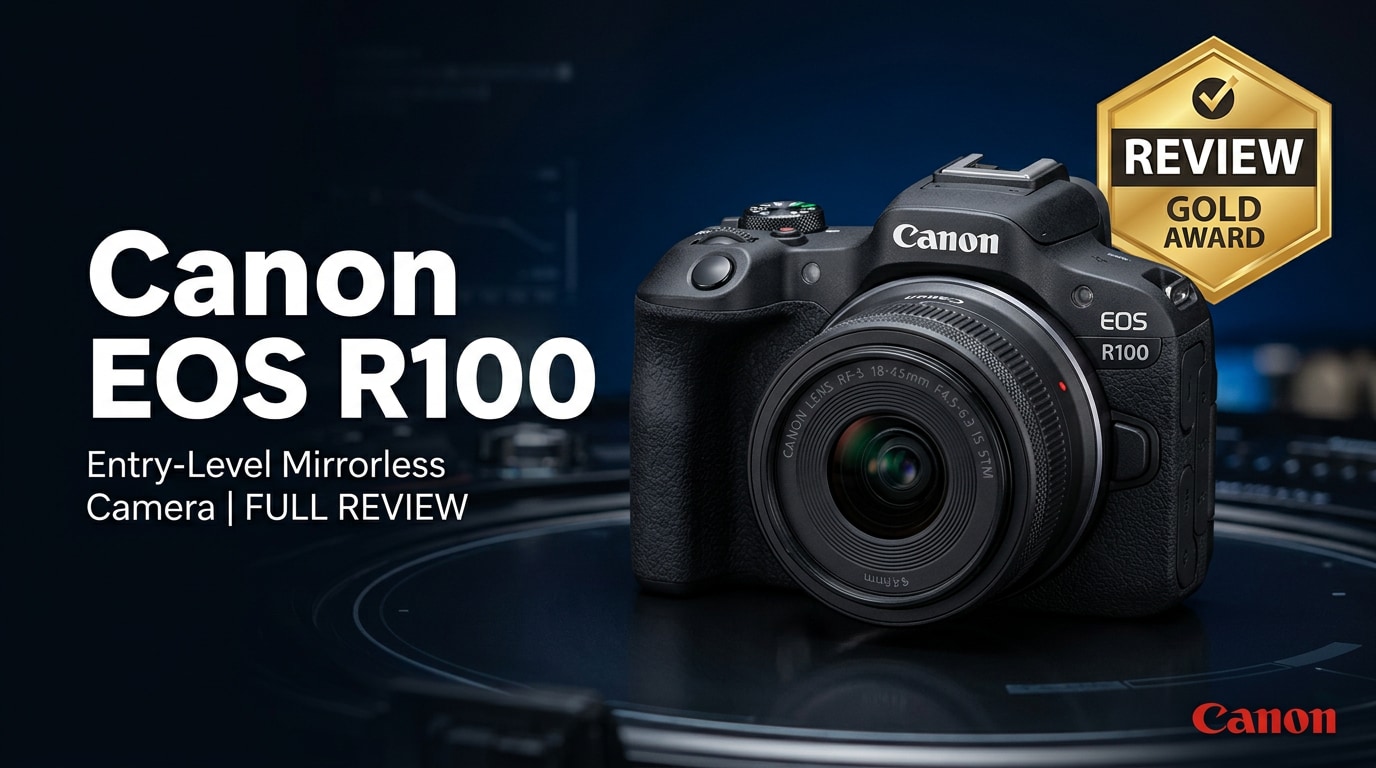
The Canon EOS R100 is a compact, entry-level mirrorless camera that brings Canon's RF mount system to beginners at a very accessible price. It offers a lightweight body, familiar Canon colors, and simple controls so smartphone shooters can upgrade to interchangeable lenses without feeling overwhelmed, while still enjoying better image quality and creative flexibility.
Repair Corrupted Files To Save Your Data
 Security Verified. Over 7,302,189 people have downloaded it.
In this article
Introduction
The Canon EOS R100 is Canon's ultra-compact RF-mount mirrorless camera aimed squarely at beginners and casual shooters. It brings DSLR-grade image quality, easy Auto modes, and access to Canon RF and RF-S lenses in a body that is lighter than many smartphones with a case. In this review, we will cover the key specs, real-world performance, and how to keep your photos and videos safe with reliable file repair options.
What's New About Canon EOS R100
The Canon R100 review story starts with how it differs from Canon's older entry-level DSLRs and mirrorless models. Instead of the aging EF-M mount, the EOS R100 uses the RF mount, giving you access to a modern and expanding lens ecosystem.
- It delivers a 24.1MP APS-C sensor with Canon's latest image processing for cleaner images than most budget cameras.
- The compact body design and simplified controls make it less intimidating than mid-range R-series models, yet still more flexible than a smartphone.
- Eye-detection autofocus and subject tracking trickle down from higher-end Canon cameras, so your portraits and family moments stay sharp.
- Built-in Guided UI and Creative Assist modes help first-time users understand how aperture, shutter speed, and color settings affect their shots.
- 4K video recording, though cropped and limited, gives casual creators access to higher-resolution clips suitable for social media.
Together, these updates position the Canon EOS R100 for beginners who want a straightforward step into interchangeable-lens photography without paying for features they may never use.
Full Specs at a Glance
Here is a quick technical overview of the Canon EOS R100 specs so you can see what this entry-level mirrorless camera offers on paper.
Sensor and core hardware
| Feature | Canon EOS R100 Specs |
|---|---|
| Sensor type and size | 24.1MP APS-C CMOS (approx. 1.6x crop) |
| Image processor | Canon DIGIC series processor tuned for RF mount entry-level body |
| Native ISO range | Typically ISO 100-12800 (expandable in some modes) |
| Autofocus system | Dual Pixel CMOS AF with eye-detection and subject tracking (coverage depends on lens and mode) |
| Continuous shooting | Up to around 6.5 fps (One-Shot AF) with reduced speed in continuous AF modes |
| Lens mount | Canon RF and RF-S mount (compatible with EF/EF-S via adapter) |
Video, connectivity, and storage
| Feature | Canon EOS R100 Specs |
|---|---|
| Video recording | 4K (cropped) at limited frame rates; Full HD and HD options for general recording |
| Viewfinder and LCD | Electronic viewfinder plus fixed rear LCD screen (non-tilting on most entry models) |
| Connectivity | Wi-Fi and Bluetooth for smartphone control and image transfer |
| Storage media | Single SD card slot (UHS-I support recommended) |
| Battery life | Entry-level mirrorless endurance; enough for a day of casual shooting with power management |
| Body weight | Very light and compact, making it easy to carry all day |
Real-World Performance
On paper, many entry-level cameras look similar, so the real test for the Canon EOS R100 features comes in daily use: family photos, travel snapshots, and quick social clips.
Image quality and autofocus
In good light, the EOS R100 produces crisp 24MP images with pleasing Canon colors and surprisingly good dynamic range for an entry-level body. JPEGs straight from the camera look polished enough for instant sharing, while RAW files give you more headroom for editing shadows and highlights.
Canon's Dual Pixel AF system is a major strength. For stills, face and eye detection lock onto subjects quickly, keeping moving kids or pets in focus more consistently than older DSLR kits. In lower light, focus slows but generally remains reliable when paired with stabilized RF lenses.
Video and everyday usability
For video, the Canon EOS R100 can record 4K clips, though with a noticeable crop and modest frame-rate options. This makes it better suited to casual content, vlogs in controlled conditions, and short social posts, rather than demanding professional work.
The compact body is a clear advantage for beginners. It fits easily into a small bag, the grip is comfortable even for smaller hands, and the menus mirror Canon's familiar layout. The main limitations you will notice are the lack of in-body image stabilization and the fixed rear screen, which make handheld video and self-recording a bit more challenging.
Pros & Cons
Advantages of the Canon EOS R100
- Lightweight, compact body that is easy to carry and unintimidating for new users.
- 24.1MP APS-C sensor offering strong image quality for the price.
- Dual Pixel autofocus with eye detection, ideal for portraits and family photography.
- Access to Canon's RF and RF-S lenses, with future upgrade paths within the RF system.
- Guided modes and simple interface that help explain settings as you shoot.
Limitations you should know
- No in-body image stabilization, so you rely on lens IS or faster shutter speeds.
- Cropped 4K video and limited frame-rate options for more serious video creators.
- Fixed rear LCD can be restrictive for low-angle, high-angle, or selfie shooting.
- Single SD card slot and modest buffer, which can limit long bursts.
- Primarily designed for beginners; advanced shooters may outgrow it quickly.
Who Is This Camera For?
The Canon EOS R100 for beginners is clearly targeted at three types of users:
- First-time interchangeable-lens camera users: If you are coming from a smartphone, the R100 offers a natural progression with better low-light performance and lens flexibility.
- Family and travel photographers: Its compact size and simple Auto modes make it perfect for vacations, events, and everyday memories without dragging around heavy gear.
- Casual content creators: If your goal is to produce clean photos and basic 4K/Full HD clips for YouTube, TikTok, or Instagram, the R100 is a cost-effective starting point.
If you need advanced video tools, high burst rates, or weather sealing, you may want to look higher up the Canon R-series lineup. But as a first step into the RF system, the EOS R100 balances price, performance, and ease of use very well.
What to Do If Your Canon EOS R100 Files Get Corrupted
Why use Repairit for Canon files
Even with careful shooting, it is possible for memory cards to fail, transfers to be interrupted, or batteries to die mid-recording. When this happens, your Canon EOS R100 photos or videos may become unreadable or refuse to play. Wondershare Repairit is a dedicated repair and recovery tool that specializes in fixing corrupted photo and video files from cameras like the R100, memory cards, and external drives.
With a clean interface and guided workflow, Repairit helps you scan, repair, and restore files that no longer open correctly. You can explore its full capabilities and download the software from the Repairit official website.
Key features of Repairit
- Repairs corrupted or unplayable photo and video files from cameras, memory cards, and local or external drives.
- Supports common Canon formats and codecs, along with many other popular file types used across devices.
- Provides a straightforward repair flow with built-in preview so you can confirm the results before saving.
Step-by-step: repair and recover your media
-
Choose a Location to Repair Data
Install and open Repairit, then pick the module that matches your issue, such as Video Repair or Data Recovery. Connect your SD card or camera storage to the computer and select it, or browse to the folder where your damaged EOS R100 files are stored. Add the specific photo or video files you want to repair so the software knows exactly what to process.

-
Deep Scan the Location
Start the scan to let Repairit examine the selected card, drive, or files in depth. During this phase, the tool analyzes headers, metadata, and internal structures to pinpoint where corruption has occurred. Allow the deep scan to complete fully; the longer you let it run, the more thoroughly it can uncover damaged photos and videos that might still be recoverable.

-
Preview and Repair Your Desired Data
When the scan finishes, Repairit will display all found items and repaired candidates. Use the preview function to open key Canon EOS R100 photos and clips to confirm that they now load and play correctly. Select the files you care about most and click to recover or save them, choosing a safe destination on your computer rather than the original SD card to avoid overwriting or further damage.

Conclusion — Should You Buy?
The Canon EOS R100 is an appealing, budget-friendly entry point into Canon's RF mirrorless ecosystem. It combines a compact body, intuitive controls, and solid 24MP image quality, making it an excellent upgrade from smartphones and basic compacts. For everyday photography, travel, and casual content creation, it delivers more creative control than you might expect at this price.
Its limitations—no in-body stabilization, cropped 4K, and a fixed screen—mean that serious video shooters or rapidly advancing enthusiasts may want a more advanced model. But if you are a beginner, family photographer, or casual creator looking for your first interchangeable-lens camera, the EOS R100 is easy to recommend. Just pair it with good backup habits and a repair solution like Repairit so you can recover your Canon EOS R100 videos and photos if something goes wrong.
FAQ
-
1. Is the Canon EOS R100 good for beginners?
Yes. The Canon EOS R100 is built for first-time interchangeable-lens camera users, with automatic modes, a guided interface, and a compact body that makes it easy to start capturing high-quality photos and videos without a steep learning curve. -
2. Does the Canon EOS R100 have image stabilization?
No. The Canon EOS R100 does not include in-body image stabilization. To reduce blur from camera shake, pair it with RF or RF-S lenses that offer optical image stabilization and use faster shutter speeds when possible. -
3. Can the Canon EOS R100 shoot 4K video?
Yes, the Canon EOS R100 can record 4K video, typically with a crop and limited frame rates. It works well for casual clips and social media, but creators with more advanced video needs may prefer a higher-tier Canon R-series camera. -
4. What should I do if my Canon EOS R100 photos or videos are corrupted?
Stop using the memory card immediately to avoid overwriting lost data. Then connect the card or camera storage to a computer and use a repair and recovery tool such as Wondershare Repairit to scan, repair, and restore corrupted Canon EOS R100 files. -
5. Which memory card is recommended for the Canon EOS R100?
Use a high-quality SD card from a reputable brand that meets at least UHS-I and the speed class Canon recommends in the manual. Faster cards improve burst shooting, make video recording more reliable, and lower the risk of write errors that can corrupt files.




