Remove Stamp from Photo Online Free






Remove Wrong Date and Time Stamps from Old Family and Travel Photos
Sometimes the photo is perfect but the date stamp is wrong, outdated, or simply distracting. Repairit helps you remove date stamps, time stamps, and corner timestamps from old family photos, vacation pictures, birthday shots, anniversary memories, and scanned photo archives without cropping away the moment.


Remove Camera Stamps and Shot On Marks from Photos Already Taken
Many users only notice the camera stamp after the photo is already saved. If your phone or camera added a date label, location mark, shot on text, or brand stamp to pictures you want to keep, Repairit helps you clean those photos quickly while preserving the original scene, people, and composition.


Clean Up Scanned Prints, Proof Photos, and Corner Sticker Marks
Old photo prints often come with numbered stickers, print proof labels, corner stamps, or small marks added before scanning. Repairit makes it easier to remove those distractions from scanned family prints, archive photos, scrapbook images, and keepsake pictures so the final photo looks cleaner and more shareable.
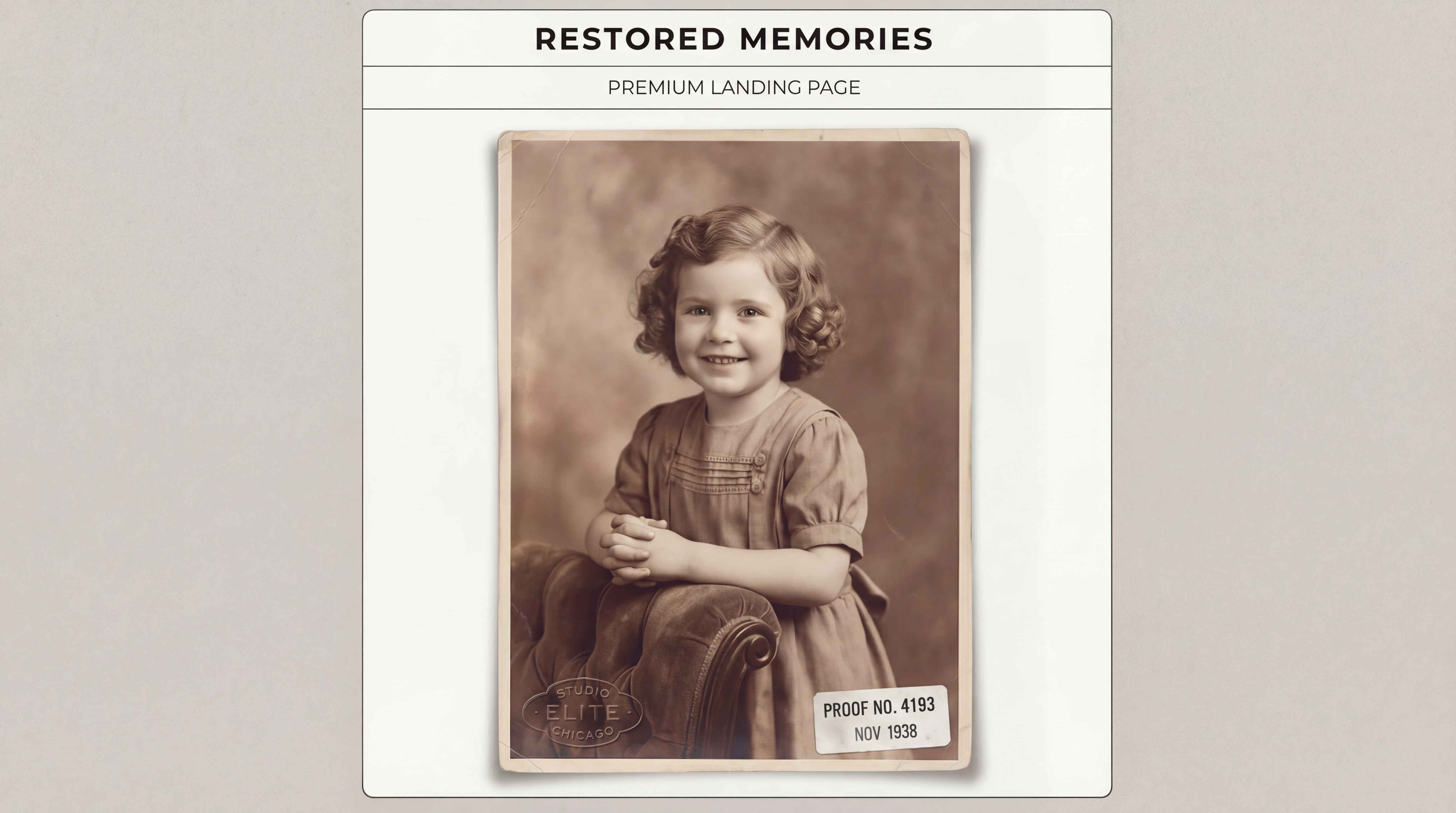
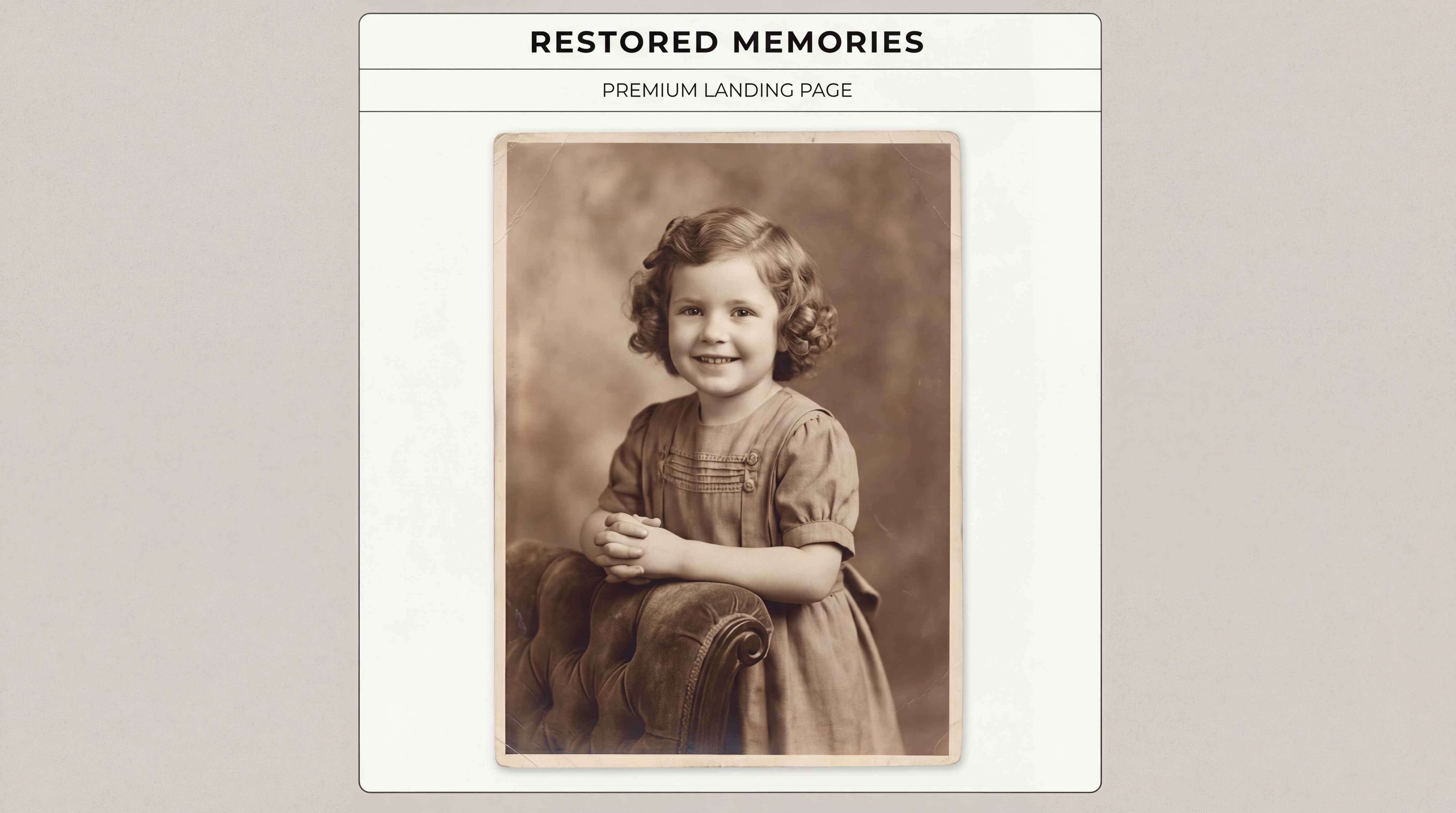
Remove the Same Stamp from Repeated Photos More Efficiently
Some users discover too late that an entire set of photos was saved with the same timestamp or corner stamp. Repairit is useful when you need to clean repeated stamp marks from event photos, travel albums, store archives, school pictures, or large batches of personal images that were all affected by the same setting.


How to Remove Stamp from Photo Online Free with Repairit

Step 1
Upload Your Photo
Click "Upload Image" or drag and drop your JPG, PNG, or WEBP file. Repairit works with old photos, phone pictures, travel images, scanned prints, and everyday snapshots.

Step 2
Brush Over the Stamp
Use the brush tool to mark the date stamp, time stamp, timestamp, camera stamp, corner label, sticker mark, or other unwanted photo stamp you want to remove.

Step 3
Download the Clean Photo Free
Repairit AI removes the selected stamp and rebuilds the surrounding area naturally, so you can download a cleaner image in seconds without complicated editing.
Why Choose Repairit to Remove Stamps from Photos?
🎨 Natural Background Rebuild
Repairit restores the area behind the stamp so skies, walls, clothing, skin, printed textures, and photo backgrounds look clean and natural instead of patched or blurry.
🚀 Fix Common Stamp Problems in Seconds
Remove date stamps, time stamps, camera labels, shot on marks, corner text, print proof stickers, and repeated stamp overlays fast with AI-powered cleanup.
✨ No Photoshop or Manual Clone Work Required
You do not need advanced retouching skills, healing brushes, or clone stamp tools. Just upload the image, brush over the mark, and let Repairit do the cleanup.
❤️ Great for Old Photos, Phone Pictures, and Scanned Prints
Repairit works well for family archives, travel shots, everyday phone photos, scanned keepsakes, and pictures you do not want to retake just because a stamp was left on them.
Explore More Photo Eraser Features
Clean up your photos by removing stamps, signatures, watermarks, and other unwanted marks in seconds with AI.
Frequently Asked Questions
Upload your photo to Repairit, brush over the unwanted stamp, and let the AI remove it automatically. It is a simple way to remove a stamp from a photo online for free without using complicated editing software.
Yes. Repairit can help remove date stamps, time stamps, and corner timestamps from old family photos, travel memories, and scanned pictures while keeping the original image composition more intact.
Yes. If a camera or phone added a date label, location mark, brand mark, or shot on text after the photo was captured, Repairit can help clean it up from the saved image.
Yes. Repairit is useful for scanned photo prints, archive images, and keepsake photos that have numbered stickers, proof labels, or corner marks that distract from the picture.
Repairit rebuilds the removed area based on the surrounding image, which helps the edited section blend in more naturally instead of leaving obvious smudges or rough patches.
Repairit supports common image formats such as JPG, PNG, and WEBP, so you can upload most everyday photos directly from your phone, camera, or computer.
Hot Topics
Comprehensive How-to Guides
Want to remove unwanted object? Click to enter the Photo Eraser Workbench and make it happen easily!


