Remove Distractions from Photo Online Free






Remove Background Distractions from Portraits and Selfies Online Free
Portraits and selfies often look fine at first glance, but then you notice the things behind the subject that keep stealing attention. Random people in the background, a parked car, a bright sign, wall switches, poles, bags, or a messy edge of frame can make the viewer look away from the face and expression. Repairit helps remove distractions from portrait photos so the focus stays on the person, not the background.


Remove Distractions from Travel and Landmark Photos Online Free
Travel photos usually fail for one frustrating reason. You captured the right place and the right light, but tourists, road signs, trash cans, scooters, random passersby, or people holding up phones ended up dominating the frame. Instead of seeing the skyline, temple, beach, old street, or mountain view, the eye gets pulled toward the distraction first. Repairit helps remove distractions from travel photos so famous places feel more immersive, scenic, and worth keeping.


Remove Distractions from Concert, Event, and Sports Photos Online Free
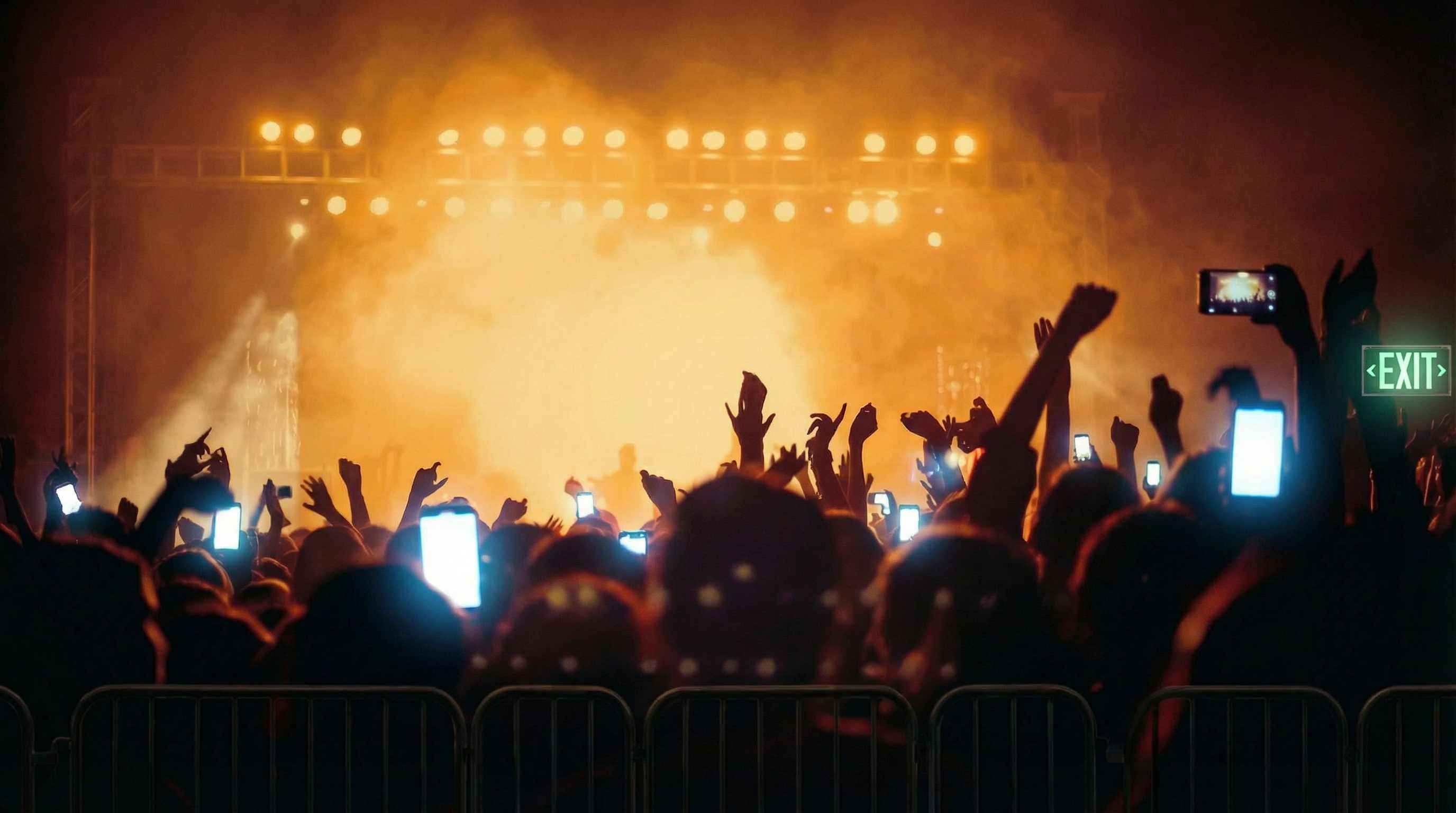
Live photos are full of energy, but they are also full of things that get in the way. Phones held high, signs in the crowd, stray hands, heads in the foreground, stage gear, and other visual interruptions can block the shot and pull attention away from the performer, athlete, or key moment. Repairit helps remove distractions from event photos so the frame feels more focused, immersive, and emotionally strong.

Remove Distractions from Product, Food, and Creator Photos Online Free
A product photo or food photo does not need to be messy to feel off. Sometimes just one bright prop, a bottle lid, a branded item, a reflection spot, busy texture, charger cable, price tag, or extra utensil is enough to pull the eye away from the subject. Repairit helps remove distractions from product photos, food photos, and creator content so the viewer notices the item, texture, shape, plating, or styling first.


How to Remove Distractions from Photo Online Free with Repairit

Step 1
Upload Your Photo
Upload a JPG, PNG, or WEBP image that has distracting people, signs, wires, phones, props, or background details.

Step 2
Mark the Distraction Area
Use the brush tool to mark the distracting part of the image, such as a person in the background, a bright object, a sign, a cable, or another element that pulls attention away from the subject.

Step 3
Preview and Download the Clean Photo
Let AI remove the distraction, preview the updated image, and download a photo with clearer focus and a stronger composition.
Why Choose Repairit to Remove Distractions from Photos
🎨 Made for Attention Stealing Elements
Remove the small people, objects, signs, phones, wires, and visual interruptions that pull the eye away from your subject.
🚀 Helps the Subject Stand Out More Clearly
Keep attention on the face, landmark, performer, product, or dish instead of the background distraction that weakens the shot.
✨ Works Across Real Everyday Photo Scenarios
Use one tool across portraits, travel pictures, concerts, sports moments, ecommerce images, food shots, and creator content.
❤️ Simpler Than Manual Composition Cleanup
No complicated masking or detailed retouching workflow. Just mark what distracts the eye and let AI help restore the focus of the image.
Explore More Photo Eraser Features
Clean up your photos by removing distractions, clutter, wires, and other unwanted elements in seconds with AI.
Frequently Asked Questions
Upload your photo, mark the distracting area, preview the result, and download the cleaned image. It is a simple way to remove distracting people, signs, wires, phones, or background objects without complex manual editing.
A distraction is anything that pulls attention away from the main subject or story of the image. It can be a random person in the background, a bright sign, a raised phone, a wire, a distracting prop, or another object that steals focus.
Yes. If you like the subject and framing but background people are ruining the shot, you can remove those distractions instead of cutting away important parts of the composition.
Yes. This is a common use case for landmark photos, concert shots, and live event pictures where signs, phones, or other foreground elements block the scene or pull attention away from the moment.
The goal is not to change the subject. It is to reduce visual interruptions so the image feels cleaner and more focused. A good result should still look natural and preserve the original scene.
Repairit supports common image formats such as JPG, PNG, and WEBP, so you can upload and edit most everyday photos without extra conversion.
Hot Topics
Comprehensive How-to Guides
Want to remove unwanted object? Click to enter the Photo Eraser Workbench and make it happen easily!


