
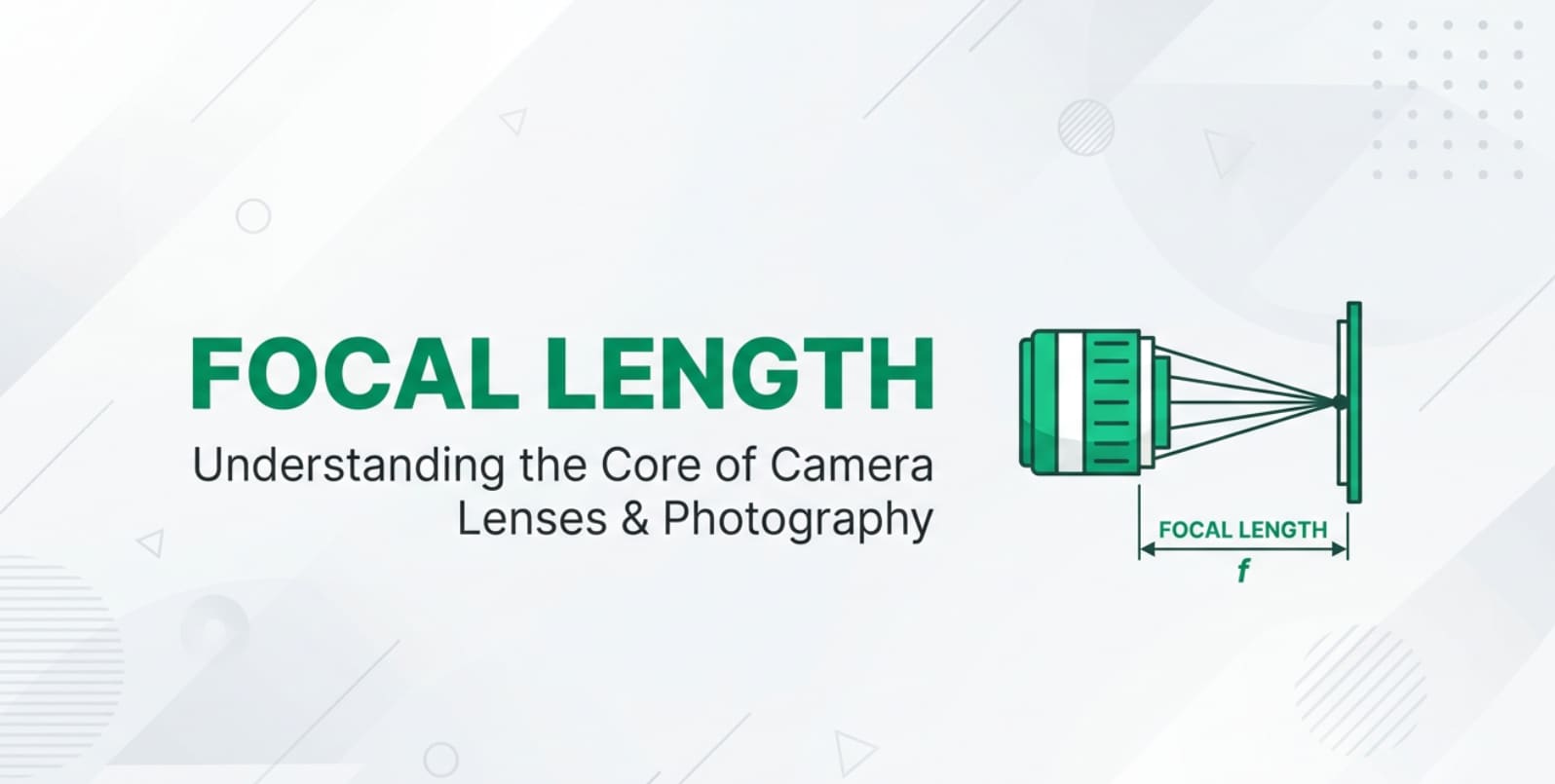
The term focal length shows up whenever you choose a camera, compare lenses online, or set up a shot for YouTube, weddings, or live streams. It quietly decides how close your subject looks, how much background you see, and how cinematic your photos and videos feel. Understanding focal length helps you pick the right lens, control perspective, and avoid distorted faces or shaky footage across shooting, editing, exporting, and playback on any platform.
Repair Corrupted Files To Save Your Data
 Security Verified. Over 7,302,189 people have downloaded it.
In this article
What Is Focal Length?
In simple terms, focal length is the distance (in millimeters) between a lens's optical center and the camera sensor when focused at infinity. It is a core camera lens guide parameter used in both photography and video to describe how "wide" or "zoomed in" a lens is.
Technically, focal length is an optical measurement, but in practice it tells you three key things: how much of the scene fits in your frame, how large subjects appear, and how perspective is rendered. Short focal lengths (like 16mm or 24mm) are called wide-angle, while longer ones (like 85mm or 200mm) are telephoto. In any camera system, focal length is one of the main settings that shapes your composition, background blur, and how your footage will look on screens after editing, encoding, and streaming.
How Does Focal Length Affect Your Image or Footage?
Field of view and framing
Focal length directly sets your field of view, which is what the camera actually sees:
- Short focal lengths (e.g., 10–24mm on full-frame) give a wide view, capturing more of the environment. They are common for landscapes, room tours, vlogs, and live-streaming setups.
- Medium focal lengths (e.g., the classic 35mm and 50mm) give a natural, general-purpose angle similar to everyday human perspective, great for street work, interviews, and YouTube A-roll.
- Long focal lengths (e.g., 85–200mm and beyond) give a tight, zoomed-in view that is ideal for portraits, sports, wildlife, and compressing distant elements.
Because focal length affects what fits into the frame, it also influences file content downstream: a wide lens may show clutter and moving elements that produce heavier compression in streamed or exported video, while a tighter lens can simplify the scene and make encoding easier.
Perspective, distortion, and depth of field
Even though perspective is technically controlled by camera position, focal length explained in real life is about how you must stand to frame your subject:
- With a wide-angle lens, you must move close to fill the frame. This exaggerates distances, making noses look bigger, rooms look deeper, and lines bend near the frame edges (especially at very short focal lengths).
- With a telephoto lens, you stand farther away. This compresses distance, making mountains look closer behind your subject and producing a more flattering face for portraits.
Focal length also affects depth of field (how much appears sharp from front to back):
- Longer focal lengths make background blur stronger at the same aperture and framing, creating that creamy, cinematic separation often seen in interviews and b-roll.
- Shorter focal lengths keep more of the scene in focus, which is helpful for handheld vlogging, action cameras, real estate tours, and documentary work where focus errors are risky.
These choices change how viewers read your scene on any screen, from phones to 4K TVs, and influence how much sharpening or noise reduction you can safely apply in editing.
Stability, motion, and platform playback
Focal length strongly affects perceived motion and stability:
- At long focal lengths, any small shake or subject movement is magnified. This can cause jittery footage that looks even worse after compression on platforms like YouTube, Instagram, or TikTok.
- Wide lenses hide shake better, making handheld video look smoother and more stable, and giving compression algorithms cleaner motion to work with.
Because focal length changes how big objects appear on screen, it also determines how fast they seem to move:
- Telephoto shots make cars or runners appear to move more slowly across the frame, which can be great for sports and cinematic slow motion.
- Wide angles exaggerate motion and can make panning or quick camera moves feel more intense or even dizzying on large displays.
When exporting and streaming, these characteristics matter: a very wide, busy scene with fast motion is more prone to compression artifacts, while a tighter composition with smoother movement often holds quality better at lower bitrates.
How Does Focal Length Work in Real Shooting?
In everyday shooting, you encounter focal length every time you attach a lens or pick a zoom position. This is true whether you shoot stills, log footage for color grading, or simple clips to share on social media.
On interchangeable-lens cameras, the focal length is printed on the lens barrel (for example, 24mm, 35mm, 50mm, 70–200mm). On smartphones and fixed-lens cameras, it is usually shown in technical specs as a "35mm equivalent" number, or described simply as ultra-wide, wide, or telephoto.
Some practical examples:
- Talking-head YouTube video: Many creators choose around 24–35mm on APS-C or 35–50mm on full-frame. This gives a natural perspective at arm's length or from a small tripod, avoids distortions, and keeps enough background in view.
- Portrait photography: Lenses in the 50–135mm range on full-frame (or their equivalents on smaller sensors) give flattering perspective and soft background blur, ideal for headshots and thumbnails.
- Travel vlogging and action: Ultra-wide lenses (10–18mm on APS-C or 16–24mm on full-frame) let you show scenery while staying close to the camera. They keep more of the scene in focus, which reduces focus hunting in fast-paced clips.
- Event and sports coverage: Telephoto zooms like 70–200mm let you stay at a distance while filling the frame with your subject, but they require better stabilization and higher shutter speeds to avoid motion blur or jitter.
On monitors or external recorders, you will simply see the result of your chosen focal length: how tight your framing is and how your subject sits in the environment. When editing, different focal lengths may call for different stabilization settings, crops, and scaling to ensure clean export and stable playback across platforms.
Best Uses, Common Mistakes, and Quick Tips
Focal length matters most whenever you care about perspective, background relationship, and viewer comfort: portraits, interviews, tutorials, product shots, real estate walkthroughs, and cinematic b-roll.
Common mistakes include:
- Using an ultra-wide lens too close for faces, causing unflattering distortion and making people look stretched or bent at the edges.
- Shooting handheld at long focal lengths without stabilization or fast shutter speeds, which leads to shaky video and blurred frames that become more obvious after encoding.
- Ignoring sensor size. A 50mm lens behaves like a short telephoto on a smaller (crop) sensor, not a neutral "standard" view.
- Assuming more zoom always looks more "professional," even when it flattens the story or disconnects the subject from the environment.
Quick tips for choosing focal length:
- For vlogging or tight indoor spaces, pick a wide angle (16–24mm full-frame equivalent) but avoid going so wide that faces look distorted.
- For portraits, product demos, and talking-head videos, try 35–85mm full-frame equivalent for natural perspective and pleasant background blur.
- At long focal lengths, use image stabilization, a tripod, monopod, or gimbal, and raise shutter speed to keep footage clean for editing and export.
- Always think about final delivery: how will this framing and motion feel on a smartphone, laptop, or TV after streaming compression?
The takeaway: treat focal length as a storytelling tool, not just a number. Decide how close you want viewers to feel to your subject, then choose the focal length that supports that feeling.
How to Use Repairit to Fix a Corrupted Photo File
Repairit introduction
Even with perfect control of focal length and exposure, your work can be ruined if photo or video files become corrupted during shooting, transfer, editing, or backup. Wondershare Repairit provides a dedicated, user-friendly way to restore damaged images and clips so you do not lose important memories or client work. You can explore all features and download the tool from the Repairit official website.
Key features of Repairit
- Repairs corrupted photos and videos from cameras, phones, and drones.
- Supports batch repair to fix multiple damaged files in one go.
- Offers a simple, guided workflow suitable for beginners and professionals.
Step-by-step: Repair a corrupted photo
- Add corrupted photo files
Open Wondershare Repairit and switch to the Photo Repair module. Click the option to add files, then browse to the folder that holds your damaged photos, or simply drag and drop them into the interface. You can import a single image or a batch of corrupted files in one step.

- Repair photo files
After your images are loaded, start the repair process with one click. Repairit will scan each file, analyze what is causing it to fail during opening or preview, and reconstruct the data structure so the image can be displayed correctly again. You can monitor the progress on screen while the software repairs all selected files.

- Save the repaired photo files
When Repairit finishes, preview the repaired photos inside the program to confirm that the details, colors, and framing look right. If you are satisfied, choose a safe output folder that is different from the original location and save the fixed files there. Your restored photos can now be edited, exported, or shared without corruption issues.

Conclusion
Understanding focal length turns random lens choices into deliberate creative decisions. It shapes your framing, perspective, background blur, and even how stable and comfortable your footage feels on different screens after editing, encoding, and streaming.
By matching focal length to your subject, location, and final platform, you can avoid warped faces, messy compositions, and jittery telephoto shots, and instead create images and videos that clearly express your intent. At the same time, always protect your media: if important photos or clips become corrupted, a repair tool like Wondershare Repairit can often recover them so your best work is not lost.
Next: Sensor Size
FAQ
-
1. What is focal length in simple terms?
Focal length is the distance, in millimeters, between a lens's optical center and the camera sensor when focused at infinity. It tells you how wide or tight your field of view will be and how large subjects appear in the frame. -
2. How does focal length change my photos or videos?
Short focal lengths capture a wide view with more background and apparent depth, while long focal lengths give a narrow view, stronger background blur, and compressed perspective that makes distant objects look closer together. This affects composition, mood, and how viewers read your scene on any screen. -
3. Is 50mm really the same as what the human eye sees?
On a full-frame camera, a 50mm lens produces a perspective that feels natural and familiar, which is why it is often called a "standard" lens. However, the human eye has a much wider field of view, so 50mm only approximates how we perceive space rather than matching it exactly. -
4. What focal length is best for portraits and talking-head videos?
On full-frame cameras, focal lengths around 50–135mm are popular for portraits and interviews because they give flattering perspective and pleasing background blur. On crop-sensor bodies, slightly shorter lenses (around 35–85mm) deliver a similar look once you account for the crop factor. -
5. Does focal length affect camera shake and video stability?
Yes. Longer focal lengths magnify any movement, so small hand shakes or vibrations become more obvious, especially in video and after compression on streaming platforms. Using a faster shutter speed, image stabilization, or support equipment like a tripod or gimbal helps keep long-lens footage steady.




