
 TL;DR:
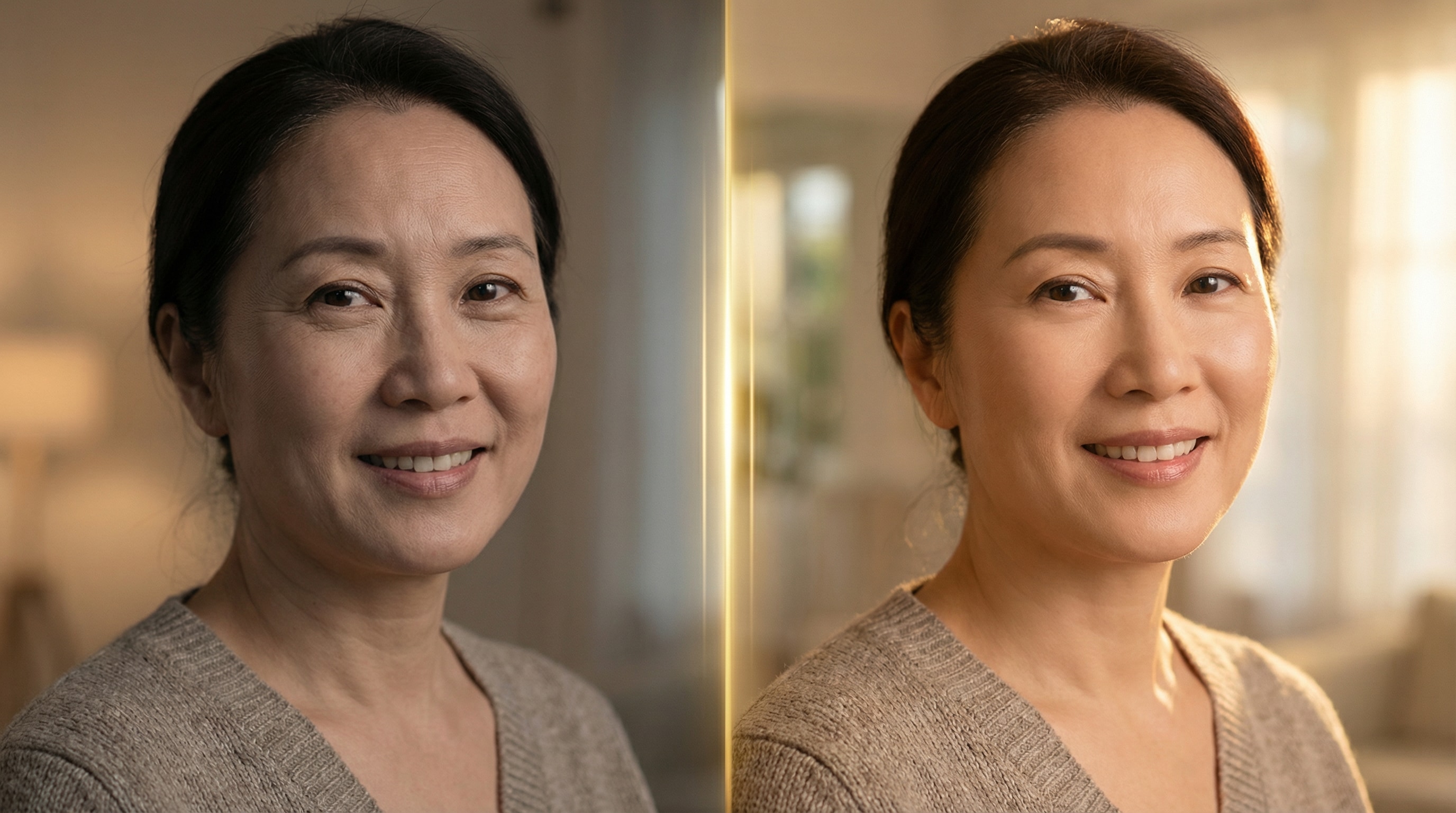
Relumi AI Retake is an iOS and Android app that fixes harsh smartphone camera sharpening by selectively softening facial wrinkles, under-eye lines, and shadows without blurring natural skin texture.
● The anatomy-aware AI targets specific zones like forehead creases, frown lines, and nasolabial folds independently, ensuring genuine expressions, eye sharpness, and natural pore structures remain intact.
● The tool processes faces independently in group photos to allow targeted edits for one person, with a recommended intensity slider setting of 60–70% for standard portraits to prevent an over-edited appearance.
● Core wrinkle reduction allows full-resolution exports without watermarks on the free tier, though users editing older, low-resolution, or scanned photos should reduce the intensity to 50–60% to avoid unnatural edges around fine details.
Ask AI for a summary
 ChatGPT
 Perplexity
 Gemini
 Claude
 Grok
Grok
Modern phone cameras are extraordinary — and that's exactly the problem. Today's flagship sensors capture every pore, every crease, every line with unforgiving precision. A photo that should feel warm and celebratory ends up looking clinical instead. You zoom in and see detail you never wanted to see. The person in the photo doesn't look the way they look in real life — they look older. Harsher. More tired.
That gap between the photo and the person is what sends millions of people searching for an app to remove wrinkles every year. The frustration is real: most apps either charge for the feature, blur so aggressively that the result looks plastic and fake, or give you 12 sliders and expect you to figure out the rest. None of those are the answer.
Relumi AI Retake is. It uses a trained AI model that understands facial anatomy — the difference between expression depth, natural skin texture, and age-related lines — to soften wrinkles precisely where they appear, while keeping everything that makes the face recognizably real. The result doesn't look edited. It looks like the best version of the photo you actually took. And it's free to try.
In this article
Part 1: Why Does Your Phone Make Wrinkles Look Worse Than Real Life?
It's not your imagination. Your phone camera genuinely does make wrinkles look more prominent than they appear to the naked eye — and there are real technical reasons for it.
Modern smartphone cameras use a combination of computational photography and image sharpening to produce the crisp, detailed photos that win comparison reviews. That sharpening process doesn't distinguish between the details you want — sharp eyes, clear hairline, textured fabric — and the details you don't, like fine lines and skin texture. Everything gets sharpened equally. And unlike the human eye, which naturally softens peripheral areas and focuses attention on expression and emotion, the phone sees every millimeter of skin with the same cold precision.
Add harsh indoor lighting — the kind you find at birthday parties, family dinners, office environments — and the problem compounds. Overhead light creates micro-shadows in every crease, making wrinkles look deeper and more defined than they do in softer, more diffused light or in real life.
The result: your mom looks older in the photo than she does in the room. You look more tired than you feel. A great moment gets derailed by a camera that's doing exactly what it was designed to do.
This is the precise problem that Relumi AI Retake was built to solve — not by destroying detail, but by intelligently separating the details that matter from the ones that don't.
Here's how it's different from every other app for removing wrinkles you've tried:
- Anatomy-aware detection — the AI distinguishes between forehead lines, smile lines (nasolabial folds), frown lines (11 lines), under-eye wrinkles, and neck lines. Each zone is treated according to its own characteristics, not with a single blanket blur.
- Texture preservation — rather than smoothing everything to a flat, plastic finish, Relumi softens wrinkle depth while maintaining the natural pore structure and skin grain underneath. The result reads as real skin, not airbrushed vinyl.
- Expression retention — the AI is trained not to smooth away expression lines that are part of the face in motion. A genuine smile stays a smile. Eyes stay sharp. Character stays intact.
- Lighting compensation — the model reads the light source in the photo and adjusts the correction accordingly, so shadows in wrinkle creases are addressed at the source rather than blurred over.
- Intensity control — one slider lets you move between a subtle, barely-there polish and a more visible reduction. You choose how much correction is right for the photo.
No app currently calling itself a free app to remove wrinkles from photos handles all five of those things. Relumi AI Retake does — and does them in a single tap.
Part 2: 3 Scenarios Where Relumi AI Retake Makes a Real Difference
The most useful way to understand what AI wrinkle removal actually does is to see it in context. Here are three real situations — drawn directly from user questions on Reddit and Quora — where Relumi AI Retake produces results that nothing else quite manages.
👩👧 Scenario 1: The Family Portrait Problem — When a Great Camera Is Too Honest
"I gifted my mother a Pixel 6 because it supposedly had a great camera. But the pictures are too realistic — with her wrinkles and dark marks clearly visible. My mother gets upset every time she looks at her pictures." — u/Batman_In_Peacetime, r/Pixel6
This is one of the most common wrinkle-related photo problems people search for — and one of the most emotionally loaded. It's not vanity. It's that a photograph is supposed to be a memory, and a memory that upsets the person in it has failed at its most basic job.
High-resolution cameras on modern smartphones photograph elderly parents and grandparents with a clinical level of detail that can feel more like a medical document than a portrait. The warmth of the moment disappears behind an inventory of every line and mark the camera found.
Relumi AI Retake addresses this directly. Upload the family photo, run AI Retake, and use the intensity slider to find the right balance — enough softening to feel warm and flattering, not so much that the person becomes unrecognizable. The goal isn't to make your mother look 30 years younger. The goal is to make the photo look the way the moment felt.
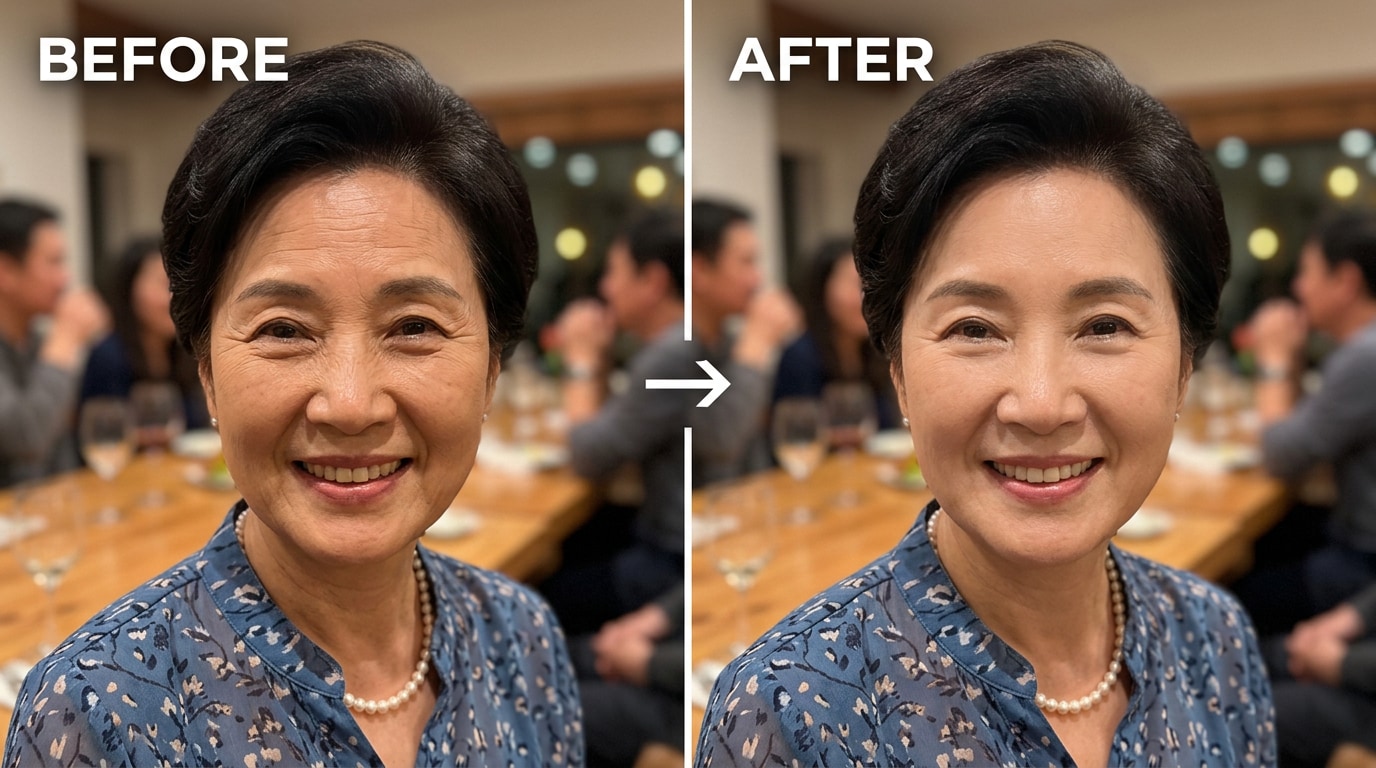
What Relumi specifically softens in this scenario:
- Forehead lines that look deep under overhead party lighting
- Nasolabial folds (the smile lines running from nose to mouth corners)
- Under-eye hollows and crow's feet that harsh light exaggerates
- Neck lines that become prominent at certain angles
The result: the same person, the same moment — just the way they look when the light is kind. A photo worth keeping. A photo worth printing.
💼 Scenario 2: The Headshot That Shows Every Line
"I don't need to do anything fancy, just touch up my skin and eye bags. I had Facetune and it was pretty good, but it always tried to make my lips bigger. Before I repurchase I want to see if there is anything higher recommended." — u/Monsteropossum79, r/womensfashion
A professional headshot is the photo that most people will spend the most time staring at — on LinkedIn, on company websites, in email signatures. It's also the photo most likely to be taken under the worst possible lighting conditions: fluorescent office lights, ring lights that flatten the face, or harsh natural light through a window that casts shadows in every crease.
The problem with most existing apps for removing wrinkles in this context is exactly what the Reddit user above describes: they over-reach. You ask for smoother skin and they change your lips. You want to soften your forehead lines and the entire face gets blurred into a wax figure. The result looks obviously edited — which defeats the entire purpose of a professional photo.
Relumi AI Retake targets only what you need: the forehead lines that appear under direct lighting, the frown lines (the vertical "11 lines" between eyebrows) that develop from years of concentration, and the mild smile lines that look more pronounced in a still image than in motion. The rest of your face — your eyes, your expression, your jawline — stays completely untouched.
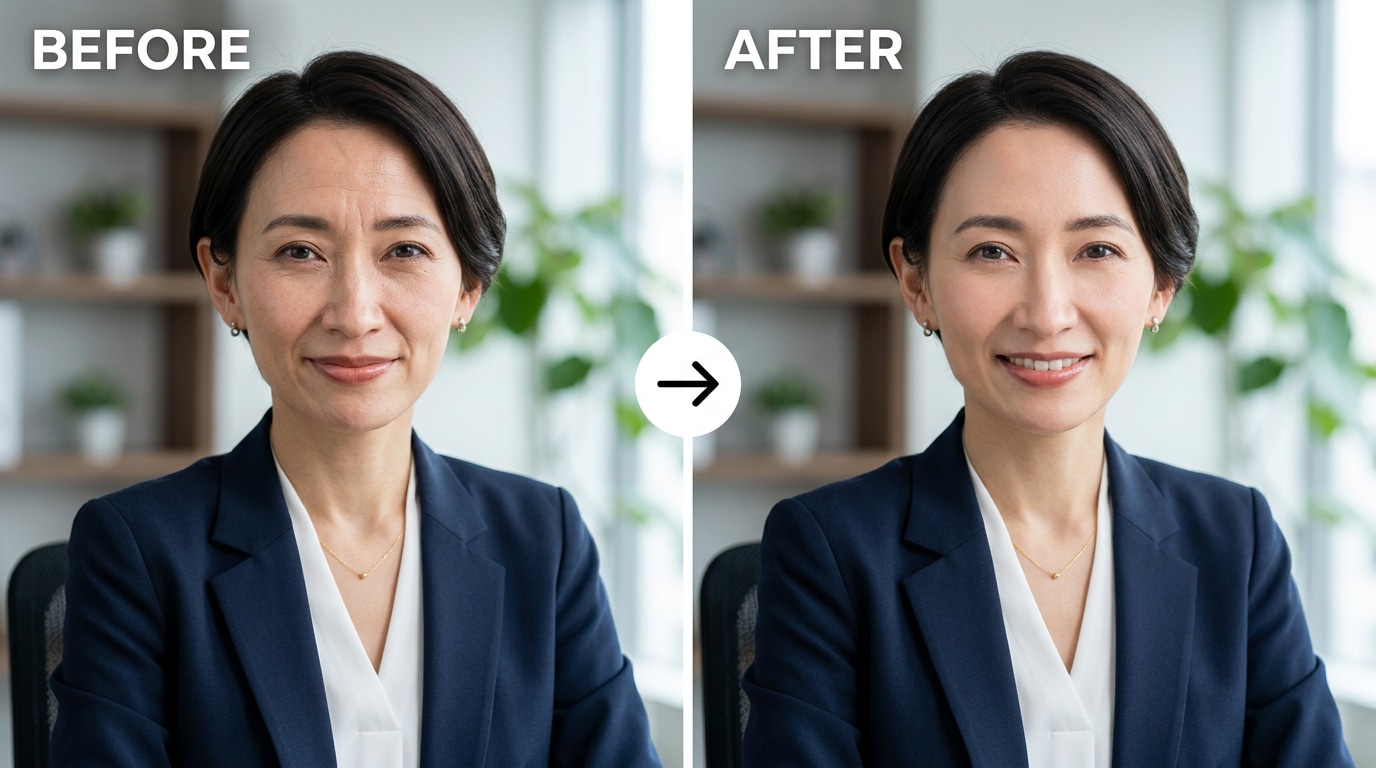
The before-and-after test for a good headshot edit: if someone who knows you looks at the retouched photo and can immediately tell it's been edited, it's too much. If they look at it and think "that's a great photo of her" — that's exactly right. That's the standard Relumi AI Retake is designed to meet.
😴 Scenario 3: The Under-Eye Problem — "Why Do I Always Look So Tired?"
"I'm trying to find an app that lets me edit out smile lines for free but FaceTune along with BeautyPlus charge for that specific tool. Any free suggestions?" — u/Straight_Yak9074, r/AskPhotography
Under-eye fine lines are one of the most common complaints about phone selfies — not because they look bad in person, but because a phone camera at arm's length, pointed slightly downward, combined with any kind of overhead lighting, turns mild under-eye texture into something that looks like genuine exhaustion.
This is a younger-skewing problem too. Under-eye fine lines begin appearing in the mid-to-late twenties, long before most people expect them. And because phone cameras are used from close range, they capture the under-eye area at angles that make the skin look significantly more textured than it does at normal viewing distance.
Relumi's under-eye wrinkle reduction specifically addresses the fine crepe-texture lines that appear below the eye socket — different from dark circles (a separate color-correction issue) and different from puffiness (a separate tone issue). The AI identifies the fine-line texture, softens it to a level consistent with how it looks at normal viewing distance, and leaves the iris, lashes, and surrounding skin untouched.
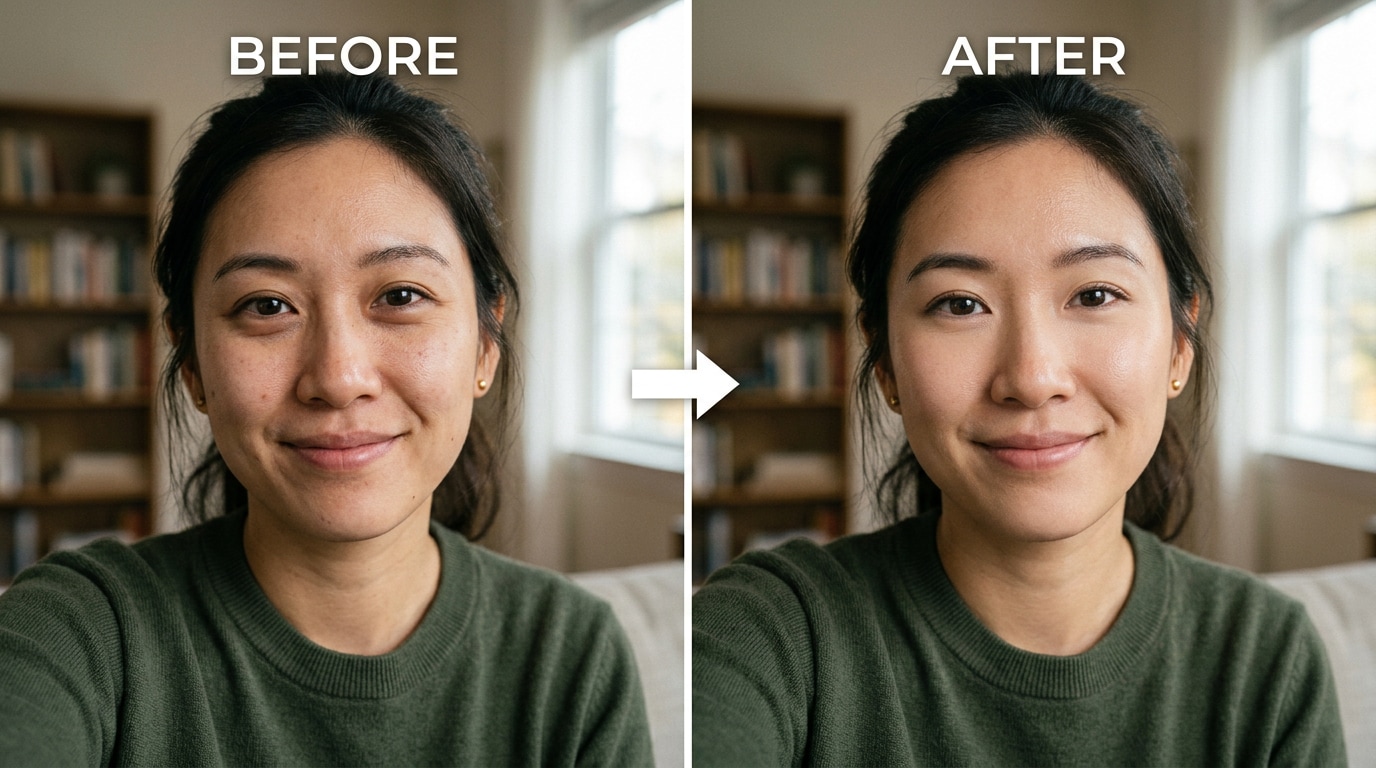
The result: you look well-rested. You look like yourself, on a good day, in good light. Not airbrushed. Not filtered. Just — better.
Part 3: How to Use Relumi AI Retake to Remove Wrinkles — 3 Steps
No learning curve. No sliders to figure out. Here's everything it takes to run AI wrinkle removal on any portrait photo with Relumi:


Relumi AI Photo Enhancer
AI Retake — Wrinkle Reduction That Looks Completely Natural

 AI Wrinkle Reduction: Automatically detects and softens forehead lines, smile lines, frown lines, under-eye wrinkles, and neck lines — all in one tap.
-
Natural Skin Texture Preservation: Softens wrinkle depth without destroying the pore structure and natural grain that makes skin look real, not plastic.
-
Anatomy-Aware Processing: Each facial zone is treated differently — the AI understands the difference between expression lines, age lines, and lighting artifacts.
-
Adjustable Intensity: One slider to control how subtle or visible the effect is. Go from barely-there polish to clearly refreshed — your call.
-
Free to Try: Core wrinkle reduction is available on Relumi's free tier. Full resolution export, no watermark.
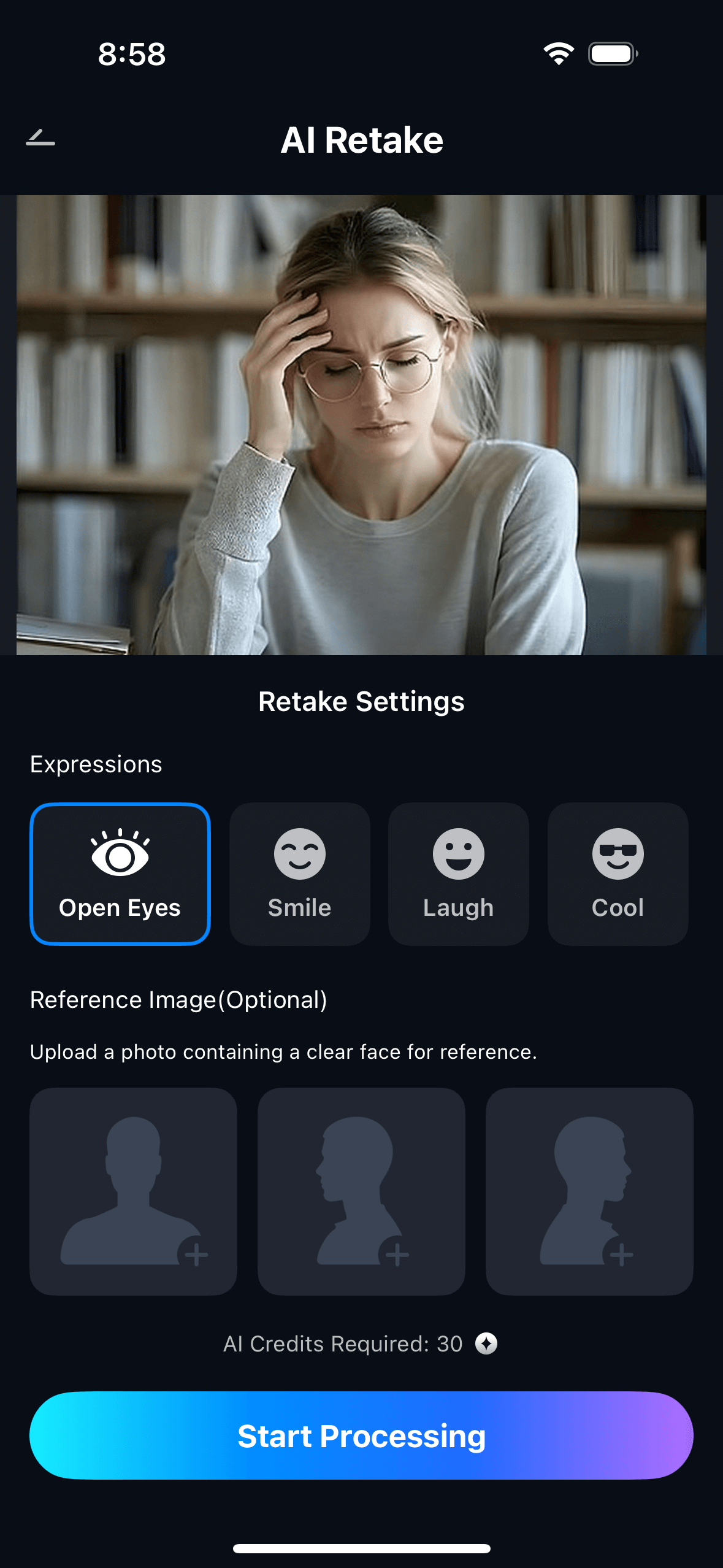
Step 1. Open Relumi and Import Your Photo
Open the Relumi app and tap "+" to load the photo you want to enhance. Works with any standard format — JPG, PNG, — from your camera roll, cloud storage, or shared directly from a message. The photo can be a selfie, a family portrait, a professional headshot, or a casual candid. AI Retake works on all of them.

Step 2. Select AI Retake and Apply Wrinkle Reduction
From the AI Tools panel, select "AI Retake." Within the AI Retake menu, choose "Wrinkle Reduction." The AI automatically scans the photo, identifies every face in the frame, maps the key wrinkle zones on each face, and applies the correction. No manual selection, no brushing, no zone-by-zone work. It detects the skin and gets to work on its own.
Use the Intensity slider to adjust the level of correction — drag left for a subtle polish that preserves more detail, drag right for a more visible softening effect. The live preview updates in real time so you can find the right balance before committing.
Step 3. Compare, Adjust, and Save
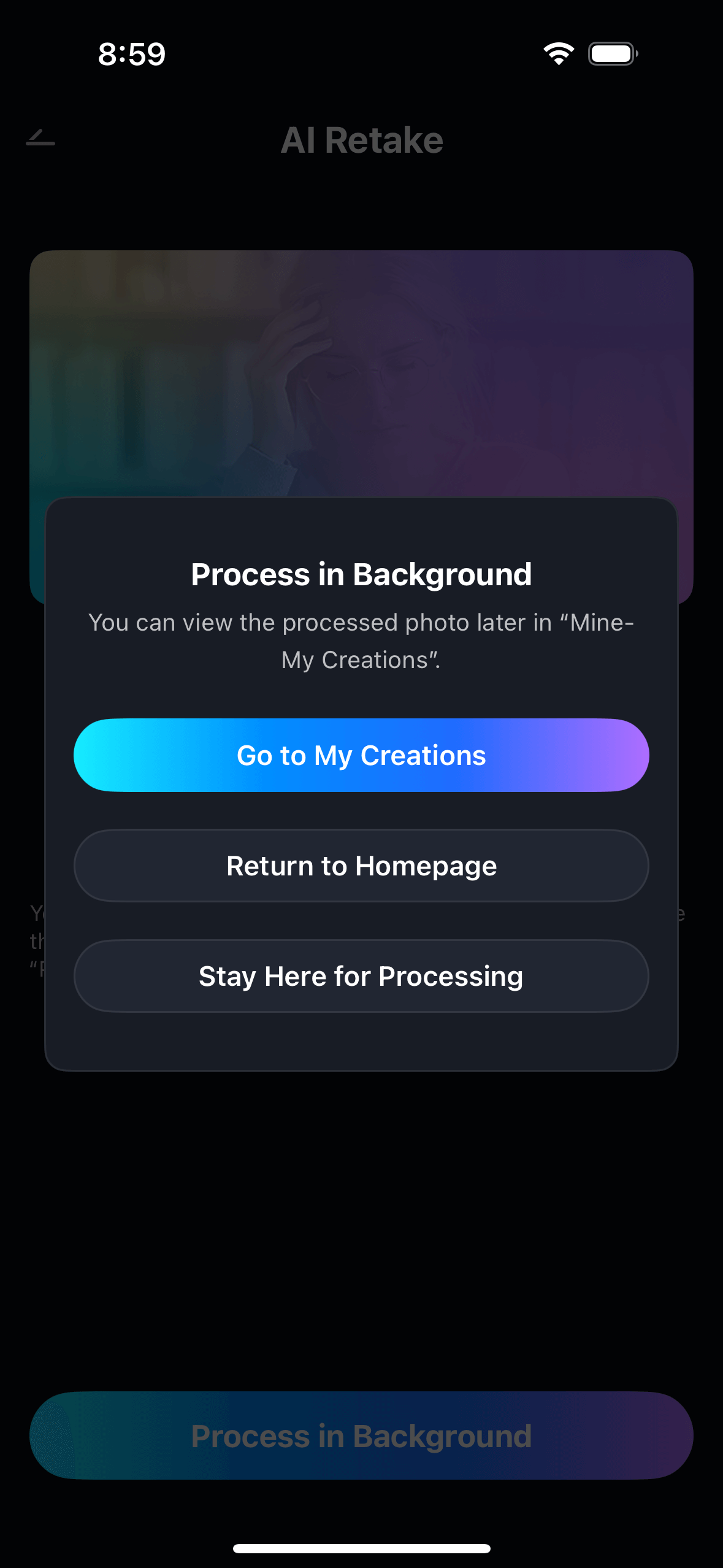
Swipe left-right on the preview to see an exact before-and-after comparison. If the effect looks right, tap "Save" to export in full resolution. Your original photo is always kept untouched. If you want to try a different intensity level, drag the slider and the AI re-applies the correction instantly — no waiting for a new generation.
💡 Tips for best results:
- Photos with clear, well-lit faces give the AI the most information to work with — results are sharper and more natural
- For group photos, AI Retake processes each face independently — you can apply wrinkle reduction to one person without affecting anyone else
- For older or lower-resolution photos, keep the intensity slider at a moderate level — aggressive softening on low-res images can look less natural
- The Intensity slider sweet spot for most portrait photos is around 60–70% — enough to be clearly visible, not so much that it reads as edited
Part 4: 5 More Ways to Use AI Wrinkle Removal Beyond the Obvious
The three scenarios above cover the most common uses. But Relumi AI Retake is more versatile than it first appears. Here are five more situations where wrinkle reduction makes a meaningful difference — and where most people don't think to use it.
📸 Play 1 — Fix an Entire Event Gallery at Once
Shot 30 portraits at a birthday party or a family reunion? Don't spend 20 minutes on each one. Load them into Relumi, run AI Retake with a consistent intensity setting, and you get clean, naturally softened skin across every single shot — same look, same feel, consistent across the whole gallery. Whether you're preparing a printed album or sharing in a family group chat, consistency matters.
🎓 Play 2 — Rescue Graduation and Milestone Photos
Graduation ceremonies, retirement parties, anniversaries — these events are almost always photographed under the worst possible lighting: harsh gymnasium LEDs, bright midday sun, or flash photography that bleaches skin and deepens every line. The photos matter too much to leave as-is. AI Retake is the fastest way to make them look the way the day actually felt — significant, warm, and worth framing.
🖼️ Play 3 — Restore and Refresh Old Scanned Photos
Scanned physical photos — especially from the 1980s and 1990s — often look harsh when digitized because the scanning process sharpens grain and deepens contrast, making skin texture look more exaggerated than the original print. AI Retake works on scanned portraits as effectively as it does on phone photos. It softens the over-sharpened skin texture without touching the original character of the image.
💡 Play 4 — Prep Photos Before Printing or Framing
A photo that looks fine on a phone screen can look entirely different when printed at 8×10 or larger — every detail that the small screen compressed becomes visible at print scale. If you're printing a portrait for a wall, a gift, or a card, run it through AI Retake first. What you see on screen at phone size is not what you'll see printed. Reduce wrinkles now, not after the prints arrive.
🤳 Play 5 — Combine with Other Relumi Features for Full Retouching
Wrinkle reduction is one part of a complete portrait edit. For a full-quality result, combine Relumi AI Retake (wrinkles) with AI Skin Retouching (overall skin tone and texture) and background enhancement (lighting and scene quality). Three tools, three minutes, one photo that looks like it came out of a professional retouching workflow — without any of the professional workflow complexity.
Conclusion
The best portrait photo is one that captures the moment the way it felt — not the way a 50-megapixel sensor catalogued it under fluorescent light. Relumi AI Retake wrinkle reduction exists to close that gap: between how a person looks in life and how they look in the photo, between a picture that gets deleted and a picture that gets printed.
It works on a photo of your mom taken at last year's birthday party. It works on your own headshot that's been sitting in your camera roll because you can't bring yourself to post it. It works on the graduation portrait, the family reunion group shot, the scanned print from 1987. One tool. Every portrait. The result that looks like better photography, not like editing.
Try Relumi AI Retake free on iOS and Android. Load any portrait. Run wrinkle reduction. Look at the before and after. The result will do all the convincing.
FAQ
-
Does Relumi AI Retake wrinkle removal look natural or over-edited?
Relumi's AI is trained specifically to preserve natural skin texture — the pore structure, the depth, the grain that makes skin look like skin rather than smooth vinyl. The wrinkle reduction softens line depth while keeping underlying texture intact. Combined with the intensity slider, you can dial the effect down to a level that's genuinely subtle — something that makes the photo look better without making it obvious that anything was done. The goal is always a result that reads as a better photo, not as an edited photo. -
Is there a free app to remove wrinkles from photos — and is Relumi actually free?
Yes. Relumi's AI Retake wrinkle reduction feature is available on the free tier. You can run the wrinkle reduction on any portrait photo and export the result in full resolution without a watermark. No subscription required for core usage. Premium plans are available for users who need higher export resolution or unlimited usage volume, but the core wrinkle removal functionality is free to use. -
Which types of wrinkles does Relumi AI Retake target?
Relumi AI Retake is trained to detect and soften the main categories of facial lines: forehead lines (horizontal creases across the forehead), frown lines (the vertical "11 lines" between the eyebrows), smile lines (nasolabial folds running from the nose to the mouth corners), under-eye fine lines (the fine crepe-texture lines below the eye socket), and crow's feet (the lines at the outer corners of the eyes). Each zone is processed according to its own characteristics rather than with a single blanket correction. -
Can I use wrinkle removal on a group photo without affecting everyone in it?
Yes. Relumi's AI processes each detected face independently. In a group photo, you can apply wrinkle reduction to one specific face without the correction affecting anyone else in the frame. This is particularly useful for family portraits or event photos where only one person's skin needs adjustment — everyone else stays exactly as they were in the original. -
Does Relumi AI Retake work on older, scanned, or low-resolution photos?
Yes, though with a nuance. AI Retake works on lower-resolution and scanned images effectively — it can soften over-sharpened skin texture that digitization sometimes introduces, and it handles photos from older cameras well. For very low-resolution images, the best practice is to keep the intensity slider at a moderate level (around 50–60%) rather than pushing it to maximum, as very aggressive smoothing on low-resolution source files can occasionally produce less natural-looking edges around fine detail.



