
 TL;DR:
Relumi's Text to Edit tool relies on plain English prompts to rewrite a photo's background, lighting, and outfit while strictly preserving the subject's original facial identity.
● Supported input formats include JPG, PNG, and HEIC with no file size or upload limits, and the original image remains untouched during the generation process.
● To achieve precise scene-level transformations, prompts must include specific details regarding lighting conditions, color preferences, mood, and aesthetic references rather than brief requests.
● The free tier allows users to generate and export watermark-free images, while higher-resolution exports and additional generation credits are restricted to premium plans.
Ask AI for a summary
 ChatGPT
 Perplexity
 Gemini
 Claude
 Grok
Grok
You have the angle. You have the smile. The lighting is good enough. But something in the photo still feels off — the skin isn't quite right, the background is flat, and you look like you, but not the version of you that shows up on a good day.
That gap between a decent photo and a genuinely great one used to take a photographer, a stylist, and a photo editor to close. Not anymore.
Relumi Text to Edit lets you describe the photo you want — in plain words — and the AI transforms your image to match. One tap. Zero skill required. Whether you want a magazine-worthy studio portrait, a traditional hanfu transformation, a Women's Day floral greeting, or a full style makeover, Relumi reads your words and makes it happen. This Women's Day, you don't need a studio. You need a sentence.
In this article
Part 1: What Is Text to Edit — And Why Does It Work So Well?
Text to Edit is Relumi's core AI photo transformation feature. You upload a photo, type a description of what you want the image to look like, and Relumi's AI rewrites the visual — background, lighting, outfit, atmosphere, style — to match your words. It's not a filter. It's not a preset. It's the AI genuinely understanding and executing a creative brief.
Here's what makes it different from everything else you've tried:
- Natural language input — you describe the result you want in plain English. No sliders, no masks, no Photoshop knowledge needed.
- Scene-level understanding — the AI rewrites not just your face or skin, but the entire composition: background, lighting, mood, and styling all at once.
- Identity preservation — your face, your features, your expression stay yours. The AI enhances the world around you, not who you are.
- Style range — from studio portraits to ancient hanfu, from retro film aesthetics to fantasy characters, Text to Edit covers an enormous creative range in a single feature.
- Instant output — results are generated in seconds, not minutes. Try five different looks in the time it would take to set up one shot.
The more specific your description, the better the result. Don't just say "make it look nice." Say "soft candlelight, white silk blouse, Paris café at night, film grain texture." Relumi understands detail — and rewards it.
Part 2: 4 Women's Day Looks You Can Create Right Now
Women's Day is the perfect occasion to explore a different side of yourself. Here are four complete looks you can generate with Text to Edit this March 8th — each one a different way to celebrate who you are and who you could be.
📸 Look 1: Studio Portrait — Because You Deserve a Proper Photo
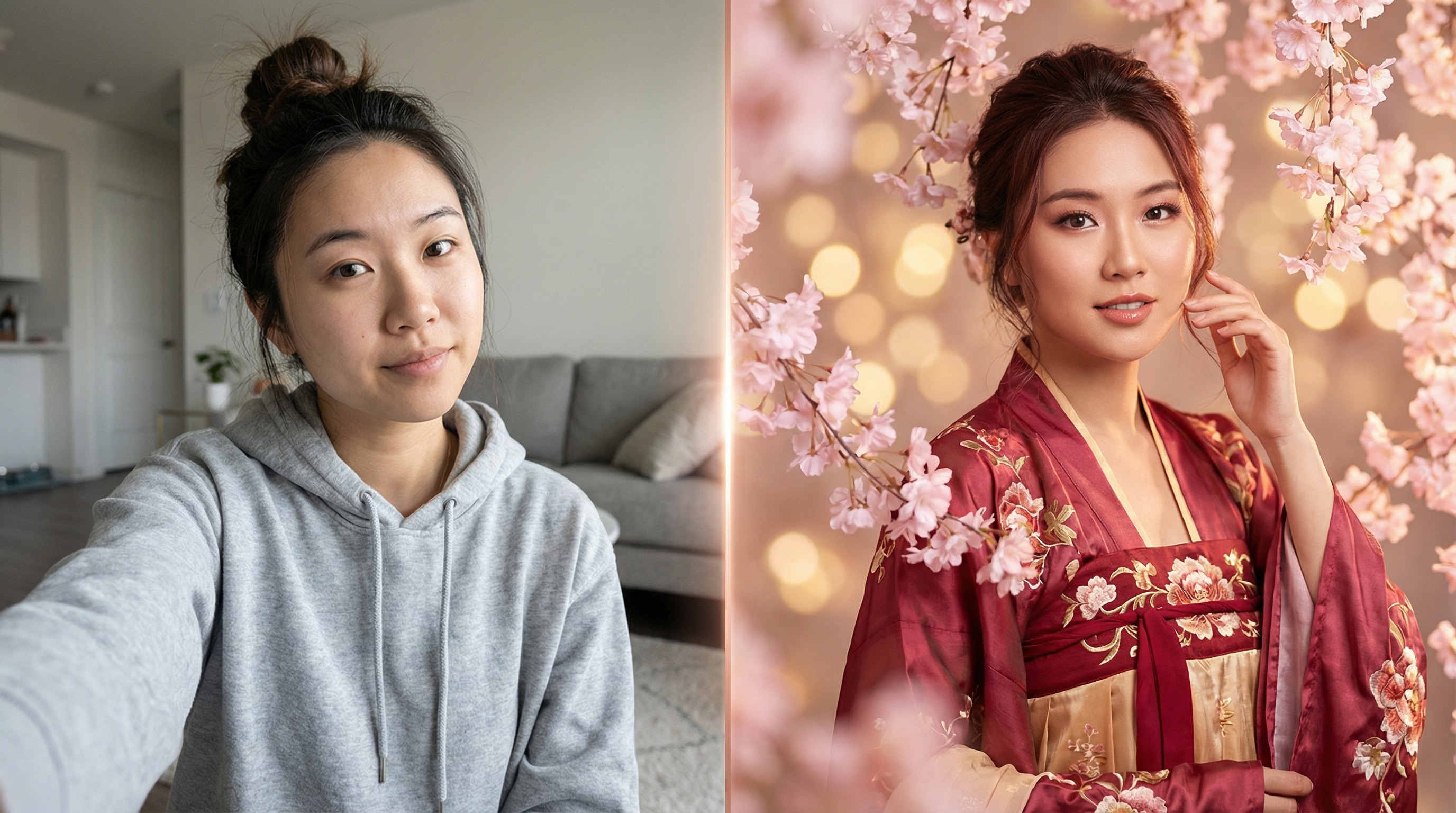
What to type: "Transform this into a professional studio portrait with soft pink bokeh background, fashion magazine lighting, elegant and polished styling"
Most of us have hundreds of casual phone photos — and almost none that feel truly polished. Look 1 fixes that in seconds. Upload a regular selfie, describe the studio vibe you're after, and Relumi transforms the lighting, background, and overall presentation. What comes out looks like you walked out of a professional photo shoot — without booking one.
This is the Women's Day look for profile pictures, cover photos, and any moment you want to show up looking like you meant it.

Best used for: Profile picture updates, Women's Day self-portraits, LinkedIn headshots, sharing with the caption "This Women's Day, I'm showing up for myself."
👘 Look 2: Hanfu Style — Step Into Ancient China for a Day
What to type: "Dress me in Tang Dynasty hanfu with silk sleeves and gold hairpins, misty mountain background with cherry blossoms, cinematic lighting"
Traditional Chinese aesthetics have been having a serious cultural moment — and Women's Day is the perfect occasion to lean into it. You don't need to rent a costume or book a shoot in a photography studio. Just pick your dynasty and your vibe, type it into Relumi, and let the AI handle the transformation. Your face, your features — but dressed in silk from a thousand years ago.

Here are four hanfu styles worth trying — just swap the description in the prompt:
- Tang Dynasty: Tang Dynasty silk hanfu, gold accessories, palace courtyard, warm afternoon light
- Wei-Jin Fairy: flowing white robe, misty ancient forest, ethereal soft lighting, ink painting atmosphere
- Dunhuang Flying Apsara: Dunhuang flying apsara style, desert sand dunes, golden sunset, rich jewel tones
- Wuxia Heroine: dark red martial arts armor, dramatic mountain cliff, warrior energy, cinematic color grade
Best used for: Women's Day posts, cultural celebration content, sharing with the caption "A thousand years apart — still the same spirit."
💌 Look 3: Women's Day Greeting — A Gift That Actually Feels Personal
What to type: "Surround me with blooming pink and red roses, warm golden hour light, Women's Day celebration atmosphere, elegant and dreamy portrait style"
Sending a friend "Happy Women's Day 🌹" is sweet. Sending her a photo of herself transformed into a blooming floral portrait? That's a gift she'll actually save. Here's the move: ask your friend to send you a casual photo of herself, run it through Text to Edit with a floral Women's Day prompt, and send her the result. It takes five minutes. It will make her day.
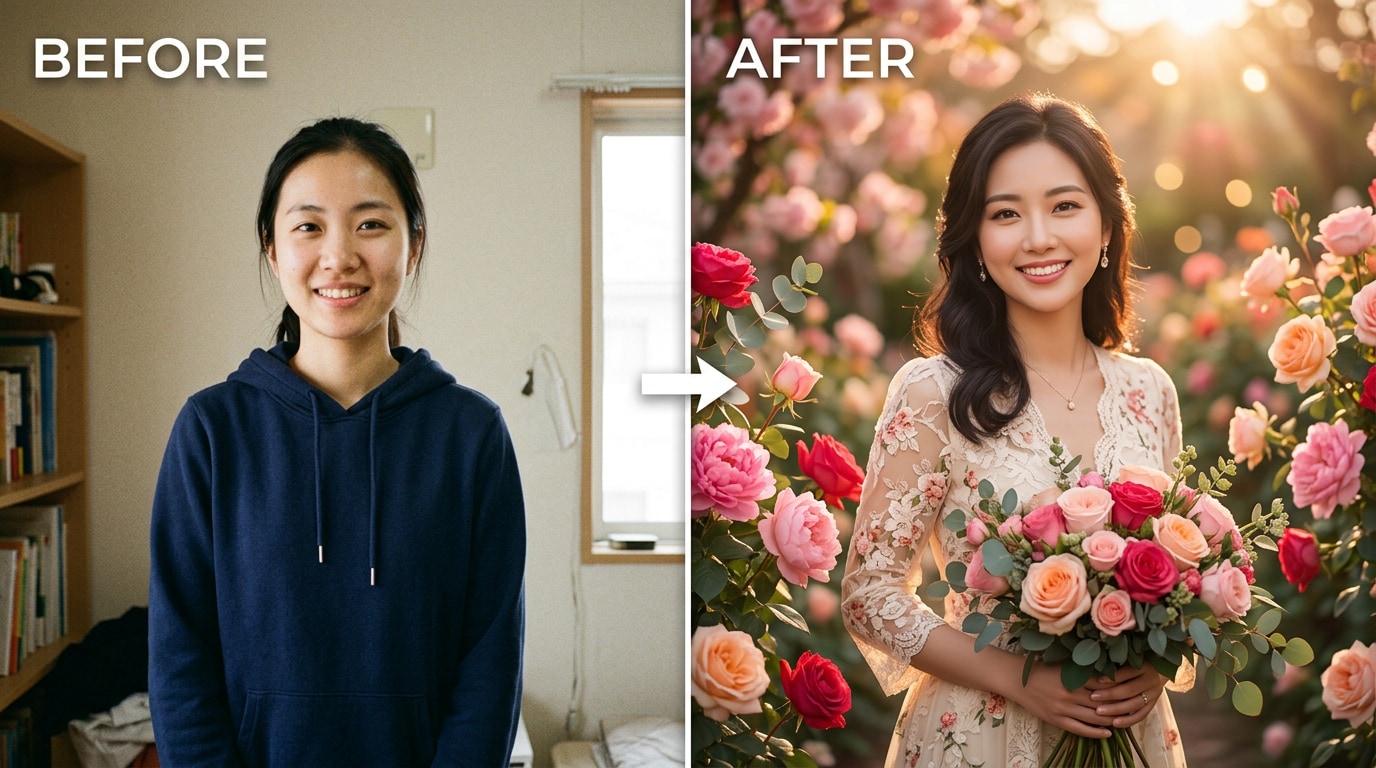
You can also do this for yourself — create a Women's Day version of your own photo and share it as a story or post. It's more personal than any stock Women's Day graphic, and it only exists because you made it.
Best used for: Sending to your mom, your best friend, your team. Works as a story, a DM, or a printed card.
🎭 Look 4: Style Makeover — Explore Every Version of Yourself
What to type: "Transform this into a 1970s retro film actress portrait, vintage red lipstick, classic winged eyeliner, film grain texture, moody cinematic lighting"
This is the most playful look of the four — and honestly, the most addictive. Women's Day is a great reason to ask: what other versions of me exist? Text to Edit makes it easy to try as many as you want.
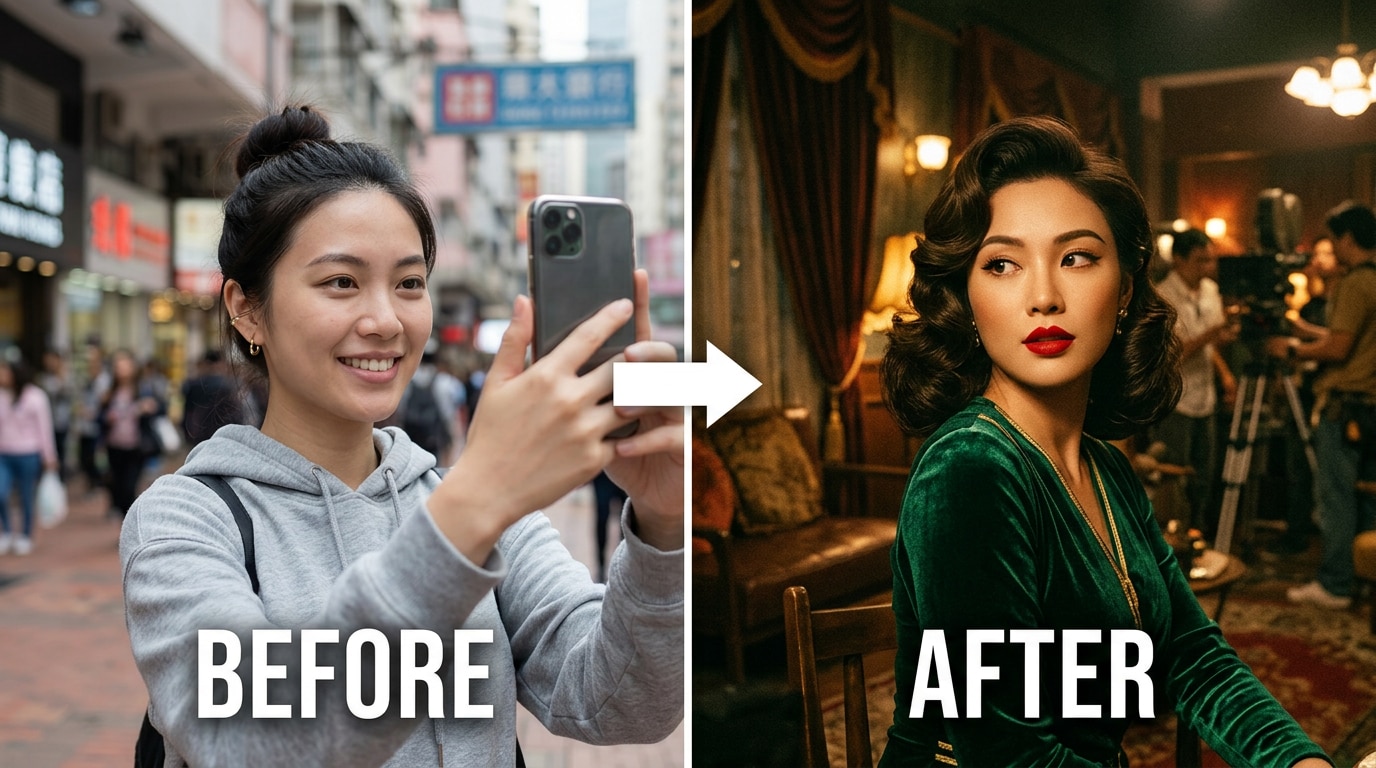
Four more directions to explore beyond retro film:
- Power CEO: sharp black blazer, modern city skyline at dusk, confident professional portrait, clean editorial lighting
- Watercolor Dream: soft watercolor painting style, woman in a sunlit flower field, impressionist art, gentle pastel tones
- Fantasy Character: fantasy elf princess, silver cascading hair, ancient forest, magical warm glow
- Old Hollywood Glamour: black and white portrait, 1950s Hollywood actress style, dramatic shadow lighting, timeless elegance
Part 3: How to Use Relumi Text to Edit — 3 Steps, Under a Minute
No tutorials. No learning curve. This is all it takes to run Text to Edit on any photo with Relumi:


Relumi AI Photo Editor
Text to Edit — Describe It, AI Transforms It

 Text-to-Edit: Type what you want to see — AI transforms your photo to match. Portraits, styles, backgrounds, lighting, all of it.
-
Identity Preservation: Your face and features stay yours. Only the scene, style, and atmosphere change.
-
Unlimited Style Range: Studio portraits, hanfu, retro film, fantasy, oil painting — describe it and it happens.
-
Instant Results: Results in seconds. Try multiple looks in the time it takes to set up one shot.
Step 1. Open Relumi and Import Your Photo
Tap "+" on the Relumi home screen to load the photo you want to transform. Works with any standard photo format — JPG, PNG, HEIC — straight from your camera roll. No size restrictions, no upload limits.

Step 2. Select Text to Edit and Type Your Description
From the AI Tools panel, select "Text to Edit." A text input field opens. Type your description — as short or as detailed as you like. The more specific you are about lighting, style, mood, and setting, the closer the result will be to exactly what you imagined. Hit Generate and Relumi gets to work.
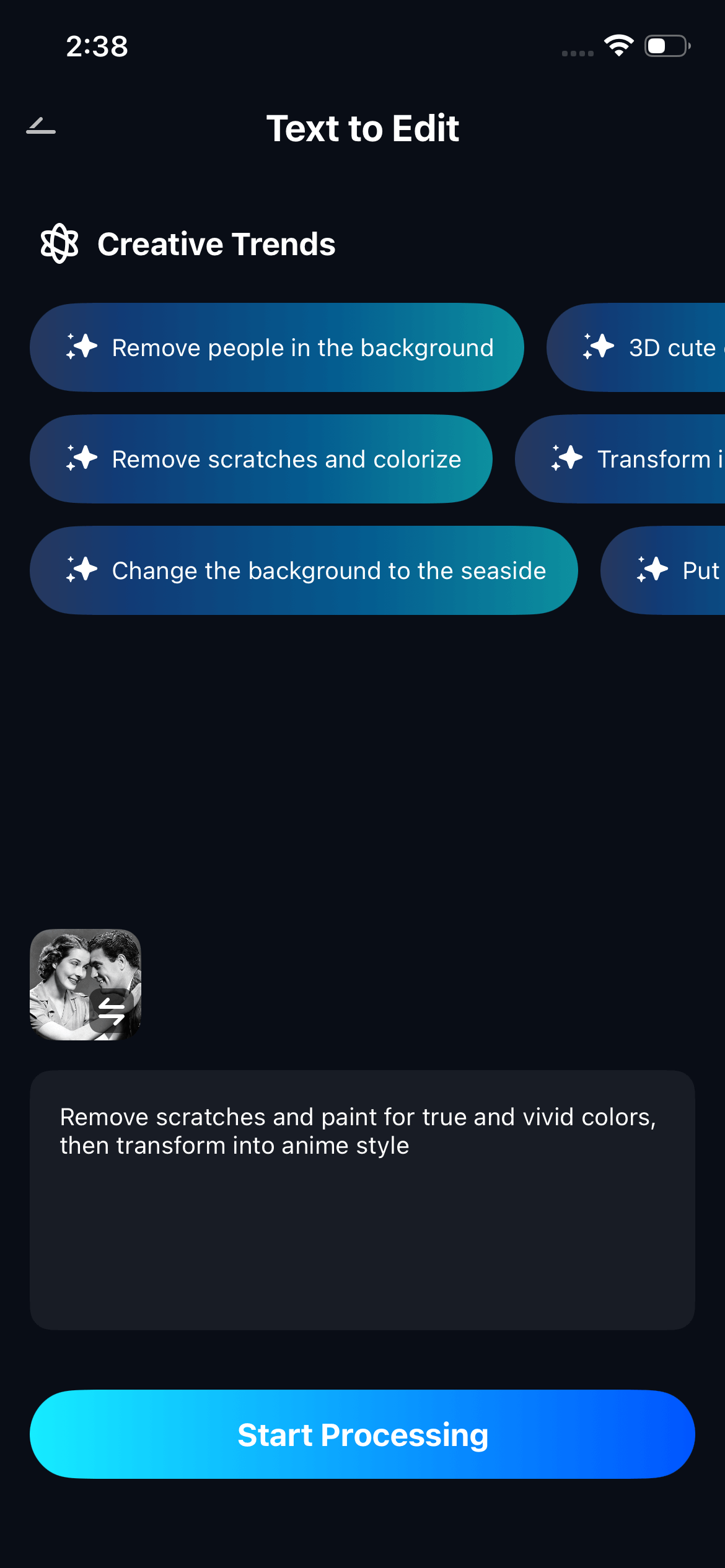
Step 3. Review and Save Your Transformed Photo
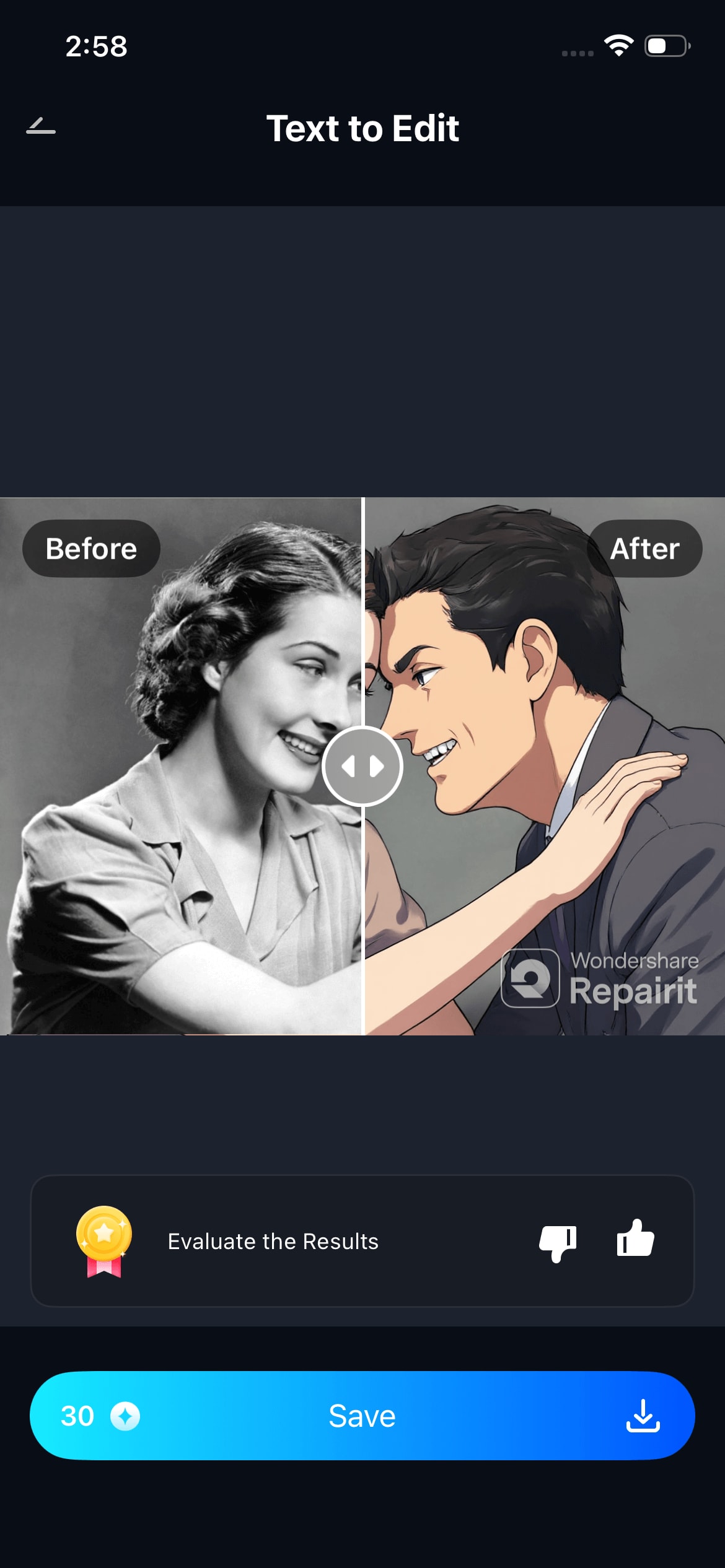
Swipe to compare before and after. If you want to try a different direction, edit your description and regenerate — each iteration takes seconds. When you're happy with the result, tap "Save" to export in full resolution. Your original photo is always kept untouched.
Part 4: More Ways to Play with Text to Edit This Women's Day
The four looks above are a starting point. Here are more ways women are using Relumi Text to Edit right now — ideas that go beyond the obvious portrait transformation and turn this into a feature you reach for every day.
🎁 Play 1 — Make a Custom Gift for the Women in Your Life
Take a photo of your mom, your best friend, or your sister. Run it through Text to Edit with a description that matches her personality — a wildflower field for the free spirit, a Paris café for the romantic, a powerful office portrait for the career woman. Give her a photo of herself that looks the way you see her. No gift wrap required.
📱 Play 2 — Create a Full Women's Day Story Series
Take one photo of yourself and generate four completely different versions of it — one studio portrait, one hanfu, one retro film, one fantasy character. Post them as a story series with the caption: "Four versions of me. All of them real." This kind of content performs exceptionally well on Instagram and TikTok because it's personal, surprising, and impossible to ignore.
💼 Play 3 — Finally Update Your Professional Headshot
You don't need to book a photographer for a great LinkedIn or work profile photo. Take a decent selfie, use Text to Edit to describe a clean professional portrait — sharp blazer, neutral background, confident lighting — and walk away with a headshot that looks like it cost a session fee. Takes three minutes.
🌍 Play 4 — Try a Look from a Different Culture
Women's Day is a global celebration. Use Text to Edit to step into clothing and settings from other parts of the world — a Japanese kimono in a bamboo garden, an Indian saree in a golden temple, an African print dress in a vibrant market scene. It's a way to appreciate and visually explore the diversity of women everywhere.
🎞️ Play 5 — Rescue an Old Photo and Give It a Second Life
Find a photo from years ago — the kind that captured a real moment but looked rough in terms of quality or composition. Use Text to Edit to describe an improved version: better lighting, a more fitting background, an updated style. The AI works with what's there and builds toward what you describe. Old memory, new image.
Conclusion
Women's Day is about being seen — as you are, as you could be, as you want to be. Relumi Text to Edit gives you a tool that respects all three. You bring the photo and the words. The AI brings the studio, the stylist, the photographer, and the creative director — all in one tap.
Whether you're generating a polished studio portrait for a profile update, a traditional hanfu transformation to share a piece of cultural pride, a floral Women's Day greeting for your closest friends, or a full style makeover just because you can — Text to Edit makes it happen. Fast. Free. In your own words.
Open Relumi, go to Text to Edit, and start with one sentence. The before-and-after will do the rest of the convincing.
FAQ
-
Does Text to Edit change who I look like, or just the style around me?
Relumi's Text to Edit is designed to preserve your identity — your face, your features, your expression stay yours. What changes is the surrounding world: the background, lighting, outfit, color palette, and overall visual style. You'll always be recognizably yourself in the result, just placed in a completely different visual context. -
How specific does my text description need to be?
Short descriptions work — but detailed ones work better. You can write something as brief as "professional studio portrait" and get a usable result. But if you add lighting details, color preferences, mood words, and style references (like "golden hour, soft bokeh, editorial fashion"), the output will match your imagination much more closely. Think of it like giving a creative brief to a designer. -
Can I use Text to Edit on a photo of someone else — like to make a gift for my mom?
Yes. You can upload any photo — of yourself or someone else — and describe the transformation you want. This makes it a genuinely useful gifting tool: transform a photo of your mom into a floral Women's Day portrait, or turn a friend's photo into a version of the style she's always loved. The result is something personal that no one else has. -
How many times can I try different descriptions on the same photo?
As many times as you want. Each generation is independent, and Relumi always keeps your original photo untouched. You can try ten different directions on the same image — different styles, different backgrounds, different moods — and compare them all before saving the one you like best. -
Is Text to Edit free to use in Relumi?
Yes, Text to Edit is available on Relumi's free tier. You can generate and export transformed photos without a watermark. Premium plans unlock higher resolution exports and additional generation credits for users who want to create at higher volume.



