
 TL;DR:
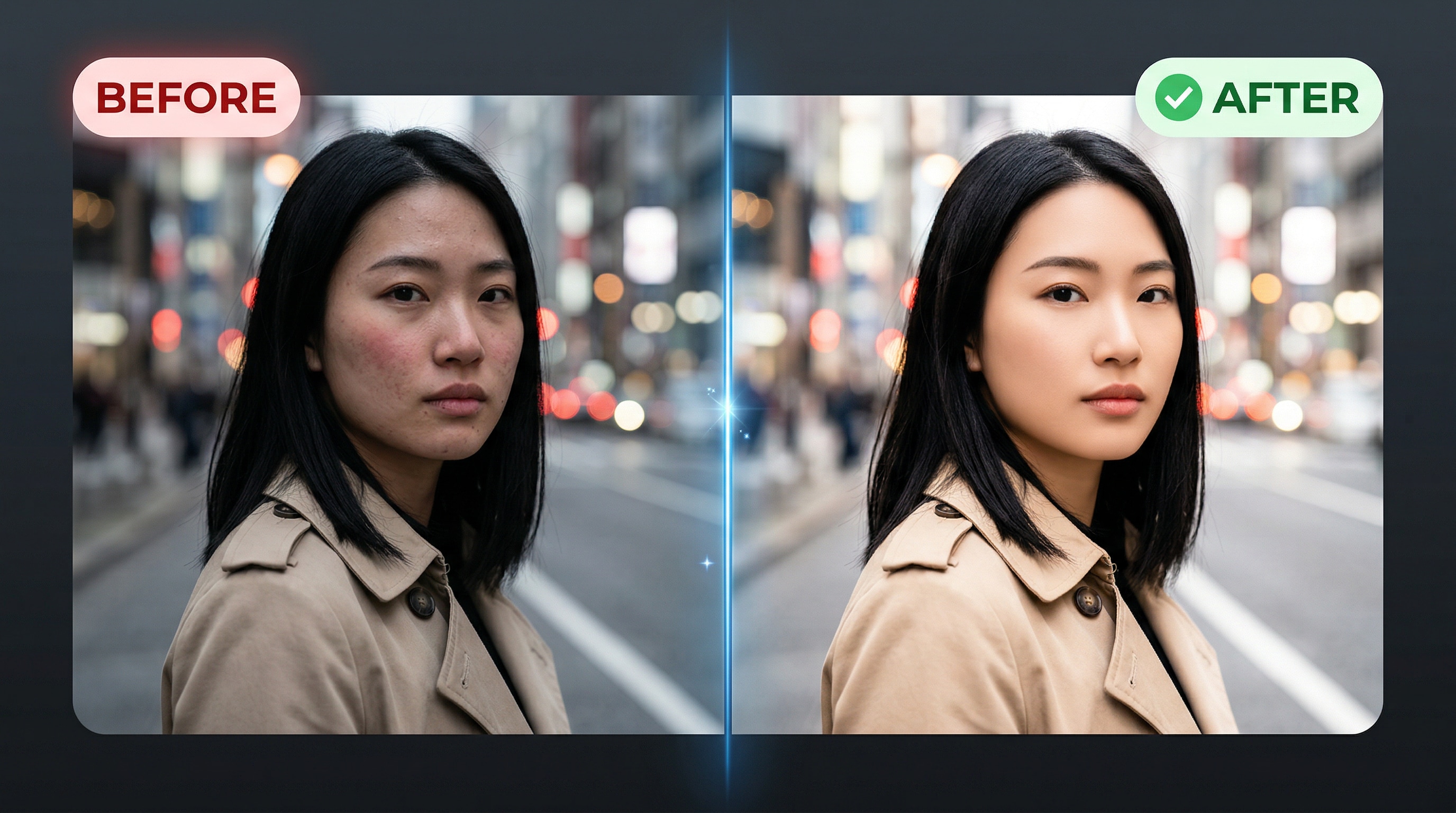
Relumi is an iOS and Android app featuring a one-tap AI Skin Retouching tool that automatically evens out skin tones, neutralizes redness, and controls shine while preserving natural facial anatomy and pore texture.
● The tool supports JPG, PNG, WEBP, and HEIC file formats with no size restrictions, requiring users to import the image, apply the auto-detecting AI filter, adjust the optional intensity slider, and save.
● The model independently maps individual faces in group shots, enabling targeted skin smoothing on a single person without altering other subjects or complex ambient lighting like neon or golden hour color casts.
● The free version permits unwatermarked, full-resolution exports and basic digital noise reduction for older or low-resolution photos, while the premium tier is required for higher export quality and unlimited processing volume.
Ask AI for a summary
 ChatGPT
 Perplexity
 Gemini
 Claude
 Grok
Grok
You snap a photo that's almost perfect — great angle, good lighting, natural smile. But then you zoom in and the skin tells a different story. Uneven tones, a shine patch across the forehead, or a blemish that decided to show up on the wrong day. Sound familiar?
That's the gap between a good photo and a great one. And closing that gap used to mean sitting in front of Lightroom for 20 minutes, learning frequency separation, or paying a retoucher. Not anymore.
Relumi AI Skin Retouching handles it in one tap. No sliders. No masks. No skill required. The AI reads your skin tone, texture, and lighting — and smooths, brightens, and balances everything to look naturally polished, not filtered. Whether you're posting a café selfie, a night-out portrait, or a moody outdoor shot, the result looks like you — just on your best skin day ever.
In this article
Part 1: What Is AI Skin Retouching — And Why Does It Actually Work?
AI skin retouching is not the same as slapping a blur filter on your face. Older apps do exactly that — they soften everything equally and you end up looking like a wax figure. Relumi's skin retouching AI works differently. It uses a trained model that understands facial anatomy — pores, highlights, shadows, texture zones — and applies corrections only where they're needed. The result stays true to your real face: sharp eyes, defined features, genuine expression — with skin that simply looks cleaner and more even.
Here's what Relumi AI Skin Retouching actually does under the hood:
- Smooths skin texture without killing natural detail or making skin look plastic
- Evens out skin tone — removes redness, dullness, and patchy discoloration
- Controls shine — knocks back oily highlights naturally without flattening the face
- Brightens complexion — adds a subtle, healthy glow that looks real, not filtered
- Adapts to any lighting — studio, neon, natural, golden hour — the AI adjusts to the scene automatically
One tap. Every lighting condition. Every skin tone. That's the promise — and it delivers.
Part 2: 3 Scenarios Where Relumi Skin Retouching AI Shines
The magic of ai skin retouching is that it works everywhere — not just in perfect studio conditions. Here are three real-life scenarios that show exactly what Relumi can do when the lighting isn't cooperating.
☕ Scenario 1: The Café Portrait — Soft Indoor Light, Real Skin
Picture this: a young woman with wavy brown hair, wearing a casual black top, photographed in a warm café. The background is beautifully blurred — soft bokeh, warm tones, genuinely cosy. It's an effortless, lifestyle-content kind of shot. But the indoor light picks up every skin detail a little too honestly — uneven texture, a few blemishes, slightly patchy tone around the cheeks.
This is exactly what skin retouching AI was made for. Relumi detects the warm-toned ambient light, reads the skin tones, and smooths out the rough patches while keeping the photo's relaxed, natural energy completely intact. The after result looks like she spent time on skincare — not on editing software. Café content creators, this one's for you.


🍷 Scenario 2: The Night Out Shot — Neon Lights, Harsh Glow
Neon lighting looks great in photos — until you zoom in on the skin. A woman in a red strapless dress, smiling over a wine glass at a bar, with vivid red and blue neon signs blazing in the background. It's a great night-out shot — except the harsh mixed lighting makes the skin look blotchy, inconsistent in tone, and slightly overexposed in patches.
This is where ai skin retouching earns its keep. Neon photos are one of the hardest lighting scenarios to retouch manually because the color spill changes across different zones of the face. Relumi's model handles this automatically — it balances the skin tones, reduces the uneven color cast, and smooths the complexion without touching the dress, the wine glass, or the electric background. Same vibrant neon scene, same authentic smile, skin that finally looks as good as the vibe.


🍂 Scenario 3: The Outdoor Autumn Portrait — Warm Tones, Real Texture
A woman with long dark hair and a dark jacket, photographed against a stunning autumn backdrop — warm oranges, deep reds, rich browns. The golden hour lighting is gorgeous, but it also casts uneven warmth across the face and brings out texture that feels too sharp against the dreamy background.
With Relumi's skin retouching AI, the AI reads the warm outdoor light and refines the skin accordingly — softening texture without removing the depth that makes the autumn portrait look three-dimensional. The skin ends up complementing the warm color palette rather than fighting it. It's the kind of natural glow that looks completely at home in a golden autumn scene.


Part 3: How to Use Relumi AI Skin Retouching — 3 Steps, 30 Seconds
No tutorials. No learning curve. Here's all it takes to run ai skin retouching on any photo with Relumi:


Relumi AI Photo Enhancer
AI Skin Retouching — One Tap, Naturally Perfect Skin

 AI Skin Retouching: Smooth, even, and brighten skin in one tap — no skill needed.
-
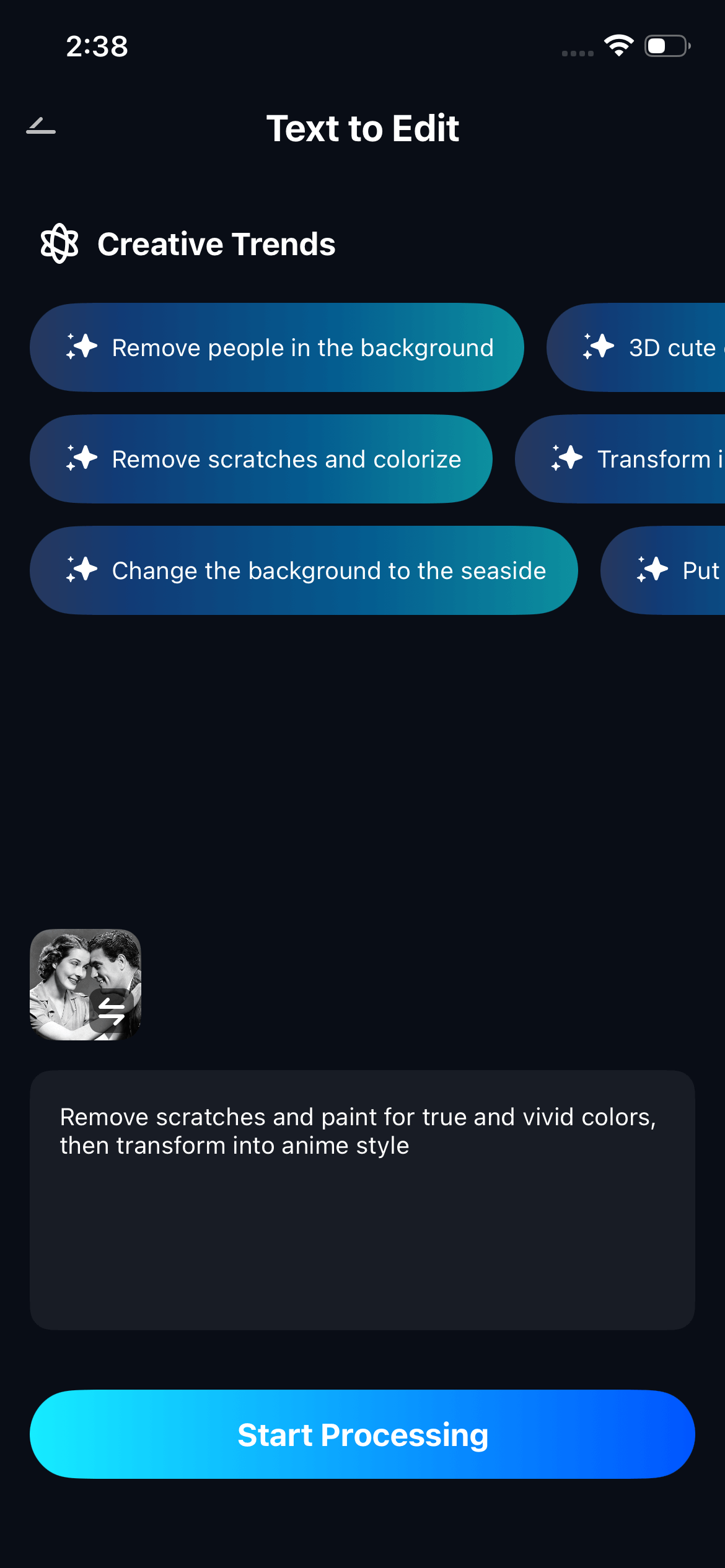
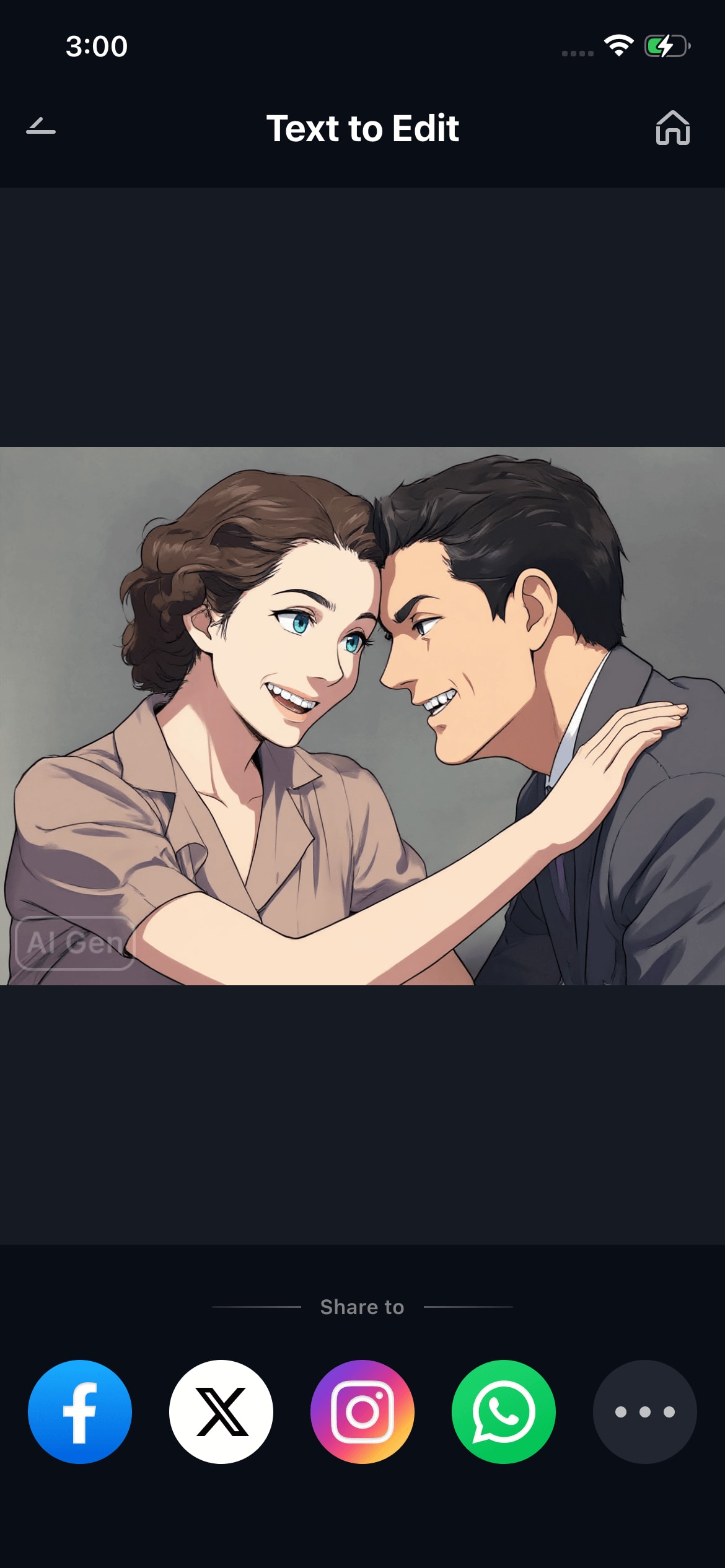
Text-to-Edit: Describe it, AI repairs, enhances & colorizes instantly.
-
Multi-Face Support: Retouch one person in a group shot without affecting anyone else.
-
Universal Compatibility: Works on JPG, PNG, HEIC and all major phone photo formats.
Step 1. Import Your Photo
Open Relumi on your phone and tap "+" to load the photo you want to enhance. Works with JPG, PNG, WEBP — straight from your camera roll or cloud storage. No size or resolution restrictions.

Step 2. Tap AI Skin Retouching
Navigate to the AI Tools panel and select "AI Skin Retouching." The AI immediately scans the photo — detecting every face, reading the lighting, and mapping skin texture zones. No manual selection needed. It finds the skin and gets to work on its own.
Step 3. Preview, Adjust, and Export
Swipe to compare before and after. Use the optional Intensity slider to dial the effect up or down — from a subtle polish to a fully refined look. When it's right, tap "Save" to export in full resolution. No watermark on the free version. Your original photo stays untouched.
Part 4: Creative Ways to Play with AI Skin Retouching
One feature, six completely different ways to use it. Here's where Relumi skin retouching AI goes well beyond the obvious portrait fix — and starts becoming a tool you reach for every single day.
📸 Play 1 — Batch-Rescue Your Event Photos
Shot 40 portraits at a party or corporate event? Don't spend an hour on each one. Run them through Relumi and get clean, consistent skin across every single shot in minutes. Same lighting condition, same polished result — every time, without the repetitive manual work.

🌙 Play 2 — Make Neon Shots Actually Work
Neon lighting looks amazing in photos — until you zoom in on the skin. Mixed color casts, blotchy highlights, uneven tone from red and blue light hitting the face at the same time. AI skin retouching corrects all of that in one tap while keeping the whole electric atmosphere completely intact.

🍂 Play 3 — Turn Outdoor Portraits into Portfolio Shots
Golden hour is gorgeous but ruthless on skin texture. Relumi reads the warm outdoor light, smooths what needs smoothing, and leaves everything else exactly as it was. The result looks like a professional shoot — not a phone edit. Perfect for autumn content, travel photography, or any lifestyle shoot done outside.

💼 Play 4 — Upgrade Your LinkedIn Headshot Today
You don't need a studio for a great professional photo. Take any decent headshot, run Relumi ai skin retouching on it, and walk away with a polished, camera-ready portrait that looks like it was taken by a corporate photographer. No appointment, no cost, no editing skills required.

🎉 Play 5 — Fix One Face Without Touching the Rest
The best candid shot of the group — but one person's skin didn't cooperate that day. Relumi's multi-face skin retouching AI targets only the face that needs work and leaves everyone else completely untouched. Nobody else gets edited. Nobody notices you did anything at all. The photo just quietly becomes the best version of itself.

📱 Play 6 — Give Old Phone Photos a Second Life
Low-res, grainy, taken on a three-year-old phone. The ai skin retouching in Relumi doesn't just smooth skin — it reduces digital noise and improves overall texture quality, making the whole photo look sharper and cleaner than the original hardware ever could. Old memories, new standard.

Conclusion
Good skin in photos isn't about looking fake. It's about looking like the best version of yourself — with the unevenness, the harsh lighting artifacts, and the bad-timing blemishes quietly removed. That's what Relumi AI Skin Retouching does.
It works in a café. It works under neon. It works in the golden hour of an autumn afternoon. And it works for events, headshots, group candids, and photos from three phones ago. Three taps and your photo looks the way it felt in the moment — just with better skin. Download Relumi free on iOS and Android and try skin retouching AI on your next photo. The before/after will do the convincing.
FAQ
-
Does Relumi AI skin retouching look natural or over-filtered?
Relumi's AI is trained to preserve real skin texture — pores, natural highlights, depth — while correcting problem areas like uneven tone and blemishes. The goal is always a natural, polished look rather than the blurred, plastic finish that older apps produce. You can also use the Intensity slider to keep the effect as subtle as you like, giving you full control over the final result. -
Does skin retouching AI work on all skin tones?
Yes. Relumi's model is trained across a wide range of skin tones and reads the specific tone, texture, and lighting of each individual face rather than applying a one-size-fits-all correction. This means the ai skin retouching works consistently well on darker, lighter, warm-toned, and cool-toned skin alike without over-brightening or distorting natural features. -
Can I use AI skin retouching on group photos with multiple people?
Absolutely. Relumi processes each face in a group photo independently — which means it can retouch one person's skin without affecting anyone else in the frame. This is particularly useful for event photos, family portraits, or any candid shot with multiple subjects where only one person needs a skin fix. -
Is the ai skin retouching feature free to use in Relumi?
Yes. The core AI Skin Retouching feature is included in Relumi's free tier. You can retouch photos and export them in full resolution without a watermark. Premium plans unlock higher export quality and unlimited usage for users who need more volume or professional-grade output. -
Does it work on low-resolution or older phone photos?
Yes. The skin retouching AI in Relumi works on lower-resolution images and actively reduces digital grain and noise during the retouching process. The result is a photo that looks sharper and cleaner overall — not just on the skin — which makes it especially useful for rescuing older shots taken on lower-quality phone cameras.





