
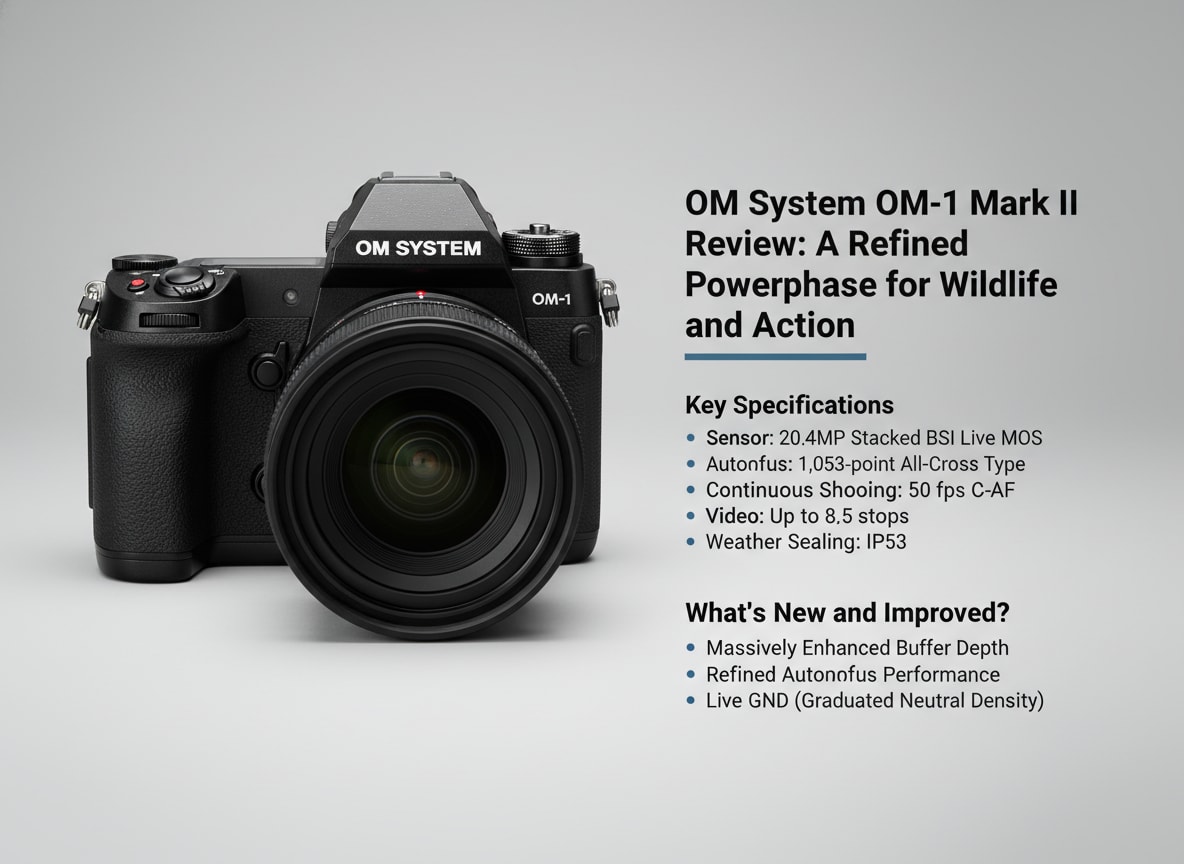
The OM System OM-1 Mark II is a high-speed, weather-sealed Micro Four Thirds flagship aimed at photographers who need dependable performance in demanding environments. It builds on the original OM-1 with smarter autofocus, more effective stabilization, and workflow-friendly refinements that appeal to wildlife, sports, and outdoor creators. Below, you will find a complete review, key specs, real-world performance insights, and a practical guide to recovering corrupted OM-1 Mark II photos and videos.
Repair Corrupted Files To Save Your Data
 Security Verified. Over 7,302,189 people have downloaded it.
In this article
What’s New About OM System OM-1 Mark II
Design and handling updates
The OM-1 Mark II keeps the compact, rugged shell of the original while refining how it feels and responds in the hand. Button layouts are slightly tweaked for quicker access to AF-ON and key drive modes, and the grip has improved texture for better purchase with gloves or in the rain. The menu system gains small quality-of-life changes such as clearer labeling of computational modes, making it easier to configure for different shooting scenarios without digging through nested pages.
The electronic viewfinder still offers a large, bright experience, but with firmware-level optimization for smoother refresh when tracking erratic subjects. Customizable function buttons and My Menu options allow you to tailor the body to wildlife, sports, or landscape work, cutting down on time spent reconfiguring the camera between assignments.
Improvements in autofocus and stabilization
One of the headline upgrades of the OM System OM-1 Mark II is its faster and more intelligent autofocus system. Subject detection has been expanded and refined to better recognize animals, birds, vehicles, and people, maintaining focus even when they move unpredictably or briefly disappear behind obstacles. Tracking is more tenacious, especially when paired with fast telephoto glass commonly used for wildlife and field sports.
In-body image stabilization (IBIS) is also more effective, providing additional stops of shake reduction over the previous model. This helps you capture sharper stills at slower shutter speeds and smoother handheld video, even at longer focal lengths. Combined with high-speed burst shooting, these improvements give action photographers a better keeper rate and more flexibility in marginal light.
Full Specs at a Glance
Key imaging specifications
| Feature | Specification |
|---|---|
| Sensor type | Micro Four Thirds stacked BSI CMOS |
| Effective resolution | 20 MP class |
| Image processor | Latest OM System high-speed engine |
| ISO range | Native 200–25,600 (expandable, with extended low and high options) |
| Continuous shooting | Very high burst rates with electronic shutter and deep buffer |
| Autofocus system | Advanced phase-detection AF with enhanced subject detection |
| In-body stabilization | Improved 5-axis IBIS, rated for several stops of compensation |
| Weather sealing | Rugged, dustproof, splashproof, and freeze-resistant body |
Video and connectivity specs
| Feature | Specification |
|---|---|
| Video resolution | 4K recording with high bit-rate options and multiple frame rates |
| Slow motion | High-frame-rate Full HD modes for detailed slow motion |
| Color and profiles | Flat or log-style profiles for flexible color grading |
| Card slots | Dual UHS-II SD card slots for redundancy or overflow |
| Connectivity | USB-C, HDMI, microphone and headphone jacks, Wi-Fi, and Bluetooth |
| Battery life | Improved efficiency for extended still and video shooting |
Real-World Performance
Autofocus and tracking in the field
Out in the field, the OM System OM-1 Mark II feels built for speed. The refined AF engine locks quickly onto subjects, and subject recognition does a reliable job with birds in flight, fast-moving players, or racers coming toward the camera. In crowded scenes, you can easily cycle between targets, while custom AF areas let you shape the focus box to match the action.
The deep buffer and fast readout work together so that long bursts are actually usable, not just on paper. Wildlife and sports shooters can confidently hold down the shutter, knowing the camera will maintain focus and that write speeds to UHS-II cards keep the system responsive rather than bogging down mid-play.
Image quality and video performance
Although it uses a Micro Four Thirds sensor, the OM-1 Mark II delivers clean, detailed files with good dynamic range for its class. In good light, RAW files handle contrasty scenes well, and noise remains controlled at moderate ISOs. Computational features such as high-res shot modes and live ND expand what you can achieve in-camera without adding bulk to your kit.
For video, the camera records detailed 4K footage with solid rolling-shutter control and reliable AF. The strengthened IBIS makes handheld work feel natural, particularly when combined with lens-based stabilization. Log-style profiles give editors plenty of room to grade, while the headphone and mic ports keep the camera viable for on-the-go content creation, documentaries, and run-and-gun shoots.
Pros & Cons
- Pros
- Fast, accurate autofocus with robust subject detection for wildlife and sports.
- Improved 5-axis IBIS that stabilizes both stills and handheld video.
- Compact, rugged, and highly weather-sealed Micro Four Thirds body.
- Deep buffer and quick readout ideal for action bursts.
- Advanced computational features that extend creative possibilities.
- Cons
- Smaller Micro Four Thirds sensor may not match full-frame low-light performance.
- Peak burst performance requires fast, premium UHS-II SD cards.
- Menu system, while improved, still has a learning curve for new users.
Who Is This Camera For?
The OM System OM-1 Mark II is best suited to photographers and hybrid shooters who prioritize speed, mobility, and reliability in harsh environments. If you routinely cover birds, wildlife, field sports, or adventure travel, its combination of rugged weather sealing, fast AF, and extensive lens ecosystem makes it a compelling workhorse.
It is also an attractive option for creators who travel light. The Micro Four Thirds system keeps telephoto lenses relatively small and affordable, making it easier to hike or fly with a complete kit. While pure low-light specialists might still favor larger-sensor bodies, many professionals will find the performance-to-size ratio of the OM-1 Mark II hard to beat.
What to Do If Your OM System OM-1 Mark II Files Get Corrupted
Why use Repairit for OM-1 Mark II files
Even a rugged camera like the OM System OM-1 Mark II cannot fully protect you from file corruption caused by SD card issues, power loss, or interrupted transfers. When your critical photos or videos refuse to open, a dedicated repair tool can be the difference between a minor inconvenience and a devastating data loss.
Wondershare Repairit is designed specifically to fix damaged or unplayable media, including RAW images and high-bitrate video from modern cameras. Its guided interface walks you through selecting affected files, running a deep repair, and previewing the results before saving, so you can attempt recovery quickly without needing technical expertise.
Step-by-step: Repair corrupted OM-1 Mark II media
Repairit key features for OM-1 Mark II users
- Repairs damaged or unplayable video, photo, and document files from multiple storage devices.
- Supports batch repair so you can process many OM-1 Mark II clips or images in one session.
- Offers preview before saving so you recover only the files that look correct.
How to repair corrupted OM System OM-1 Mark II files
- Choose a Location to Repair Data
Launch Wondershare Repairit and choose the module that matches your issue, such as Video Repair or Photo Repair. Click the add button to open a file browser, then navigate to the folder, SD card, or external drive that stores your OM System OM-1 Mark II files. Select the corrupted photos or video clips you want to fix and confirm so they appear in the Repairit file list.

- Deep Scan the Location
After loading the files, start the repair process. Repairit will analyze each OM-1 Mark II file in depth, checking headers, container structure, and encoding details to locate errors that prevent playback. You can monitor progress in the interface as each item is processed. Allow the scan to finish fully so the software has the best chance of reconstructing your content without further damage.

- Preview and Repair Your Desired Data
When the deep repair completes, highlight any file to open the preview window. Play several recovered video clips from your OM-1 Mark II and zoom into still images to verify focus, color, and integrity. If you are satisfied with the result, tick the check boxes for the items you want to keep, click Save, and choose a safe destination on your computer or a different drive. Avoid saving back to the original SD card to reduce the risk of further corruption.

Conclusion — Should You Buy?
The OM System OM-1 Mark II refines an already capable flagship Micro Four Thirds camera, offering faster autofocus, more resilient stabilization, and a tougher, more responsive shooting experience for demanding creators. For wildlife, sports, and adventure work, it delivers a reliable blend of speed, portability, and durability that few rivals match at this size.
If those strengths align with your shooting style and you value a compact system with powerful computational tools, the OM-1 Mark II is an excellent investment. Pairing it with disciplined backup habits and a trusted repair solution like Wondershare Repairit adds another layer of protection, helping ensure that the moments you capture remain accessible long after the shoot ends.
FAQ
-
1. Is the OM System OM-1 Mark II worth upgrading from the original OM-1?
If you rely heavily on fast, accurate autofocus, subject detection, and stabilization, the OM-1 Mark II brings meaningful refinements that improve keeper rates, especially for action work. Casual shooters who are satisfied with the original OM-1’s performance may not find the upgrade essential but professionals and serious enthusiasts will appreciate the extra responsiveness. -
2. What memory cards work best with the OM System OM-1 Mark II?
For the best performance, use high-quality UHS-II SD cards rated V60 or V90 from reputable brands. These cards sustain the write speeds needed for long 4K video recordings and extended high-speed bursts, reducing the chance of buffer slowdowns or write errors. -
3. Can the OM System OM-1 Mark II handle bad weather and rough conditions?
Yes. The body is designed with robust weather sealing to resist dust, splashes, and cold when paired with compatible lenses. While it is not intended for full underwater use, it copes well with rain, sea spray, and winter temperatures as long as you dry and maintain the gear afterward. -
4. How can I minimize the risk of file corruption on the OM-1 Mark II?
Format SD cards in-camera, avoid removing cards or batteries while the camera is writing, use high-quality media, and regularly back up your files to at least two separate locations. When transferring data, always use the operating system’s safe eject option before unplugging cards or drives. -
5. Can corrupted OM System OM-1 Mark II videos and photos be repaired?
In many situations, yes. Dedicated tools such as Wondershare Repairit can scan damaged OM-1 Mark II files, reconstruct broken headers or structures, and often restore them to a viewable state. While success is not guaranteed in every case, running a repair pass is often the most effective way to recover seemingly lost footage.




