
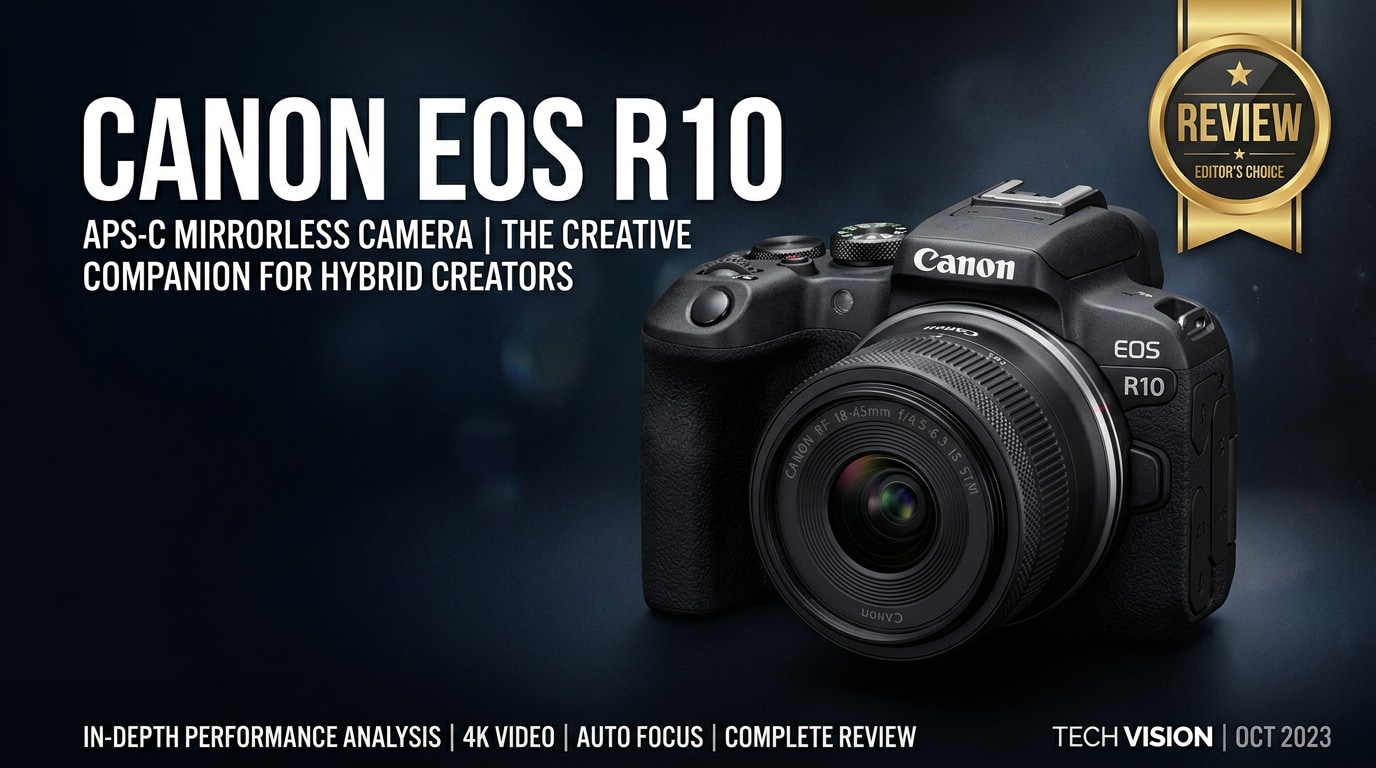
The Canon EOS R10 is a compact APS-C mirrorless camera built for photographers and hybrid creators who want fast autofocus, sharp 4K video, and responsive burst shooting in a travel-friendly body. It bridges the gap between beginner cameras and enthusiast systems, bringing Canon's RF-mount ecosystem to a wider audience with approachable controls, smart automation, and creative flexibility for both stills and video.
Repair Corrupted Files To Save Your Data
 Security Verified. Over 7,302,189 people have downloaded it.
In this article
Introduction
The Canon R10 review often centers on its balance of portability, autofocus power, and modern 4K tools. As an RF-mount APS-C body, the Canon EOS R10 gives beginners and enthusiasts a streamlined way into Canon's mirrorless world without losing features that matter for hybrid content creation, like uncropped 4K 30p, subject-detection AF, and reliable burst speeds for action.
What's New About Canon EOS R10
The Canon mirrorless camera lineup has grown quickly, and the EOS R10 introduces several updates that make it stand out among beginner mirrorless options.
- New-generation APS-C RF design that brings Canon's RF mount to a smaller, lighter body, offering access to both RF-S and full-frame RF lenses.
- Improved Dual Pixel CMOS AF II system with subject detection for people, animals, and vehicles, trickling down tech from Canon's higher-end R series.
- Fast continuous shooting up to 23 fps with the electronic shutter and 15 fps with the mechanical shutter, impressive for a camera at this level.
- Oversampled 4K 30p video from 6K capture, delivering crisp detail and making the Canon R10 4K video capability a strong point for creators.
- Upgraded DIGIC X processor for better noise handling, autofocus tracking, and overall responsiveness.
- Refined ergonomics in a compact body, including a dedicated AF joystick and customizable controls for quicker operation.
Full Specs at a Glance
Core specifications
| Feature | Canon EOS R10 Specs |
|---|---|
| Sensor | 24.2MP APS-C CMOS |
| Image Processor | DIGIC X |
| Lens Mount | Canon RF (supports RF-S and RF lenses) |
| ISO Range | 100-32,000 (expandable to 51,200) |
| Continuous Shooting | Up to 15 fps (mechanical), 23 fps (electronic) |
| Autofocus System | Dual Pixel CMOS AF II, subject detection for people, animals, vehicles |
| Viewfinder | 2.36M-dot OLED EVF |
| Rear Screen | 3.0-inch vari-angle touchscreen, 1.04M dots |
| Storage | Single UHS-I SD card slot |
| Battery | LP-E17 |
| Weight (body only) | Approx. 382 g (0.84 lb) |
Video and connectivity highlights
| Category | Details |
|---|---|
| Video Resolutions | 4K 60p (with crop), 4K 30p oversampled from 6K, Full HD up to 120p |
| Recording Limits | Up to 2 hours in some modes (subject to temperature and card space) |
| Stabilization | Digital IS for video; relies on lens-based IS (no in-body IS) |
| Audio | 3.5mm mic input, built-in stereo mic, no headphone jack |
| Connectivity | Wi-Fi, Bluetooth, USB-C, micro HDMI |
| Other Features | Vertical video support, clean HDMI out, focus breathing correction (with supported lenses) |
Real-World Performance
In everyday use, the EOS R10 specs translate into a camera that feels quick and dependable. Autofocus locks onto eyes and faces confidently for portraits and vlogs, and the tracking keeps up well with pets, kids, or casual sports.
For still photography, the 24.2MP sensor delivers detailed files with pleasing color straight out of camera. Dynamic range is solid for an APS-C body, allowing you to recover shadows and highlights in RAW processing for landscape and travel shots.
Video creators will appreciate oversampled 4K 30p, which offers clean detail and reduced moiré compared to simple line-skipped footage. 4K 60p incurs a crop, but it is useful when you need smoother motion. Rolling shutter is present but manageable if you avoid very fast pans.
The main limitation is the lack of in-body image stabilization. Handheld video is best with stabilized RF lenses and careful technique. Battery life is decent for a beginner mirrorless camera, though carrying a spare is wise for long shooting days, especially when recording a lot of 4K.
Pros & Cons
Pros
- Lightweight, compact body that is travel-friendly yet comfortable to hold.
- Fast continuous shooting and responsive Dual Pixel CMOS AF II ideal for action and moving subjects.
- Oversampled 4K 30p video with strong detail for hybrid content creators.
- Intuitive menus and guided modes that help beginners grow into more advanced shooting.
- Access to Canon's expanding RF and RF-S lens ecosystem.
Cons
- No in-body image stabilization; relies on lens IS and digital stabilization.
- Single UHS-I SD card slot limits backup options during critical shoots.
- No headphone jack, which can be a drawback for serious video monitoring.
- 4K 60p comes with a crop, reducing wide-angle coverage.
- Battery life is good but not class-leading; heavy 4K shooters will want spares.
Who Is This Camera For?
The hybrid content creator camera positioning of the R10 makes it a strong fit for several types of users.
- New photographers stepping up from phones or compacts who want interchangeable lenses, a viewfinder, and better low-light performance without being overwhelmed by complexity.
- Vloggers and YouTube creators looking for sharp 4K, reliable autofocus, and a flip-out screen in a small body that is easy to pack and carry.
- Enthusiasts wanting a lightweight second body to complement a full-frame RF camera for travel, backup, or telephoto reach from the APS-C crop.
- Parents and hobbyists who photograph kids, pets, and events where quick autofocus and burst speeds make it easier to capture the right moment.
If you need advanced video tools like internal log recording, uncropped 4K 60p, or dual card slots for professional backup, you may want to look higher in the RF lineup. For most beginners and many enthusiasts, though, the R10 offers a compelling sweet spot of performance and price.
What to Do If Your Canon EOS R10 Files Get Corrupted
Why files from the EOS R10 get corrupted
Even with a reliable camera like the Canon EOS R10, memory cards and storage devices can fail. Common causes of corrupted photos or videos include removing the card while recording, sudden battery loss, formatting errors, or faulty card readers. Symptoms may include files that will not open, error messages in your editor, glitchy playback, or missing thumbnails.
When this happens, avoid shooting more on the same card to prevent overwriting the damaged data. Instead, move to a recovery and repair workflow as soon as possible.
How to repair Canon EOS R10 files with Repairit
For damaged clips or images from your R10, a dedicated repair tool is often more effective than simple file copying. Wondershare Repairit is designed to repair corrupted photos, videos, and other files from cameras, cards, and drives with a guided, beginner-friendly process. You can learn more on the Repairit official website.
Key features of Repairit
- Repairs corrupted or unplayable photo and video files from cameras, memory cards, and drives.
- Supports a wide range of popular formats and high-resolution footage used by modern mirrorless cameras.
- Simple, guided interface that lets beginners complete complex repairs in just a few clicks.
Step-by-step: Repair Canon EOS R10 files with Repairit
-
Choose a Location to Repair Data
Install and launch Wondershare Repairit on your computer. From the main screen, select the source that contains your problematic Canon R10 photos or videos. This might be the camera's SD card, an external drive, or a folder where you store your footage. Add the corrupted files to the repair list so Repairit knows exactly which items to process.

-
Deep Scan the Location
Start the repair task to let Repairit analyze the selected files in depth. The software inspects file headers, structure, and metadata to find inconsistencies that prevent playback or opening. During this deep scan, you can follow the progress bar and see which clips or images are being processed, while Repairit automatically applies the appropriate repair algorithms in the background.

-
Preview and Repair Your Desired Data
When the scan finishes, Repairit shows a preview of the repaired R10 files whenever possible. Play back video clips and inspect photos to confirm that the glitches, errors, or playback issues are resolved. Select the items you want to keep and click to save them to a safe destination, ideally on a different drive from the original card or folder, so you preserve both repaired and source data.

Conclusion — Should You Buy?
The Canon EOS R10 delivers impressive autofocus, burst performance, and crisp 4K video in a small body that suits travelers, families, and aspiring creators. Its user-friendly interface makes it a strong beginner mirrorless camera, while its speed and Dual Pixel CMOS AF II are capable enough for enthusiasts who value portability.
If you can live without in-body stabilization and pro-level video monitoring, the R10 is a smart entry into Canon's RF ecosystem. Pairing it with fast, reliable SD cards and a repair solution like Wondershare Repairit gives you both creative flexibility and peace of mind when shooting important projects.
FAQ
-
1. Is the Canon EOS R10 good for beginners?
Yes. The Canon EOS R10 has an intuitive menu system, helpful auto modes, and strong autofocus that make it easy for beginners to get sharp photos and video while still leaving room to grow into manual controls. -
2. Can the Canon EOS R10 record 4K video?
The Canon EOS R10 records 4K video oversampled from 6K, providing detailed footage. It offers up to 4K 60p with a crop and 4K 30p with minimal or no crop, depending on the settings you choose. -
3. Does the Canon EOS R10 have in-body image stabilization?
No. The Canon EOS R10 does not include in-body image stabilization. You can rely on lens-based IS in compatible RF lenses and Canon's digital IS for video to help steady your shots. -
4. What should I do if my Canon EOS R10 files get corrupted?
Stop using the affected memory card immediately to avoid overwriting data. Then use a repair tool like Wondershare Repairit to scan and repair the corrupted photos or videos before saving them to a different, safe location. -
5. Which memory cards work best with the Canon EOS R10?
The Canon EOS R10 uses UHS-I SD cards. For burst photography and 4K recording, choose high-speed UHS-I cards from reputable brands and format them in-camera before important shoots.




