
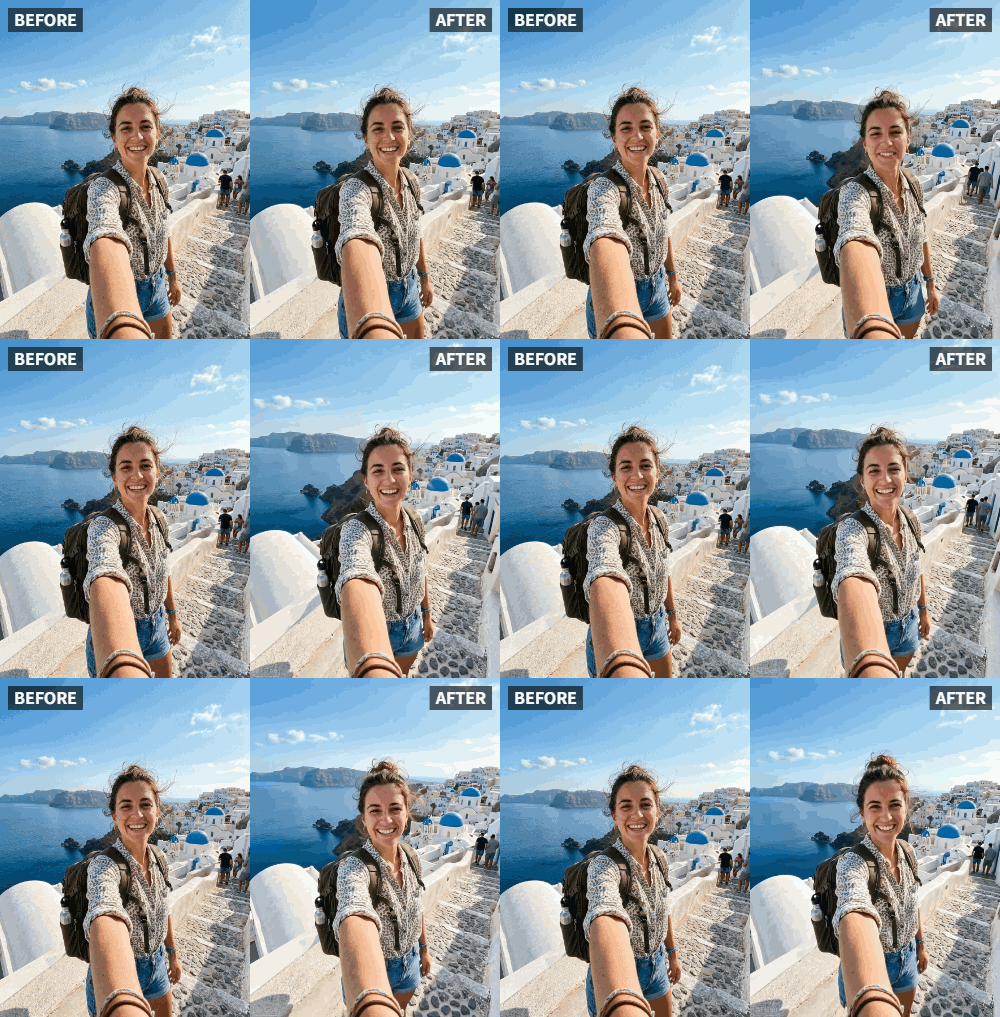
 TL;DR:
Transform static vacation photos into dynamic content by using the Relumi AI app to automatically generate a natural waving motion for the subject.
● The animation requires a well-lit photo where the subject's face and hand are distinguishable, though the person does not need to be waving in the original image.
● The AI solely animates the person while keeping the background landmark static, exporting the final result as a lightweight 2-5 MB MP4 file.
● Users can adjust the speed and intensity of the wave within the app, but must use external video editors to stitch multiple animated clips together into a single reel.
Ask AI for a summary
 ChatGPT
 Perplexity
 Gemini
 Claude
 Grok
Grok
You've just returned from an amazing trip. You have hundreds of photos, but posting them feels repetitive. Everyone posts the same Eiffel Tower selfie. How can you make yours stand out? Add a wave! Animated travel photos where you wave at the camera capture the excitement of being there. On Reddit's r/travel, users share creative photo ideas: "I want my photos to tell a story, not just document a place." This article shows how Relumi can make your travel pics wave, turning them into engaging content that followers love. We'll discuss why static travel photos fall short, how to animate them effectively, and innovative ways to use animated travel content across platforms.
In this article
Part 1: Why Static Travel Photos Don't Capture the Feeling
When you're at a beautiful place, you're filled with emotion. A static photo doesn't convey that. On Quora, travelers ask how to make photos more expressive. A waving gesture suggests movement, energy, and engagement. It's as if you're saying, "Look at this amazing place!" According to travel bloggers, posts with animated elements receive more comments and saves because they feel immersive. In fact, a study by Skift found that travel content with motion (video or animation) generates 40% more engagement than static images. Relumi AI adds that missing motion, making viewers feel like they're there with you. The wave also adds a human element, reminding viewers that a real person experienced that place. This personal connection is what makes travel content memorable.
Part 2: How to Animate Your Travel Photo


Relumi AI Photo Animation
Bring old photos to life with AI-powered animation.

 Preset motion styles — Wave, Dance, Clap, Cheers & more
-
Works on old, faded, and black-and-white photos
-
No editing skills required — generate in seconds
-
One tap turns any still image into a moving memory.
1. Select a Landmark Shot: Choose a photo where you're clearly visible in front of a landmark. Good lighting is key. Avoid cluttered backgrounds that might distract the AI. If possible, include a clear view of your hand. For iconic landmarks like the Eiffel Tower or Statue of Liberty, position yourself so the landmark is recognizable but not overwhelming. The wave should be the focal point.

2. Apply Wave Animation: In the app, pick Wave. The AI will make your hand wave naturally. You can adjust the speed and intensity. For a relaxed vacation vibe, a slow wave works. For an exciting adventure (like hiking a mountain), a more energetic wave conveys the thrill. Preview the animation to ensure it looks natural with the background.

3. Share Your Adventure: Export and post on Instagram, TikTok, or your travel blog. Use captions that invite engagement, like "Waving from Paris! Where should I go next?" Add location tags and relevant hashtags (#travelwave #wavingaroundtheworld). For Instagram Reels, combine multiple waving photos from different locations into a single reel with a fast-paced music track.

Part 3: Creative Travel Content Ideas
- Travel Reels: Compile multiple waving photos from different locations into a single reel. It shows your journey dynamically. Add background music that matches each destination—local music or popular travel tunes. Use transitions like fades or slides to connect the clips.
- Postcard Videos: Send animated waving photos to friends as digital postcards. They'll feel like you're personally greeting them. You can even add a voiceover describing the place.
- Souvenir with a Twist: Create a short video of you waving at a landmark and share it with family back home. It's more personal than a standard photo. Print a QR code linking to the video and attach it to a physical souvenir.
- Travel Blog Header: Use a waving photo as the header image on your blog to make it dynamic. It immediately captures visitor attention and sets a friendly tone.
- Instagram Stories: Post a waving photo as a story and use the "Ask Me a Question" sticker to engage followers. Ask them to guess where you are.
- YouTube Thumbnails: Animated thumbnails with waving gestures can increase click-through rates. Use them for travel vlogs.
- Travel Diary: Create a digital travel diary where each entry includes an animated waving photo. It's a modern take on traditional scrapbooking.
Conclusion
Bring your travel memories to life. With Relumi's Wave animation, every photo becomes a story. Start animating your next adventure today and watch your engagement soar. Whether for personal memories or public sharing, waving travel photos add a dynamic dimension that static images can't match.
Frequently Asked Questions
-
Does the animation work if I'm far from the camera?
Yes, as long as your face and hand are distinguishable. The AI can detect gestures even in medium shots. -
Can I animate a photo where I'm not waving originally?
Absolutely. The AI generates the waving motion; you don't need to have been waving in the original photo. -
Will the video be too large to share?
Relumi exports optimized MP4 files that are easy to share. Typical size is 2-5 MB for a 3-second loop. -
Can I use this for professional travel content?
Yes, many travel influencers use Relumi to create unique content that stands out. -
How do I combine multiple waving photos into one video?
Use a video editor like CapCut or InShot to stitch together the animated clips. Add transitions and music for a polished reel. -
What if the landmark is behind me and the AI focuses only on me?
The AI animates the person, not the background. The landmark remains static, which is fine—the focus is on your wave.



