
 TL;DR:
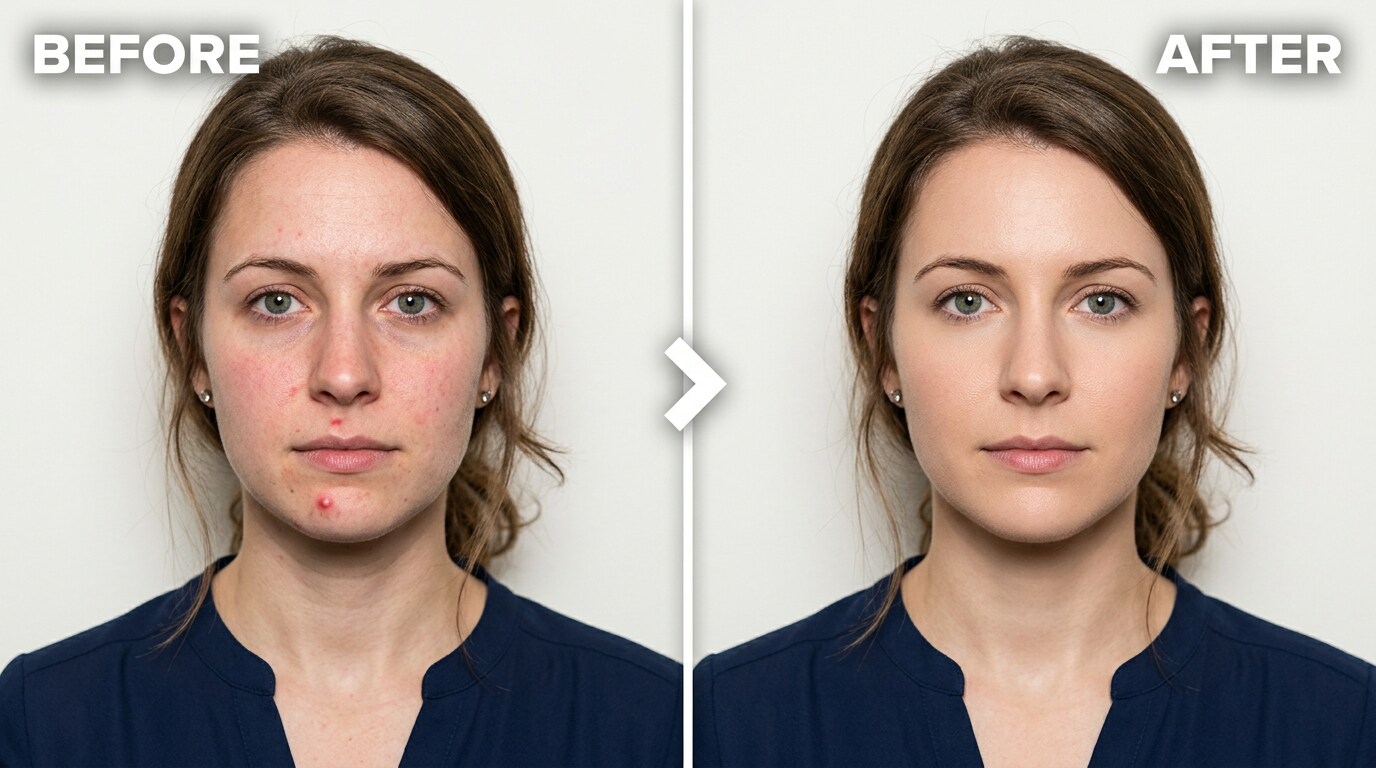
Relumi AI Retake is a free iOS and Android app that removes pimples, redness, and dark circles from close-up ID photos by targeting individual blemishes and matching surrounding natural skin texture instead of applying a uniform, artificial blur.
● Users apply the ID Photo Blemish Repair tool via an intensity slider, with optimal results at 50% for standard correction, 40-60% for flat redness, and 60-70% for severe breakouts to avoid a processed appearance.
● The tool requires no manual masking or brushing for detection, and allows free-tier users to export the corrected portrait in full resolution with no watermarks.
● While suitable for company directories and LinkedIn profiles, applying this correction to official passport or visa photos risks application rejection since many governments explicitly prohibit digital appearance alterations.
Ask AI for a summary
 ChatGPT
 Perplexity
 Gemini
 Claude
 Grok
Grok
Ten years with that photo. That’s the real problem with official ID portraits — the consequences are long-lasting, and the conditions that produce them are almost always awful. Flat, direct flash from a booth camera. Zero flattering light. A white or grey background that amplifies every skin imperfection. And a completely clinical, close-up crop that shows nothing except your face in merciless detail.
This isn’t just a passport problem. It’s a driver’s license photo, a work badge, a student ID, a LinkedIn headshot, a visa application portrait, a company directory picture. Any photo taken in the format of an ID portrait shares the same fundamental flaw: the camera and lighting are set up for verification, not for looking good. Every temporary pimple, every redness patch, every minor under-eye shadow gets frozen into the frame exactly as it appeared under harsh booth lighting — and that’s the version that represents you everywhere that photo gets used.
Relumi AI Retake — ID Photo Blemish Repair fixes the specific flaws that show up in portrait-format shots: acne and pimples, redness, under-eye shadows, uneven skin tone, and minor spots — without altering your facial structure or creating the blurred, plastic-looking result of a beauty filter. The correction is targeted and natural. Free on iOS and Android.
In this article
Part 1: Why ID Portrait Lighting Makes Skin Look So Much Worse
There’s a reason so many people hate their ID photos. It isn’t vanity. It’s physics, and the specific conditions that official portrait photography uses.
Passport booth cameras fire a direct flash that hits the face straight-on with no diffusion and no fill. That kind of light flattens the face and simultaneously overexposes the skin surface — which means every pore, every pimple, and every patch of uneven skin tone becomes clearly visible. In a photo taken with a phone or a professional camera, the light bounces off walls and ceilings and comes from slightly off-axis; it softens texture naturally. In a booth, there’s nothing to soften it.
There are three specific reasons ID portrait lighting is so unforgiving:
1. Direct flash amplifies surface texture. Flat-on light grazes across the surface of the skin and makes every bump and pore cast a tiny shadow. The result is that skin that looks smooth in person appears textured and uneven in the photo. A pimple that’s barely visible under normal light looks significantly larger under a booth flash.
2. White or grey backgrounds create contrast. ID photo standards require a plain light background. That background reflects back onto the subject’s face and increases the apparent contrast between skin tone and any imperfection — redness, a dark spot, discolouration. The same blemish looks different against a natural scene background than it does against a reflective white wall.
3. Close-up crops leave nowhere to hide. An ID photo crops to the face with almost no margin. In a photo that includes the whole person, context and distance reduce the apparent size of a skin imperfection. In an ID photo, there’s nothing else to look at. The face fills the frame. Every detail is visible at full resolution.
The answer to that Reddit question is: it’s the light. The mirror reflects diffuse ambient light from multiple directions. A phone camera in a normally-lit room captures the same kind of forgiving light. A passport booth or a DMV camera fires a flash that’s specifically designed for accurate, high-contrast face capture — not for looking good. The person didn’t change. The lighting conditions did.
Once the photo is taken, the only option used to be to go back and retake it, or to accept it and move on. The retake option often produces the same result under the same lights. Relumi AI Retake is the third option: fix the specific blemishes and imperfections that the harsh lighting exaggerated, without altering your actual face or producing an obviously filtered look.
Part 2: How Relumi AI Retake Fixes ID Photo Blemishes — And How to Use It
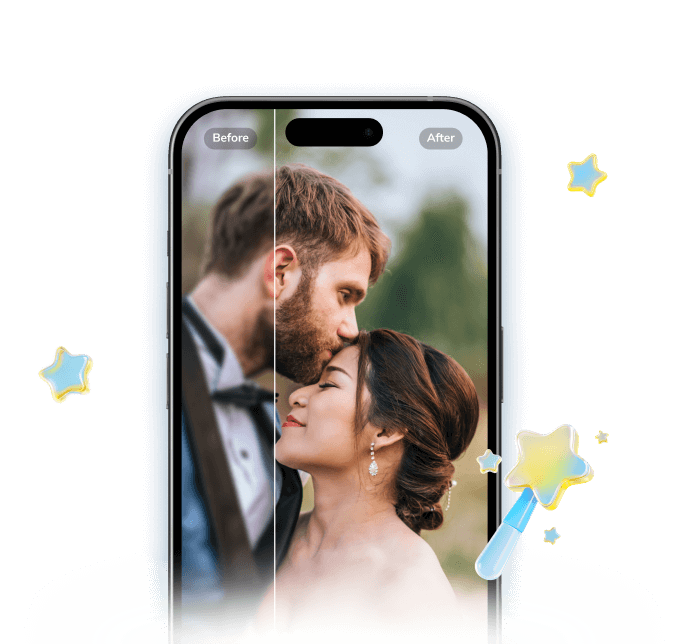

Relumi AI Photo Enhancer
AI Retake — ID Photo Blemish Repair That Fixes What the Booth Camera Exaggerated
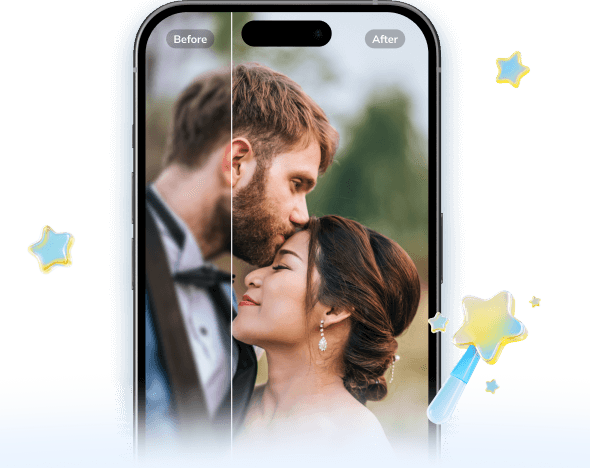
 Acne and pimple removal: The AI detects individual blemishes on the face — pimples, whiteheads, and inflamed spots — and removes them while matching the surrounding skin texture exactly, so the result looks like skin, not a blurred patch.
-
Redness and skin tone correction: Reduces redness from active acne, post-blemish marks, flushing, and uneven skin tone — without applying a uniform filter that changes the overall colour of the face or makes skin look unnaturally smooth.
-
Under-eye shadow softening: Reduces the appearance of dark circles and under-eye shadows created or amplified by direct flash — the specific fatigue markers that show up most prominently in ID-style portrait lighting.
The key difference between Relumi’s AI correction and a standard beauty filter: beauty filters apply a uniform smoothing pass across the entire face. They make skin look softer by removing texture indiscriminately — pores, fine lines, the micro-texture that makes a face look real. The result is a face that looks like it was edited. Relumi’s ID Photo Blemish Repair works differently: it identifies individual problem areas (a pimple here, a patch of redness there, a dark circle) and corrects only those areas, matching the surrounding natural skin texture in the correction. The face looks like you — just without the temporary imperfections that happened to appear on the day the photo was taken.
How to Use Relumi AI Retake — ID Photo Blemish Repair on iPhone
Step 1. Upload Your ID Photo & Select ID Photo Blemish Repair
- Open the AI Retake feature from the Relumi homepage.
- Upload the ID-style portrait you want to fix — a scanned passport photo, a work badge photo, a visa application portrait, or any close-up face photo taken under harsh lighting.
- From the AI Retake menu, tap ID Photo Blemish Repair to activate the feature.
- Use the Intensity slider to set the correction level — start at 50% for moderate blemish correction and adjust depending on the severity of the imperfections in the photo.
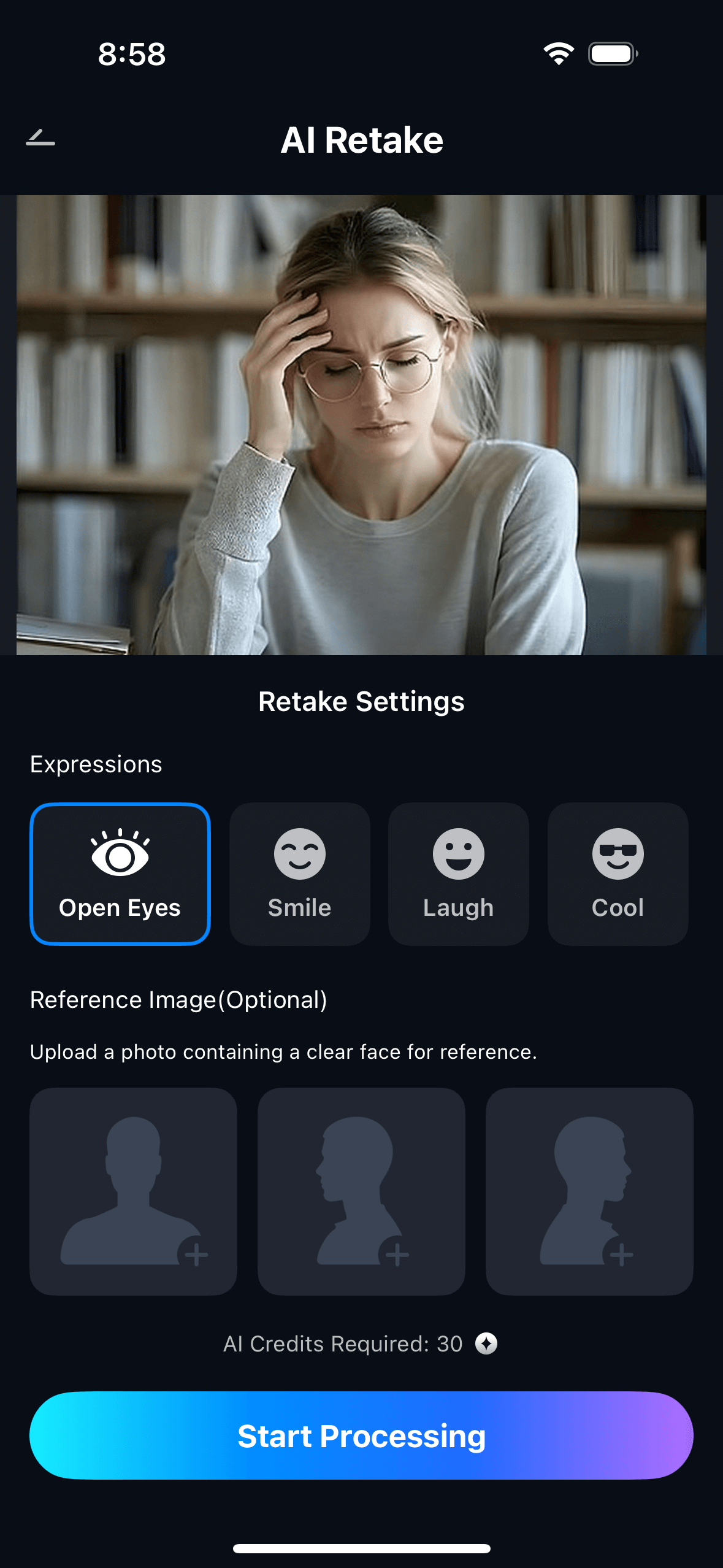
Step 2. Start AI Retake Processing
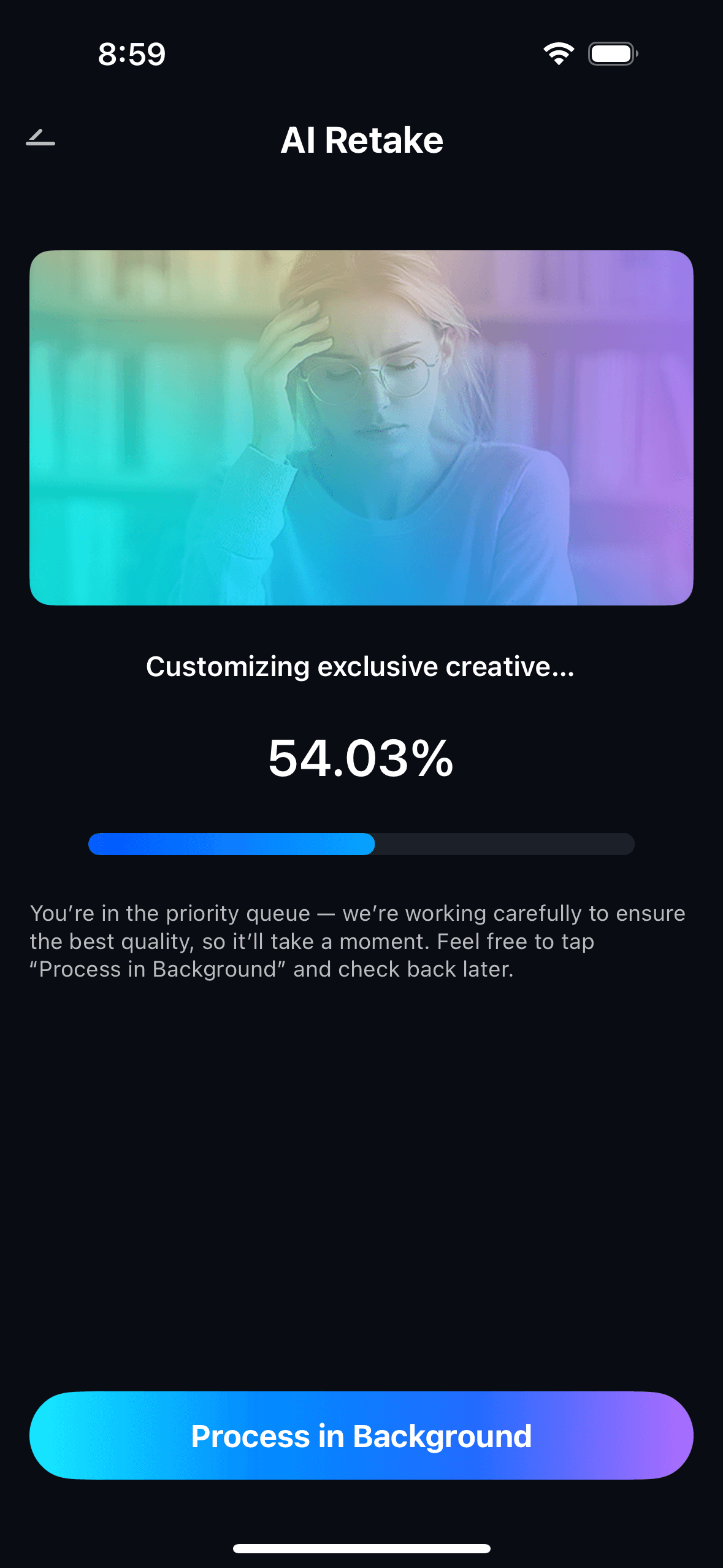
- The AI scans the face in the portrait, identifies individual blemishes, redness patches, under-eye shadows, and minor skin irregularities.
- It maps the surrounding skin texture and tone in each affected area so corrections blend in naturally rather than appearing as obvious edits.
- Processing runs automatically — no brush, no masking, no manual selection required. The AI handles the detection and correction in a single step.
Step 3. Preview, Compare & Save
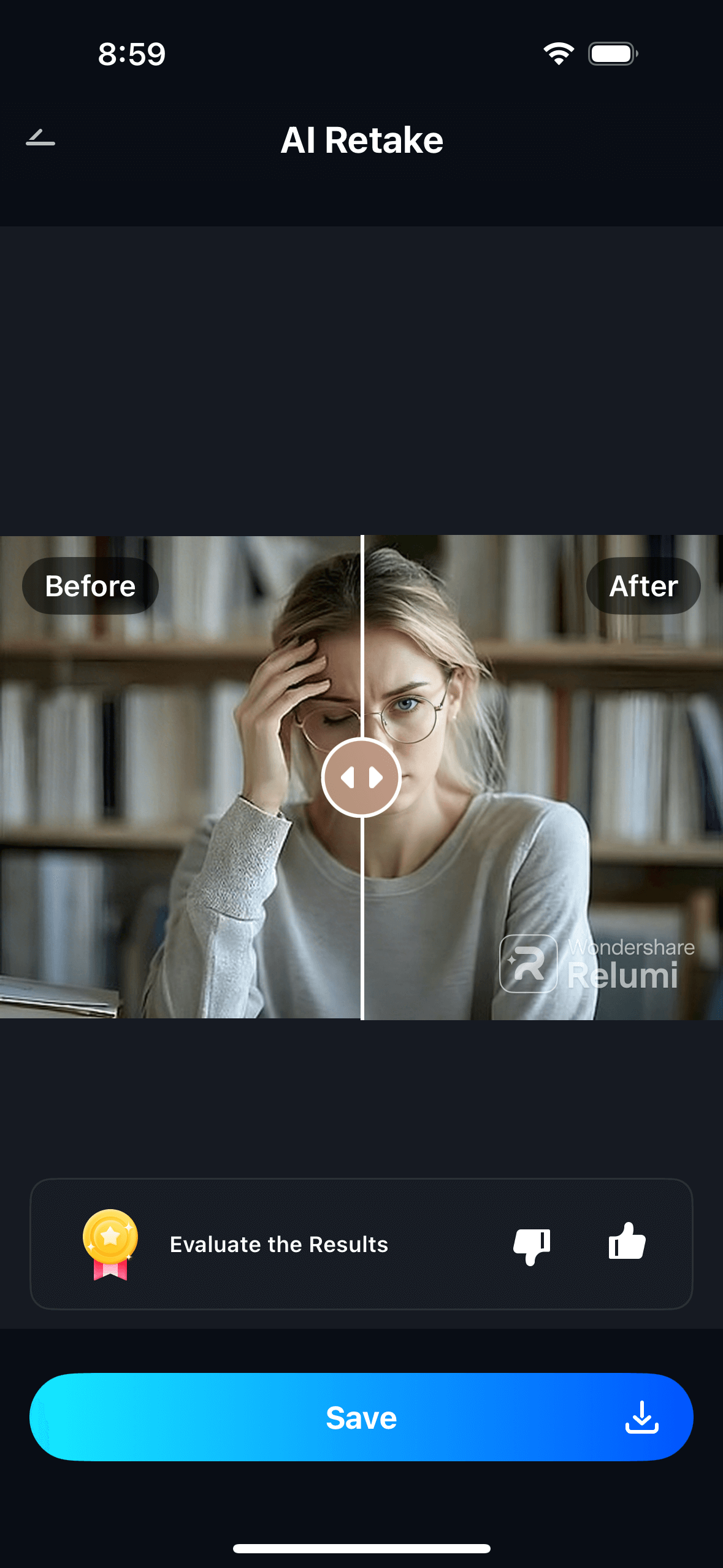
- Use the before/after toggle to compare the original and the corrected version side by side.
- Adjust the intensity slider if needed — higher settings for more visible blemishes, lower settings for subtle corrections where you just want to reduce redness or soften a minor dark circle.
- Tap Save to export in full resolution, or share directly. View all corrected portraits in My Creations.
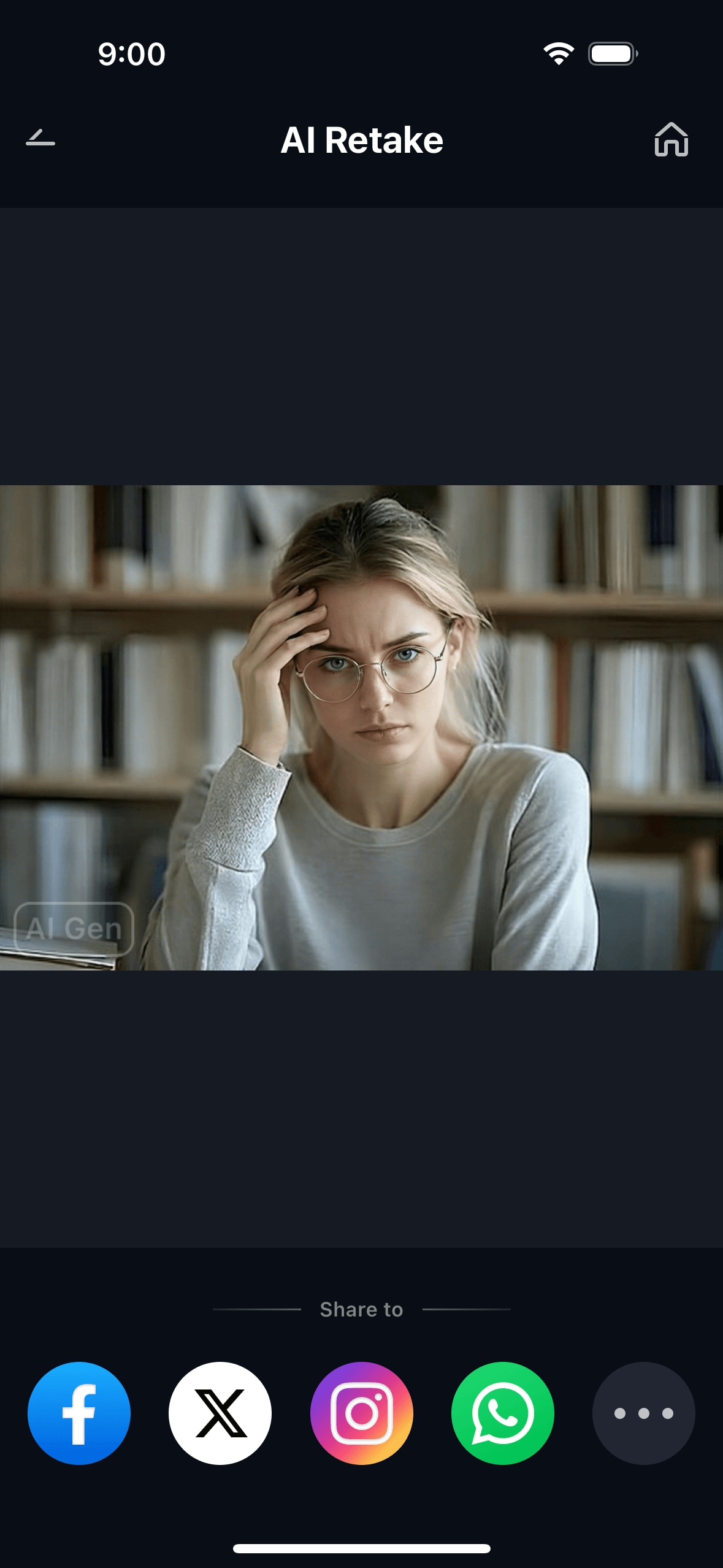
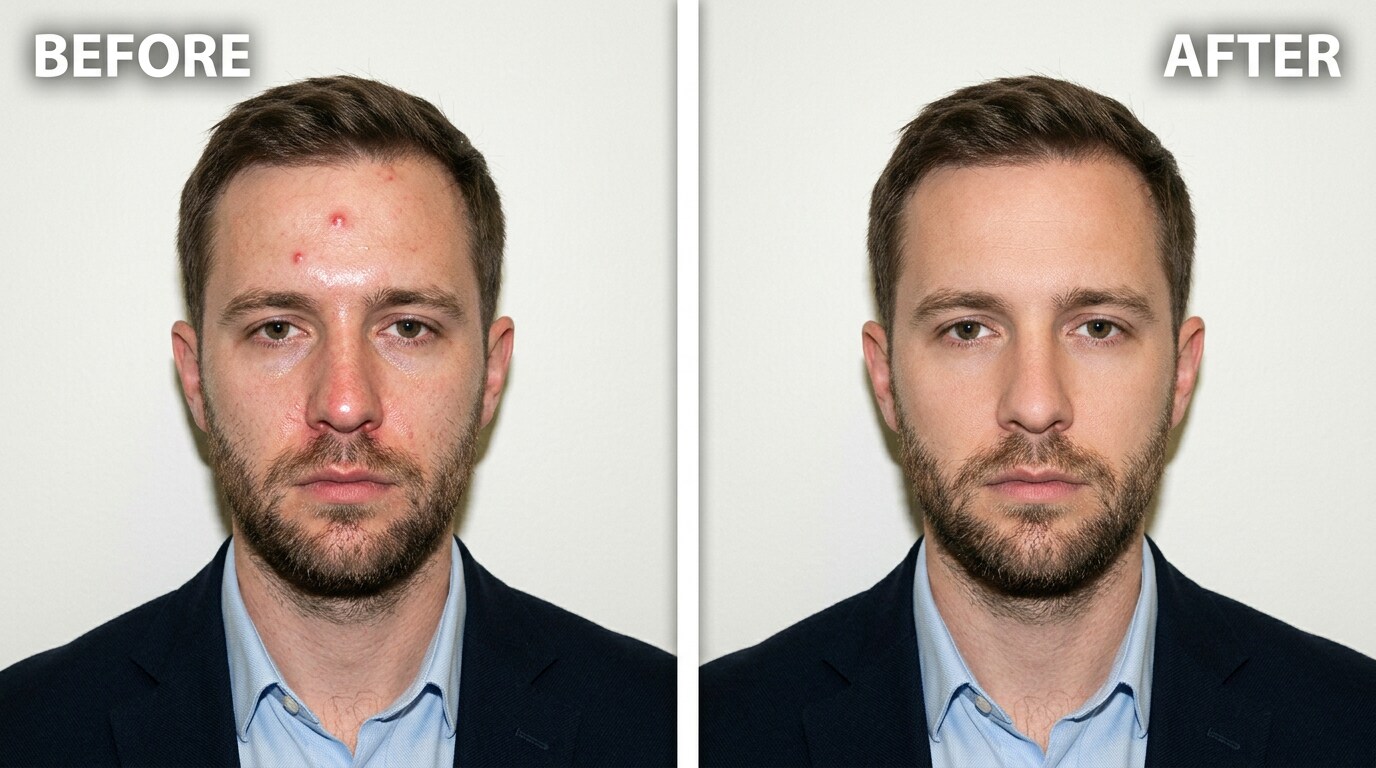
The result is a portrait that looks like the version you would have gotten if the photo had been taken on a clear-skin day — not a version that looks filtered, softened, or artificially touched up. The face retains its natural texture. The blemish, the redness, or the dark circle is simply gone.
Part 3: Three Situations Where ID Photo Blemish Repair Actually Matters
These are the three most common places where the combination of close-up portrait framing and harsh lighting creates a photo problem that follows you for a long time.
🪪 1. Passport and Visa Application Photos — The Ten-Year Problem
A passport photo is arguably the highest-stakes ID portrait most people will ever take. It’s used for every international trip for the next ten years. It’s reviewed by border officials, checked against other documents, and seen by more strangers in more contexts than almost any other photo of you.
And it’s taken under conditions that no portrait photographer would ever choose: a booth camera, direct flash, a plain white or off-white background, and a hard crop that shows only your face. The odds of having a temporary pimple, a patch of redness, or an unusually tired under-eye on that particular day are not low. The booth doesn’t reschedule for better skin.
The answer to that Reddit question is: the application generally doesn’t care about a pimple — it won’t cause a rejection — but you still have to look at it for a decade. Relumi AI Retake removes the blemish from the photo in a way that keeps the image looking like an authentic portrait: no obvious editing, no blurred skin, no colour shift. The photo still looks like you. It just looks like you without that particular temporary problem.
Note: Relumi’s blemish correction is designed for personal ID-style portraits, profile photos, and professional headshots. For official government passport submissions, always check your country’s specific photo requirements regarding digital alteration.
🏢 2. Work Badges and Company Directory Photos — The Photo Everyone at the Office Sees
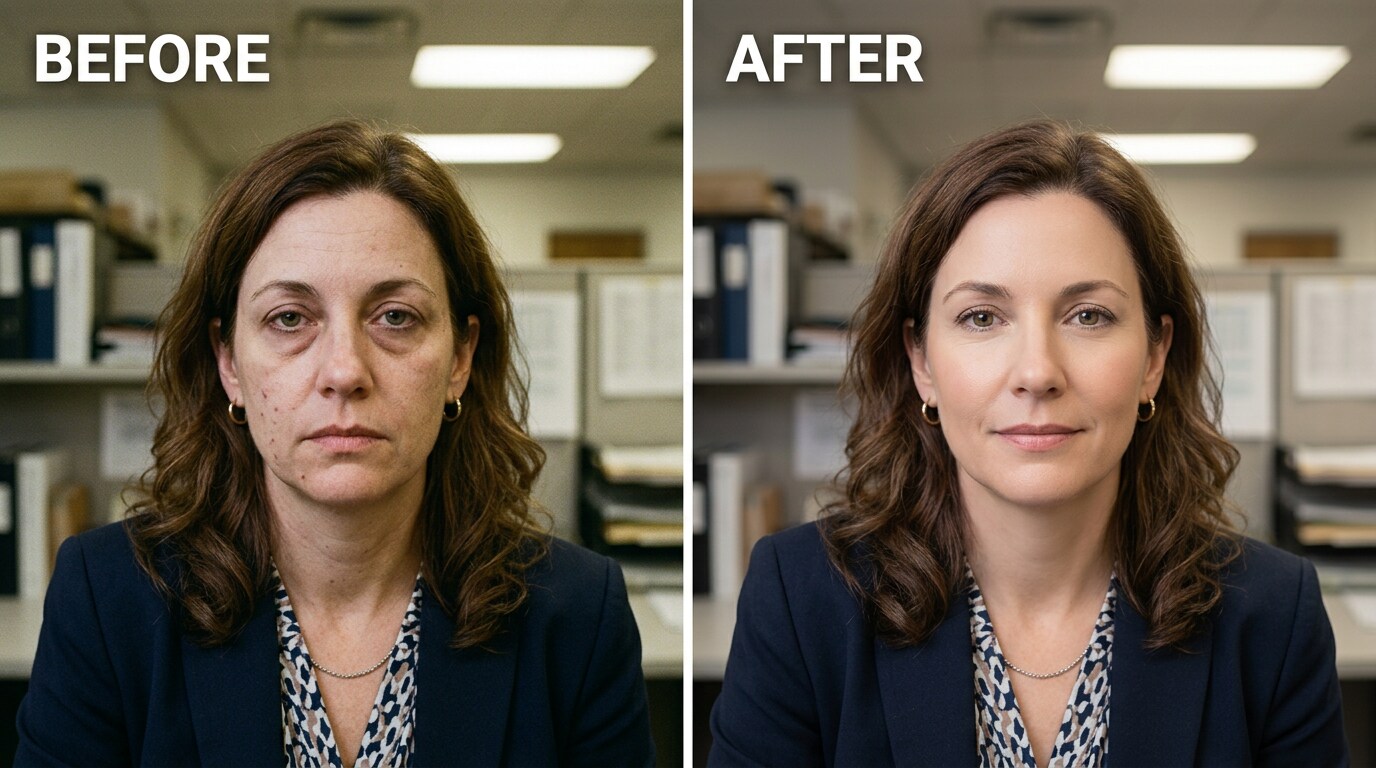
Work badge photos and company directory headshots are a different kind of problem. They’re not regulated by government standards. They don’t require strict conditions. But they’re often taken under the same kind of unforgiving conditions — a conference room with overhead fluorescent lights, a white wall as background, and a quick snap from HR or a colleague with a company camera.
That photo then gets used for your employee badge, your company directory listing, your email signature profile picture, and your internal Slack or Teams photo. It’s seen by everyone you work with, every day, potentially for years. And if it was taken on a day you had active acne, a stress breakout, or unusually tired eyes from a late night, that’s the version that represents you in every professional interaction within the company.
This is exactly what Relumi AI Retake ID Photo Blemish Repair is designed for. Load the company directory photo. Tap ID Photo Blemish Repair. The AI removes the active breakout, reduces the redness, and corrects the result to match the surrounding natural skin tone. The corrected version looks like you — professional, clean, not obviously retouched — and can be submitted to HR or uploaded as a profile photo replacement.
💼 3. LinkedIn and Professional Profile Headshots — The Photo That Follows You Online
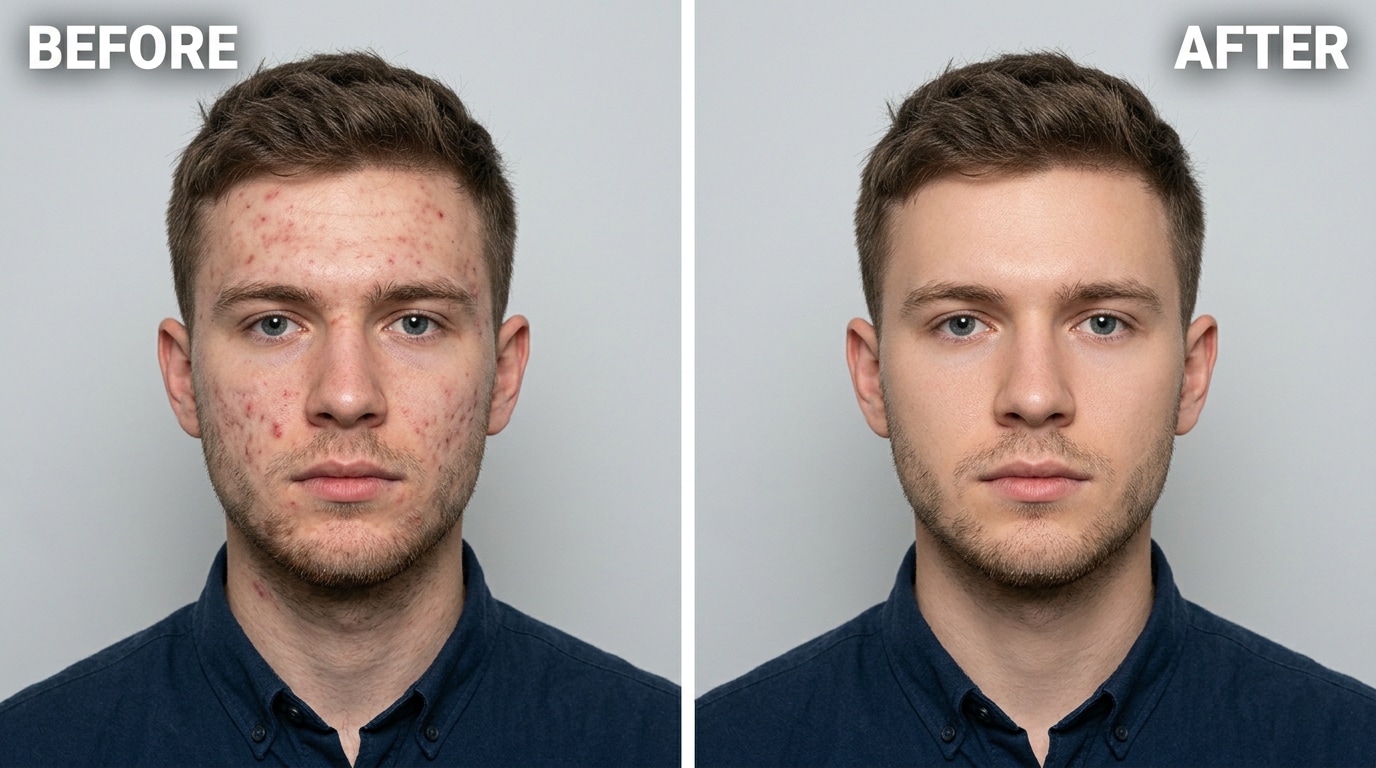
LinkedIn profile photos are a specific version of the ID photo problem. They’re not official documents, but they carry professional weight — a recruiter, a potential employer, a client, or a new colleague will see it and form a first impression. Like a work badge photo, they’re typically taken quickly with whatever camera is available, often under overhead indoor lighting.
The guidance on LinkedIn photos is consistent: plain background, face clearly visible, professional appearance. What that guidance doesn’t acknowledge is that “quickly taken under office lighting” creates the same conditions as an ID booth — direct overhead or frontal light, no softening, skin texture fully exposed. A photo taken under those conditions on a day with any active skin issue will show it clearly.
That description — “not like a different person, just not having a breakout” — is exactly what Relumi’s correction delivers. The intensity slider gives control over how much correction is applied. Set it lower for subtle improvements (reducing redness or softening a minor under-eye shadow), set it higher for more significant blemish removal. The before/after toggle shows the difference before saving. Export at full resolution with no watermark.
Conclusion
ID portrait lighting isn’t designed to make you look good. It’s designed to make your face clearly visible, accurately exposed, and directly comparable to how you look in person. Those are not the same thing as flattering. The result is that anyone who has ever had a pimple, a breakout, uneven skin tone, or tired eyes on the day of their photo — which is most people, at some point — ends up with a portrait that exaggerates those temporary conditions and attaches them to documents, directories, and profiles for years.
Relumi AI Retake ID Photo Blemish Repair fixes the specific imperfections that harsh ID photo lighting amplified. Not with a beauty filter that blurs away texture and makes the face look plastic. With targeted, AI-powered blemish detection and correction that matches surrounding skin tone and texture — so the result looks natural, looks like you, and doesn’t look edited.
Free to use on iOS and Android. Upload the photo. Tap ID Photo Blemish Repair. The correction is immediate, and you can compare before/after with a single toggle before saving.
FAQ
-
Will the correction make my ID photo look obviously edited or fake?
No — that’s the core design goal. Relumi’s ID Photo Blemish Repair corrects individual problem areas while matching the surrounding skin texture in the correction. The result preserves natural pore structure and skin tone. It doesn’t apply a smoothing filter across the whole face. The photo looks like you on a clear-skin day, not like you’ve run it through an Instagram filter. If you use a low-to-moderate intensity setting, the correction is essentially undetectable. -
Can it fix a really severe breakout, not just a single pimple?
Yes, but the result depends on coverage. For a single pimple or a cluster of two or three, the AI correction is clean and natural. For a severe breakout covering a large portion of the face, the result will still improve the photo significantly, but very high-intensity correction on densely affected skin may look slightly processed. For moderate-to-severe breakouts, set intensity to around 60–70% and use the before/after toggle to check the result looks natural before saving. -
Is it legal to retouch a passport or visa photo?
This varies by country and document type. In the United States, official passport regulations state that photos must not be digitally altered to change your appearance. Many other countries have similar requirements for official government documents. Relumi’s ID Photo Blemish Repair is designed for work badge photos, company directory headshots, LinkedIn profile photos, student IDs, and other professional portrait uses where no such restrictions apply. If you’re using a corrected photo for an official government document submission, check your country’s specific requirements first. -
Can it fix redness and uneven skin tone, not just raised pimples?
Yes. The feature addresses both types of blemish: raised spots (pimples, active acne) and flat discolouration (redness, post-inflammatory marks, uneven skin tone patches). For redness correction specifically, a moderate intensity setting (40–60%) typically works best — it reduces the visible redness without making the overall skin tone look artificially uniform. -
Does it fix dark circles and under-eye shadows too?
Yes. Under-eye shadow reduction is one of the feature’s correction areas. Direct flash from ID photo lighting creates or amplifies under-eye shadows by casting a downward shadow from the brow bone. Relumi’s correction identifies and softens these shadows specifically, reducing the appearance of tiredness without flattening the eye area or creating an unnatural look. For dark circles that are primarily pigmentation rather than shadow, see the separate Dark Circles and Eye Bags feature in AI Retake. -
Is ID Photo Blemish Repair free to use?
Yes. The feature is available on Relumi’s free tier for both iOS and Android. You can correct blemishes on any portrait and export the result in full resolution without a watermark. No subscription or payment is required to use the core feature.



