

 TL;DR:
Transform your everyday pictures into high-quality festive scenes using the Repairit App, which applies one-tap holiday filters and utilizes the Nano Banana 2 algorithm to automatically adjust lighting and faces without requiring professional editing skills.
● Choose from six distinct thematic filters including Globe, Intruder, Glimmer, Whimsy, Rush, and Velvet to add specific elements like snow, Santa, or warm winter lighting to your images.
● The platform supports advanced photo recovery and enhancement, allowing you to restore old, blurred, or corrupted RAW formats from over 2,000 devices before applying festive effects.
● Processed images maintain or improve their original resolution, making them fully suitable for physical printing on greeting cards or invitations as long as the final export remains artifact-free.
Ask AI for a summary
 ChatGPT
 Perplexity
 Gemini
 Claude
 Grok
Grok
The holiday season is the perfect time to bring extra sparkle to your photos, and the Christmas filter knows the job better. Festive elements like twinkling lights, snowflakes, and cheerful ornaments turn pictures into a lively holiday moment. Beyond aesthetics, Christmas filters for photos allow you to connect with your friends and social network in a heartwarming way.
Therefore, make this festive season memorable by giving your pictures that perfect holiday touch they deserve. For holiday decorations and the best filter option, explore the guide and choose your favorite one for this season.
Table of Contents
Part 1. 6 Best Christmas Photo Filters to Make Your Christmas Images Stand Out!
Christmas is around the corner, and now it's the perfect time to add a festive flair to your images. With so many creative options, we’ve picked up and combined a few Christmas photo filters in the section below:
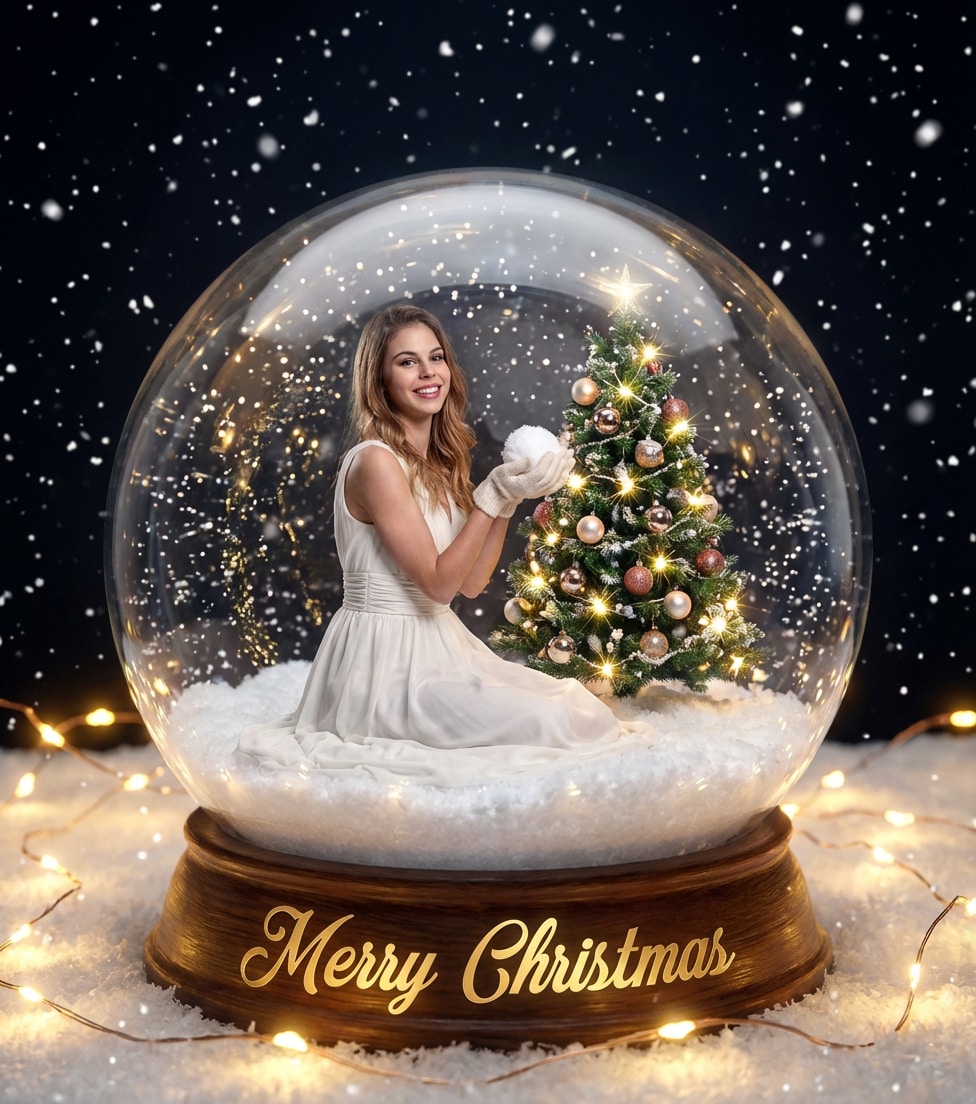
1. Christmas Globe Filter
Transform your photo into a magical snow globe scene, wrapped in crystal-clear glass with a dreamy, festive atmosphere. The filter adds sparkling details and a fairytale touch, making your image feel like a timeless keepsake.

2. Christmas Intruder Filter
Turn your photo into a playful Christmas surprise, as Santa mischievously appears in the scene like an unexpected intruder. This filter adds humor and festive charm, creating a lively and story-filled holiday moment.


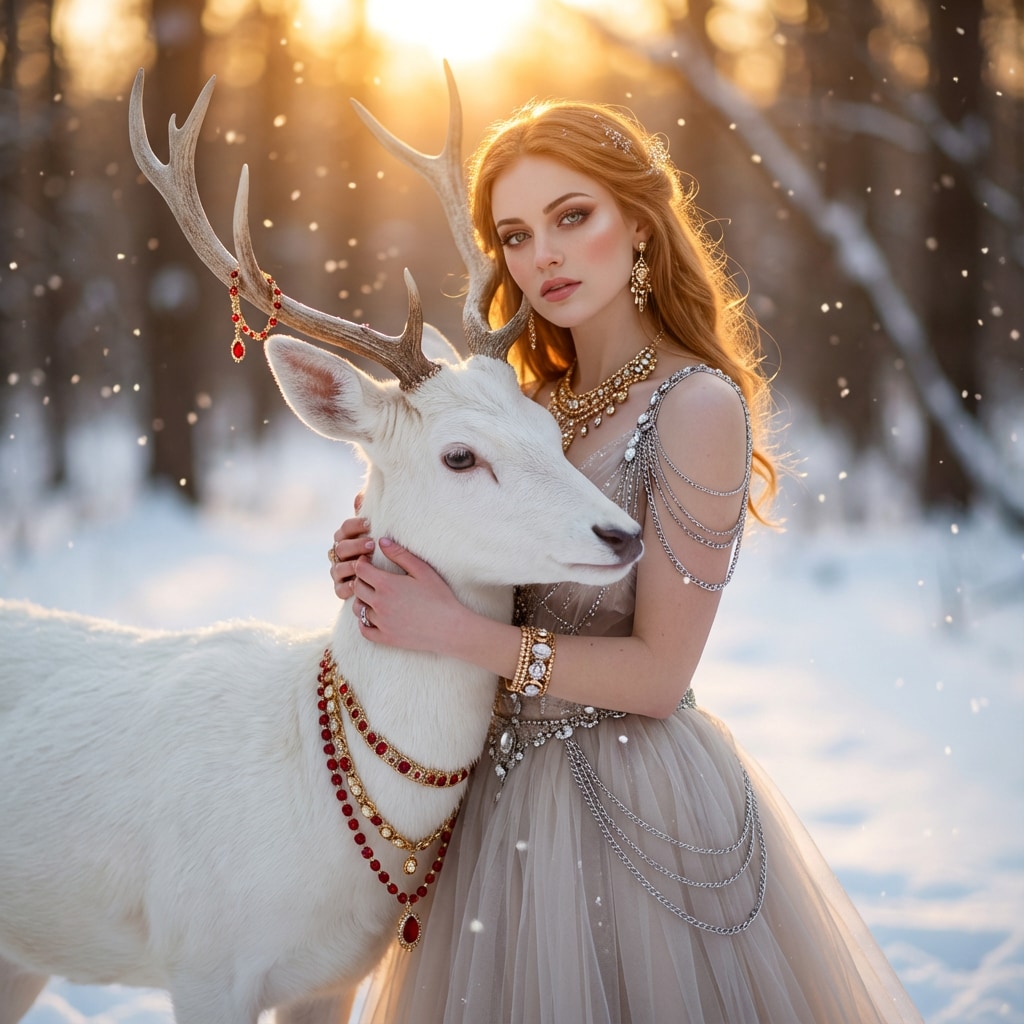
3. Christmas Glimmer Filter
Bathe your photo in warm winter sunlight with a soft, glowing atmosphere. This filter adds gentle sparkles and a dreamy golden tone, capturing the serene beauty of a winter sunset moment.

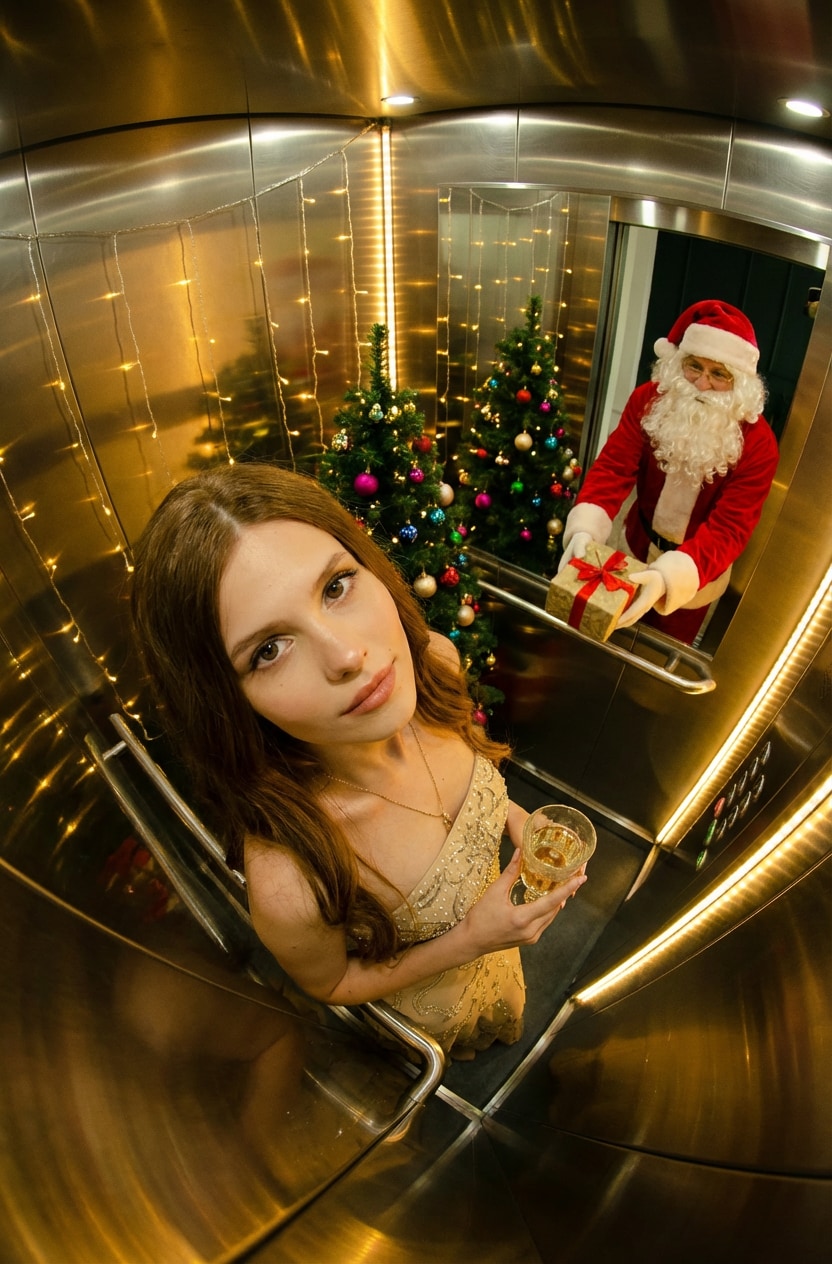
4. Christmas Whimsy Filter
Step into a whimsical Christmas elevator scene filled with warm lights and playful reflections. This filter adds a surreal, festive twist that turns your photo into a charming and unexpected holiday moment.

5. Christmas Rush Filter
Capture the thrill of speed and adventure with a dynamic dog sledding scene in the snow. This filter adds motion, energy, and a crisp winter feel, making your photo feel bold and full of momentum.


6. Christmas Velvet Filter
Wrap your photo in a rich, velvety glow with deep tones and soft holiday lights. This filter enhances elegance and warmth, creating a luxurious Christmas portrait with a smooth, refined finish.


Part 2. How to Apply Christmas Filters for Photos
Applying Christmas photo effects is easier and more fun when you have the right app in your hand. To facilitate you in every aspect, the Repairit App offers different filters for either Christmas or Halloween. Surprisingly, it automatically detects faces, lighting, and background details, adding a festive touch that feels super natural. Besides this, the app has AI portrait filters for ID photos, professional portraits, and social media avatars.
The newly integrated Nano Banana 2 algorithm delivers more realistic, enhanced outcomes than ever. Its ability to compare before-and-after results makes it easier for users to analyze the results. Most importantly, you’re offered colorization styles ranging from a Classic vintage look to Vivid modern digital effects. The direct save options add more convenience, allowing users to download filter-applied pictures to their gallery.
Key Features


Repairit Al Photo Enhancer
Edit Photos with Words, Create Magic with Al

 Nano Banana 2: The algorithm delivers more realistic, enhanced outcomes than ever
-
Memory Revival: Restore old photos, fix scratches & blur, relive details.
-
Creative Freedom: Remove objects & turn ordinary shots into unique stories.
-
Universal Recovery: Rescue corrupted photos from 2,000+ devices & RAW formats, all securely processed.
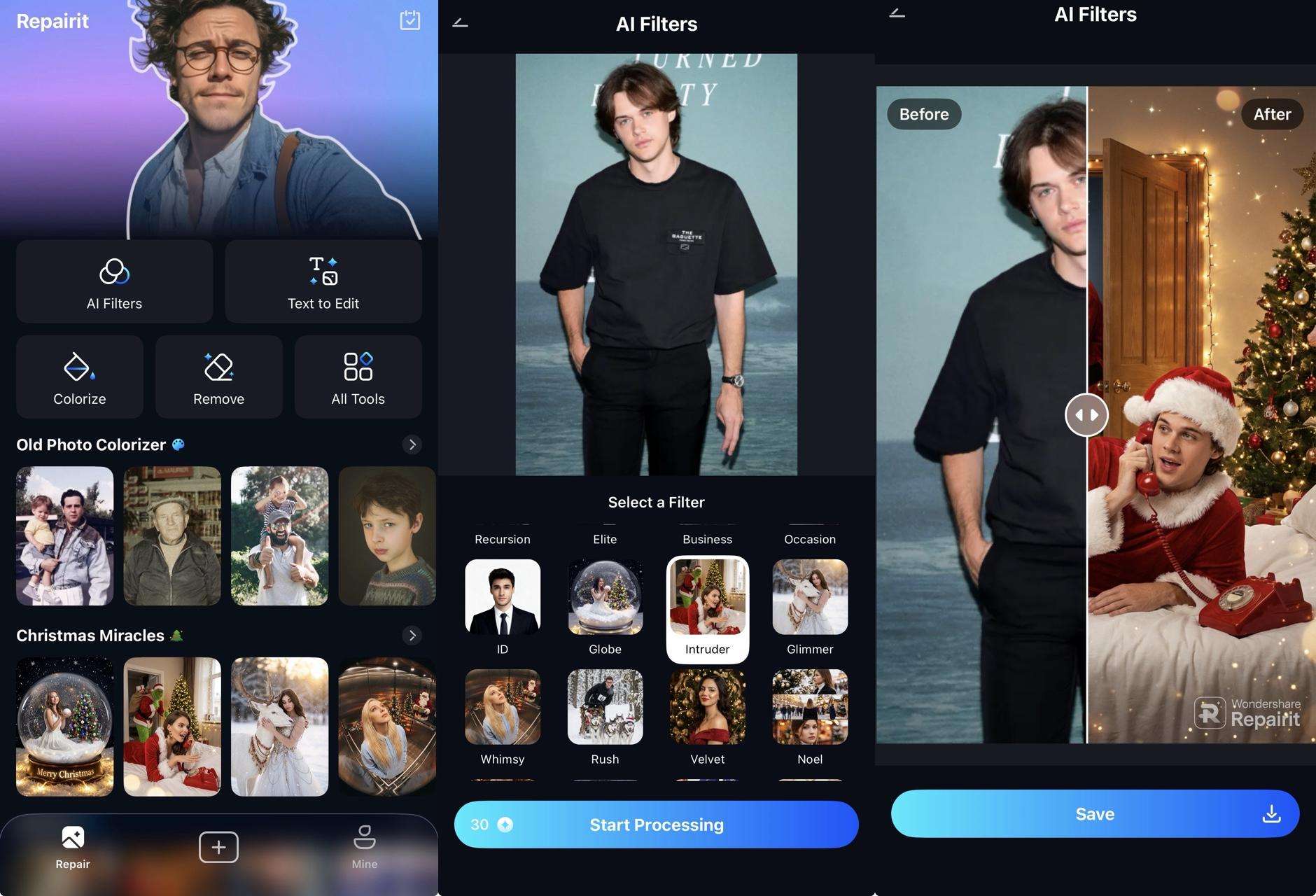
In-Depth Tutorial to Apply Christmas Filters with Repairit
To make everything easier to follow, the next steps show exactly how to turn your photo into a Christmas-themed edit with the Repairit App:
Conclusion
In the end, Christmas filters for photos offer a simple yet engaging way to add a holiday vibe to your pictures. Whether you're highlighting family traditions or cheerful family celebrations, these filters add the perfect blend of warmth and seasonal wonders. As you prepare your photos for the holidays, choose the Repairit App because it gives every snapshot a festive look in the best possible way.
FAQs
-
Q1. Do I need professional editing skills to use Christmas filters?
No, most of the Christmas photo filters are designed for easy, one-tap application, making them incredibly beginner-friendly. You don't need any technical expertise or professional editing experience to create festive, polished results. -
Q2. Will applying Christmas filters reduce image quality?
High-quality apps like Repairit maintain or even enhance your photo resolution during the filter application process. This means that after adding festive effects like snowflakes or Halloween impact, your photos remain clear and professional-looking. -
Q3. Can I use Christmas filters for printed holiday cards?
Indeed, Christmas filters add charm and character to photos used on greeting cards, invitations, or printed holiday gifts. To do so, you’ll need to ensure the exported filtered image is high resolution and free of artifacts.





