
 TL;DR:
Relumi AI Retake provides a free Skin Naturalization tool for iOS and Android that utilizes anatomy-aware AI to eliminate blemishes and redness while strictly preserving natural pores and skin texture.
● Unlike spatial blur tools that create a plastic finish, the app uses semantic processing to target only temporary flaws, achieving optimal results when the intensity slider is kept between 40–65%.
● The AI automatically detects and edits every face simultaneously in group photos, correcting uneven tones across all skin types without causing unwanted whitening or brightening side effects.
● While highly effective on active breakouts and flat post-acne hyperpigmentation, the tool can only visually reduce the prominence of deep pitted scarring rather than fully reconstructing the skin surface.
Ask AI for a summary
 ChatGPT
 Perplexity
 Gemini
 Claude
 Grok
Grok
That question has nearly 50 upvotes and dozens of replies from professional retouchers — because it describes the exact thing everyone who has ever tried to smooth skin in a photo eventually runs into. Most tools blur. Blur destroys pores, erases texture, and turns real skin into something that looks like a wax figure or a plastic doll. The result is worse than the original because it looks obviously edited.
The frustration is universal: people with acne scarring avoid taking photos on trips they've waited years for. People with temporary breakouts skip posting group shots. People whose professional headshots need a quick touch-up don't want to pay for a Photoshop subscription just to fix one photo. They don't want airbrushed. They want natural.
Relumi AI Retake — Skin Naturalization is built for exactly this. It uses an anatomy-aware AI model trained to separate the skin imperfections you want removed (blemishes, redness, uneven tone) from the skin structure you want to keep (pores, natural texture, expression depth). The result looks like skin on a good day — not skin that's been run through a blur filter. Free to try on iOS and Android.
In this article
Part 1: Why Skin Smoothing Apps Fail — And What Real Users Actually Need
The reason skin retouching is hard — and the reason most apps get it wrong — comes down to a fundamental tension: the things that make skin look good are the same things that make it look real.
Pores, fine texture, the subtle variation in tone across different areas of the face — all of that is what makes skin look like skin rather than vinyl. When a blur-based smoothing tool runs across a face, it removes those things indiscriminately. The blemish disappears, but so does the natural grain underneath. The result looks smooth, but it doesn't look human.
Professional retouchers on Reddit describe this problem clearly:
- "Facetune is powerful but it's very easy to overdo and end up with that plastic look." — r/photography
- "If you overdo the facial retouching it turns people's faces to plastic. What you want to do is retouch skin imperfections — not the whole skin." — r/postprocessing
Browsing Reddit threads about skin retouching apps reveals a consistent pattern of needs that almost no single app currently meets well:
- Blemish removal without subscription: "I was wondering if anybody has any recommendations for free apps that literally just have a little blemish removing tool? I feel like most you have to pay for and I don't need anything fancy." — u/Professional_Pen1886, r/acne
- Natural results on acne scarring: "I have pretty bad acne scarring — not just hyperpigmentation, but actual scars. iPhone cameras always bring the worst out of my face. It crushes my soul seeing my face so ruined. I'm planning on getting an app to retouch them for my own sanity." — r/beauty
- Subtle correction for professional use: "AirBrush has been better for me when I want subtle skin smoothing, tone balancing, and minor blemish cleanup without completely changing someone's face." — r/photography
- Preserve skin texture and pores: "Nearly every skin smoothing tutorial uses blur techniques and it ends up looking extremely fake and removes all of the detail of the skin." — r/photoshop
- Works on mobile, no skill required: "I don't need to do anything fancy, just touch up my skin and eye bags." — r/womensfashion
The common thread: people want their skin to look like their skin on a better day — not a different person's skin. Relumi AI Retake Skin Naturalization is designed around that exact standard.
Part 2: Relumi AI Retake — Skin Naturalization That Keeps Your Skin Real


Relumi AI Photo Enhancer
AI Retake — Skin Naturalization That Looks Like Real Skin

 Texture-preserving AI: Removes blemishes, redness, and uneven tone while keeping natural pore structure and skin grain intact — no blur, no plastic finish.
-
Anatomy-aware processing: The AI distinguishes between temporary flaws (breakouts, redness, uneven tone) and the underlying skin structure you want to keep.
-
Works on every skin type: Calibrated for all tones — light, medium, dark — with no whitening or skin-brightening side effects.
-
Group photo support: Detects and retouches every face in the frame simultaneously — no per-person manual work needed.
The key technical difference: Relumi doesn't blur. Blurring is a spatial operation — it averages adjacent pixels together and destroys the fine-frequency information that makes skin look three-dimensional and real. Relumi's Skin Naturalization is a semantic operation — the AI identifies what is a blemish versus what is a pore, what is temporary redness versus natural skin tone variation, and acts on only the former. That's what professional retouchers do manually in Photoshop — and it's what Relumi does in one tap.
How to Use Relumi AI Retake — Skin Naturalization on iPhone
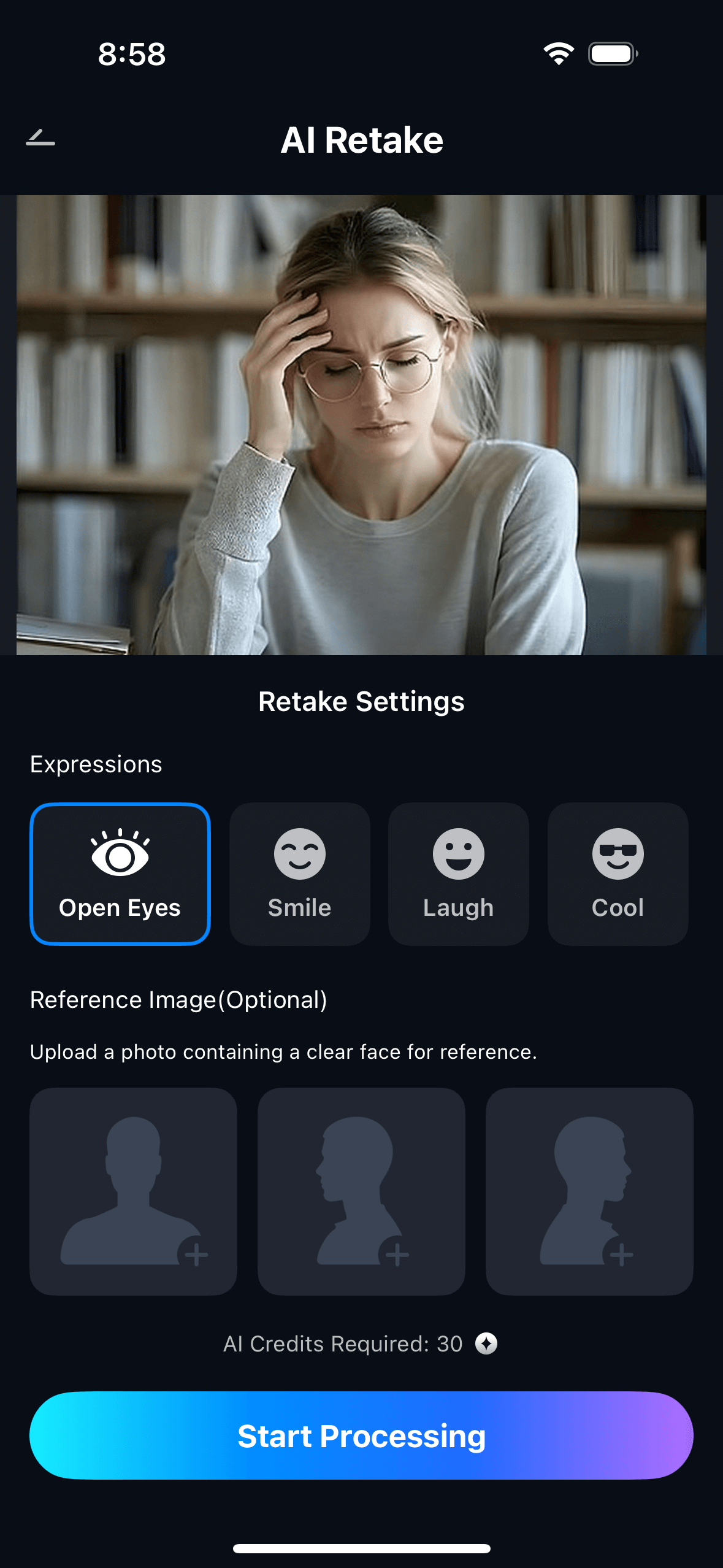
Step 1: Upload Your Photo & Select Skin Naturalization
- Open the AI Retake feature from the Relumi homepage.
- Upload the portrait you want to enhance — selfie, headshot, or group photo.
- From the AI Retake menu, tap Skin Naturalization to activate the feature.
- Use the Intensity slider to set your preferred level — keep it at 40–65% for most photos for a completely natural result.
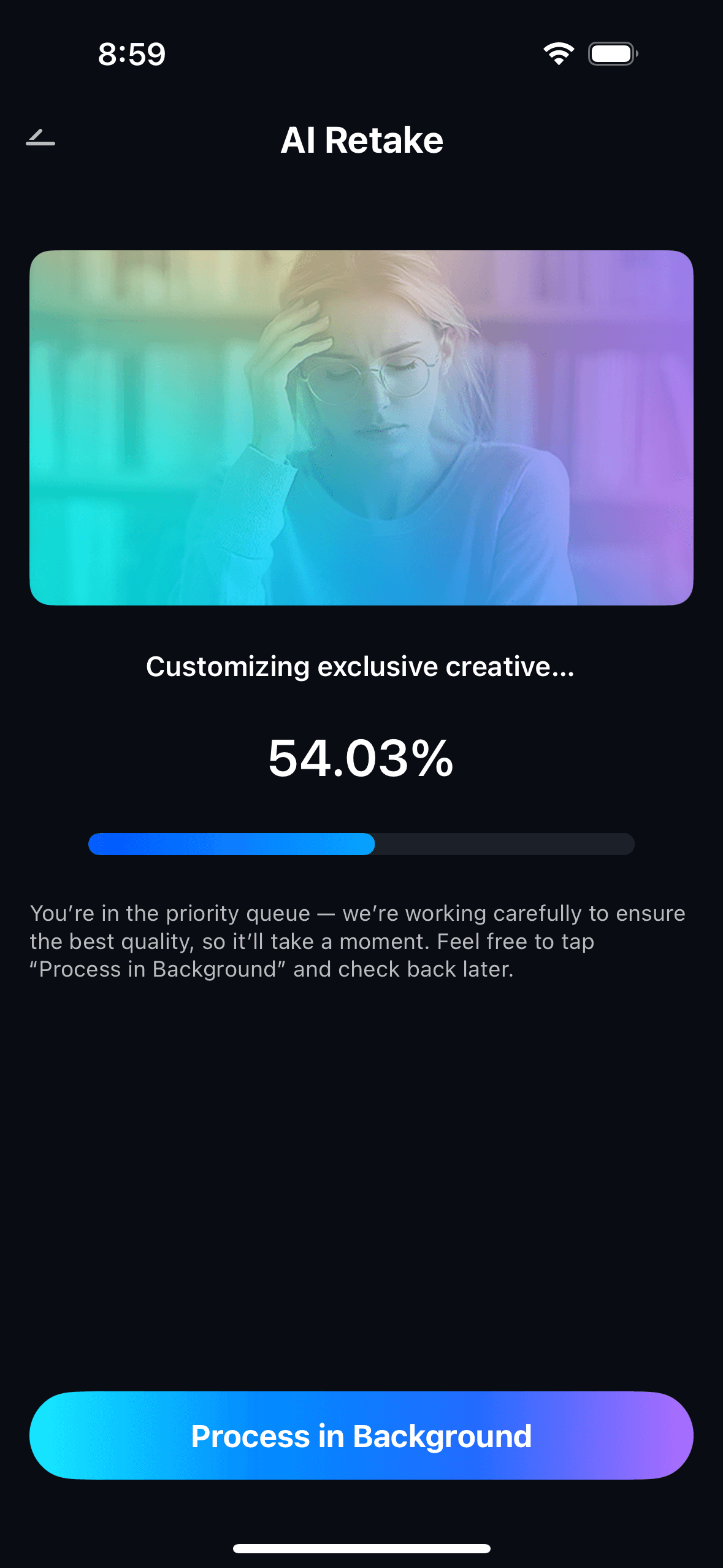
Step 2: Start AI Retake Processing
- The AI will automatically scan every face in the photo, map skin zones, and identify blemishes, redness, and uneven tone.
- Targeted correction is applied within seconds — no manual brush work or zone selection required.
- Processing runs automatically in the background, so you can continue using the app.
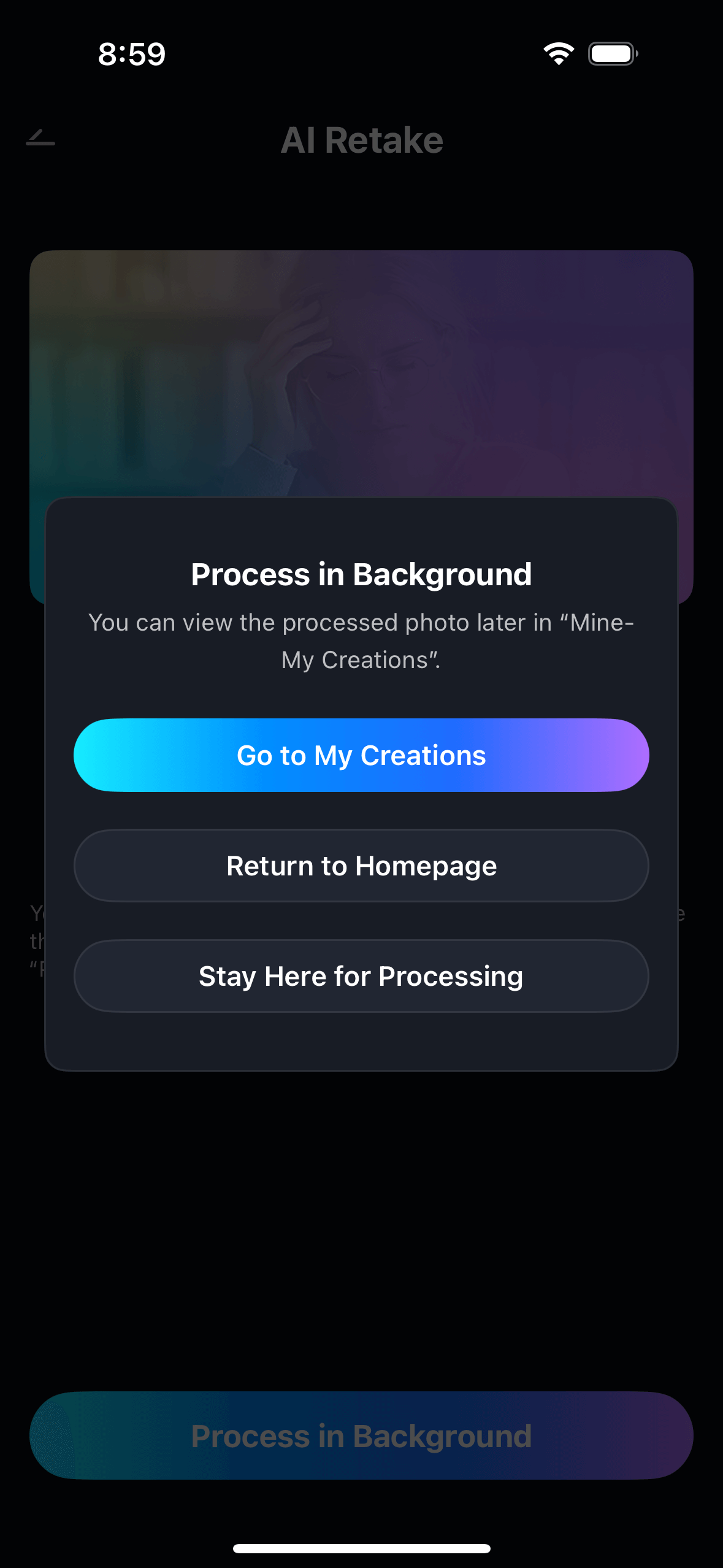
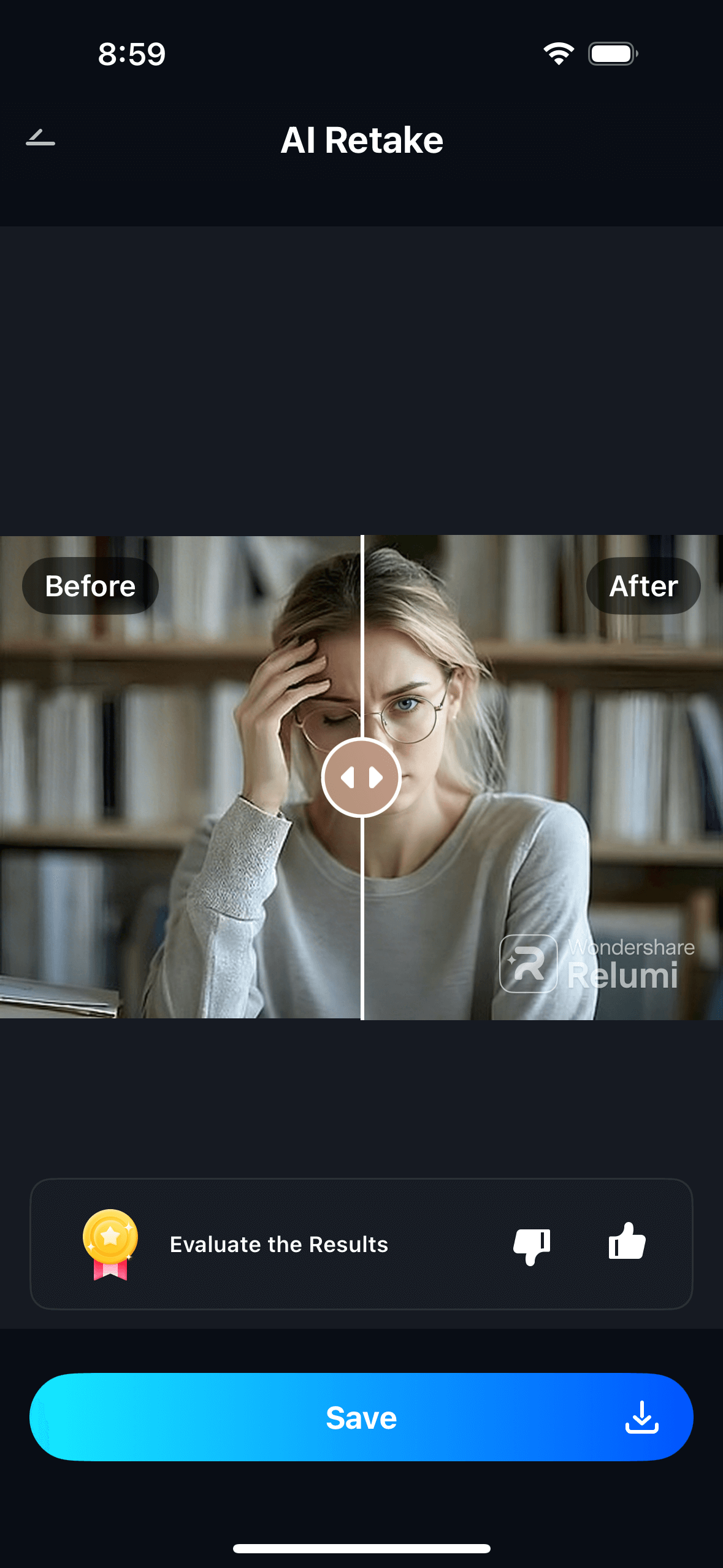
Step 3: Preview, Compare & Save Your Photo
- Preview the result and use the before/after toggle to compare with the original.
- If you're satisfied, tap Save to export in full resolution to your camera roll.
- You can also share it directly to Instagram, LinkedIn, WhatsApp, or earn AI credits by sharing with friends.
- View all your edited photos anytime in My Creations.
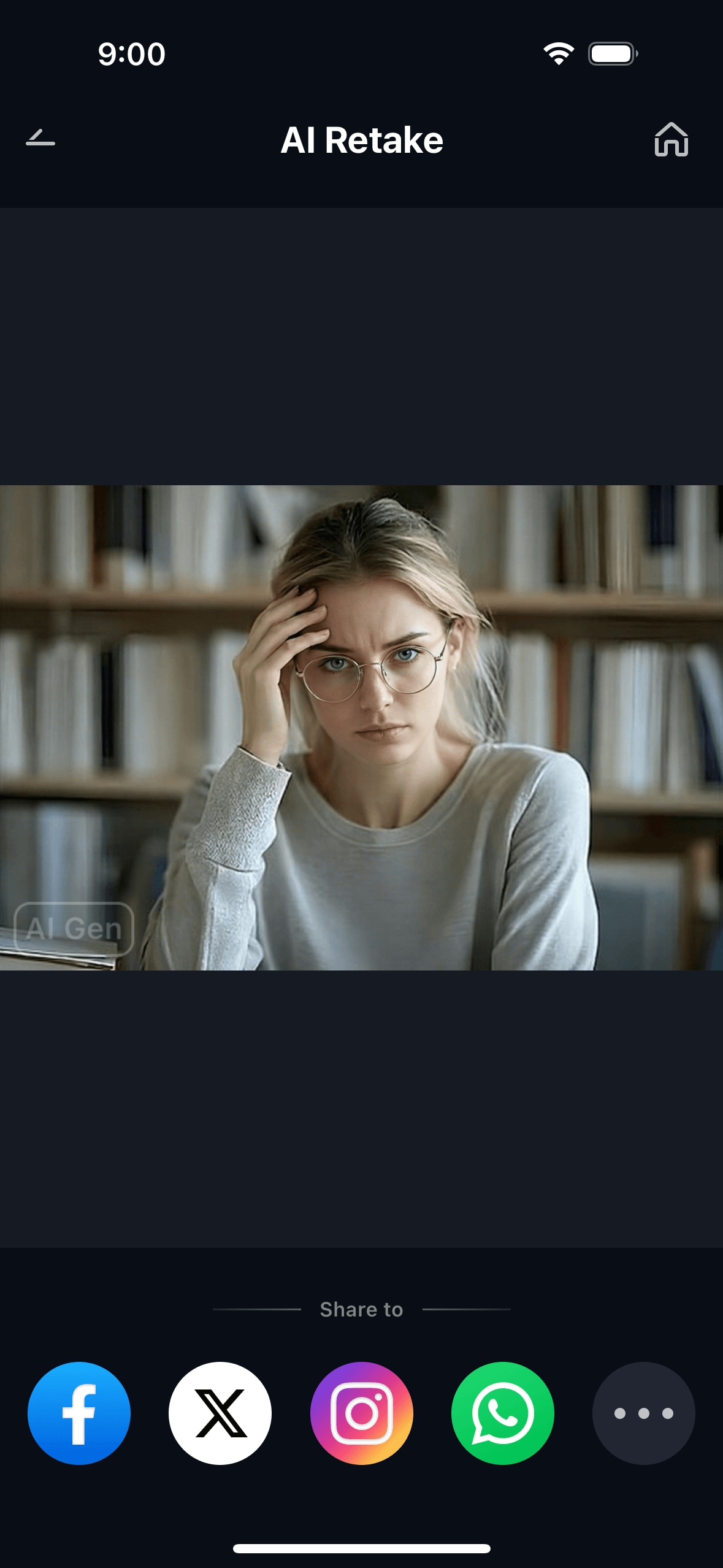
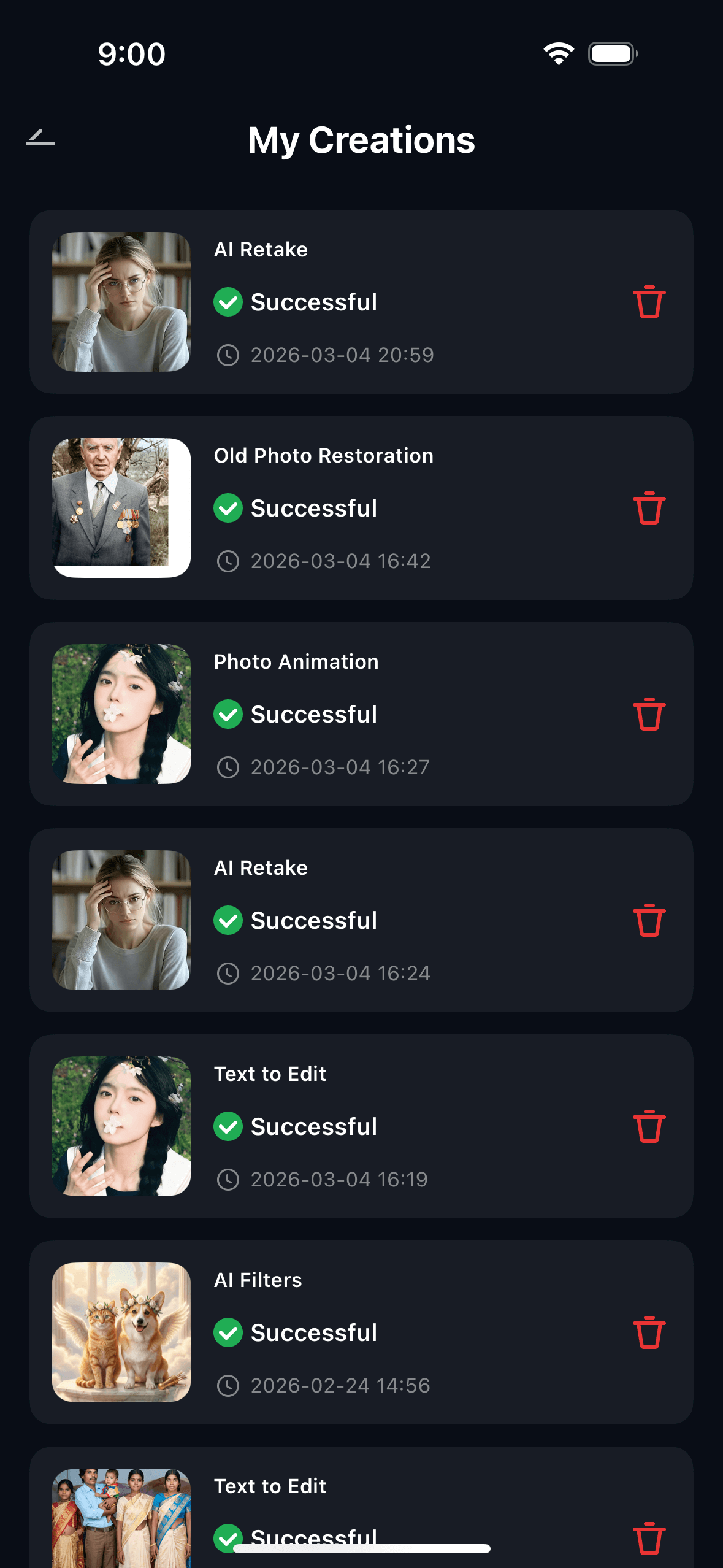
With Relumi App on iOS, AI Retake Skin Naturalization helps you easily correct blemishes, redness, and uneven skin tone — producing the best version of your portrait without the plastic look that other apps leave behind.
Part 3: 5 Scenarios Where Skin Naturalization Makes a Real Difference
Here are five real situations — drawn directly from user posts on Reddit and Quora — where Relumi AI Retake Skin Naturalization solves a problem that nothing else quite manages.
🤳 1. Active Breakout or Acne Flare-Up
"I have pretty bad acne scarring and ever since I got a better phone I've been avoiding taking pictures of myself like the plague. It just crushes my soul seeing my face so ruined. Me and my husband will be travelling a lot this year and it actually makes me sad to not have any pictures of myself." — r/beauty
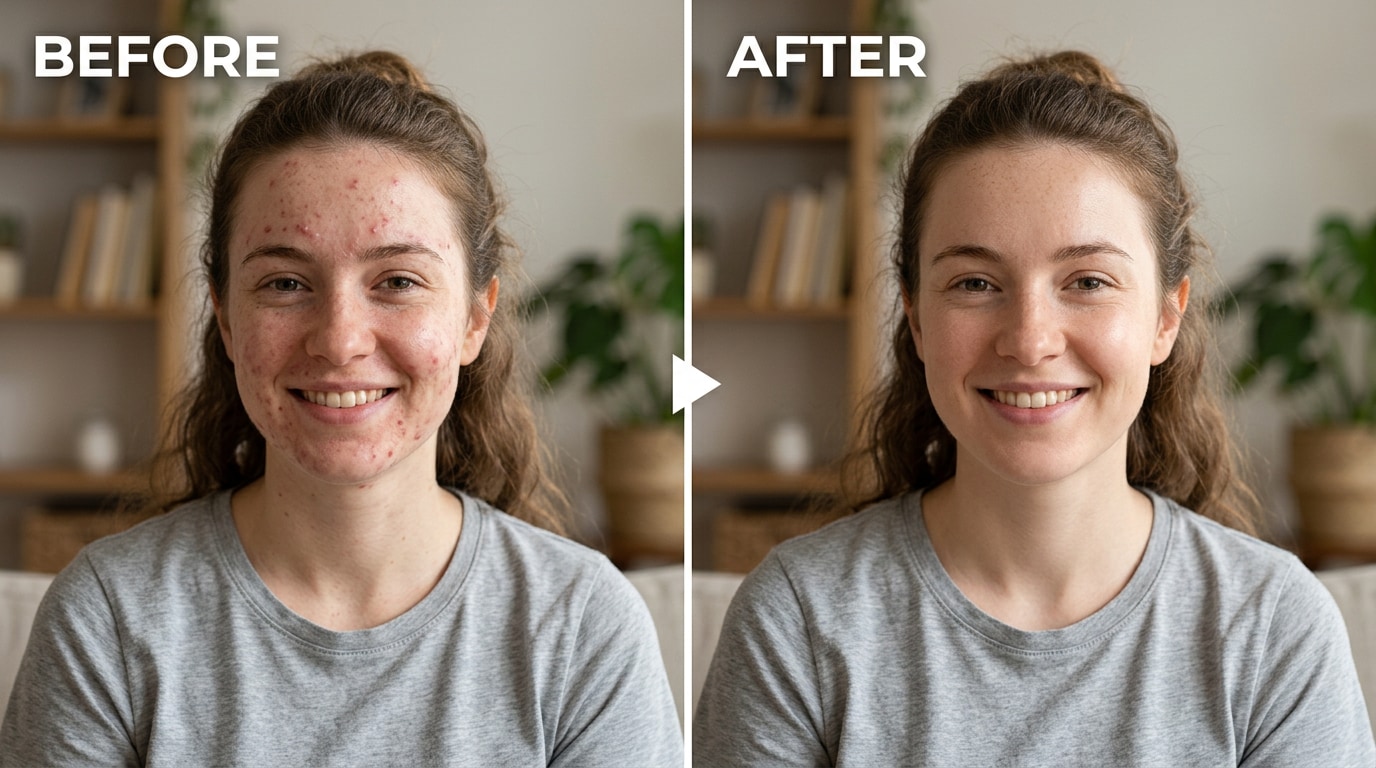
A temporary breakout on the day of a trip, a wedding, or any event you've looked forward to shouldn't permanently appear in every photo from that day. Relumi targets the inflammation and discoloration of active blemishes specifically, without flattening the surrounding skin. The result: the breakout is gone, but the person is still entirely themselves.
💼 2. The Professional Headshot or LinkedIn Photo
"I don't need to do anything fancy, just touch up my skin and eye bags. I had Facetune and it was pretty good, but it always tried to make my lips bigger. Before I repurchase I want to see if there is anything higher recommended." — r/womensfashion
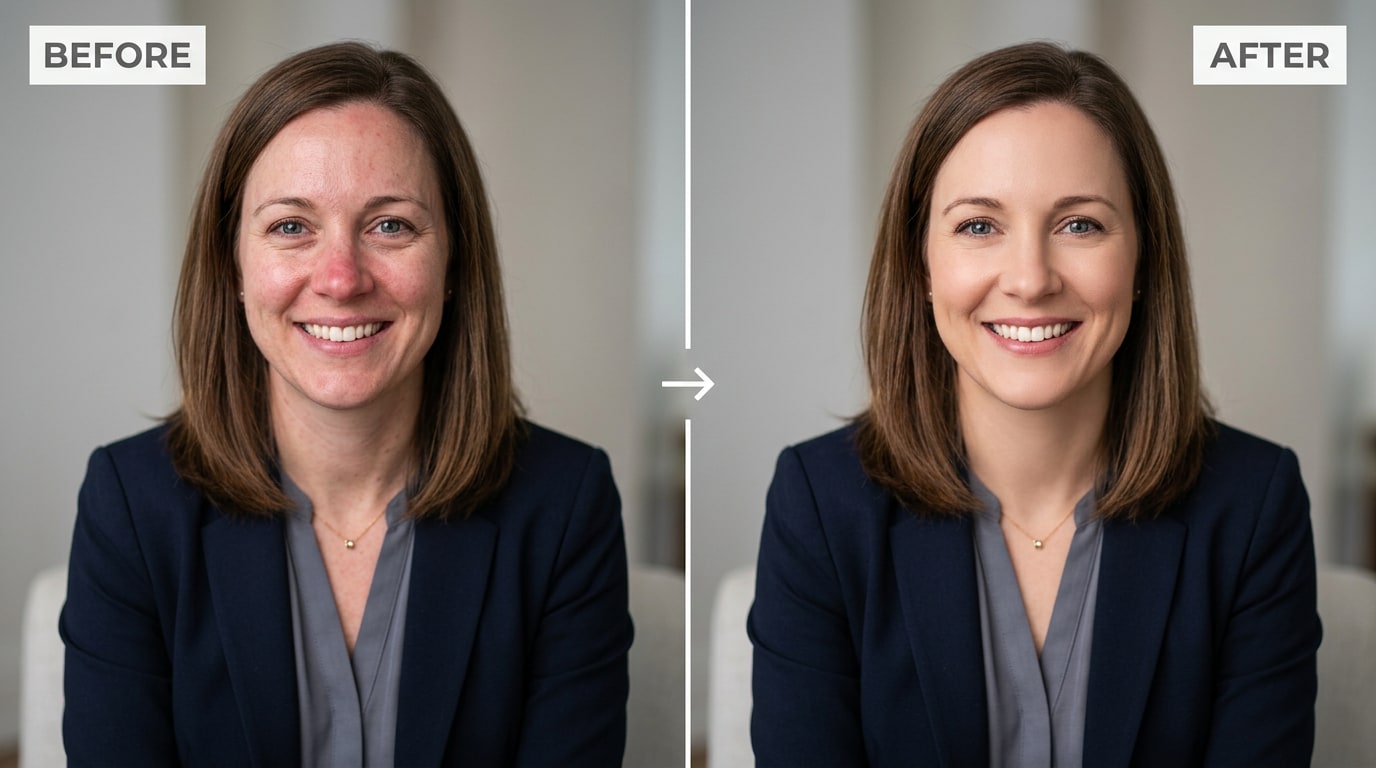
Studio lighting and high-resolution cameras make skin conditions more prominent in headshots than they appear in person. With Relumi, you can apply exactly the level of correction a professional retoucher would deliver: subtle enough that no one thinks it's been edited, precise enough that the improvement is clearly visible.
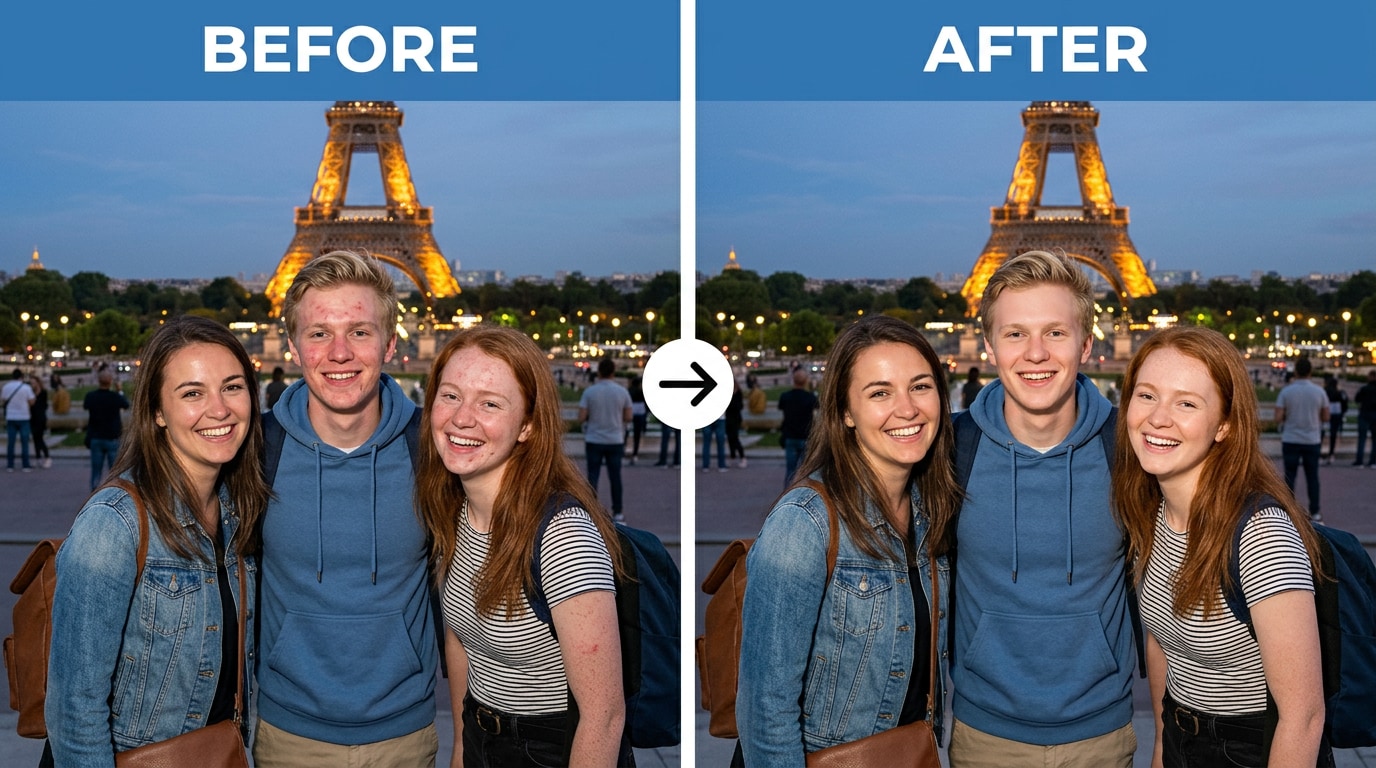
👥 3. Group Photos and Travel Shots
You can't control the lighting at a restaurant in Barcelona, or ask everyone to pause and check their skin before a spontaneous photo. Someone always has a breakout. The flash always catches someone's redness. Relumi processes every face in a group photo simultaneously with consistent results — one tap fixes the entire group, no editing each person individually.
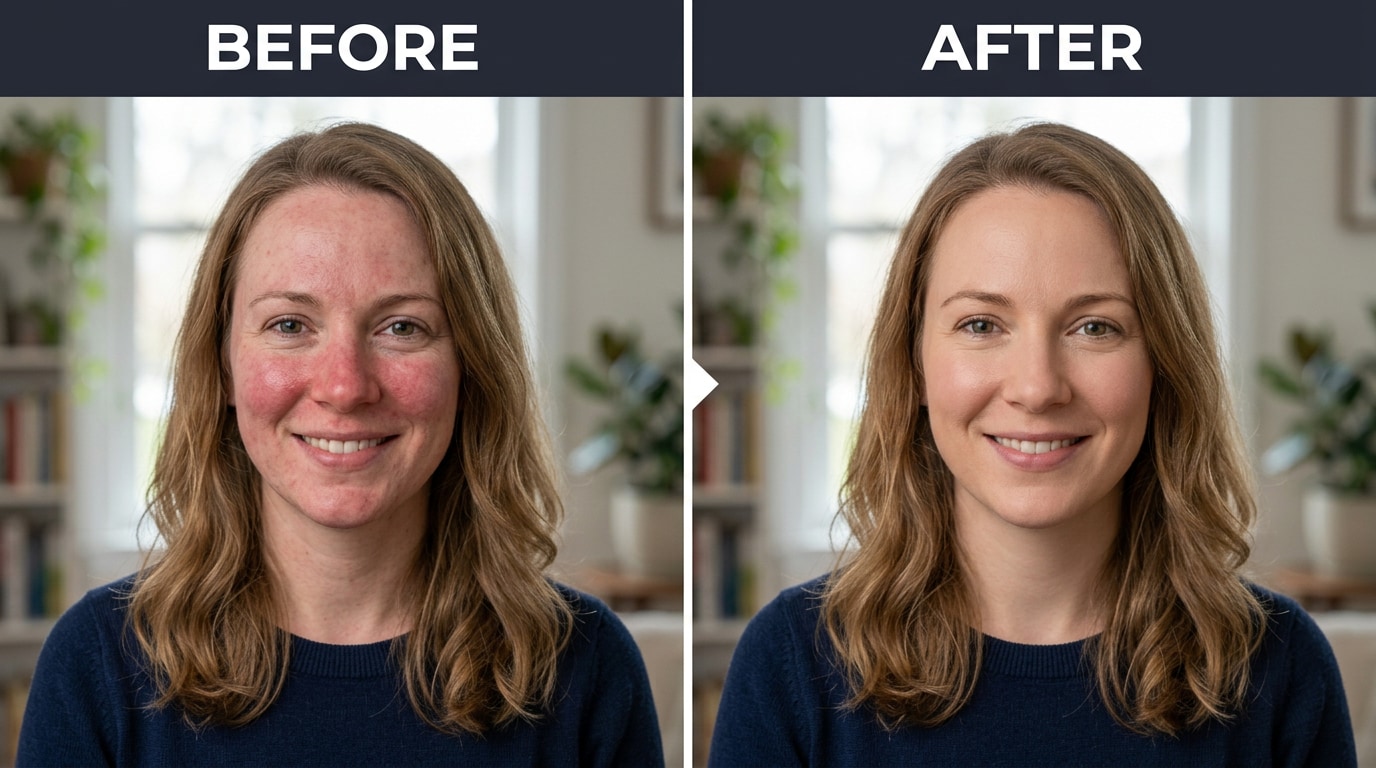
🌸 4. Uneven Skin Tone and Redness
Rosacea, post-acne hyperpigmentation, hormonal flushing, and general uneven tone are conditions that cameras pick up and amplify far beyond how they look in real life. Relumi's Skin Naturalization corrects the color cast at a localized level, bringing the skin tone into a more even baseline without affecting natural color warmth or undertone. You still look like you. Just on a skin-calm day.
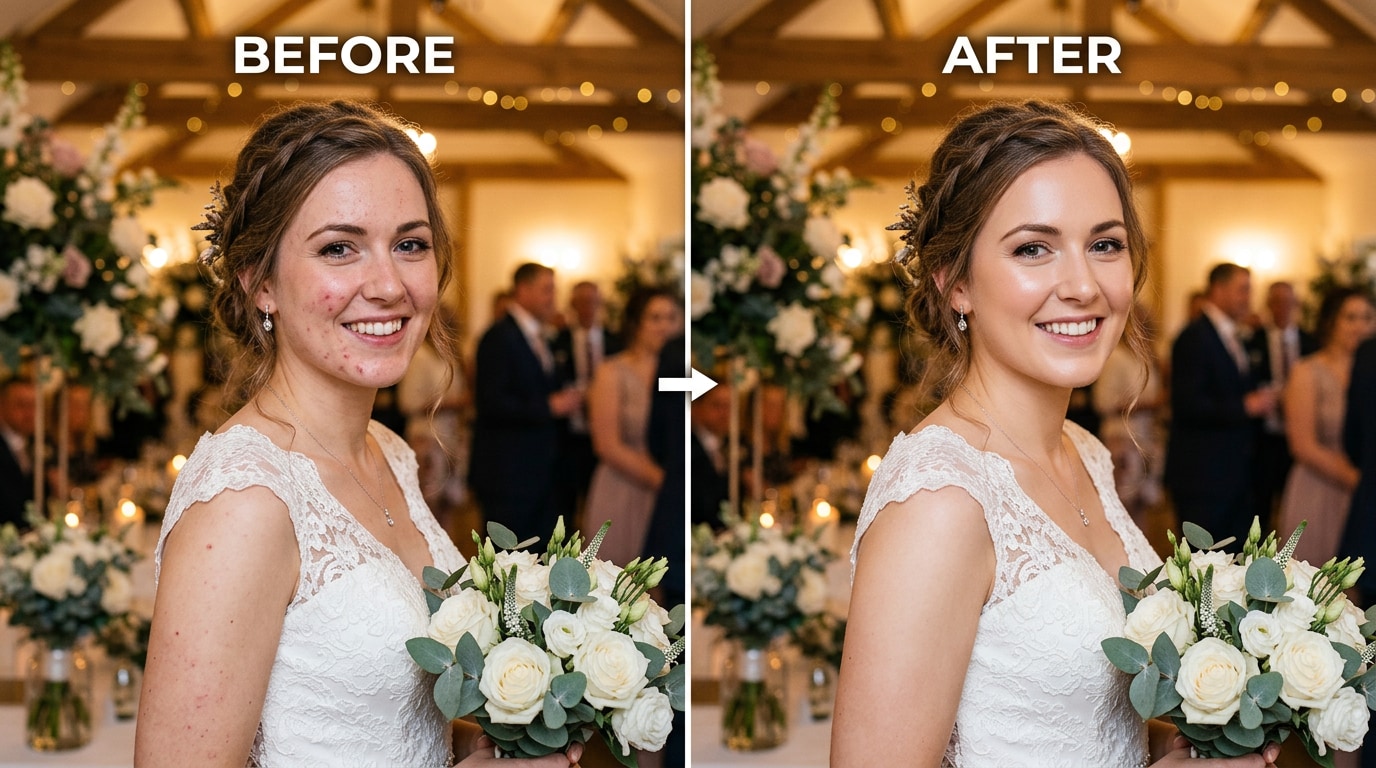
🎉 5. Pre-Event Photos You Need to Look Good In
Weddings, graduations, job interviews, anniversary dinners — events where photos matter and stress (ironically) often triggers breakouts right beforehand. The photos from these events will be shared, printed, and looked at for years. A quick Relumi edit between shooting and posting means the photos from the day look the way the day actually felt — significant, happy, and worth remembering.
Conclusion
The problem with skin retouching has never been that people want to look fake. It's that the tools available have forced a false choice: do nothing and accept what the camera caught, or use a blur-based app and end up looking like a plastic doll. Neither is acceptable.
Relumi AI Retake Skin Naturalization removes that false choice. It targets the specific imperfections — blemishes, redness, uneven tone — while keeping the texture, pores, and depth that make skin look like skin. The result is what professional retouchers describe as their standard: the person on their best day, in good light. Not a different person. Not an airbrushed version. Just the best version of the photo you actually took.
Free to try on iOS and Android. Load any portrait. Tap Skin Naturalization. Look at the before and after. Your skin is still yours — just without the camera's worst day.
FAQ
-
Is Relumi's Skin Naturalization feature actually free?
Yes. Relumi AI Retake — including Skin Naturalization — is available on a free tier for both iOS and Android. You can try it on your own photos without a credit card or subscription. A premium plan unlocks unlimited exports and higher resolution output, but the core skin correction tool is free to use. -
Will the result look fake or over-airbrushed?
Not at the default setting. Relumi's AI is specifically built to preserve natural skin texture — pore structure, skin grain, depth — while removing flaws. The difference between Relumi and blur-based apps is that blur is a spatial operation that destroys texture indiscriminately, while Relumi uses semantic understanding to remove only the imperfections. Keep the intensity at 40–65% for results that look completely natural. -
Does it work on acne scars, not just active pimples?
Yes, though with a nuance. Active blemishes (raised, inflamed, with a clear color difference from surrounding skin) respond most visibly. Post-acne hyperpigmentation (flat discoloration left after blemishes heal) also responds well to Skin Naturalization's tone-evening function. For deep pitted scarring, the feature reduces the visual prominence but cannot fully reconstruct the skin surface — that would require wrinkle-style depth correction as well. -
Does it work on all skin tones?
Yes. Relumi's AI is trained across a wide range of skin tones — light, medium, dark, and all undertone variations. The Skin Naturalization feature does not brighten or whiten skin; it corrects blemishes and tone evenness relative to each person's natural baseline skin color. -
Can I use it on group photos?
Yes. Relumi detects every face in a group photo and applies Skin Naturalization to each face simultaneously, with consistent results. You don't need to select or edit each person individually. The intensity setting applies uniformly across all faces in the frame. -
How is this different from a beauty filter?
Beauty filters typically apply a preset combination of smoothing, brightening, and sometimes reshaping to the entire face as a package. They're difficult to control and tend to alter features beyond what you want. Relumi's Skin Naturalization is a targeted correction — it addresses only skin imperfections and tone, leaves facial structure untouched, and gives you precise control over intensity. The result is a corrected photo, not a filtered one.



