
 TL;DR:
Mobile AI image fixers automatically restore blurry, faded, or damaged photos on Android and iOS, with the Repairit App uniquely repairing corrupted data files, while Remini, UpFoto, Fotor, and PicWish specialize in batch processing or resolution upscaling.
● Remini and PicWish are ideal for batch processing workflows (PicWish handles up to 30 photos simultaneously), whereas UpFoto excels at 2X to 8X resolution upscaling, though Remini restricts daily free credits and UpFoto relies heavily on long, repetitive ads.
● The Repairit App utilizes a Nano Banana algorithm to process standard and RAW formats alongside Text-to-Edit commands, but its free trial forces a visible AI-generated watermark and its colorization tool occasionally produces subtle rather than vibrant colors.
● To prevent AI-generated effects from inaccurately altering facial features or skin tones (a noted limitation in Fotor), you must use the highest quality uncompressed original files available and manually balance exposure lighting before applying automated enhancements.
Ask AI for a summary
 ChatGPT
 Perplexity
 Gemini
 Claude
 Grok
Grok
A single blurry or dull photo can instantly weaken your message, no matter how meaningful the moment is. When lighting fails, colors fade or details get lost, the visual impact eventually disappears. At this point, only an AI image fixer can work, reviving the damage or low-resolution images with impressive precision. As the audience expects sharper visuals, it's even more essential to include studio-like enhancements.
For visual needs, explore the guide below and expand your knowledge of the top-ranked AI image fixers. Besides this, you’re guided on how to choose the best photo fixing app, complete with practical tips in the end.
Table of Contents
Part 1. What Is an AI Image Fixer and How AI Photo Fixer Tools Work
An AI photo fixer or enhancer is a digital tool that uses AI to automatically detect and repair flaws in pictures. The AI-driven image fixers rely on machine learning algorithms trained on millions of images to recognize issues such as blurriness. Such apps can identify problematic areas in a photo and enhance them by predicting what the original image might have looked like.
Core Functions of an Advanced AI Image Fixer
Adhere to the provided functions and understand what an advanced app actually does behind the scenes:
| Functions | Description |
| Image Deblurring | Removes motion blur or out-of-focus artifacts, sharpening details for clarity. |
| Color and Contrast Repair | Restores faded images, corrects washed-out or discolored photos, and normalizes tones. |
| Scratch and Damage Removal | Detects and erases surface scratches, stains, and dust spots on old or scanned photos. |
| Noise Reduction | Eliminates digital noise, grain, or pixelation in low-light or older digital images. |
| Object/Person Recovery | Reconstructs missing or damaged parts of a subject, including faces and backgrounds. |
Use Cases of AI Image Fixers
| Use Cases | Benefit |
| To Restore Old Family Pictures | Revives faded, torn, or color-damaged prints for archiving or gifting. |
| For Sharpening Blurry Portraits | Makes out-of-focus selfies or group shots crisp and shareable. |
| Fixing Corrupted Digital Files | Repairs images that failed to load or display due to data errors. |
| Improving Social Media Posts | Enhances the quality of snapshots before sharing online by removing flaws or boosting color. |
| Professional Archiving/Publishing | Helps prepare historical, art, or scanned archive images for official or creative use. |
Part 2. How to Choose the Best AI Image Fixer for Your Needs
When you’re not sure which image fixer AI app will deliver the best results, read this section and get clarity:
- Image Quality Enhancement: Look for an app that can intelligently upscale low-resolution images, remove digital noise, and restore fine details. The goal is to achieve a natural, high-definition look that preserves textures and important visual elements without overprocessing the image.
- Speed and Ease of Use: Time is precious, and the best AI fixer should provide fast processing speed and clear guidance altogether. It should also have a user-supportive interface that allows them to enhance photos with just a few clicks.
- Versatility of Features: The app can handle multiple functions, including old and damaged photos, correcting lighting, balancing color, and improving facial details. A versatile tool gives you more flexibility and saves time from switching between multiple apps for professional image outcomes.
- File Format Compatibility: Your photos come in a variety of formats, and not all AI apps can handle them well. Make sure your chosen AI image fixer supports all standard formats, such as JPG, as well as Raw files.
- User Privacy and Security Measures: Photos are personal, and considering a trustworthy image fixer ensures your files are handled securely. When privacy matters, the app should not store or misuse your data and should clearly communicate its privacy policies.
Part 3. 5 Best AI Image Fixer Apps to Try in 2025
If you're struggling to decide which app delivers studio-quality results, the following are some handpicked AI photo fixer apps worth knowing:
1. Repairit App (Android/iOS)
The Repairit App uses advanced AI capabilities to automatically detect and fix common photo issues, including blurriness. It restores all the lost details and sharpness, making even grainy or out-of-focus pictures clearer, preserving textures and over-processed effects. With the real-time previews, users can analyze their edits before exporting them to ensure satisfaction with the results. The latest integration of the Nano Banana algorithm delivers further improved overall performance.
Impressively, the Quality Enhancer optimizes sharpness through AI and restores the image to its original state with a click. Its Beautify feature adds clarity by automatically applying a beautification effect to low-quality images. You can even repair images that are corrupted or damaged at their core, caused by incomplete data or file errors. Besides, the Colorize tool excels in adding natural colors, enhancing the feel of a vintage family picture.
Detailed Guide to Fix Image Quality with the Repairit App
- Access the “All Tools” section and choose the “Enhance” feature.
- Here, select “General” mode from the Enhancement Mode and press the “Start Processing” button.
- Later, compare the results and hit the “Save” button to save the enhanced-quality image in the gallery.

2. Remini - AI Photo Enhancer (Android/iOS)
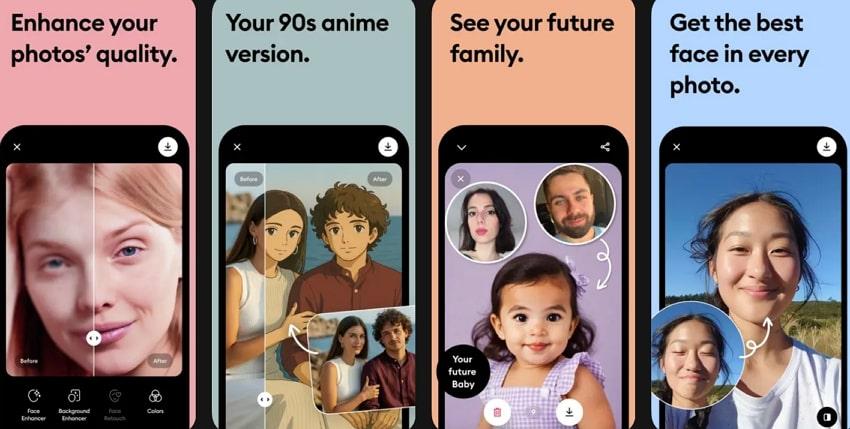
Remini quality fixer photo app transforms low-quality, pixelated pictures into high-definition ones with one tap only. It revitalizes faded and discolored photos by correcting color and contrast to give them the vibrant look they deserve. Most importantly, it allows users to enhance multiple pictures at once, saving time when repairing albums. You can increase the pixels of your low-quality vintage and old camera pictures in seconds.
3. UpFoto - AI Photo Enhancer (Android/iOS)
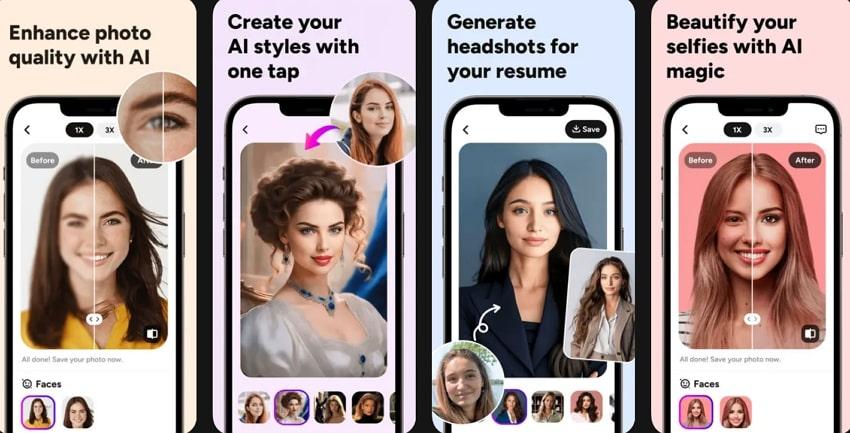
Another photo fixer AI app that auto recognizes faces in selfies or group photos and enhances facial details with just a tap. It removes damage such as scratches and creases, revitalizing old printed or scanned photos with impressive realism. You can boost image resolution up to 2X or even 8X, making it suitable for larger prints. Furthermore, it infuses and restores vibrant colors to your black-and-white memories, breathing new life.
4. Fotor – AI Photo Editor & Enhancer (Android/iOS)
The AI Photo Enhancer of this dedicated AI photo fixer instantly improves resolution in pixelated photos with one-tap enhancement. Its AI Retouch and Skin Smoothing deliver natural skin smoothing, blemish removal, and facial enhancement for flawless portraits. Essentially, revives faded or damaged photos by restoring color, repairing tears, and enhancing lost details. Once the quality is restored, you can adjust image size, maintaining the aspect ratio as per preference.

5. PicWish: AI Photo Editor (Android/iOS)
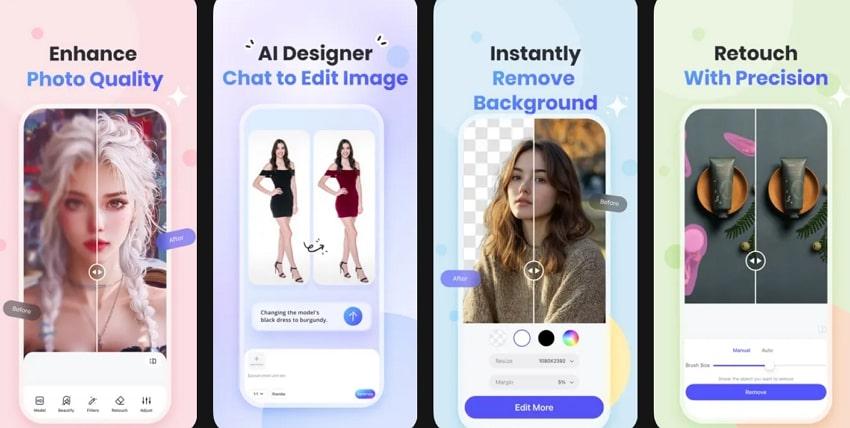
This image fixer AI automatically unblurs photos, improving quality and detail for both portraits and product images. It further restores vibrancy to faded or black-and-white photos with smart colorization and filter enhancements. Individuals can repair old pictures by removing scratches, folds, and other imperfections with a tap. Moreover, Batch Mode speeds up the project by allowing you to enhance or process up to 30 photos at a time.
Explore the provided side-by-side comparison and understand how each AI photo fixer app helps in real performance and usability:
| AI Image Fixer Apps | One-Tap AI Enhancement | Smart Repair (Scratches/Old Photos) | Colorization and Vibrance | Manual Control |
| Repairit App | Yes | Absolutely; restores damage and fixes fading. | Adds/repairs colors for old and black-and-white photos. | Limited (available mostly in-text prompts) |
| Remini - AI Photo Enhancer | Yes | Yes, focus on sharpening, and old photo repair | Partial, auto vibrance, not full colorization | Minimal (mainly automatic) |
| UpFoto - AI Photo Enhancer | Yes | Indeed, removes scratches and creases | The colorize feature is available in the latest versions | Limited (mainly global edits) |
| Fotor – AI Photo Editor & Enhancer | Yes | Yes, restores, colorizes, and enhances details. | Supports natural coloring and tone repair | Moderate in background and batch edits |
| PicWish: AI Photo Editor | Yes | Facilitates restoring and removing blemishes. | Colorizer restores faded and black-and-white pictures. | Restricted (basic adjustments, no layers) |
Part 4. Pro Tips to Get the Best Results from AI Photo Fixer Tools
For maximum photo enhancement, follow the provided expert strategies to get the best possible results from AI image fixers:
- Start with the Highest Original Quality: Even the most advanced quality fixers perform better when the original image is precise and detailed. Never use extremely compressed or tiny images, as starting with better input allows the AI to preserve more details.
- Use Targeted Enhancement: Apply each enhancement, like noise reduction or color correction, selectively, rather than using every feature at once. When you focus on what your photo truly desires, you ensure natural, polished results in the end.
- Adjust Settings Gradually: While most of the AI fixers allow you to control the intensity of enhancement, start with a subtle adjustment. This way, you can prevent over-editing and keep your images looking real, with improved overall quality.
- Pay Attention to Lighting and Exposure: On occasions, even the smartest AI fixers cannot perfectly fix severely underexposed and overexposed images. Make sure your photo has balanced lighting before enhancement, or use the app’s exposure and brightness controls to correct it.
- Compare Before and After Versions: Always check before and after results because they help you understand how the AI tool is altering your image. This comparison allows you to fine-tune the enhancement, adjust intensity levels, or undo any changes that might look unnatural.
Conclusion
In conclusion, high-quality visuals are essential for making an impact, either online, in a presentation, or in a personal collection. For this, AI image fixer apps, as introduced, make it simple to transform low-resolution or damaged photos into professional ones with minimal human effort. From all the above fixers, the Repairit App is notable because it improves your picture (even if it's corrupted) with its Quality Enhancer function.
Frequently Asked Questions
-
Q1. Is the Repairit App free to use for AI image fixing?
The Repairit App offers both free and paid options, while the free version allows essential AI image fixing with limited usage or output. Its full access includes higher-resolution exports, advanced enhancement tools, and premium repair capability. You can upgrade to a paid plan because it gives the best possible results, especially for low-quality photos. -
Q2. What file formats does AI Image Fixer support?
Majorly, all AI photo fixer apps support widely used formats such as JPG, along with HEIC for mobile photos. Premium apps like Repairit also support RAW formats from professional cameras, making it convenient to enhance them. -
Q3. Does AI photo fixing reduce image quality?
Not at all, because the AI photo fixing is designed to improve the quality, not to reduce it. Fixers like Repairit and PicWish sharpen details, reduce noise, and restore clarity without compromising the image's natural look. Lower-quality results only happen when using outdated apps; therefore, considering the right AI fixer is the key to improved outcomes.






