
 TL;DR:
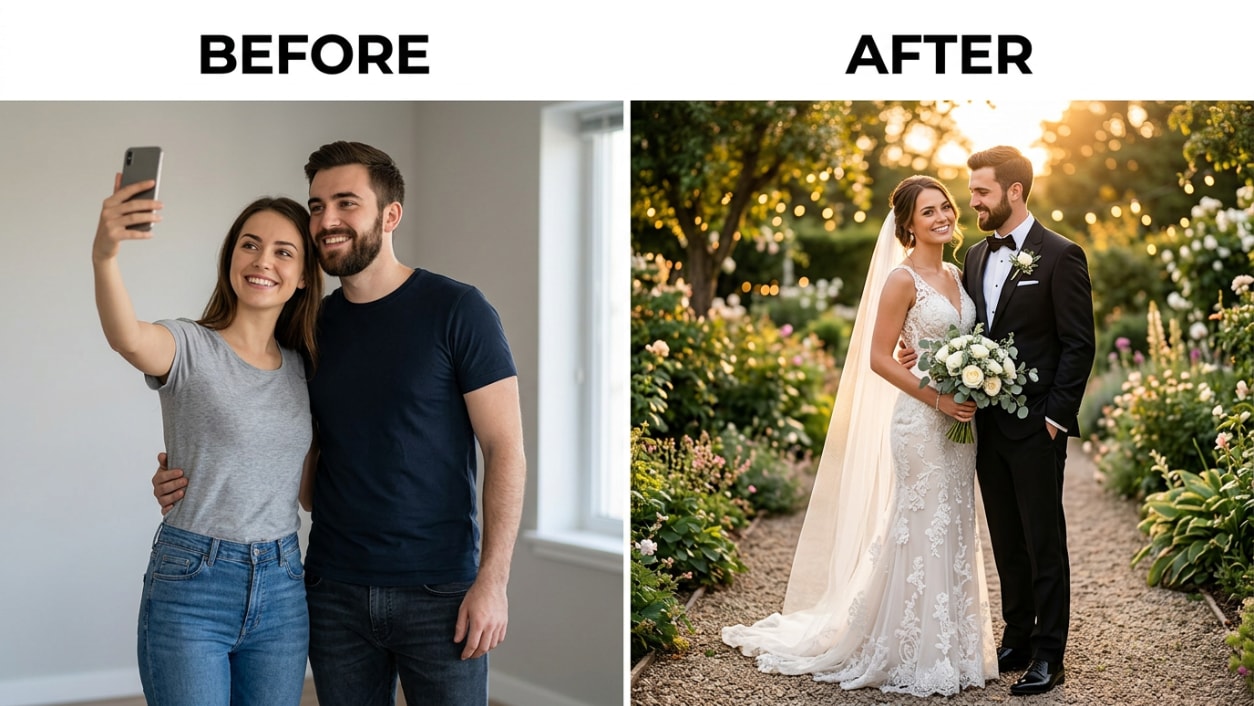
Relumi’s Combine Photo — AI Wedding Photo generates high-resolution, multi-style couple portraits from two individual selfies, providing a free alternative for save-the-dates and wedding websites without the expense of a professional pre-wedding shoot.
● Unlike general text-to-image tools that create fictional couples, this feature preserves both partners' actual facial identities across Western bridal, Traditional Chinese, and Japanese kimono styles in about 15 seconds per generation.
● To ensure accurate facial detection on the iOS or Android app, users must upload front-facing, well-lit photos without heavy filters or face-obscuring items like sunglasses or hats.
● While the core portrait generation and full-resolution exports are available on the free tier, the tool is exclusively for pre-wedding aesthetics and does not replace a professional photographer for candid wedding day events.
Ask AI for a summary
 ChatGPT
 Perplexity
 Gemini
 Claude
 Grok
Grok
A professional pre-wedding photoshoot runs $500 to $2,000 minimum. A full wedding photography package in most cities starts at $3,000 and climbs quickly from there. And that’s before you consider booking a second style — most couples want the classic Western bridal look and a traditional Chinese or Japanese version, but doing two separate shoots with two separate wardrobes at two separate locations costs twice the budget, twice the scheduling, and twice the time.
Relumi’s Combine Photo — AI Wedding Photo solves this. Upload two portraits — one of each partner — choose a wedding style, and the AI generates a studio-quality wedding portrait of you both together: classic Western bridal, traditional Chinese Han attire, Japanese kimono style, or any romantic setting you describe. No photoshoot. No wardrobe rental. No booking a venue. Here’s exactly how it works and what you can create.
In this article
Part 1: Why Wedding Photography Costs So Much — and What That Means for Couples
Wedding photography is expensive because of what it requires: a skilled professional, multiple hours of shooting, hours of post-processing, and the irreversibility of the day. Miss a shot at a wedding, and it’s gone forever. That genuine scarcity justifies the price. But it also means that couples who want multiple styles, or who want something to use before the actual wedding day, face a real problem.
The photoshoot premium is steep
For couples on a tighter budget, $3,000–$5,000 for wedding photography represents a significant share of total spend. Pre-wedding shoots — engagement photos, styled couple portraits, content for the wedding website and invitations — are often quoted separately, adding another $500–$2,000 on top. And none of that covers a second shoot in a different style or location.
One style is never enough for many couples
Couples who want photos for their wedding website, invitation cards, or social media accounts before the actual wedding day need something now — not in six months when the photographer delivers the final edit. And couples planning cross-cultural weddings often want portraits in multiple styles: a Western dress shot, a traditional Chinese outfit, a Japanese kimono look. Each additional style means another photoshoot, another wardrobe, another venue, another invoice.
Existing AI tools don’t preserve both faces
Most AI photo generators either work from text prompts only (generating fictional couples) or struggle to maintain both partners’ facial identity consistently across style changes. The result looks like two random attractive people in wedding attire — not you and your partner. Relumi is anchored to your uploaded portraits, so both people in the output are identifiably the actual couple.
Part 2: How Relumi AI Wedding Photo Works


Relumi AI Photo Enhancer
Combine Photo — AI Wedding Photo: Generate Romantic Couple Wedding Portraits in Any Style From Two Uploaded Portraits

 Dual face identity preservation: Both partners’ facial features are carried through from their uploaded portraits into the generated wedding image. The output shows the actual couple — not two AI-invented people — dressed and posed in the chosen style.
-
Multiple wedding style options: Choose from classic Western bridal (white gown, suit or tuxedo, soft-focus garden or church backdrop), traditional Chinese Han attire (red qipao, phoenix headdress, lantern courtyard), Japanese kimono (uchikake and montsuki, zen garden setting), and more. The same two portraits can generate multiple styles in the same session.
-
Scene and backdrop control: Describe or select the setting — a European castle courtyard, a beach at sunset, a cherry blossom grove, an indoor studio with soft lighting. The AI places both partners in that scene with consistent lighting and a background that matches the style you chose.
The key difference between Relumi and a standard AI image generator is that Relumi starts from your actual faces. A general text-to-image tool generates a fictional couple that might loosely match your description — similar hair color, similar build — but it’s not you. Relumi uses your uploaded portraits as the anchor for the generation, so the person wearing the bridal gown in the output is identifiably the person who uploaded the photo.
How to Use Relumi Combine Photo — AI Wedding Photo on iPhone
Step 1. Open Combine Photo & Upload Both Portraits
Open Relumi, tap Combine Photo from the home screen, then select AI Wedding Photo. Upload a clear portrait of each partner — one photo per person. Front-facing shots with good lighting work best. Selfies are fine; they don’t need to be professional portraits.

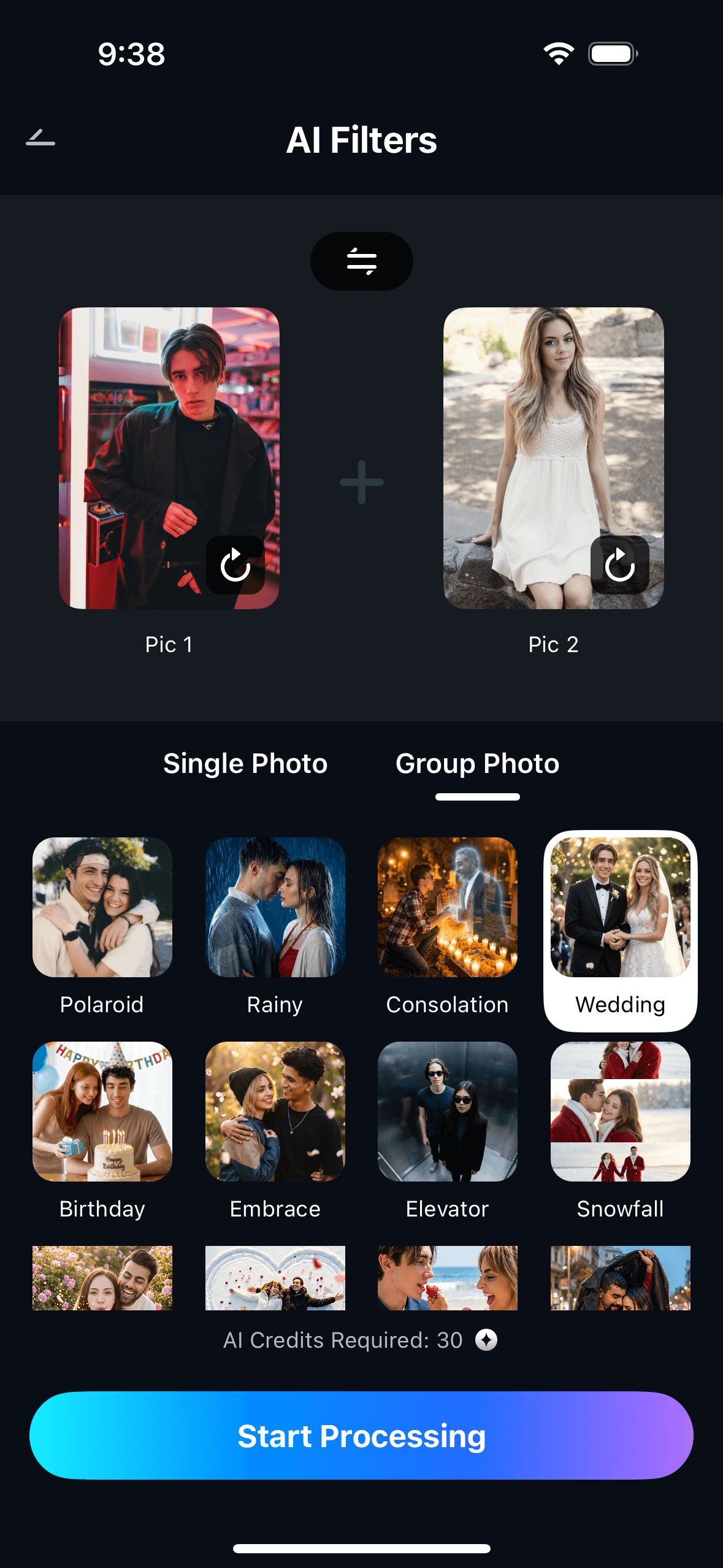
Step 2. Choose a Wedding Style & Start Processing
Select a wedding style — Western bridal, Traditional Chinese, Japanese kimono, or describe a custom setting — and optionally type a scene description such as “cherry blossom garden, soft spring light” or “European castle courtyard at dusk.” Tap Start Processing and Relumi generates the couple wedding portrait.
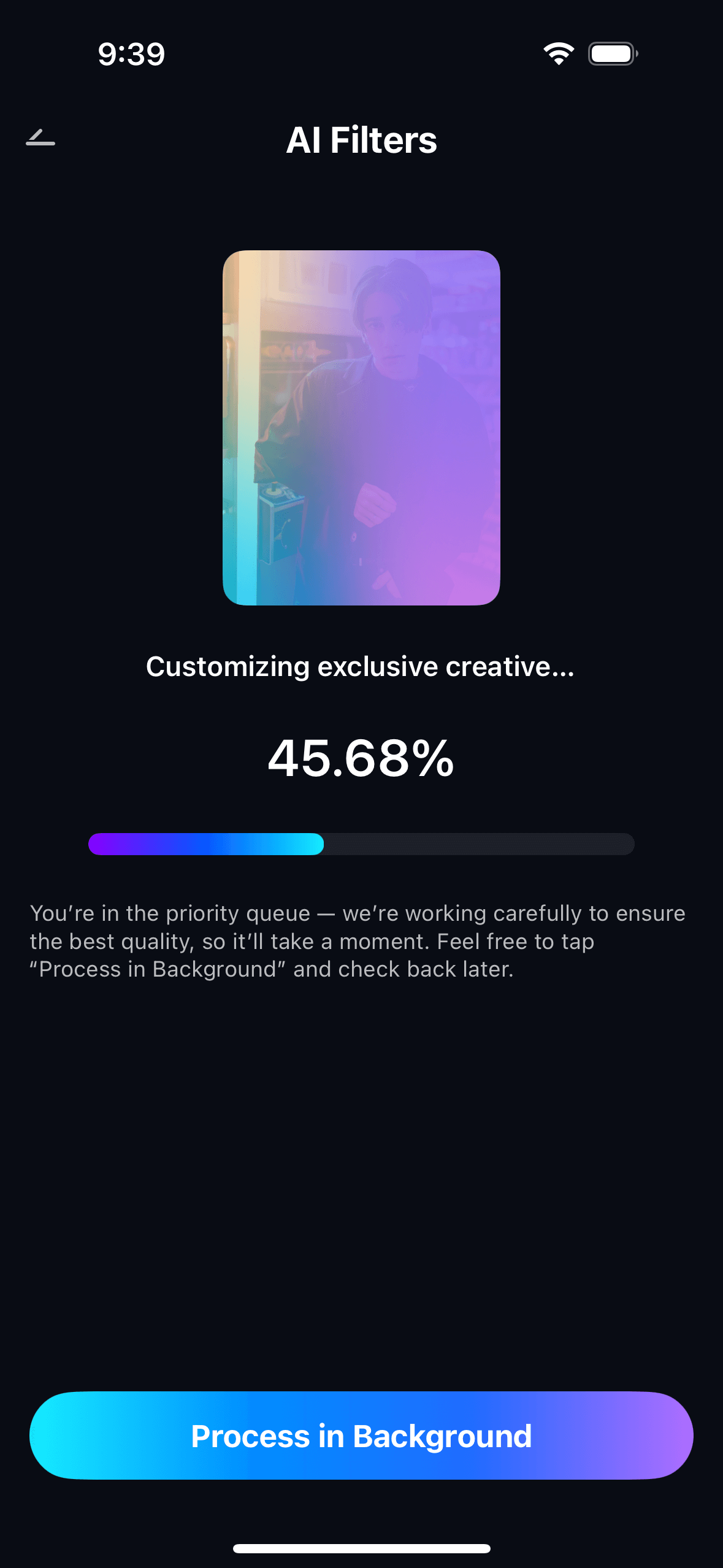
Step 3. Preview, Save & Use Your Wedding Portrait
Preview the generated wedding portrait. Tap Save to export to your photo gallery at full resolution. Saved portraits appear in My Creations for easy access later. You can run the same two portraits through multiple styles in the same session — one upload, three different wedding looks.
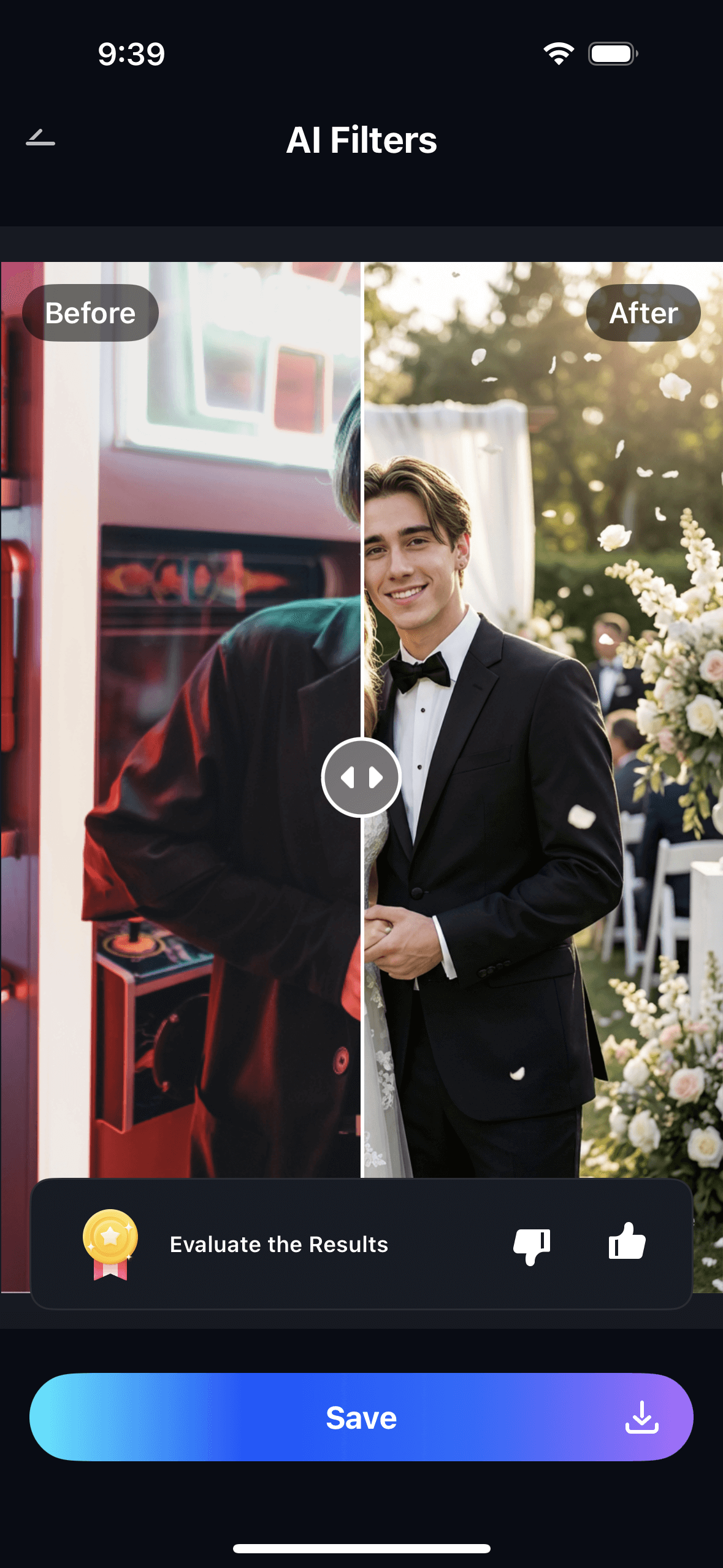
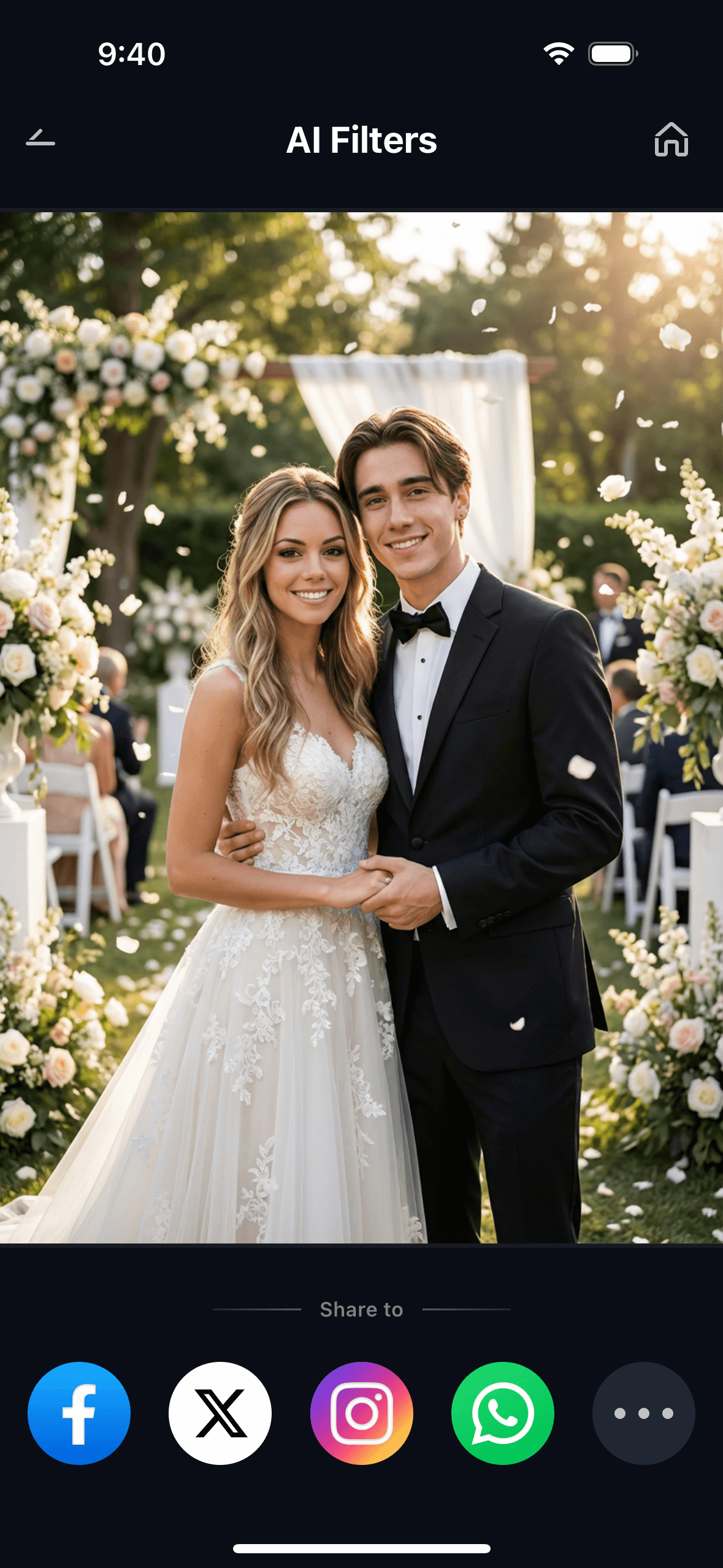
The style selector is where the real value appears. Upload both portraits once, then generate a Western bridal portrait, a traditional Chinese portrait, and a Japanese kimono portrait — all in the same session, all with consistent face identity across every style. Three photoshoots condensed into three 15-second generations.
Part 3: Three Wedding Photo Styles You Can Generate
The three most popular styles couples generate with Relumi AI Wedding Photo reflect three distinct aesthetics — each with its own traditional attire, setting logic, and lighting mood. Here’s what each one produces and what to describe to get the best result.
🇫🇰 1. Traditional Chinese Wedding Portrait
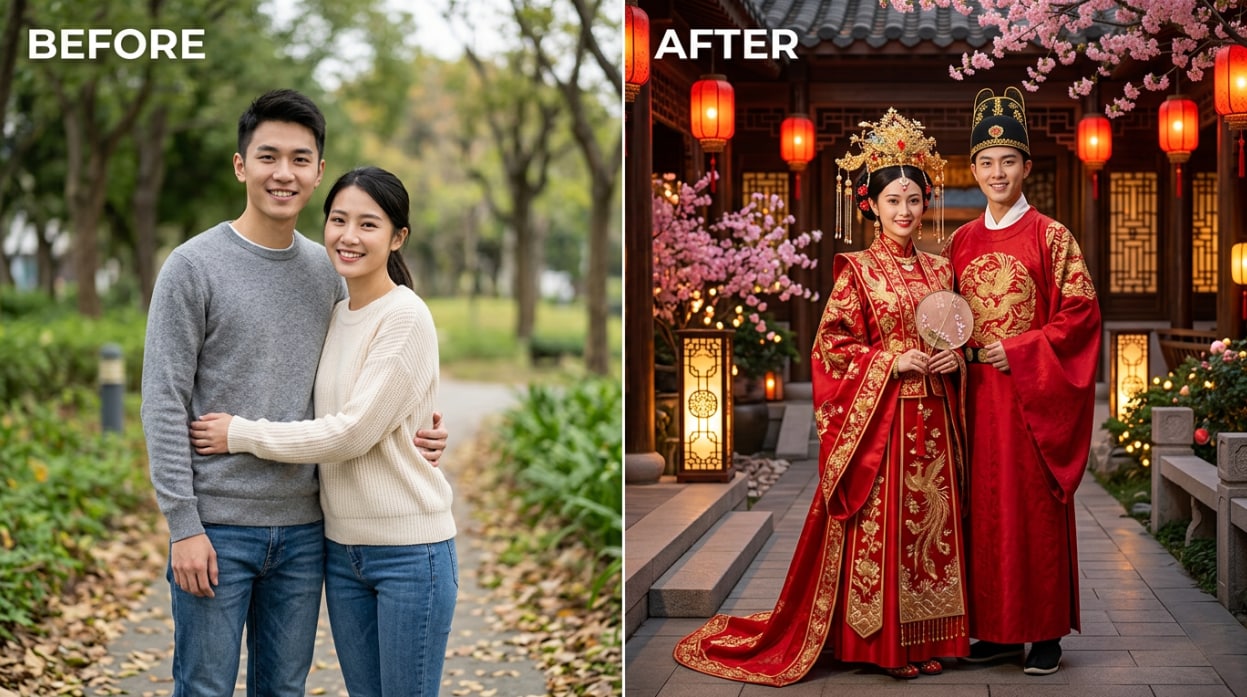
The traditional Chinese wedding look — red qipao with golden phoenix embroidery for the bride, red silk tang suit or Han dynasty robe for the groom — requires specialized wardrobe and a set that evokes a classical courtyard or pavilion. Booking a professional shoot in this style typically costs $800–$1,500 in most cities, plus rental fees for the outfits and location.
With Relumi, describe the scene as: “traditional Chinese wedding, red qipao with golden phoenix embroidery, classical courtyard with red lanterns and cherry blossoms, warm ceremonial lighting.” The AI places both partners in that setting, dressed in the appropriate traditional attire, with faces preserved from the uploaded portraits. The result works for wedding invitations, social media announcements, or a digital keepsake without a single outfit rental or studio booking.
This style is especially popular for couples who want to honor cultural heritage in their wedding materials but are holding a Western-format ceremony. It’s also a go-to for couples planning a Chinese tea ceremony alongside a Western reception — the AI portrait can represent both sides of the celebration without requiring two separate photoshoots.
🌞 2. Classic Western Bridal Portrait
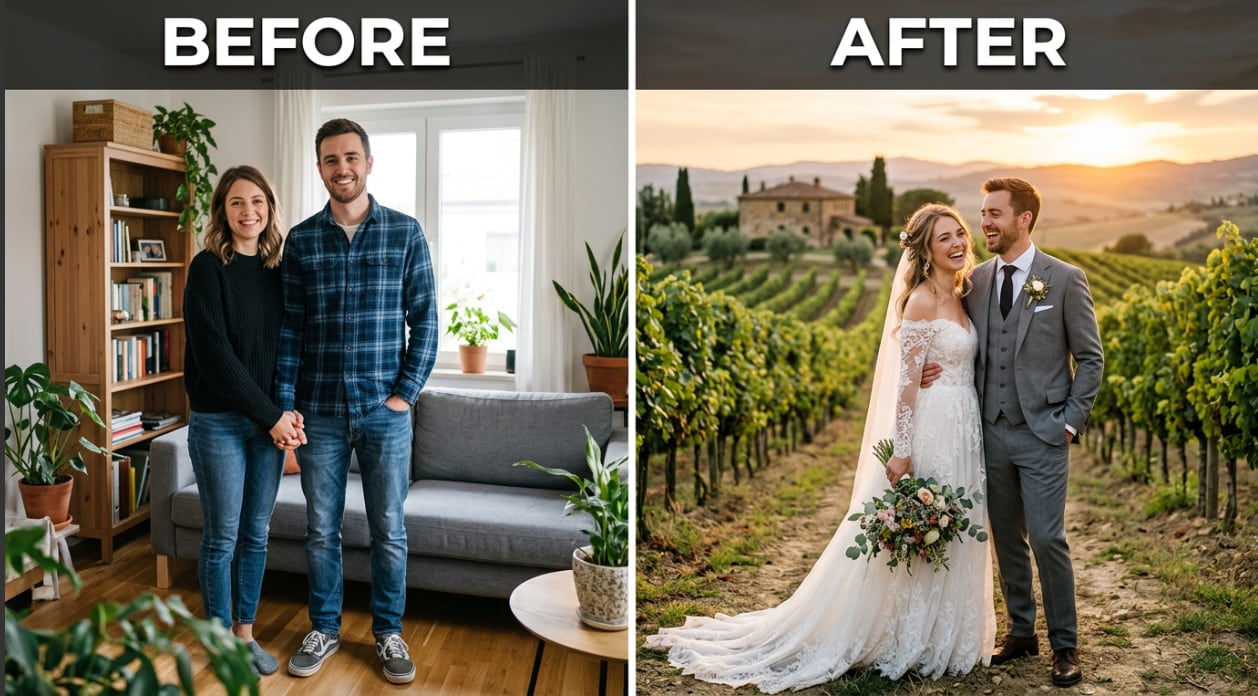
The classic Western bridal portrait — white or ivory gown, suit or tuxedo, soft-focus romantic backdrop — is the most-requested style. It’s what appears on wedding websites, save-the-date cards, and Instagram announcements. It’s also the style that drives most of the photography budget, because getting it right requires the right wardrobe, the right location, and the right photographer.
Describe the scene: “Western bridal portrait, white off-shoulder lace gown, groom in grey slim-fit suit, Tuscany vineyard at golden hour, warm amber light, soft bokeh background.” Or go simpler: “outdoor garden wedding, white dress, tuxedo, late afternoon light.” The AI generates the portrait with both partners dressed and positioned as a couple, set in the environment you described.
This is the style that works best for wedding website hero images, invitation cards, and save-the-dates — contexts where you need a polished, romantic couple portrait before the actual wedding day. It’s also useful for couples who can’t afford a pre-wedding shoot but want something more polished than a phone selfie for their engagement announcement.
🌸 3. Japanese Kimono Wedding Portrait
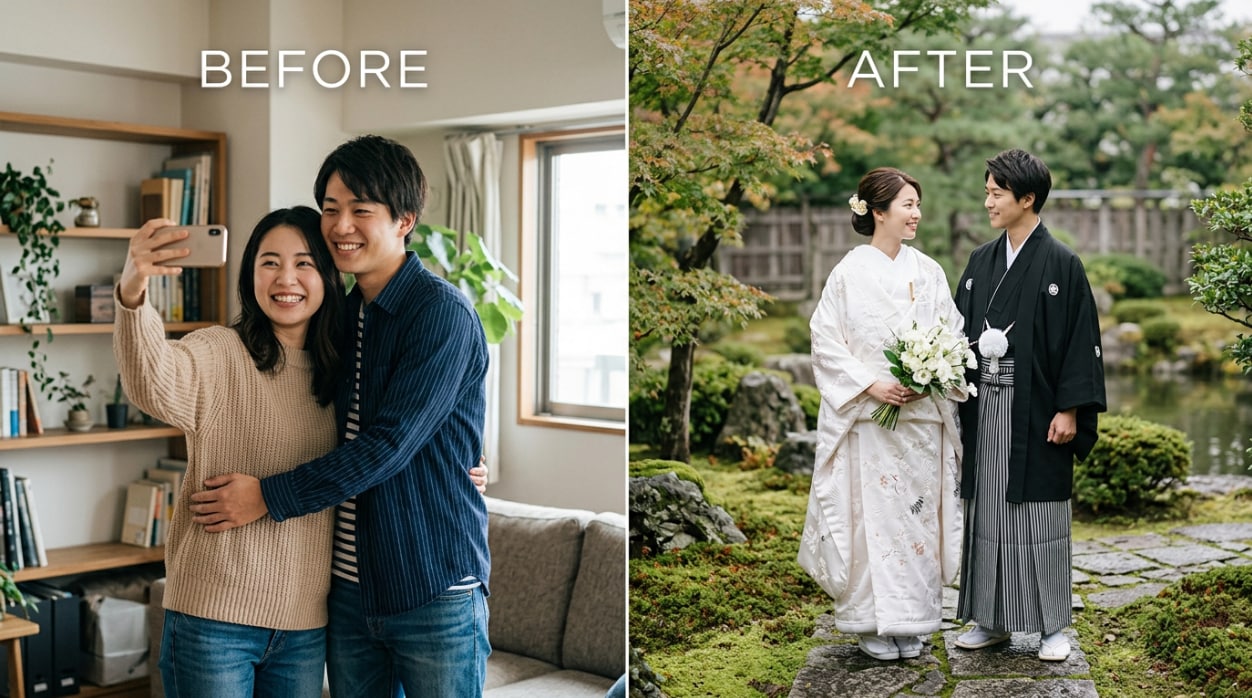
The Japanese wedding kimono style — white uchikake for the bride, black montsuki haori hakama for the groom — is one of the most visually distinctive wedding looks in the world. It’s also one of the most logistically difficult to shoot outside Japan, where the wardrobe, the traditional makeup, the correct setting, and a photographer who understands the aesthetic all need to align.
Describe the scene: “Japanese wedding kimono portrait, white uchikake with floral embroidery, black haori hakama, serene zen garden with maple trees and moss stones, soft diffused natural light, fine art photography aesthetic.” The AI generates both partners in traditional Japanese wedding attire, set in a scene that matches the aesthetic — with their faces preserved from the uploaded portraits.
This style is particularly useful for couples who love the aesthetic but are getting married far from Japan, or who want to include a Japanese-inspired portrait in their wedding album without flying to Kyoto for a photoshoot. It’s also a favorite for couples doing a multicultural wedding who want visual representation of Japanese heritage alongside Western and Chinese formats.
Conclusion
Professional wedding photography is irreplaceable for the actual day — the ceremony, the first dance, the candid moments. But the pre-wedding portrait, the engagement photo, the save-the-date image, and the wedding website header don’t require a full photoshoot. They require a good portrait of both of you together, in the right style, with the right setting.
Relumi Combine Photo — AI Wedding Photo generates that portrait from two uploaded photos in about 15 seconds. Upload a portrait of each partner. Choose a style — Western bridal, Traditional Chinese, Japanese kimono, or anything you can describe. The AI generates a romantic couple wedding portrait with both your faces preserved, dressed in the chosen attire, set in a scene that matches the style. One upload. Three styles. Zero photoshoots.
Upload your portraits and see what your wedding portraits could look like — before you book a thing.
FAQ
-
Do I need professional photos of us to get good results?
No. A clear, well-lit portrait of each person — a selfie with decent lighting, a casual phone photo taken outdoors — is sufficient. The AI needs to detect each person’s facial features clearly, so avoid very dark photos, heavily filtered images, or shots where the face is partly obscured by sunglasses or a hat. Standard phone selfies work well. -
Will both of our faces look like us in the output?
Yes. Relumi anchors the generation to your uploaded portraits, so the faces in the output are identifiably you and your partner — not AI-invented approximations. This is the key limitation of general text-to-image tools, which generate fictional couples rather than real people. Relumi’s output shows the actual couple who uploaded the photos. -
Can I generate the same couple in multiple wedding styles?
Yes, and this is one of the main use cases. Upload both portraits once, then generate a Western bridal portrait, a traditional Chinese portrait, and a Japanese kimono portrait in the same session. Each generation takes about 15 seconds. You get three different wedding looks from a single upload, with consistent face identity across all styles. -
What can I use the generated wedding photos for?
The generated portraits are suitable for wedding website headers, save-the-date cards, invitation card designs, social media engagement announcements, and digital keepsakes. They’re generated at a resolution appropriate for these uses. They work particularly well for pre-wedding content you need before the actual photoshoot is scheduled. -
Does this replace our professional wedding photographer?
No — and it’s not designed to. The actual wedding day — ceremony, reception, candid moments — needs a real photographer who can capture what actually happens. Relumi AI Wedding Photo is for the portraits you need before the wedding: engagement photos, styled couple portraits, website images, and invitation content. It fills the gap between “we’re engaged” and “the photographer delivers the final edit.” -
Is the AI Wedding Photo feature free?
Yes. The core AI Wedding Photo feature is available on Relumi’s free tier for iOS and Android. Upload your portraits, choose a style, generate the portrait, and save it at full resolution — no subscription required. Advanced features and additional style options are available on the paid plan.



