
 TL;DR:
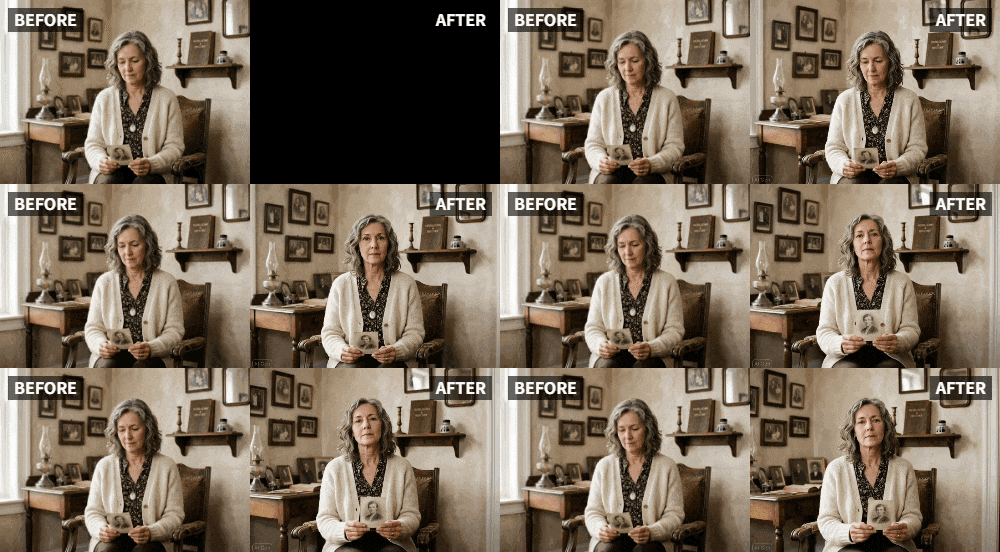
Relumi's "Relive" and "Old Photo Revival" presets aid the grieving process by applying subtle, lifelike facial animations like gentle blinking or soft smiles to static photos of deceased loved ones.
● The tool detects and animates multiple faces in old, faded, or black-and-white images, though low-quality files require using the app's enhancement tools prior to animation for optimal results.
● Users must specifically select the "Relive" or "Old Photo Revival" modes to ensure respectful, natural movements and avoid the jarring, exaggerated motions generated by standard animation presets.
● All photo processing remains private and secure, allowing the resulting clips to be safely saved as personal keepsakes or loaded onto digital photo frames when users feel emotionally ready.
Ask AI for a summary
 ChatGPT
 Perplexity
 Gemini
 Claude
 Grok
Grok
In the quiet corners of the internet, in forums dedicated to grief, you'll find questions that cut straight to the heart of loss. On Quora, someone asks, "If you could see a deceased loved one for just five seconds, what would you want to see?" The answers are never about grand gestures. They are about small, intimate moments: "I just want to see my dad laugh one more time." "I want my mom to look at me and smile." This is the deepest, most powerful application of Relumi's "Relive" feature: offering a glimpse of a loved one's animation, a whisper of their living presence.
It’s a tool for the heart, not just the photo album. By gently animating a treasured photograph, we can momentarily bridge the impossible gap left by loss, seeing a beloved face take a breath, offer a smile, or simply blink, as if acknowledging us from across time.
In this article
Part 1: The Healing Power of Seeing Movement
Grief counselors often speak of the importance of "continuing bonds" – the idea that healing doesn't come from letting go, but from finding new ways to maintain a connection with the person we've lost . Static photos are important anchors for memory, but they can also feel frustratingly silent and still. They capture the person, but not their life.
This is where animation offers a unique form of comfort. Seeing a loved one's face move—even with the subtle, AI-generated movements of the "Relive" feature—can trigger a powerful emotional response. It's a reminder that they were alive, that they breathed, that they smiled. It can make them feel present in a way that a static photograph cannot, providing a tangible sense of connection that can be profoundly healing .
Part 2: How to Gently Animate a Treasured Photo with Relumi


Relumi AI Photo Animation
Bring old photos to life with AI-powered animation.

 Preset motion styles — Wave, Dance, Clap, Cheers & more
-
Works on old, faded, and black-and-white photos
-
No editing skills required — generate in seconds
-
One tap turns any still image into a moving memory.
This process is about more than just technology; it's about intention. Approach it with care and allow yourself to feel the emotions that arise.
Step 1: Select a Photo Full of Meaning
Choose a photo where your loved one looks happy, peaceful, or loving. It might be a formal portrait, but often a candid shot where they are mid-laugh or looking warmly at the camera is the most powerful. The goal is to capture their essence.

Step 2: Use the "Relive" Mode for the Most Natural, Respectful Result
Upload the photo to Relumi and select the "Relive" or "Old Photo Revival" preset. This mode is specifically designed for subtle, lifelike movements. It avoids the jarring, exaggerated motions of other presets. The AI will generate a short clip where your loved one might gently blink, their eyes might soften, or the corners of their mouth might lift into the faintest hint of a smile.

Step 3: Take Your Time with the Result
When the animation is ready, watch it. Let yourself feel whatever comes up—joy, sadness, love, a bittersweet mix of all three. This is a moment of connection. You can save the clip to watch whenever you need to feel close to them. It becomes a private, deeply personal keepsake.

Part 3: Integrating Animated Memories into the Healing Process
These animated glimpses can be woven into your daily life and grief journey in several meaningful ways.
- A Private Digital Keepsake: Keep the animated clip on your phone or in a private folder on your computer. On difficult days, or on anniversaries, you can watch it as a way to feel close to them. It’s a tool for personal, quiet reflection .
- A Focal Point for Remembrance: Load the animated clip onto a digital photo frame in your home. As the frame cycles through your favorite memories, seeing your loved one gently move among the static images can make their presence feel woven into the fabric of your daily life, a comforting and constant reminder of their love .
- A Gentle Way to Include Others: If you have siblings, children, or other family members who are also grieving, sharing the animated clip with them can be a profound gift. It gives them the same opportunity to see a smile or a blink, creating a shared moment of connection with the person you all miss.
Conclusion
Grief is the price of love, and finding ways to maintain that love is a profound part of being human. Relumi's "Relive" feature offers a new, gentle language for remembrance. It allows us to look at a photo of someone we've lost and, for a fleeting moment, see them as they were: alive, present, and capable of a smile that can still reach across time to touch our hearts.
Frequently Asked Questions
-
Could this be more upsetting than comforting?
For most people, the subtle, lifelike animation provided by the "Relive" mode is a source of comfort, not distress. However, grief is personal. It's best to approach it when you feel emotionally ready and to remember that the goal is gentle remembrance. -
Does it work on very old or low-quality photos of a loved one?
Yes. Relumi's AI is designed to work with a wide range of photo qualities. For the very best result, you can first use the app's enhancement tools to clean up and sharpen the image before animating it. -
Can I animate a photo where my loved one is with other people?
Absolutely. The "Relive" feature can detect and animate multiple faces in a single photo, allowing you to see a whole family group gently come to life, which can be especially powerful. -
Is my photo safe and private?
Yes. Relumi processes your photos securely. You are in full control, and you can choose to keep your creations private on your own device.



