
 TL;DR:
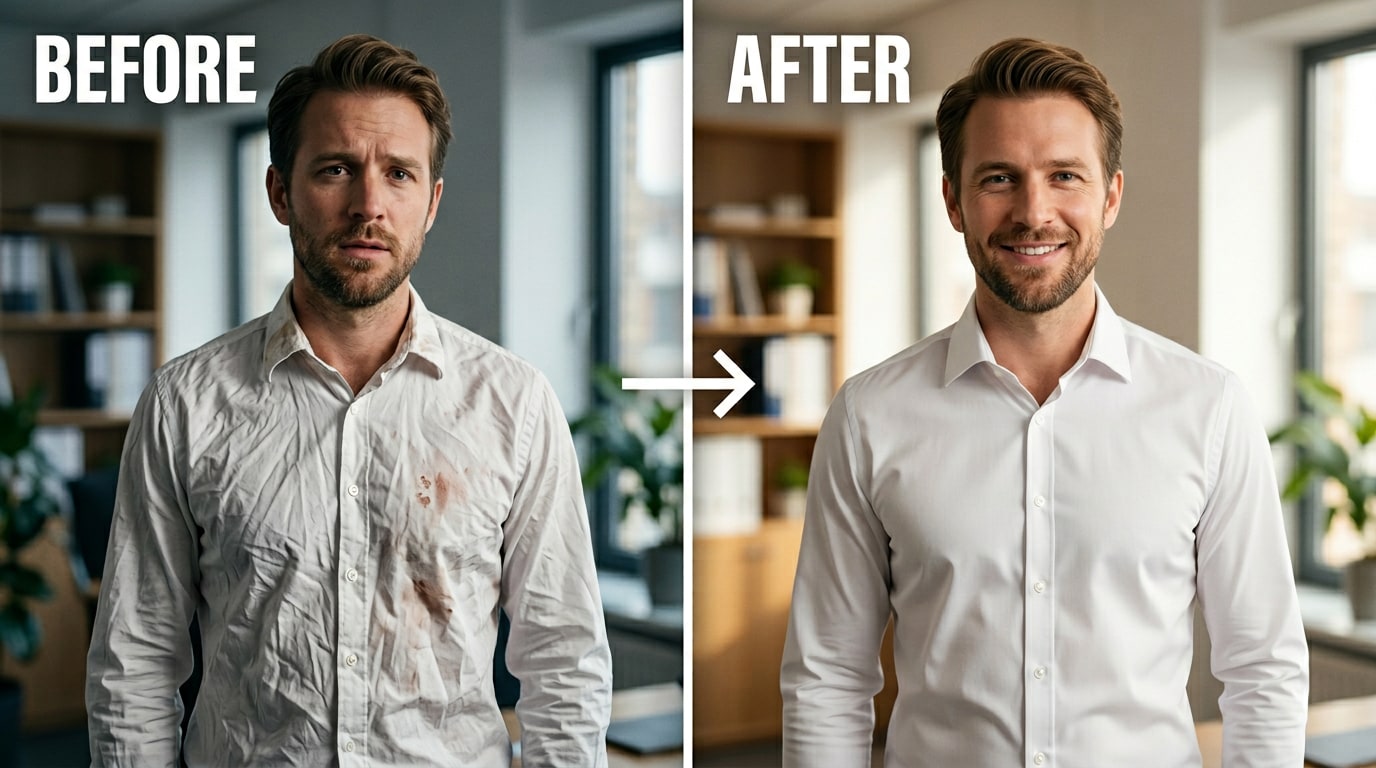
Relumi AI Retake provides a free Clothing Repair feature for iOS and Android that removes wrinkles and stains in photos by generating new fabric patterns and textures instead of blurring adjacent pixels.
● Set the Intensity slider to 50% for general smoothing, 60% for stains, and 65–75% for deep creases on satin or silk to avoid an over-processed, artificially uniform appearance.
● The tool processes the entire image automatically in one pass without manual brushing, making it highly effective for group or formal event photos where multiple garments require correction simultaneously.
● While the AI successfully rebuilds stripes, checks, and weaves, it cannot repair physical structural damage like tears, and results may vary when removing very dark stains from very light fabrics.
Ask AI for a summary
 ChatGPT
 Perplexity
 Gemini
 Claude
 Grok
Grok
That post captures the problem exactly. The wrinkles are there. You didn't notice them when you got dressed, or it happened on the way, or the shirt came straight out of a bag. The photo is otherwise perfect — good lighting, good expression, the right moment. But the wrinkles are right there in the center of the frame, pulling attention away from everything else.
The same thing happens with stains. A drop of coffee before a meeting. A splash of sauce at a dinner. You didn't notice until you saw the photo. And now a photo you want to use — for your LinkedIn, for a social post, for a family album — has a visible mark on it that you can't un-see.
Relumi AI Retake — Clothing Repair fixes both problems in one tap. It reads the fabric, understands the weave and pattern underneath the wrinkle or stain, and reconstructs what should be there — cleanly, without blurring or losing texture. Free on iOS and Android.
In this article
Part 1: Why Clothes Look Wrong in Photos — And What People Actually Need
Clothing problems in photos fall into two categories. Both are common. Neither is something you can easily fix with a standard photo editor.
Wrinkles and creases. Fabric wrinkles are shadow-and-highlight structures — dark valleys between folds, bright ridges along the crests. They're part of the image at a pixel level, not just a filter you can toggle off. The standard advice from professional retouchers is to fix the problem before the shoot, not after: iron or steam the garment, and the wrinkles aren't there to remove. But that's not always possible. You're traveling. The garment came out of a bag. The photo is already taken. And as one retouching professional put it:
Stains and marks. A stain is different from a wrinkle — it's a color change on the fabric surface, not a structural distortion. On a solid-color shirt, it reads immediately as wrong because the tone breaks the uniformity. On a patterned fabric, it disrupts the repeating pattern. Either way, the eye goes straight to it. And unlike a wrinkle, you usually can't anticipate it. It happens in the moment — a spilled drink, a child's handprint, a splash that you didn't notice until you looked at the photo later.
What both problems share: they require understanding what the fabric should look like in that area — not just what surrounds it. A clone stamp copies adjacent pixels. A healing brush blends them. Neither reconstructs a stripe pattern that got interrupted by a stain, or a fabric weave that got distorted by a deep fold. The tools that exist either require significant Photoshop skill, or they blur and smooth until the fabric looks fake.
What people actually need is simple: a tool that removes the wrinkle or stain and fills in what should be there, based on the fabric pattern and texture around it — without destroying the natural look of the garment.
Part 2: How Relumi AI Retake Fixes Clothing — And How to Use It


Relumi AI Photo Enhancer
AI Retake — Clothing Repair That Looks Like It Was Never There

 Fabric-aware AI: Reads the weave, pattern, and texture of the garment before making any change — so the fix matches the fabric, not just the surrounding color.
-
Wrinkle removal: Smooths creases, fold shadows, and compression marks on shirts, dresses, suits, and casual wear — without blurring or flattening the fabric texture underneath.
-
Stain and mark removal: Removes food stains, drink splashes, wet marks, and discoloration — reconstructing the pattern or solid color that should be there based on the surrounding fabric.
The key reason this works where a clone stamp or healing brush fails: those tools copy or blend pixel data that's already in the image. If the wrinkle runs across a stripe pattern, the healing brush blends the stripe into a smear. If the stain covers a section of fabric weave, the clone stamp pastes a different section of weave that may not align. Relumi's approach is generative — the AI infers what the fabric's pattern and texture should look like in the affected area, and reconstructs it from scratch, consistent with the rest of the garment.
How to Use Relumi AI Retake — Clothing Repair on iPhone
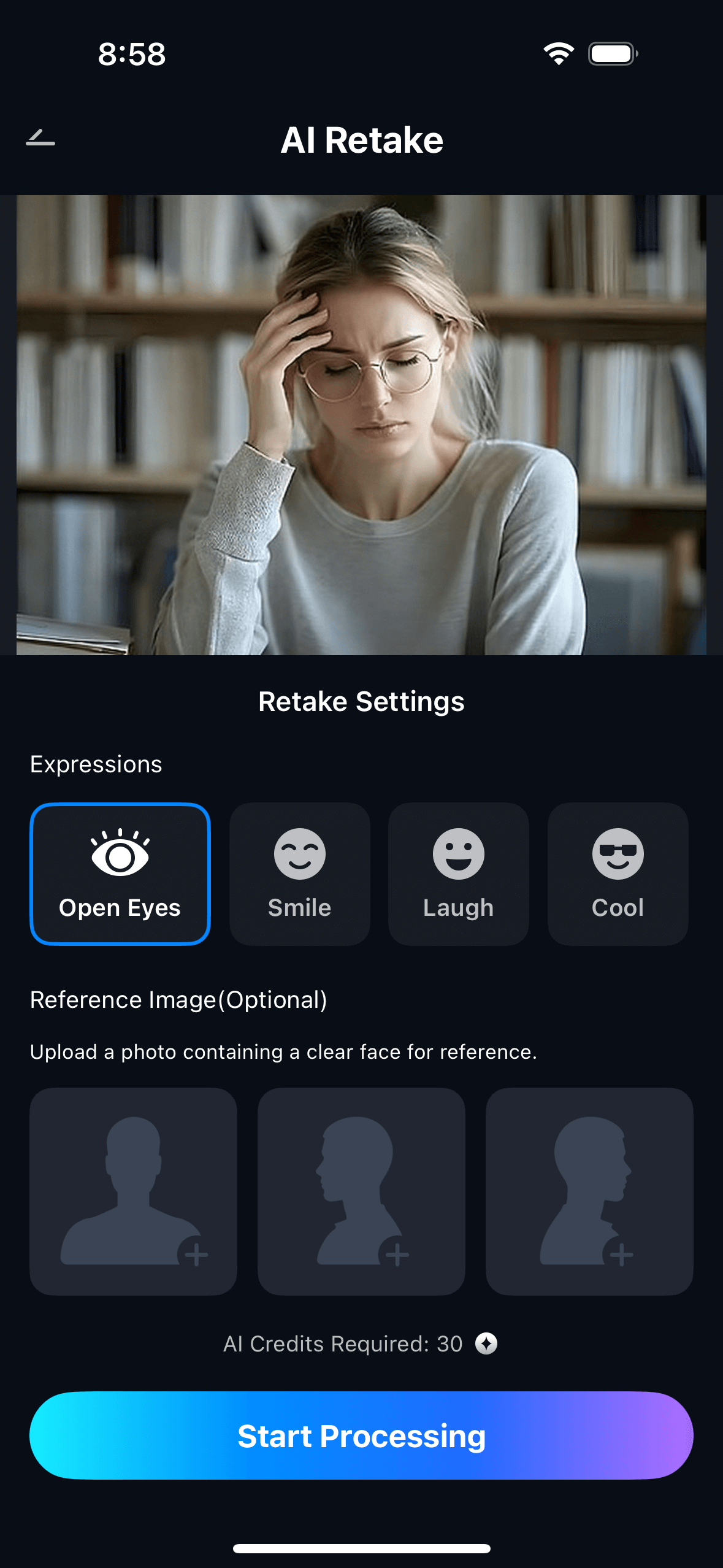
Step 1. Upload Your Photo & Select Clothing Repair
- Open the AI Retake feature from the Relumi homepage.
- Upload the photo you want to fix — headshot, event photo, product shot, or any image where clothing wrinkles or stains are the problem.
- From the AI Retake menu, tap Clothing Repair to activate the feature.
- Use the Intensity slider to set your preferred level — start at 50% for general wrinkle smoothing; go higher (65–75%) for deep creases or visible stains.
Step 2. Start AI Retake Processing
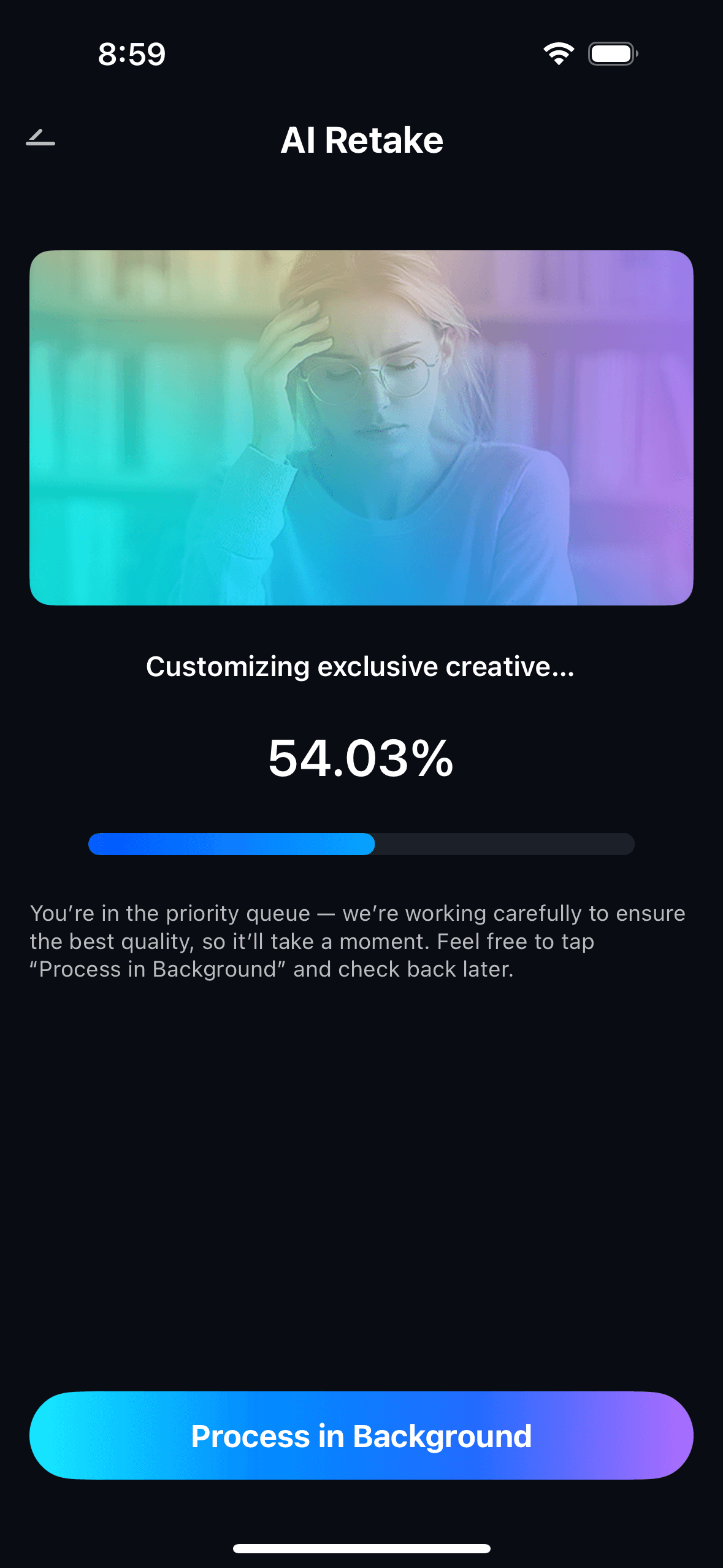
- The AI scans the clothing in the image, identifies wrinkle structures and stain areas, and reconstructs the fabric as it should appear without them.
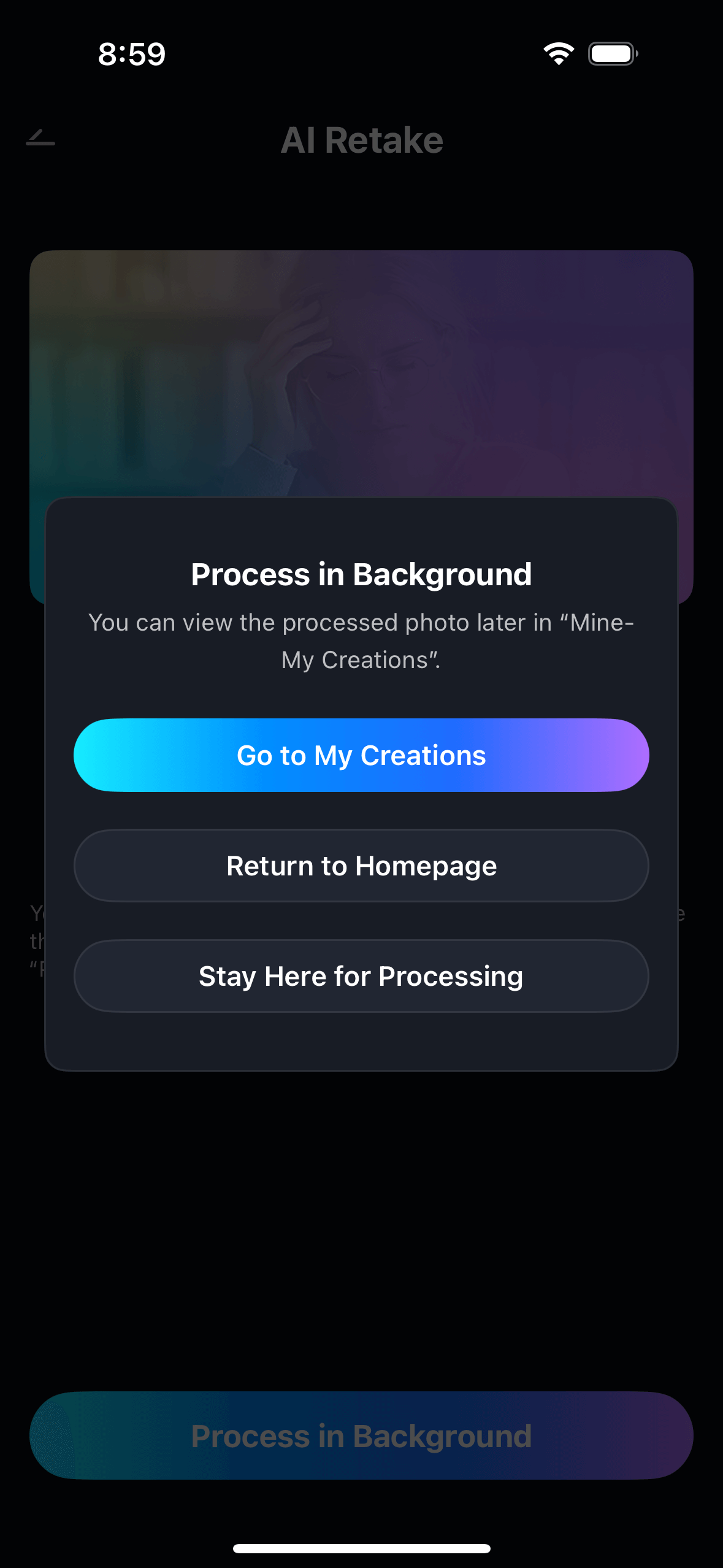
- Processing runs automatically in the background — no manual brush selection or zone-by-zone editing required.
- For patterned fabrics (stripes, checks, prints), the AI infers the underlying pattern from the undamaged areas and continues it through the repaired region.
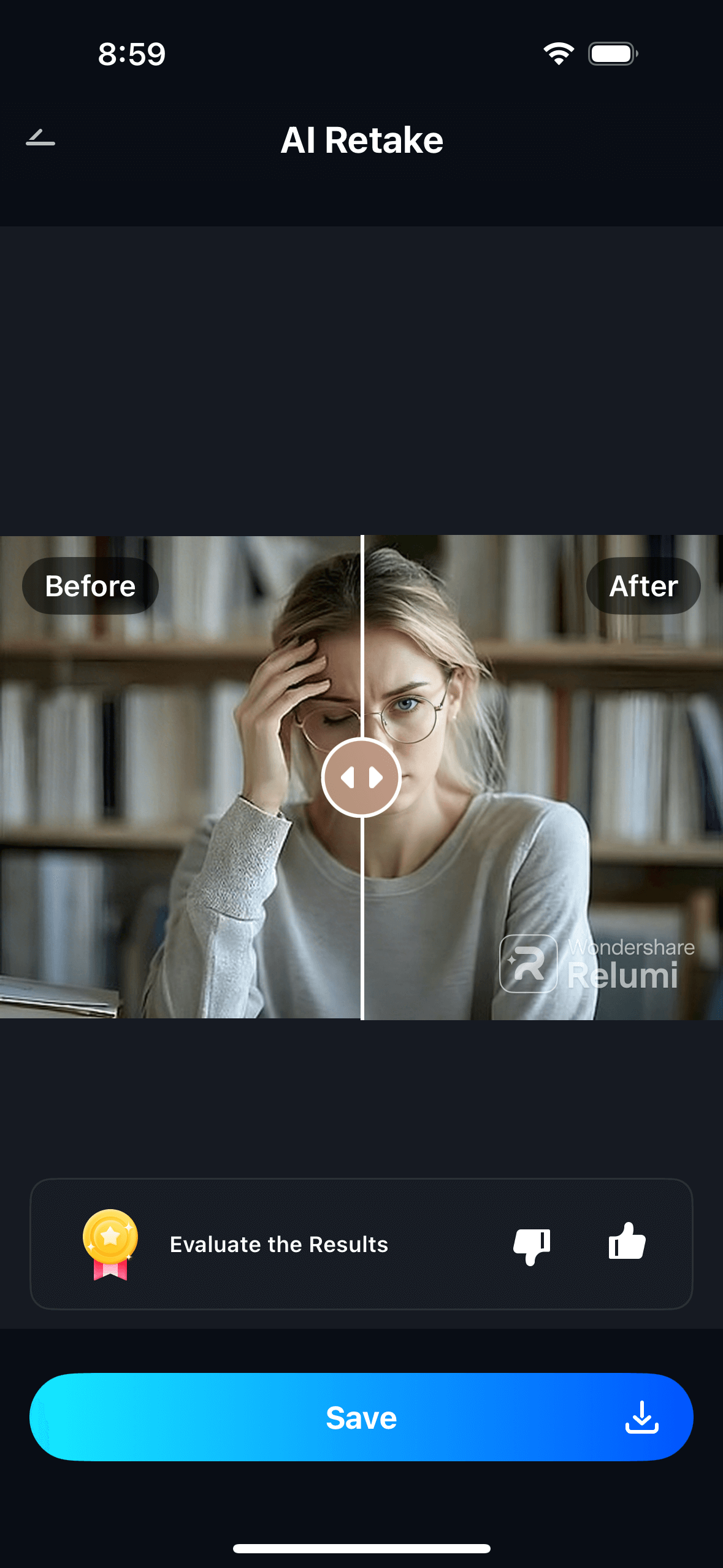
Step 3. Preview, Compare & Save
- Use the before/after toggle to compare the original and the repaired version side by side.
- Adjust the intensity slider if needed — higher for deep crease lines or bold stains, lower for subtle creasing where you want a light polish rather than full smoothing.
- Tap Save to export in full resolution, or share directly. View all your repaired photos in My Creations.
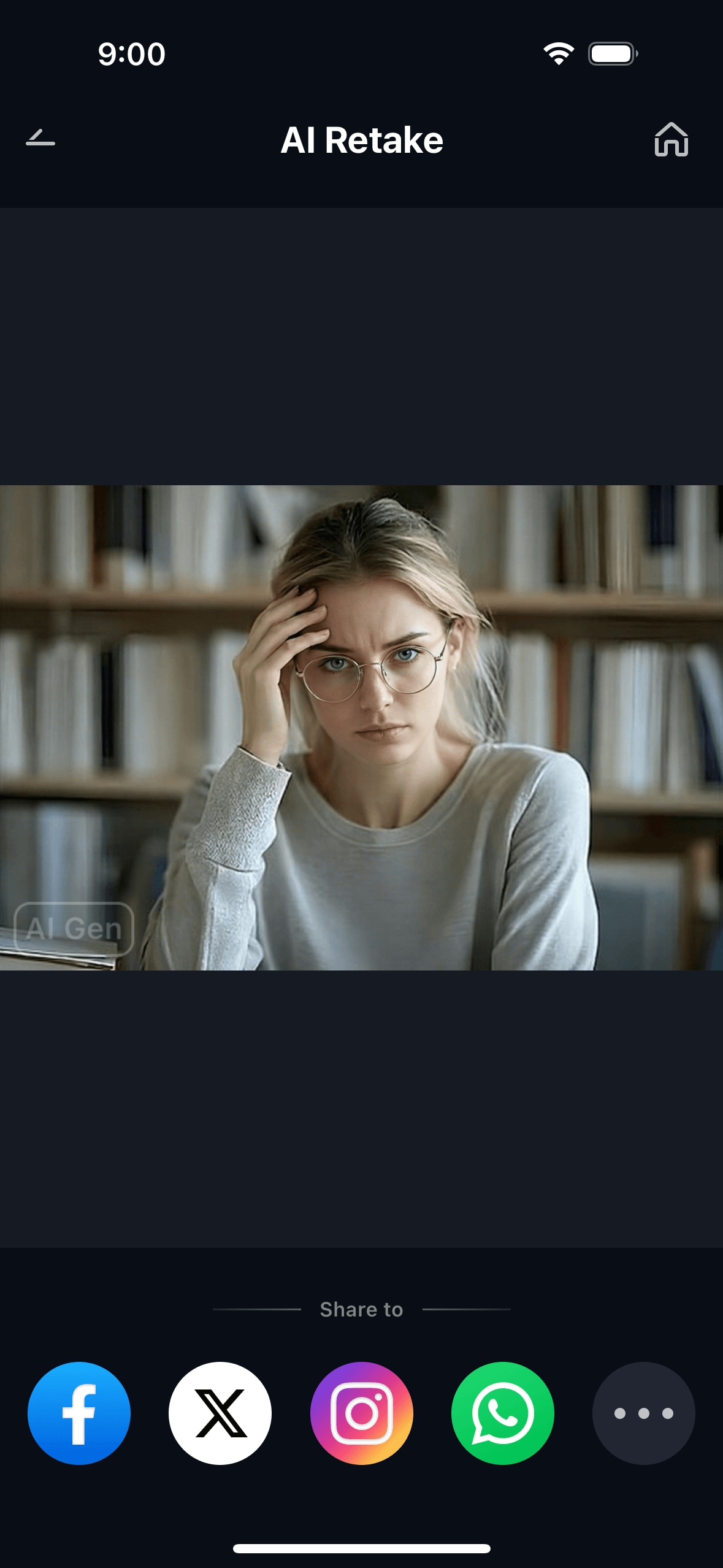
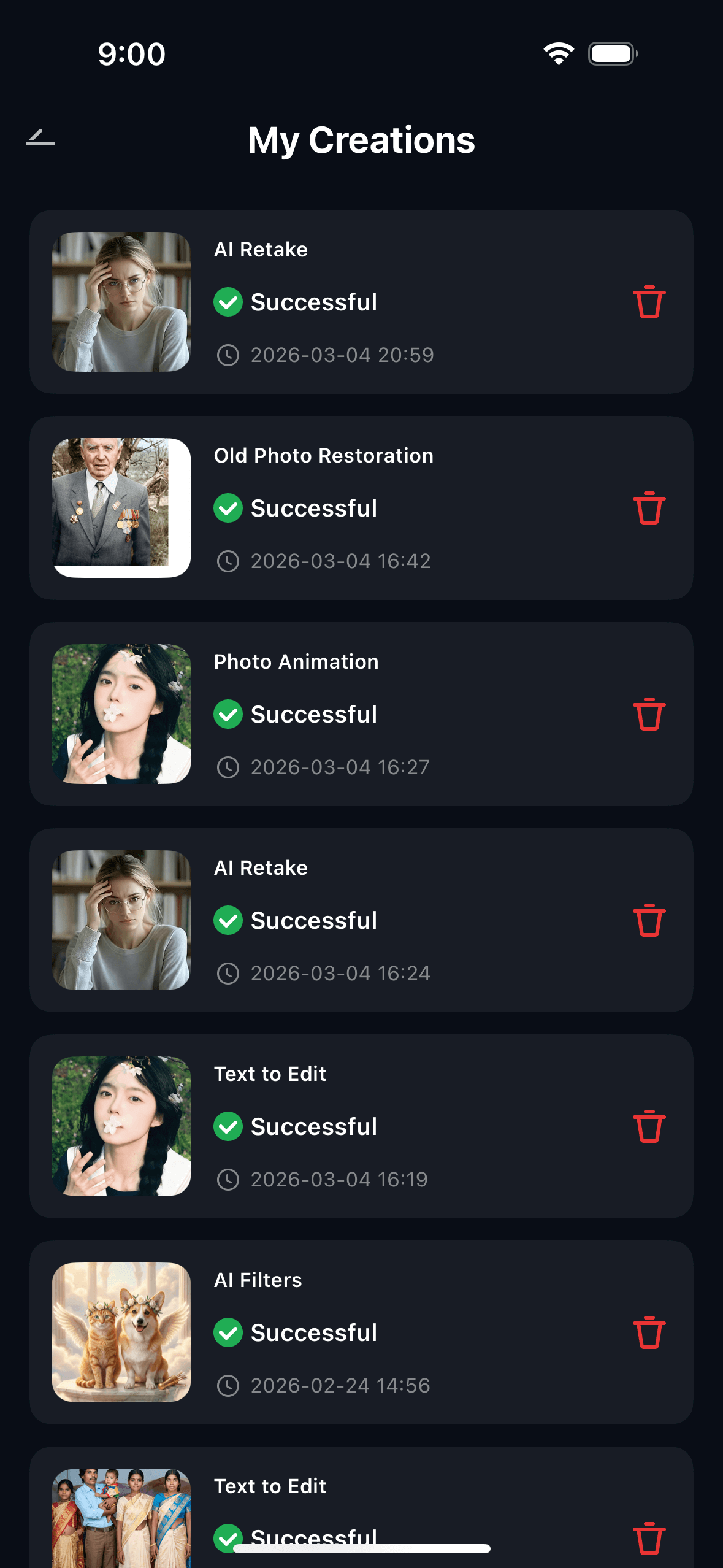
The result is a photo where the clothing looks like it was properly prepared before the shoot — not like it was edited afterward. The fabric weave stays visible, the texture is intact, and the fix doesn't announce itself.
Part 3: Three Situations Where Clothing Repair Makes a Real Difference
These are the three scenarios that come up most often — where fixing the clothing in the photo matters for a reason, and where ironing or re-shooting isn't a practical option.
👔 1. Professional Headshots and LinkedIn Photos
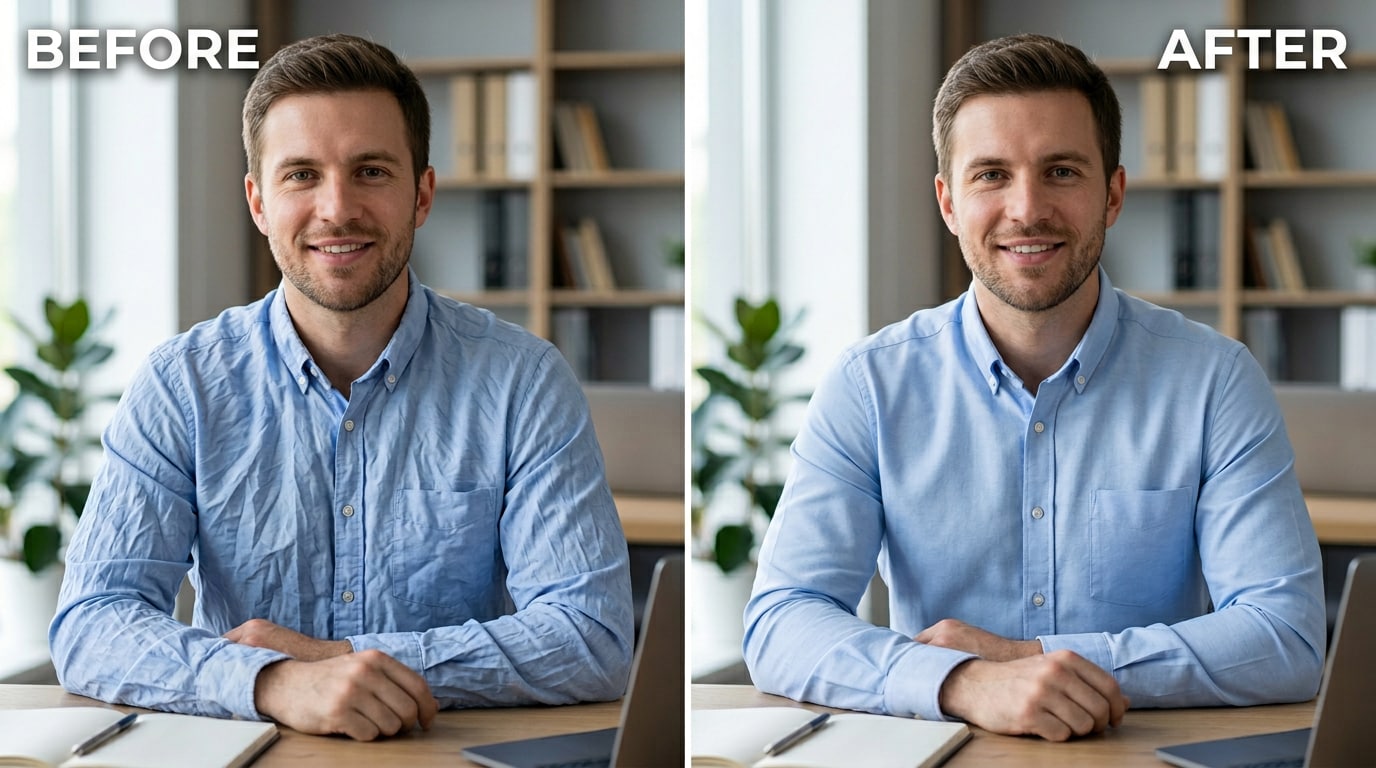
Headshots are the one photo type where clothing condition is most visible and most consequential. The frame is tight. The viewer is close. There's nowhere for a wrinkled collar or a creased shoulder to hide.
A wrinkled shirt in a headshot doesn't just look unprepared — it reads as careless, because the professional headshot is the one context where you're supposed to have thought about how you look. If you're updating your LinkedIn photo with a shot taken before a presentation, or using a conference photo as your team profile picture, clothing wrinkles are exactly the kind of problem that makes a good photo unusable.
Relumi AI Retake Clothing Repair smooths the creases in a headshot in a few seconds. The shirt comes out looking pressed. The collar lies flat. The fabric texture is intact. No one needs to know the photo was taken straight out of a bag.
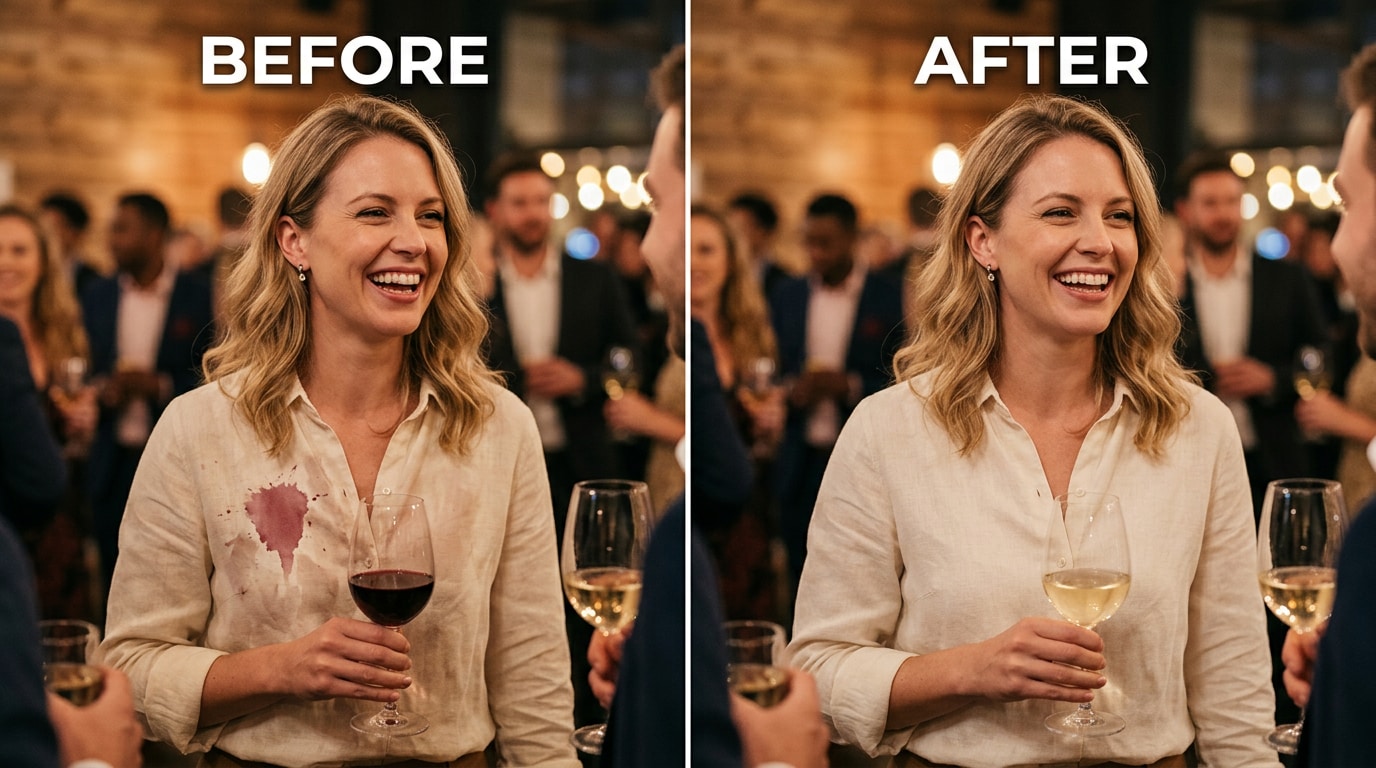
🍽️ 2. Accidental Stains at Events
Events are where stains happen. A buffet line, a dinner table, a toast that went slightly sideways. You're wearing something you chose for the occasion — a dress shirt, a good blouse, a smart jacket. Forty minutes later there's a photo of you from that evening that you'd otherwise love, except for the visible stain on your chest that the photographer's flash helpfully highlighted.
The stain-at-an-event scenario has an extra layer: you often can't go back and reshoot. The event is over. The dress was only worn once. The photo is the only record of the night, and it has a stain on it. Relumi reads the fabric color and texture around the mark, reconstructs what should be there, and removes the stain cleanly — leaving the rest of the image exactly as it was.
🎊 3. Wedding, Graduation, and Formal Group Photos
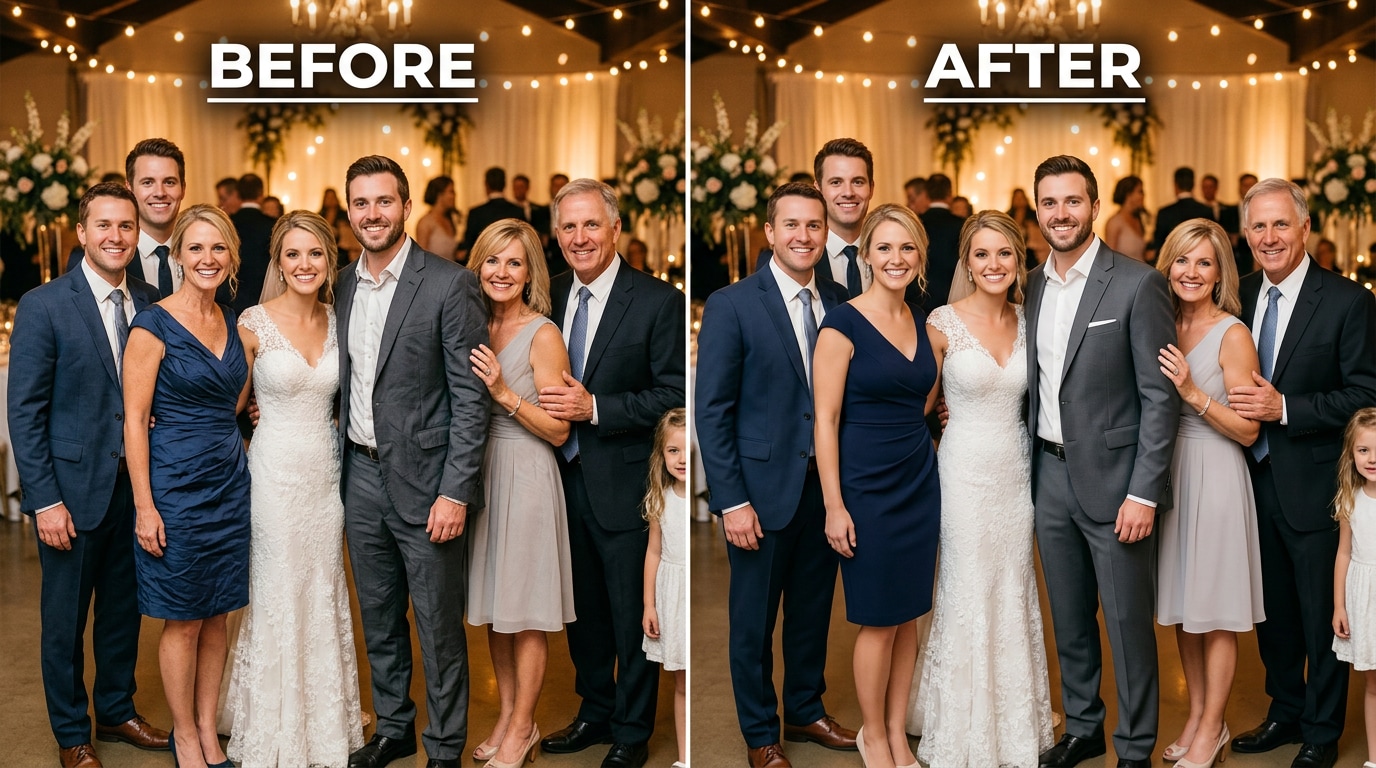
Formal photos from milestone events carry more weight than everyday snapshots — they go in albums, get framed, get shared for years. Which makes it worse when someone in the photo has a visibly wrinkled suit jacket or a crumpled dress that made it through the ceremony un-ironed.
Wedding photographers know this problem well. Satin and silk show every crease. A suit that looked fine at the start of the day has fold lines by the ceremony. And professional retouching for wedding wrinkles — as that thread makes clear — is either expensive, slow, or both.
Relumi handles the wrinkle smoothing automatically, across the full garment, in a single pass. A wrinkled jacket sleeve in a family portrait becomes pressed and clean. A creased bridesmaid dress in the group shot looks like it was steamed ten minutes before. No manual brushwork. No per-photo fee. Free to try on iOS and Android.
Conclusion
A wrinkled shirt or a visible stain doesn't mean the photo is ruined. It means the clothing in the photo has a problem that needs fixing — and that problem is now solvable without Photoshop skills, without a steamer, and without going back to reshoot.
Relumi AI Retake Clothing Repair handles both wrinkle removal and stain removal using the same underlying approach: it reads what the fabric should look like, and reconstructs the damaged or distorted area based on that understanding. No blur. No pasting. No visible repair lines. The result is a photo where the clothing looks like it was properly prepared before the shot was taken.
Free to try on iOS and Android. Load any photo with a clothing problem. Tap Clothing Repair. The difference is immediate in the before/after.
FAQ
-
Does Relumi's Clothing Repair work on all types of fabric?
Yes. The AI is trained on a wide range of fabric types — solid colors, stripes, checks, textured weaves, and printed patterns. For patterned fabrics, it infers the underlying design from the undamaged areas of the garment and reconstructs it through the repaired region. Results are most dramatic on solid colors and simple patterns; complex prints may require a slightly higher intensity setting. -
Can it remove any type of stain, or only certain kinds?
Clothing Repair works on color-based marks — food stains, drink splashes, wet marks, yellowing, and surface discoloration. It reconstructs the fabric color and texture that should be in that area based on the surrounding garment. It is not designed for physical damage to the clothing itself (tears, holes, structural damage), and for very dark stains on very light fabric, results will vary based on how much of the original fabric information is still readable. -
What intensity setting should I use?
Start at 50% for general wrinkle smoothing on everyday clothing — this removes visible creases while keeping fabric texture natural. For deep fold lines on satin, silk, or heavily creased garments, go to 65–75%. For stain removal, start at 60% and adjust based on how prominent the stain is. The before/after toggle in the app makes it easy to compare at each setting before saving. -
Will the repaired fabric look fake or over-processed?
At moderate settings, no. The key difference between Relumi's approach and a standard healing brush is that Relumi generates new fabric content — it understands what the weave, texture, and color structure of the garment should look like, and writes that in rather than averaging or copying adjacent pixels. The result retains visible fabric grain. At very high intensity settings on subtly creased fabric, the smoothing can look slightly too uniform — which is why the slider matters. -
Is Relumi's Clothing Repair free?
Yes. The Clothing Repair feature is available on Relumi's free tier for both iOS and Android. You can repair clothing wrinkles and stains in any portrait and export the result in full resolution without a watermark. No subscription required to use the core feature. -
Can it fix multiple clothing items in one photo — for example, a group shot where several people have wrinkled outfits?
Yes. Relumi AI Retake processes the full image, not just individual regions you select. For a group photo where multiple people have visible clothing issues, the AI detects all the garments in the frame and applies Clothing Repair consistently across all of them in one pass. No per-person manual work is needed.



