
 TL;DR:
Generate photorealistic, front-facing smartphone-style selfies of your pets surrounded by roses by using a specific AI prompt that mimics natural iPhone color science and subtle wide-angle lens distortion.
● Upload clear, well-lit reference images of your pets before applying the prompt to ensure the AI faithfully preserves their exact breed characteristics, fur texture, and facial features without artificial retouching.
● The required prompt specifically excludes phone UI elements, text, and borders to produce a clean high-resolution output, though users can manually modify the text prompt to customize the rose colors and floral arrangement.
Ask AI for a summary
 ChatGPT
 Perplexity
 Gemini
 Claude
 Grok
Grok
Ever wondered what a Valentine's Day selfie taken by your pets would look like? Now you can see it! Our cutting-edge AI image editing tool is ready to create photorealistic, iPhone-style selfie photos from the perspective of your beloved pets, snuggling together amidst fresh roses. This isn't just an image; it's a window into their world, captured with the authentic feel of a genuine smartphone shot.
Forget staged photoshoots. This is about candid, emotionally warm, and high-resolution art that perfectly preserves your pets' unique charm and affection.
In this article
Part 1: Why This iPhone-Style Pet Selfie is Uniquely Charming
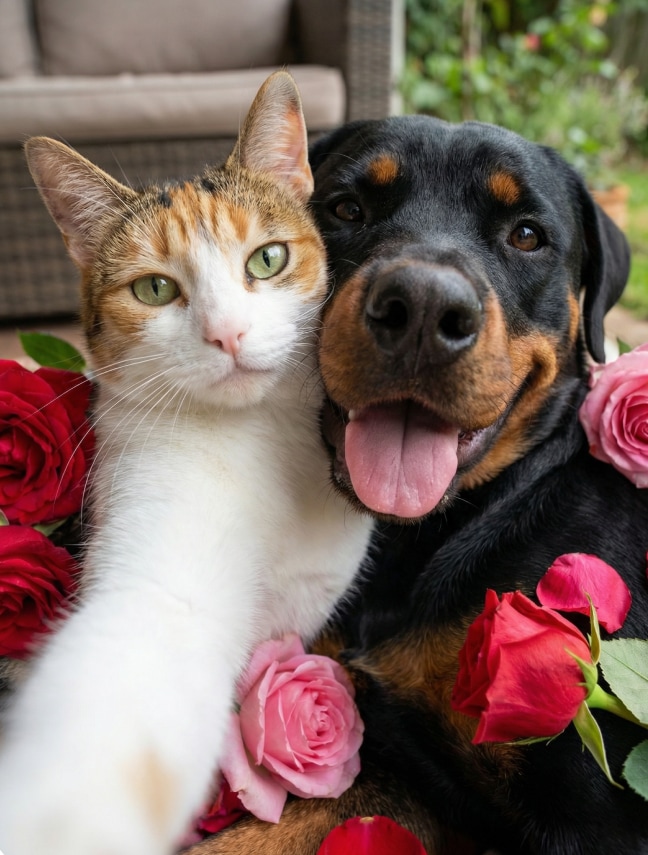
Authentic Pet Perspective: The composition truly mimics a front-facing smartphone shot, as if your pets held the phone themselves, centered and close to the camera. Natural iPhone Aesthetic: Expect genuine iPhone color science, subtle wide-angle distortion, soft bokeh, and realistic lighting – no artificial over-processing. Preserved Identity: Your pets' exact fur texture, color, facial features, and breed are faithfully maintained, ensuring their true personalities shine through. Romantic Floral Touch: Gently surrounded by fresh red and pink roses, adding a sweet, Valentine's-themed frame to their adorable faces.


AI Pet Selfie Creator
Transform your pet photos into adorable, authentic iPhone-style selfies with AI.

 Preserves exact pet appearance—fur texture, color, facial features, breed
-
Generates authentic iPhone-style selfies with natural color science and bokeh
-
No editing skills required — create magic in seconds
-
High-resolution output perfect for social media or prints
Part 2: Crafting Your Pets' iPhone Selfie Masterpiece with a Prompt
To achieve this charmingly authentic look, your prompt needs to emphasize realism and the distinct qualities of smartphone photography, while highlighting your pets' affectionate interaction and the floral accents. Here's the exact prompt to bring this heartwarming vision to life:
🐶🐺Prompt Example: "A realistic iPhone-style selfie photo taken from the perspective of the pets themselves, featuring pet in image 1 and pet in image 2 snuggling close together in front of the camera. The composition mimics a genuine front-facing smartphone shot — with natural iPhone color science, subtle wide-angle lens distortion at the edges, soft background bokeh, and authentic lighting.
Both pets are gently surrounded by fresh red and pink roses — some tucked beside them, others forming a loose floral frame around the bottom of the shot. Their faces are fully visible, centered in the frame, with bright, affectionate eyes and relaxed, happy expressions.
Their exact appearance — including fur texture, color, facial features, and breed — is preserved faithfully from their original photos. No digital retouching, no artificial glow, no exaggerated cuteness.
The background is softly blurred, suggesting a cozy indoor or garden setting, but kept minimal to emphasize the pets and roses.
No borders, no text, no UI elements (no phone screen, no icons, no status bar).
Style: authentic iPhone photography, high-resolution, candid, emotionally warm, photorealistic.inematic."
What Makes This Pet Selfie Special?
Emotional Warmth: The focus is on their "bright, affectionate eyes" and "relaxed, happy expressions," radiating genuine joy. Subtle Details: The "soft background bokeh" and "minimal background" ensure your pets and the roses are the undisputed stars of the shot. No Distractions: "No borders, no text, no UI elements" mean the final image is clean, pure, and perfect for printing or sharing.
How to Get Your Pets' Valentine's Selfie
1. Choose Your Favorite Pet Photos: Select clear, well-lit images of your pets to ensure the AI accurately preserves their details.

2. Input the "Pet's Eye View" Prompt: Use the detailed prompt provided above. Remember to replace [Pet 1] and [Pet 2] with descriptions of your pets if you're not uploading specific images.
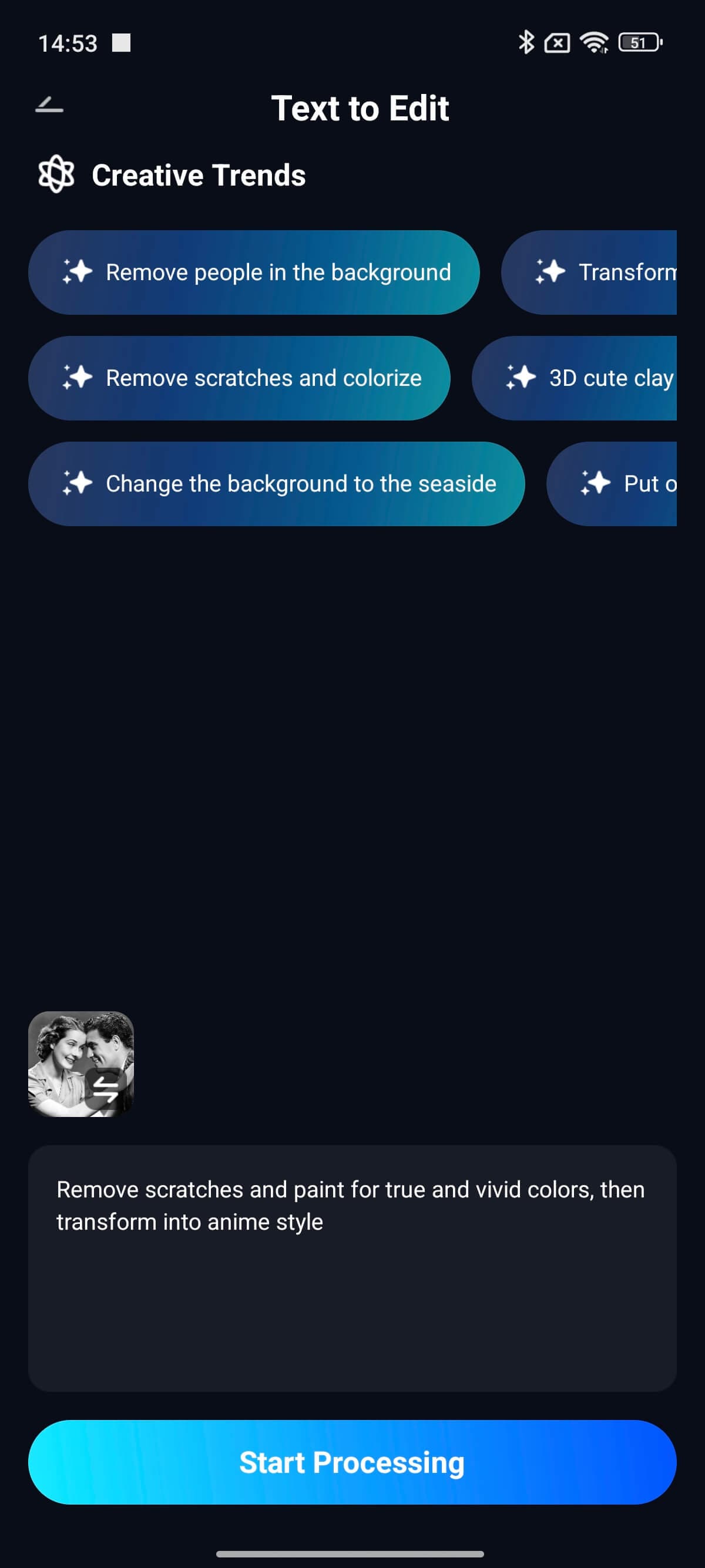
3. Generate Your Adorable Selfie: Click to generate and receive a high-resolution, photorealistic image that looks like it came straight from your pets' own camera roll!
Part 3: Share the Love, Pet-Style!
- Unique Social Media Posts: Stand out on Instagram, Facebook, or pet-themed groups with an authentic and heartwarming photo.
- Personalized Valentine's Cards: Create a one-of-a-kind digital or printed card for fellow pet enthusiasts.
- Digital Decor: A charming addition to your phone wallpaper, tablet background, or digital photo frame.
- Pet Memorial Tributes: Create a beautiful, lasting memory of beloved pets who have passed, captured in a candid moment.
- Gifts for Pet Parents: Surprise another pet owner with an adorable selfie of their furry friend.
- Print for Home: Frame this heartwarming image as a unique piece of art for your living space.
Conclusion
This AI-generated iPhone-style selfie is perfect for capturing the candid, rose-filled affection of your pets. Ready to see the world from their perspective? Start creating their iPhone-style Valentine's selfie today!
Frequently Asked Questions
-
What makes this "iPhone-style" different from regular pet photos?
The prompt specifically mimics the qualities of a front-facing smartphone shot: natural iPhone color science, subtle wide-angle lens distortion at edges, soft background bokeh, and authentic lighting. It's designed to look like a genuine selfie, not a staged studio photo. -
Will my pets still look like themselves?
Absolutely. The prompt requires that "their exact appearance — including fur texture, color, facial features, and breed — is preserved faithfully from their original photos" with "no digital retouching, no artificial glow." -
Can I customize the rose colors or arrangement?
Definitely! Modify the prompt to use different rose colors (white, pink, mixed) or change how they're arranged — tucked beside them, forming a frame, or scattered around.



