
 TL;DR:
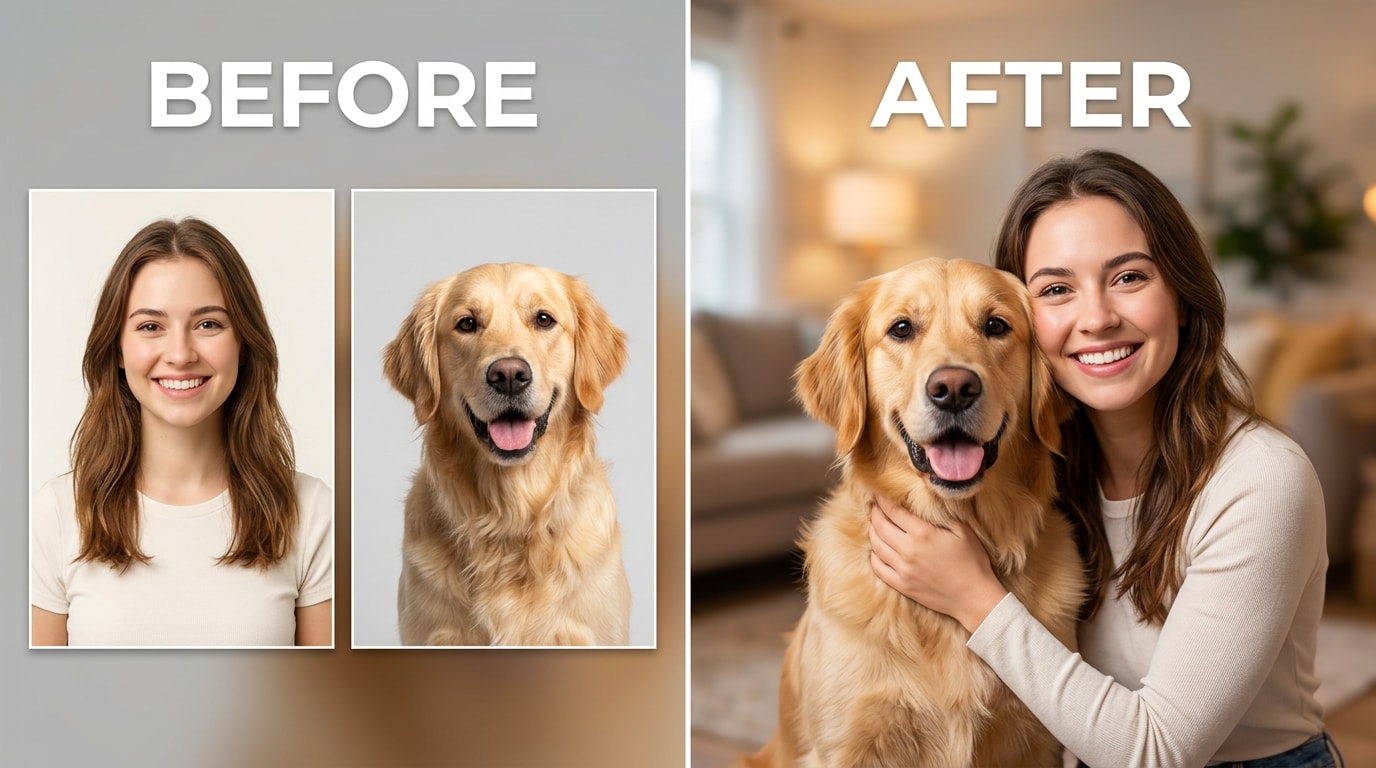
Relumi's Combine Photo — Person + Pet Photo Combo uses AI to merge separate, pre-existing photos of a human and an animal into a single realistic portrait, eliminating the need to photograph both subjects simultaneously.
● The tool requires one clear, unobstructed portrait of the person and one well-lit photo of the pet (supporting dogs, cats, rabbits, and birds), automatically handling the scale differences between the subjects without manual cropping.
● Users dictate the final environment by entering text descriptions for specific scenes, lighting, or matching outfits, prompting the AI to blend the original color temperatures and lighting directions into a unified background.
● Processing takes 15 to 30 seconds per generation and is available for free on iOS and Android, while higher export resolutions and advanced style options are restricted to the paid plan.
Ask AI for a summary
 ChatGPT
 Perplexity
 Gemini
 Claude
 Grok
Grok
Getting a great photo of yourself and your pet at the same time is genuinely one of the hardest things to pull off. Your dog won’t stop moving. Your cat walks out of frame the second you press the shutter. You need both subjects looking good in the same moment — and that almost never happens on the first 50 tries.
Relumi’s Combine Photo — Person + Pet Photo Combo skips the impossible coordination problem entirely. Upload a portrait of yourself and a portrait of your pet — taken separately, whenever they came out best — and the AI combines them into a single, natural-looking photo where the two of you are actually together. Here’s how it works and what you can create with it.
In this article
Part 1: Why Getting a Good Photo With Your Pet Is So Hard
Pet owners know the situation well: you have hundreds of great photos of your pet, and plenty of decent photos of yourself, but almost none where both of you look good at the same time. Here’s why that happens — and why it’s not your fault.
1. Your pet and you are never ready at the same moment
Getting a dog or cat to hold a pose while you also look natural in the same frame is a two-person job — at minimum. You’re either focused on making your pet look at the camera while you’re mid-blink, or you look great but the pet has already moved on. Burst mode helps. Having a second person helps more. But neither guarantees that the shot where your pet looks perfect is also the one where you look your best.
2. Professional pet photoshoots are expensive and still need compositing
Professional photographers who specialize in pets often need to take multiple separate shots and composite them in post-production anyway. A session for one owner with multiple pets can run $200–$500, and the final image is still a composite — just one a professional assembled manually. The result is worth it, but the barrier is high. Most people want that framed family photo without the booking fee, the scheduling coordination, and the week’s wait for edits.
3. Pets are unpredictable in new environments
Even in a professional setting, pets get spooked, distracted, or tired. Some rescue dogs experience anxiety around strangers. Some cats refuse to stay in one spot for more than a few seconds. A $400 session can produce exactly zero usable frames if your pet decides it’s done with the whole thing. You can’t rebook that moment.
4. Good individual photos already exist — you just can’t put them together
This is the most common situation: you already have the shots. A great photo of you from last month. A perfect photo of your dog from last week. The problem is they’re two separate images that don’t share a frame. Getting those two moments into one photo used to require either a Photoshop artist or a new photoshoot. Relumi does it in under a minute.
Relumi’s Person + Pet Photo Combo works because it starts from your best existing photos of each subject, not from a single impossible simultaneous shot.
Part 2: How Relumi Person + Pet Photo Combo Works


Relumi AI Photo Enhancer
Combine Photo — Person + Pet Photo Combo: Merge Separate Photos of You and Your Pet Into One Natural, Shareable Portrait — Free on iOS & Android

 Combine separately taken photos: Upload the best portrait of you and the best photo of your pet — taken at completely different times, in different places, with different lighting. Relumi composites them into a single image where you genuinely look like you’re in the same space together, not pasted on top of each other.
-
Natural lighting and scene matching: The AI analyzes the lighting direction, color temperature, and background context of both source photos and blends them into a consistent output. Your pet doesn’t appear in a ring of mismatched light next to you — the result looks like it was taken in the same moment.
-
Works with any pet — dogs, cats, rabbits, birds: The feature recognizes a wide range of animals and handles their varying scales relative to a human subject. A Chihuahua sitting next to you looks proportionally right; so does a large Labrador. You don’t need to manually scale or crop either subject.
The key insight behind this feature is that you don’t need to be in the same photo at the same time to end up in the same photo. Your pet’s best shot might have been on a Tuesday morning in good natural light. Your best portrait might have been from a trip last summer. Relumi treats both as valid source material and constructs a believable combined scene from them.
How to Use Relumi Combine Photo — Person + Pet Photo Combo on iPhone
Step 1. Open Combine Photo & Upload Your Portrait
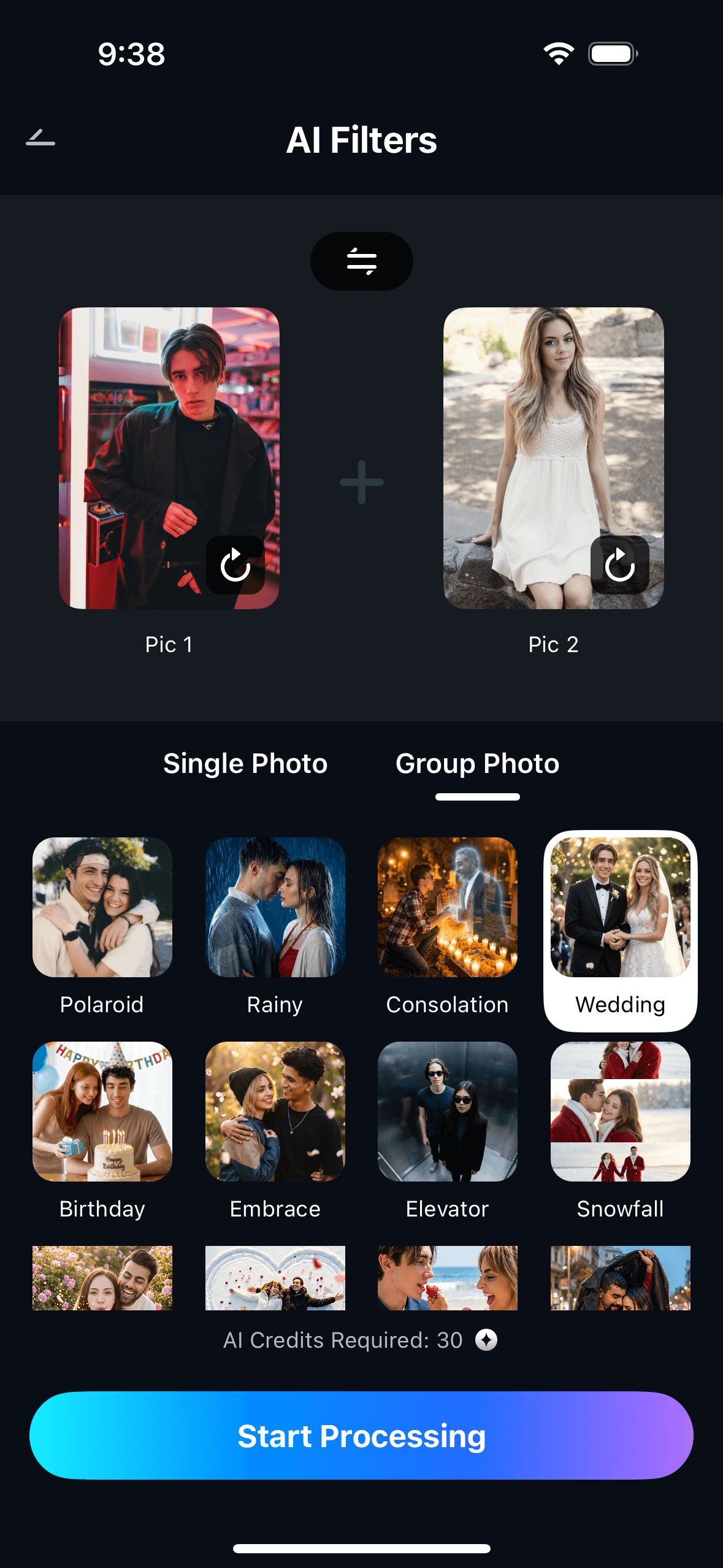
Open Relumi, tap Combine Photo from the home screen, then select Person + Pet Photo Combo. Tap the first photo slot and choose your portrait from the camera roll. Pick a photo where you’re facing forward, clearly lit, and your face is unobstructed. You don’t need a professional headshot — a clean selfie or a photo a friend took of you works well.

Step 2. Upload Your Pet’s Photo & Set the Scene
Tap the second photo slot and select the best photo of your pet — the one where their face is clear, their expression is great, and the lighting is decent. Then add a scene description in the text field: “cozy indoor portrait, warm light”, “sunny outdoor park, summer afternoon”, “professional studio white background”, or anything else you want the combined image to feel like. Tap Start Processing.
Step 3. Preview, Save & Share Your Combined Portrait
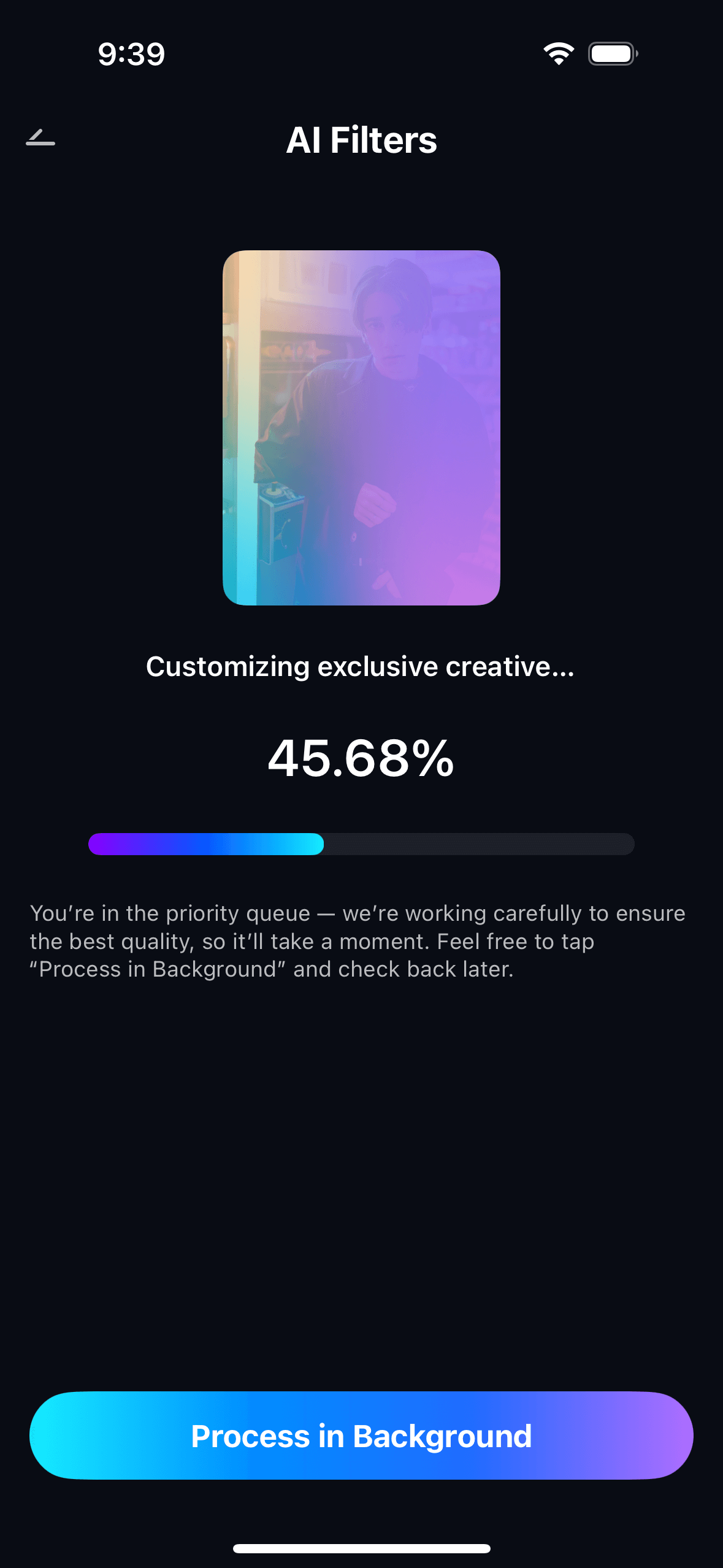
Preview the combined portrait in full resolution. If the scene or placement isn’t quite what you wanted, adjust the description and regenerate — the same two source photos stay loaded. Tap Save to export to your camera roll at full resolution. The result lands directly in your gallery ready to post, print, or share. All your generated combos are stored in My Creations for easy access.
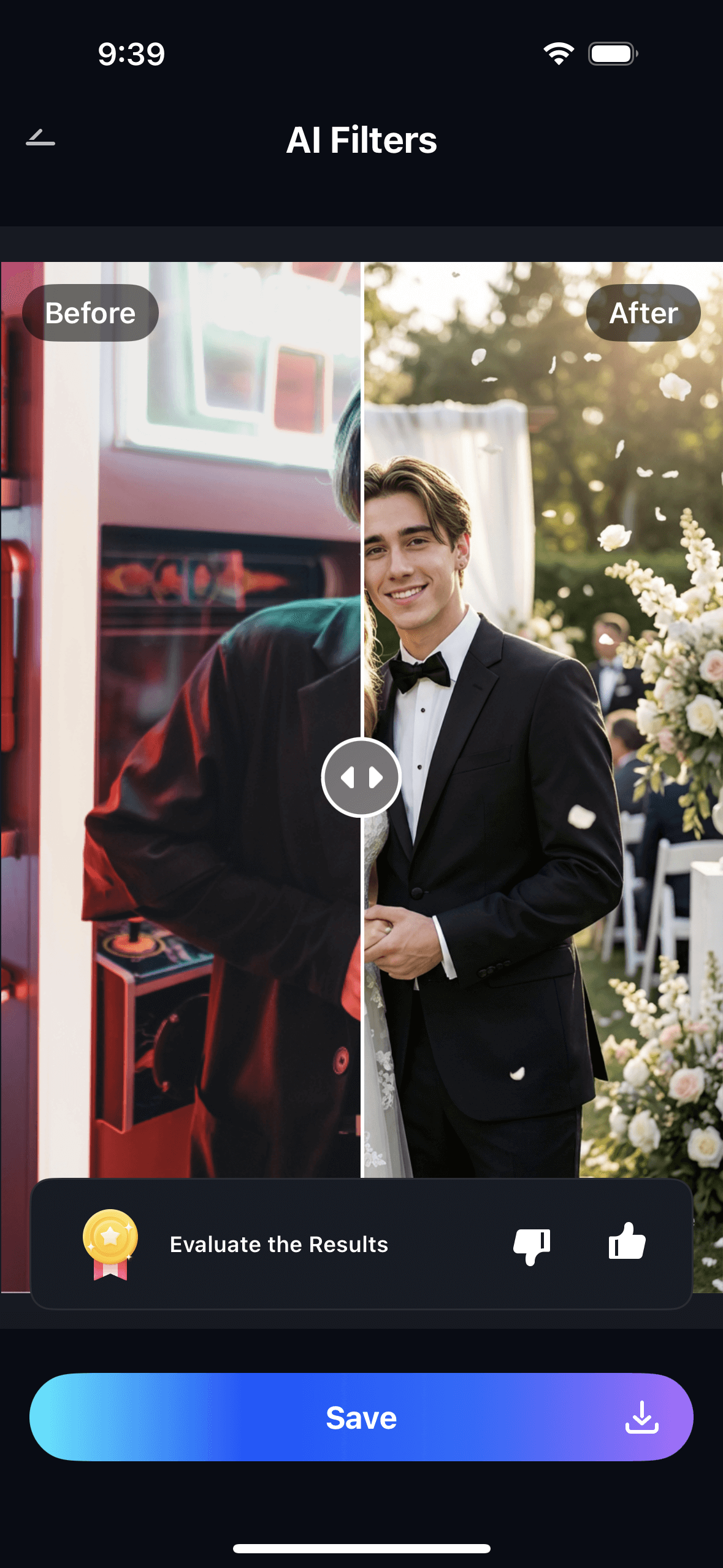
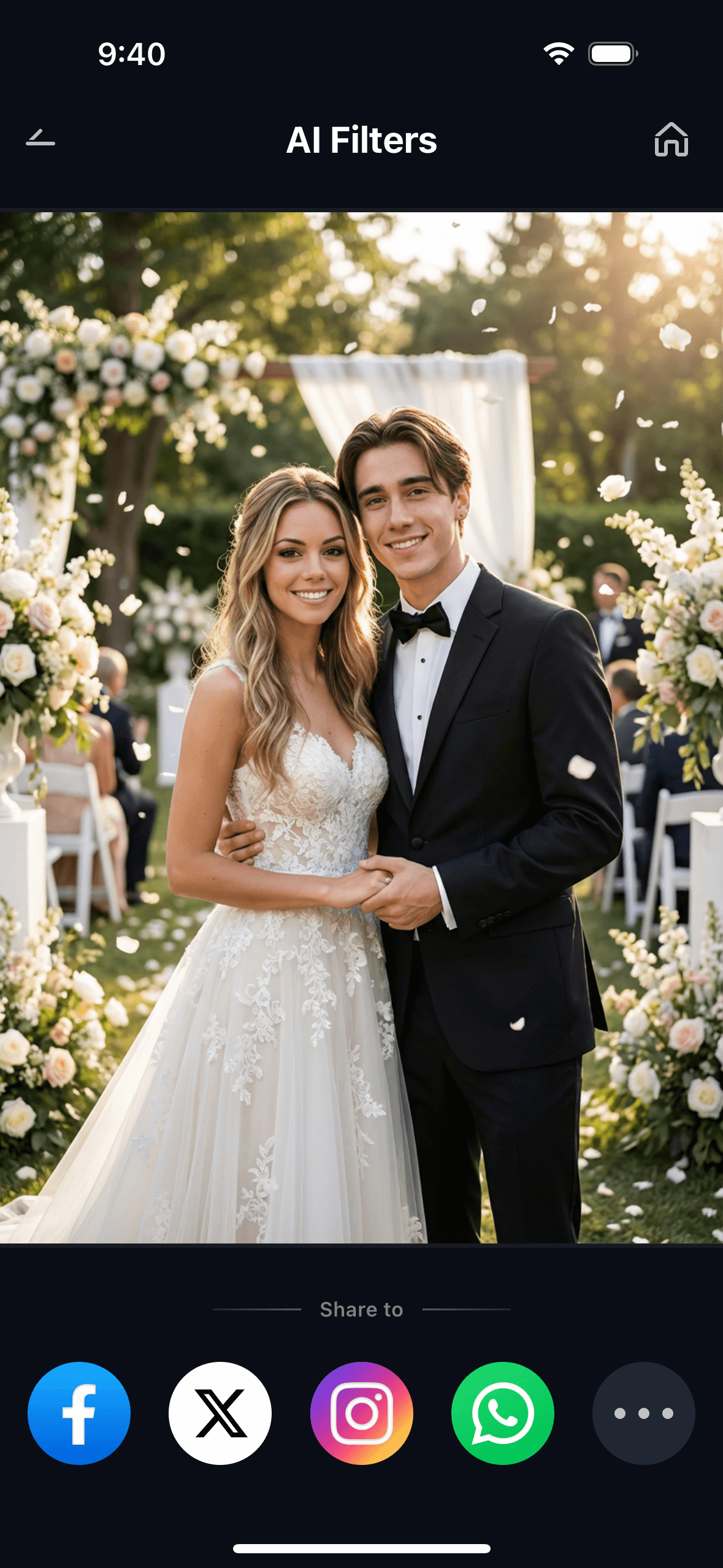
One good source photo of each subject is all you need. You can generate multiple versions of the same pair in different scenes — a cozy indoor portrait, an outdoor adventure, a festive holiday card — all from the same two uploads. That’s three shareable pieces of content from two photos and about two minutes of work.
Part 3: Three Things You Can Make With Relumi Pet Combo
The Person + Pet Photo Combo feature supports three distinct creative directions. Each produces a completely different type of output from the same two-photo starting point.
🐷 1. A Natural Together Portrait — From Two Separate Photos
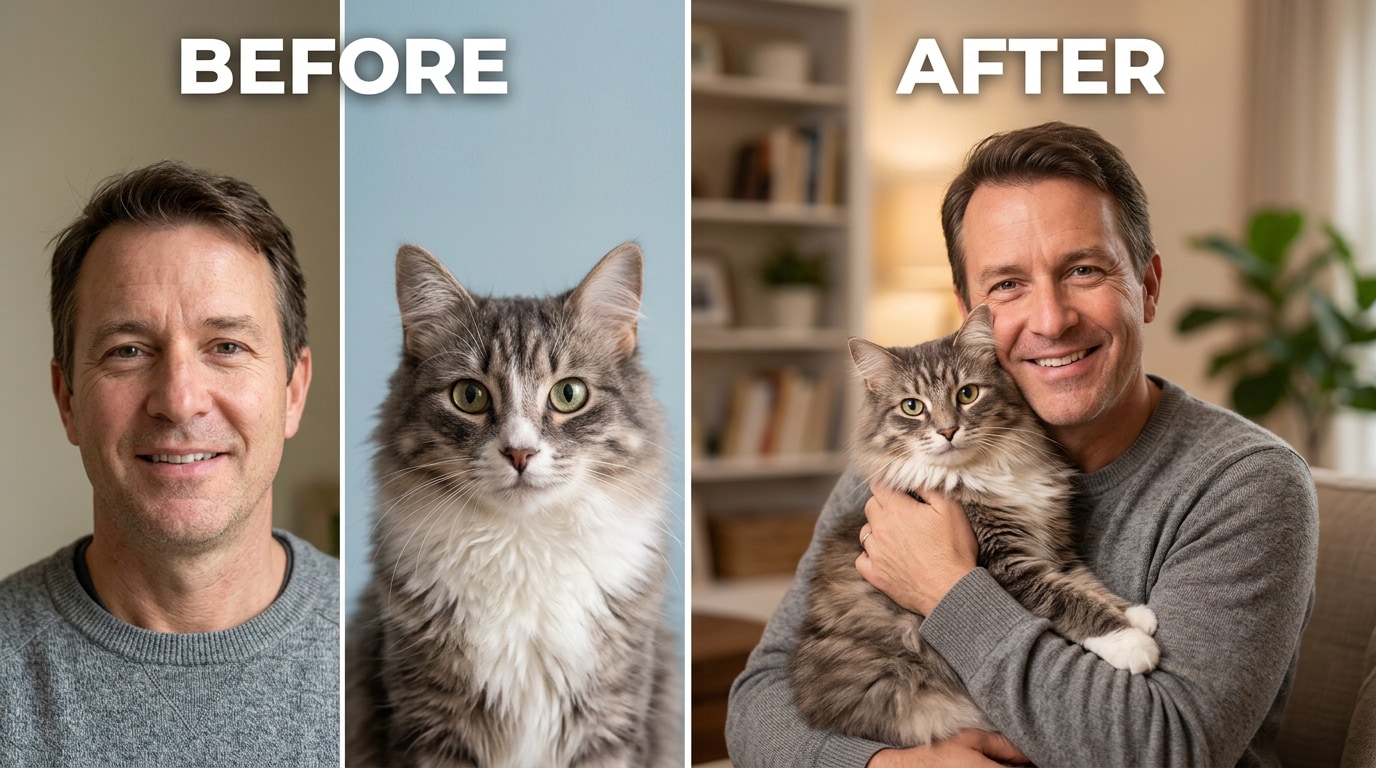
This is the most straightforward use: you want a single, natural-looking portrait of you and your pet together, and you don’t have one. Upload your best individual portrait and your pet’s best individual photo. Set a scene that works for both — a cozy indoor setting, a park background, a neutral studio backdrop — and generate the combined image. The output looks like the two of you were in the same room at the same time, photographed together.
This is also the version to use for memorial portraits. If you have a pet who has passed and you only have individual photos — yours from one period, theirs from another — Relumi can bring both into a single combined image. It’s not a replacement for the real moment, but for many pet owners it’s the closest thing to a portrait they never got to take.
Scene description to try: “warm indoor portrait, soft natural window light, cozy home atmosphere” or “outdoor park, golden hour afternoon, green grass background.”
😂 2. A Funny Pet-Owner Personality Mashup
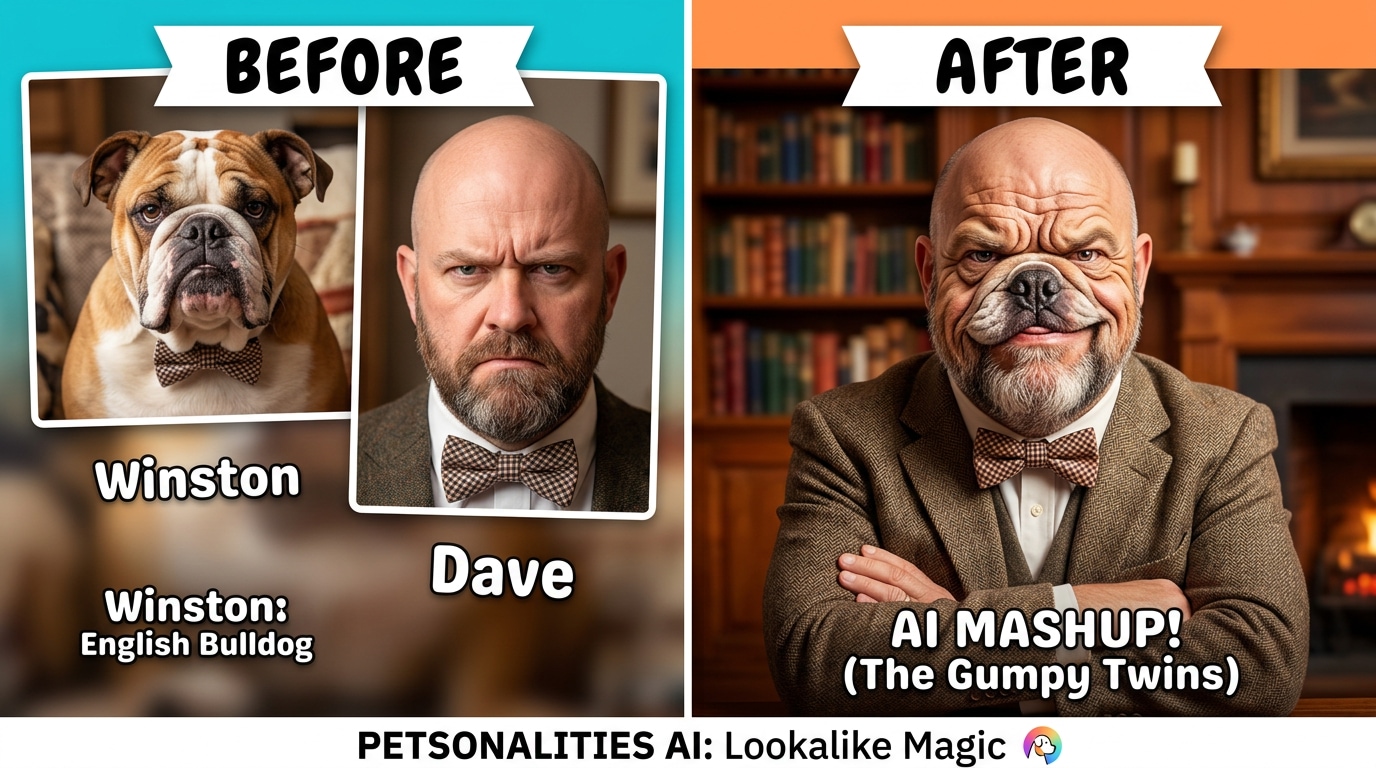
The internet loves a pet-owner lookalike. There’s a long-running tradition of side-by-side photos where people and their pets share the same expression, the same energy, the same vibe — and these consistently perform well on Instagram, Reddit, and TikTok. Relumi lets you create this on purpose rather than waiting for the accidental moment.
Use a scene prompt that emphasizes the personality angle: “matching expressions, same energy, humorous twin portrait” or describe matching outfits — “both wearing tiny bow ties, formal portrait style.” The AI follows the creative direction in your scene description, so the funnier and more specific the prompt, the more distinctly personality-driven the output. This is also one of the strongest formats for pet-focused social media content — it creates something worth saving and sharing rather than just another animal snapshot.
Scene description to try: “funny twin portrait, owner and dog with matching expressions, humorous side-by-side” or “royal portrait style, both in matching royal costumes, gold background.”
✨ 3. A Matching Style Portrait for Social Sharing
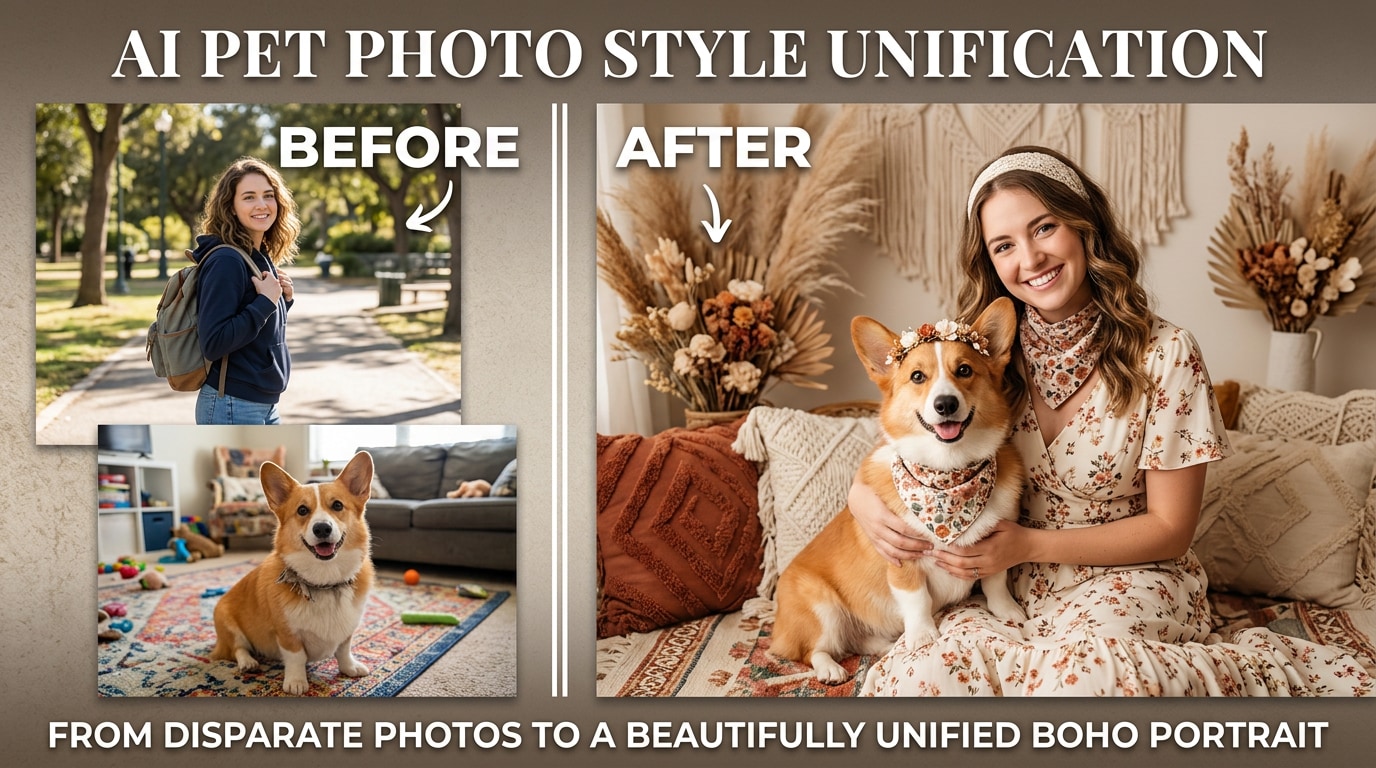
This is the use case for people who want a visually cohesive portrait they can post, print, or use as a profile photo. Instead of a standard composite, you’re asking the AI to produce a unified aesthetic: matching color palette, coordinated styling, a consistent artistic treatment across both subjects. The result looks like a planned photoshoot rather than two separate photos merged.
Describe the unified aesthetic in your scene prompt: “matching boho floral outfits, warm earth tones, soft outdoor light, Pinterest-worthy aesthetic” or “Christmas holiday portrait, matching red and green, festive decorations, cozy fireplace background.” These outputs work well as profile photos, printed holiday cards, framed home décor, or pet account content that looks intentional rather than candid.
Scene description to try: “matching outfits, cohesive color palette, professional studio portrait” or “festive holiday card, matching sweaters, snowy winter background, warm glow.”
Conclusion
You have great photos of your pet. You have decent photos of yourself. What you don’t have — because it’s genuinely hard to get — is a great photo of both of you together. Getting a dog to hold still while you also look natural in the same frame takes patience, coordination, and a bit of luck. Getting a cat to cooperate on demand takes a miracle.
Relumi Combine Photo — Person + Pet Photo Combo removes the coordination problem entirely. Use your best individual photos. Set a scene. Get a combined portrait in under 30 seconds. Whether you want something warm and realistic to print, something funny enough to go viral, or something stylized enough to post as your profile photo — it starts with two photos you probably already have.
Open your camera roll. Find your best shot of your pet and your best shot of yourself. See what they look like together.
FAQ
-
Do my pet and I need to be photographed at the same time?
No. That’s the core point of the feature. You upload two completely separate photos — one of you, one of your pet — taken at different times, in different places, with different lighting. Relumi composites them into a single natural-looking portrait. There’s no need to coordinate a simultaneous shoot. -
What kinds of pets work with this feature?
The feature works with dogs, cats, rabbits, birds, and most common companion animals. The AI handles the scale difference between the human and the pet automatically, so a small cat and a large dog both produce natural-looking proportional results next to the human subject. -
What makes a good source photo of my pet?
A clear photo where your pet’s face is visible and well-lit works best. Front-facing or slight three-quarter angles give the AI the most facial structure to work with. Avoid photos where your pet is partially obscured, blurred from movement, or shot in very low light. A decent phone photo in natural light is completely sufficient. -
Can I use this to create a memorial portrait of a pet who has passed away?
Yes. If you have an existing individual photo of your pet and a separate photo of yourself, Relumi can combine them into a portrait regardless of when each photo was taken. Many people use this feature to create a meaningful keepsake from photos they already have. -
Can I generate multiple scenes from the same two photos?
Yes. Once your two source photos are uploaded, you can generate multiple outputs by changing the scene description — a cozy indoor portrait, a park setting, a holiday card, a stylized art print — without re-uploading. Each generation takes about 15–30 seconds and is saved to My Creations. -
Is the Person + Pet Photo Combo feature free?
Yes. The core Person + Pet Photo Combo feature is available on Relumi’s free tier for iOS and Android. Upload both photos, generate the combined portrait, and save it at full resolution — no subscription required to try it. Advanced style options and higher export resolutions are available on the paid plan.



