
 TL;DR:
Use Relumi AI's Wave animation to convert a well-lit still photo into a personalized waving video invitation, which can increase event RSVP rates by up to 30% compared to text-only invites.
● The AI can animate both single and group portraits as long as all faces are clearly visible and unobscured, allowing you to adjust the wave intensity for energetic parties or subdued corporate events.
● Creating the complete invitation requires using Relumi AI to generate the motion, followed by a separate video editor to overlay contrasting text in non-moving areas, add background music, and insert RSVP QR codes.
● The animation tool is compatible with old, faded, and black-and-white photos, making it adaptable for various event phases including save-the-dates, daily countdowns, virtual party links, and post-event thank-you videos.
Ask AI for a summary
 ChatGPT
 Perplexity
 Gemini
 Claude
 Grok
Grok
A text message or static e-vite is easily ignored. But a video invitation where you wave and smile at your guests? That's hard to ignore. On Reddit's r/partyplanning, users look for unique invitation ideas: "I want my invites to be exciting." This article shows how Relumi's Wave animation can make your next party invite unforgettable. We'll explore why traditional invitations lack impact, the step-by-step process of creating waving invites, and creative ways to use them for different types of events.
In this article
Part 1: Why Traditional Invitations Lack Impact
People receive dozens of notifications daily. Your text invite blends in. An animated video, however, stands out. On Quora, event planners discuss the power of personalized video invites. A waving photo feels personal and exciting. It builds anticipation for your event. According to event marketing stats, video invitations have higher RSVP rates than text-only invites—sometimes by as much as 30%. Moreover, they're more likely to be shared, spreading the word organically. Relumi AI makes it easy to create such videos without hiring a designer or learning complex software.
Part 2: Step-by-Step to a Waving Invitation


Relumi AI Photo Animation
Bring old photos to life with AI-powered animation.

 Preset motion styles — Wave, Dance, Clap, Cheers & more
-
Works on old, faded, and black-and-white photos
-
No editing skills required — generate in seconds
-
One tap turns any still image into a moving memory.
1. Take a Fun Photo: Choose a photo where you're in a party mood—maybe holding a prop like a balloon, a sign with the date, or a party hat. If it's a themed party (e.g., 80s night, costume party), dress accordingly. Ensure the photo is well-lit and your face is visible.

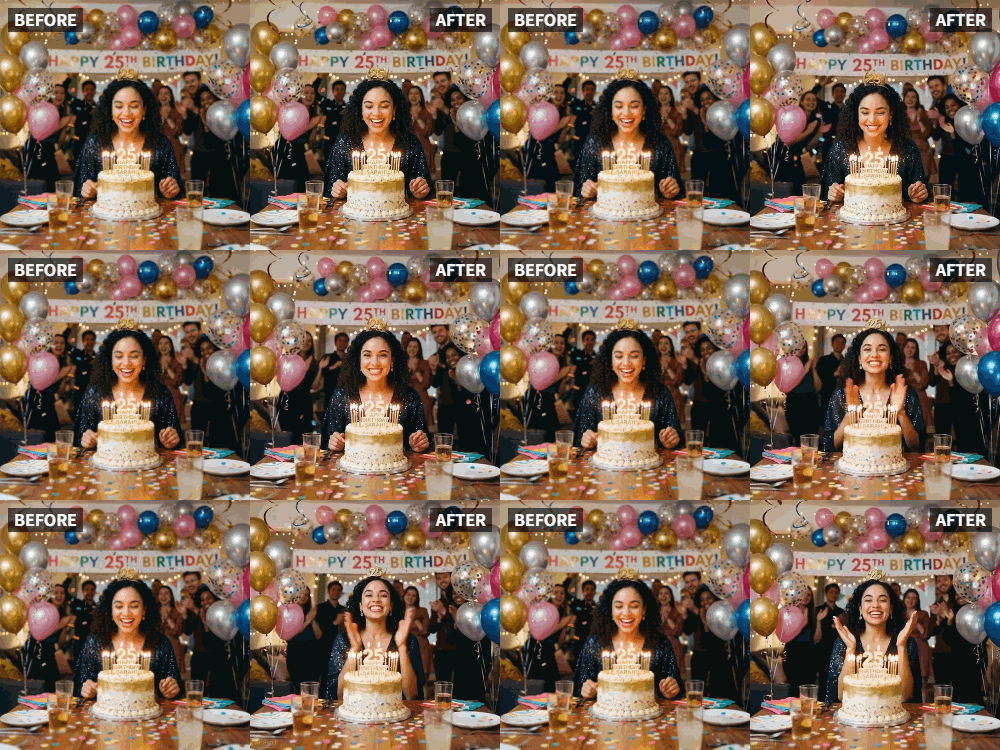
2. Apply Wave Animation: Use Relumi to make yourself wave. You can also animate a group of hosts. The AI will generate a natural wave. Choose an intensity that matches the vibe—energetic for a birthday party, more subdued for a formal dinner.

3. Add Invitation Details: Use a video editor to overlay text with date, time, and location. Add background music that matches your party theme. For a kids' party, use playful music; for a cocktail party, something jazzy. You can also include a call-to-action like "RSVP by [date]."

Part 3: Creative Invitation Ideas
- Theme Parties: Dress up according to the theme, then animate the wave. For a luau, wear a Hawaiian shirt and lei; for Halloween, wear your costume. The wave becomes part of the theme.
- Group Invitations: Animate a group photo of hosts all waving together. It shows teamwork and makes the invitation feel like a collective welcome.
- Countdown Series: Send a waving photo every day leading up to the event, counting down the days. Each wave can have a different message: "5 days to go!" "Tomorrow's the day!"
- After-Party Thank You: After the party, send a waving thank-you video to attendees. It's a classy way to show appreciation and can include a highlight photo.
- Save-the-Date: Use a waving photo as a save-the-date, followed by a full invitation later. The first wave builds excitement.
- Virtual Party Invite: For online events, animate a photo with the Zoom link or event URL. It's more engaging than a plain email.
- Wedding Invitations: For a modern wedding, create a waving video of the couple inviting guests. It adds a personal touch that printed cards lack.
Conclusion
Make your next party invite a memorable one. With Relumi's Wave animation, you'll have guests RSVPing in no time. Start creating your waving invitation today and set the tone for an unforgettable event.
Frequently Asked Questions
-
Can I include multiple people in the waving invitation?
Yes, group photos work great. The AI will animate everyone. Make sure all faces are visible and not obscured. -
How do I ensure the text is readable over the video?
Use contrasting colors (white text with black outline) and place text in areas without much movement, like the bottom or top of the frame. -
What if I need to change the date after sending?
You can always send an updated waving video with corrected info. Apologize for the change and re-invite with a new wave. -
Is this suitable for corporate events?
Absolutely. Professional waving invitations add a personal touch to corporate gatherings, product launches, or team celebrations. Keep the wave subtle and professional. -
Can I add a QR code to the video?
Yes, you can overlay a QR code that links to an RSVP page. Use a video editor to place it in a corner.



