
 TL;DR:
Create short milestone messages from departed loved ones by using Relumi's "Relive" feature to add gentle facial animations to still photos, then combining the clip with text or voiceovers in a separate video editor.
● Select a warm, front-facing photo and apply the "Relive" preset to generate 5 to 10 seconds of subtle movements like slow blinks and soft smiles.
● Relumi exclusively animates visual face and head movements, requiring you to export the clip to a third-party editing app to overlay specific text greetings or voiceovers.
● Present the finalized clips on a screen during family gatherings, send them as private keepsakes to individuals, or compile them annually to create an unbroken digital memory album.
Ask AI for a summary
 ChatGPT
 Perplexity
 Gemini
 Claude
 Grok
Grok
On parenting forums and subreddits like r/Grief, you'll find a uniquely poignant pain point. "It's my son's 10th birthday tomorrow," a mother writes. "His grandfather, my dad, passed away last year. They were inseparable. I wish so much he could see him. Is there any way to make him feel present?" The desire to include departed loved ones in ongoing family milestones is a powerful, universal emotion. We want them to still be part of the celebrations, to still witness the joy.
Relumi's "Relive" feature, combined with a little creative video editing, offers a beautiful way to do this. You can create a short, personalized video message where a departed loved one seems to be present, offering a gentle smile or a knowing blink for a birthday, graduation, or wedding. It's a digital way of saying, "They are still with us in spirit."
In this article
Part 1: The Desire for Presence on Special Days
Anniversaries, birthdays, and holidays are often the hardest times after a loss. They are moments when the absence of a loved one is felt most acutely . Families create memory tables, light candles, and share stories to keep them present. These are beautiful traditions, but they are symbolic.
AI animation offers a way to move beyond symbolism toward a more tangible sense of presence. By creating an animated version of a loved one from a favorite photo, you can give them a "role" in the celebration. They are no longer just a memory being discussed; they are a presence being included, able to "see" the birthday child or "witness" the happy occasion.
Part 2: How to Create a Touching Birthday Message with Relumi


Relumi AI Photo Animation
Bring old photos to life with AI-powered animation.

 Preset motion styles — Wave, Dance, Clap, Cheers & more
-
Works on old, faded, and black-and-white photos
-
No editing skills required — generate in seconds
-
One tap turns any still image into a moving memory.
This project combines Relumi's animation with simple video editing for a truly personal result.
Step 1: Find the Perfect Photo
Select a warm, happy photo of your departed loved one. Ideally, choose one where they are looking towards the camera with a gentle or joyful expression. This will become the "face" of their message.

Step 2: Animate with the "Relive" Preset
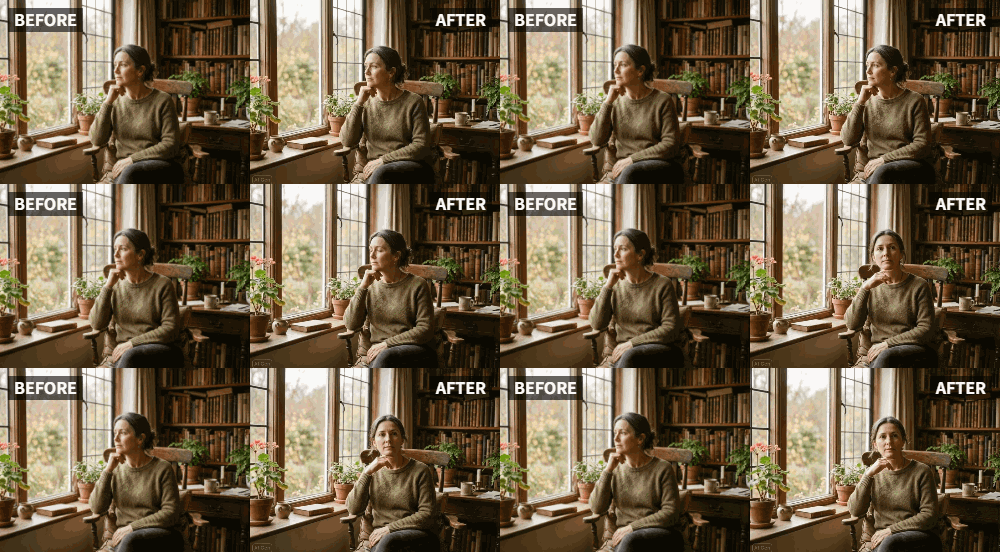
Upload the photo to Relumi and use the "Relive" animation mode. This will bring your loved one to life with subtle, gentle movements—a soft smile, a slow blink, a slight turn of the head. These movements are key to making them feel "present" and engaged.

Step 3: Create Your Video Message
Export the animated clip. Now, use a simple video editing app (many are free on phones and computers). Import the clip of your loved one. You can then add text overlays (e.g., "Happy Birthday, Michael! Love you always.") or even record a voiceover. The final video is a short, powerful message that feels like a loving wink from beyond.

Part 3: Meaningful Ways to Share Animated Messages for Milestones
These short videos can be integrated into celebrations in several touching ways.
- During a Family Gathering: Play the video on a TV or tablet during a birthday dinner or holiday party. It can be a quiet, beautiful moment where the family pauses to feel the presence of the person they miss, adding a layer of depth and love to the celebration .
- As a Personal, Private Message: Send the video directly to the person the message is for—a child on their birthday, a spouse on an anniversary. It becomes a deeply personal and treasured keepsake, a reminder that their loved one's love continues.
- In a Digital Memory Album: Compile these animated messages over the years. Imagine a child growing up and having a short, animated "happy birthday" from a departed grandparent for each year. It would become an incredibly precious and unique family heirloom, documenting an unbroken chain of love across time.
Conclusion
Love doesn't end with loss. Our desire to include those we've lost in our ongoing joys is a testament to the lasting power of that love. Relumi's "Relive" feature, paired with your own creativity, offers a way to honor that desire, weaving the memory of departed loved ones into the fabric of our most important celebrations, ensuring they are always, in some way, still part of the party.
Frequently Asked Questions
-
Isn't this just pretending they're still alive?
It's not about pretending. It's about finding a creative and heartfelt way to include their memory and spirit in ongoing life events. It's a tool for remembrance, not denial. -
Can I make the animation say something specific?
Relumi animates the visual (face and head movements). To add specific words, you'll need to use a video editor to add text overlays or a voiceover. This combination is very effective. -
Is this appropriate for all occasions?
Yes, but it's a personal choice. For some families, it's a beautiful and healing tradition. For others, it might feel too difficult. The most important thing is to do what feels right for you and your family. -
How long should the video be?
A short, simple video of 5-10 seconds is usually the most impactful. The gentle, looping animation from Relumi is perfect for this.



