
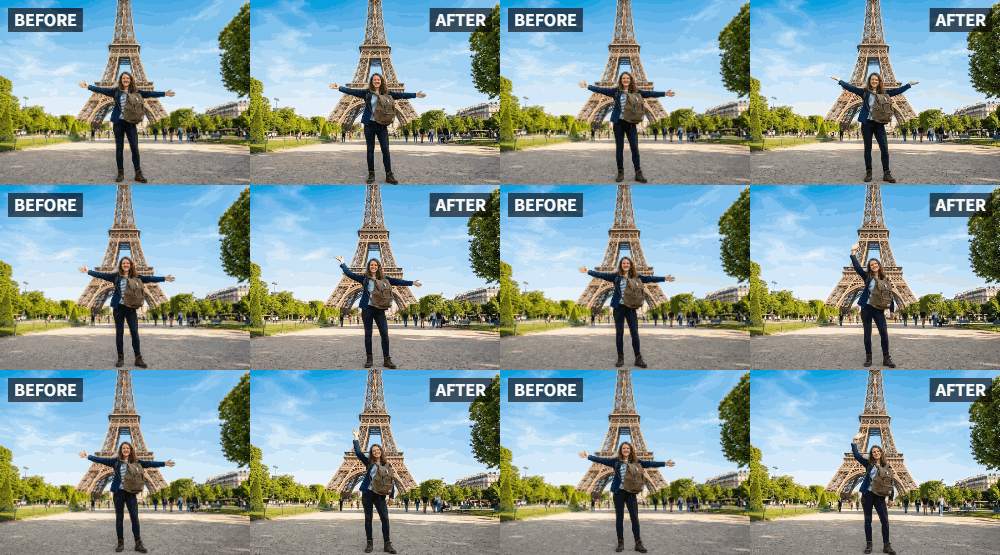
 TL;DR:
Relumi's "Wave" preset allows you to transform static landscape photos into animated clips by automatically applying realistic swaying motion to natural elements like clouds, water, and foliage.
● The feature works best on clear, high-quality images containing visible dynamic subjects such as rivers, fields of grass, or leafy trees.
● The motion intensity is automatically calibrated by the AI to ensure a natural look and cannot be manually adjusted by the user.
● The generation process takes only a few seconds and supports various image conditions, including night photography, faded prints, and black-and-white pictures.
Ask AI for a summary
 ChatGPT
 Perplexity
 Gemini
 Claude
 Grok
Grok
You've captured a stunning landscape. A majestic mountain range, a peaceful lake at dawn, a golden field at sunset. It's a beautiful photo, worthy of being printed and framed. But as you look at it, you can't help but think: it's still. The real scene was alive—clouds drifted, grasses rustled, light shifted.
Relumi's "Wave" preset is the tool that bridges that gap. It transforms your best landscape photos into living, breathing works of art. It adds subtle, natural motion to clouds, water, foliage, and light, turning a static shot into an immersive, cinematic experience.
In this article
Part 1: The Difference Between a Photo and a Feeling
On photography forums, landscape photographers often discuss the challenge of conveying the "feeling" of a place. A technically perfect photo can capture the light and composition, but it can't capture the atmosphere—the gentle breeze, the moving clouds, the shimmering water .
Video is the obvious solution, but not everyone shoots video, and high-quality video requires different skills and equipment. The "Wave" preset offers a perfect middle ground. It starts with your excellent still photo and adds the one element it's missing: the gentle, living motion of the natural world.
Part 2: How to Turn Your Landscape Photo into Moving Art


Relumi AI Photo Animation
Bring old photos to life with AI-powered animation.

 Preset motion styles — Wave, Dance, Clap, Cheers & more
-
Works on old, faded, and black-and-white photos
-
No editing skills required — generate in seconds
-
One tap turns any still image into a moving memory.
Creating your own living landscape is simple.
Step 1: Choose Your Best Landscape Photo
Select a clear, high-quality landscape photo. Images with visible natural elements like clouds, water (lakes, rivers, oceans), fields of grass, or trees with leaves will work best. The more dynamic elements, the more impressive the result.

Step 2: Upload to Relumi and Apply the "Wave" Preset
Open the Relumi app, go to Photo Animation, and select the "Wave" preset. The AI will analyze your image and add a subtle, realistic swaying motion to the natural elements. Clouds will drift, water will shimmer, and grasses will gently rustle.

Step 3: Share Your Living Masterpiece
Export the clip. Now, you have a unique piece of moving art.
- Social Media: Share it on Instagram or TikTok. It will stop the scroll and generate comments asking how you did it .
- Digital Art Display: Load it onto a digital photo frame in your home. It's like having a living window to another place.
- Website or Blog Background: Use it as a dynamic, eye-catching background element on a travel or nature blog.

Part 3: Creative Landscape Applications for the Wave Feature
This idea can be used for all kinds of scenic shots.
- Sunrise and Sunset Shots: Animate the shifting colors of the sky and the movement of clouds for a dramatic effect.
- Waterfalls and Rivers: Make a photo of a waterfall shimmer and flow, adding a sense of power and movement.
- Forest and Woodland Scenes: Bring the forest to life with gently swaying leaves and dappled light.
- Desert and Sand Dune Photos: Add the subtle movement of wind-blown sand for an ethereal effect .
Conclusion
A great landscape photo captures a place. A "Wave"-animated landscape photo captures the feeling of being there. Transform your scenic shots into living, breathing works of art that bring the peace and beauty of nature into your home and your social media feed, every single day.
Frequently Asked Questions
-
Will the Wave animation work on a photo taken at night?
Yes, it can add a subtle movement to clouds or any visible natural elements, creating a beautiful, dreamy night sky effect. -
Can I control how much movement is added?
The "Wave" preset is designed for a natural, subtle effect. It's not adjustable, but it's calibrated to look realistic, not overdone. -
How long does the animation take?
Just a few seconds. -
Can I add sound to the video, like birdsong or wind?
Absolutely! Pairing the moving image with matching ambient sound creates an incredibly immersive experience.



