
 TL;DR:
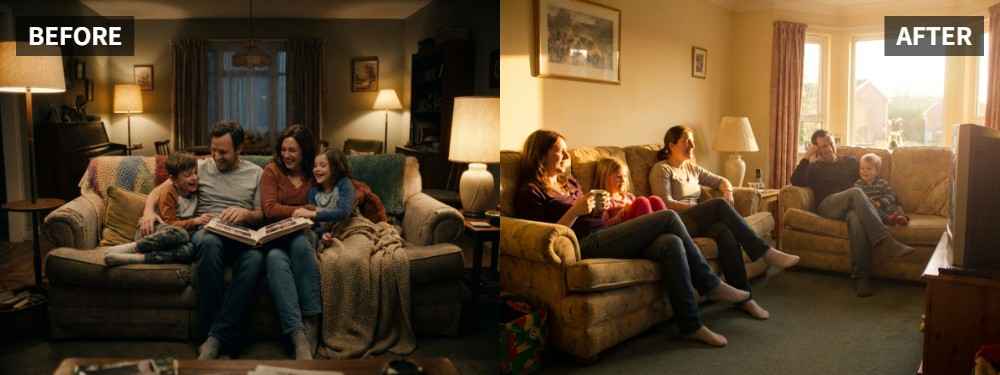
Use the Relumi App Photo Lighting Enhancer and apply Scene Retake > Golden Hour to brighten dark faces in backlit sunset family portraits without losing the original warm mood.
● The relighting feature reads facial shadows and scene atmosphere to balance exposure across multiple people simultaneously, preventing the washed-out look caused by globally brightening an image.
● This method works under the prerequisite that the photo's expressions and composition are already satisfactory, primarily fixing situations where the background sky is brighter than the subjects.
● The adjustment accommodates both large family groups and smaller parent-child combinations suffering from uneven lighting where specific individuals appear darker than the rest of the group.
Ask AI for a summary
 ChatGPT
 Perplexity
 Gemini
 Claude
 Grok
Grok
Key Takeaway: A family portrait at sunset should feel warm and connected, not dark and uneven. In the Relumi App, Photo Lighting Enhancer with Scene Retake > Golden Hour can help brighten faces, soften contrast, and keep the golden-hour mood instead of washing it out.
Family portraits are harder than single-person shots because several faces need to work at the same time. The official Relumi Lighting Enhancer page highlights family and celebration-type scenes as cases where people should look clearer while the original atmosphere stays intact.
In this article
Part 1: Why Golden Hour Family Portraits Often Look Uneven
Golden hour sounds perfect for family photos, but it still creates real exposure problems. If the sun is behind the group, some faces may turn darker than others. If the background is brighter than the people, the whole portrait can feel unbalanced. In threads about golden hour photos with dark faces, people often describe the same frustration: the light feels beautiful in real life, but the people do not look the way they should in the photo.
Common Signs
- Some family members look darker than others
- Faces are harder to see than the background
- The sunset is pretty, but the people feel underexposed
- Brightening the whole image weakens the mood
- The photo feels warm in theory, but not flattering in practice
What Families Usually Want
- Clearer faces across the whole group
- Warmth that still feels natural
- A family photo that looks soft instead of muddy
- Better balance between the people and the sunset
- A result that feels worth printing or sharing
The real goal is not a brighter sunset. It is a family portrait where everyone feels visible, warm, and naturally part of the scene.
Part 2: How to Use Relumi Golden Hour
Relumi Photo Lighting Enhancer is designed to read face brightness, shadows, and scene atmosphere, then relight the image so it feels closer to a better retake. That makes it a strong match for golden-hour family portraits that need help without losing the sunset feeling.


Relumi Lighting Enhancer
Retake photo lighting naturally with AI-powered scene relighting.

 Balance harsh facial shadows without flattening the portrait
-
Improve hard light, patchy light, and low-visibility street portraits naturally
-
Keep urban mood while making the subject easier to see
-
No editing skills required — upload, relight, preview, and save
Step 1: Add Your Family Portrait
Open the Relumi App, enter Photo Lighting Enhancer, and upload the family photo that feels too dark or uneven.

Step 2: Select Golden Hour
Choose Scene Retake > Golden Hour. This helps rebuild a softer sunset look while improving the way the light falls across the faces.

Step 3: Preview and Save
Check whether the family looks more balanced, easier to read, and still naturally part of the sunset scene.

Part 3: When Golden Hour Works Best
Golden Hour works best on family portraits where the expressions are already good and the sunset background is worth keeping, but the people still need better face light. It is especially useful for outdoor family sessions, casual sunset group portraits, and celebration photos near dusk.
Ideal Scenarios
- Family portraits taken near sunset
- Backlit outdoor group photos
- Warm evening portraits with uneven face exposure
- Celebration photos where the sky looks better than the people
- Group images that feel darker than the real moment
What a Good Result Should Look Like
- Faces are more even across the group
- Warmth looks natural instead of orange
- The image stays soft and family-friendly
- The sunset still feels like part of the memory
Quick Checklist Before Saving
| Check | What to ask |
|---|---|
| Group Balance | Do the family members look more evenly lit now? |
| Warmth | Does the sunset warmth still look believable? |
| Shareability | Would you be happy printing or sharing this version? |
If the answer is yes to all three, the family portrait is likely ready.
Conclusion
A golden-hour family portrait should not leave the people hidden behind a beautiful sky. If the expressions and composition are already there, Relumi Lighting Enhancer with Scene Retake > Golden Hour can help make the family easier to see while keeping the sunset mood that made the photo special.
FAQ
-
Can Golden Hour help if some people in the family photo look darker than others?
Yes. That is one of the most useful cases, especially when the sunset creates uneven light across the group. -
Will it remove the sunset atmosphere?
It should not. The goal is to keep the warm evening mood while improving the people. -
Is this only for large family groups?
No. It also works for smaller family portraits and parent-child sunset photos.



