
 TL;DR:
Relumi Combine Photo is a free iOS and Android tool that generates a unified group portrait with consistent lighting by synthesizing a brand-new scene from separate individual photos based on a custom text description.
● The AI requires clear, well-lit, and roughly forward-facing individual portraits as inputs, while obscured, heavily side-angled, or very low-resolution images will reduce output quality.
● Unlike general AI image generators that create approximated likenesses, this feature preserves exact facial identities from the source photos without altering, averaging, or swapping features.
● It is not possible to paste a missing person into a pre-existing group photograph; users must input separate photos for everyone to build the scene from scratch, which saves at full resolution without watermarks on the free tier.
Ask AI for a summary
 ChatGPT
 Perplexity
 Gemini
 Claude
 Grok
Grok
That post is one of hundreds just like it. Someone couldn’t make it to the family reunion. A child was sick on the day of the class photo. A sibling was abroad during the holiday gathering. A grandparent passed away before the next family get-together. The result is always the same: a group photo that almost captures everyone — but not quite. And the gap is felt every time the photo comes out.
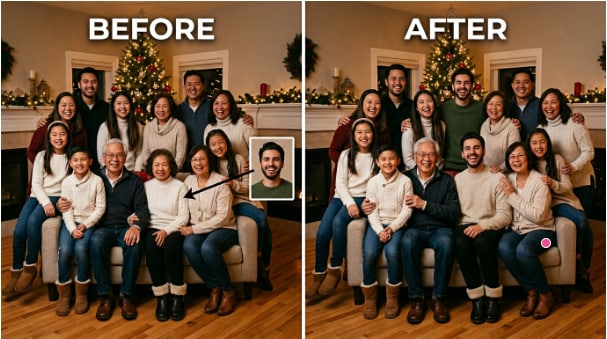
Getting a complete family photo has always required everyone to be in the same place at the same time. That’s a coordination problem most families never fully solve. Relumi Combine Photo removes the requirement. Upload separate photos of each family member, describe the scene you want, and the AI generates a unified family portrait where everyone appears together — natural lighting, consistent scale, no visible cutout edges. The result looks like it was taken by a photographer at a real family event.
In this article
Part 1: Why Getting Everyone in the Same Photo Is Harder Than It Should Be
Family group photos fail for a small set of predictable reasons. Someone couldn’t attend the event. Someone was sick. Someone arrived late or left early. Someone was behind the camera the whole time and never got into the frame. The result is a collection of partial photos — good ones, in some cases — but none of them complete.
The traditional workaround is Photoshop — hire someone to cut out a person from a separate photo and paste them into the group shot. This works when everything lines up: matching light, similar scale, compatible angles. In practice, it rarely lines up. The person being added was photographed under different lighting, from a different angle, at a different distance. The result looks like a cutout. Everyone in the family can tell. The request threads on r/PhotoshopRequest are full of back-and-forth: “the shadows look strange,” “I can’t recognize my cousin anymore,” “his placement doesn’t blend.”
General AI image generators have a different problem. Ask ChatGPT to combine nine individual photos into one family portrait and you run into face consistency issues at scale. As one user described it after running out of their daily attempts:
The ask is simple: put these specific people in the same photo. The challenge is that every face has to look like the actual person, not a general approximation. Relumi Combine Photo is built specifically for this — it synthesizes a unified group scene while preserving the identity of every person you upload.
Part 2: How Relumi Combine Photo Generates a Complete Family Group Shot


Relumi AI Photo Enhancer
Combine Photo — Generate a Complete Family or Group Portrait From Separate Photos, With Every Person’s Face Preserved

 Unified scene synthesis: Generates a brand-new group scene rather than pasting cutouts onto an existing photo. Everyone in the output shares the same light source, the same environment, and the same visual logic — the result looks like a single photograph taken at one moment.
-
Face identity preservation: Every person’s facial features are carried through from their input portrait. The output shows the actual people you uploaded — not approximations. No faces are altered, averaged, or swapped.
-
Scene description control: Describe where the group photo should be set — an outdoor garden, a living room, a holiday backdrop, a studio. The AI places everyone in that scene with appropriate lighting and background, rather than dropping them onto a generic template.
The core difference between Relumi and a cut-and-paste approach is what happens to the lighting. When you paste a cutout onto a group photo, the pasted person carries the lighting from their original photo. If they were photographed indoors with warm overhead light, but the group was outside in natural daylight, the result immediately looks wrong — one person looks lit from a different sun. Relumi avoids this by not combining photos at all. It generates a new scene that includes everyone, which means the lighting is built from scratch to be consistent for the whole group. There’s no source photo being modified. There’s no pasting. The output is a new image where everyone belongs to the same moment.
How to Use Relumi Combine Photo — AI Group & Family Photo on iPhone
Step 1. Open Combine Photo & Upload Everyone’s Portraits
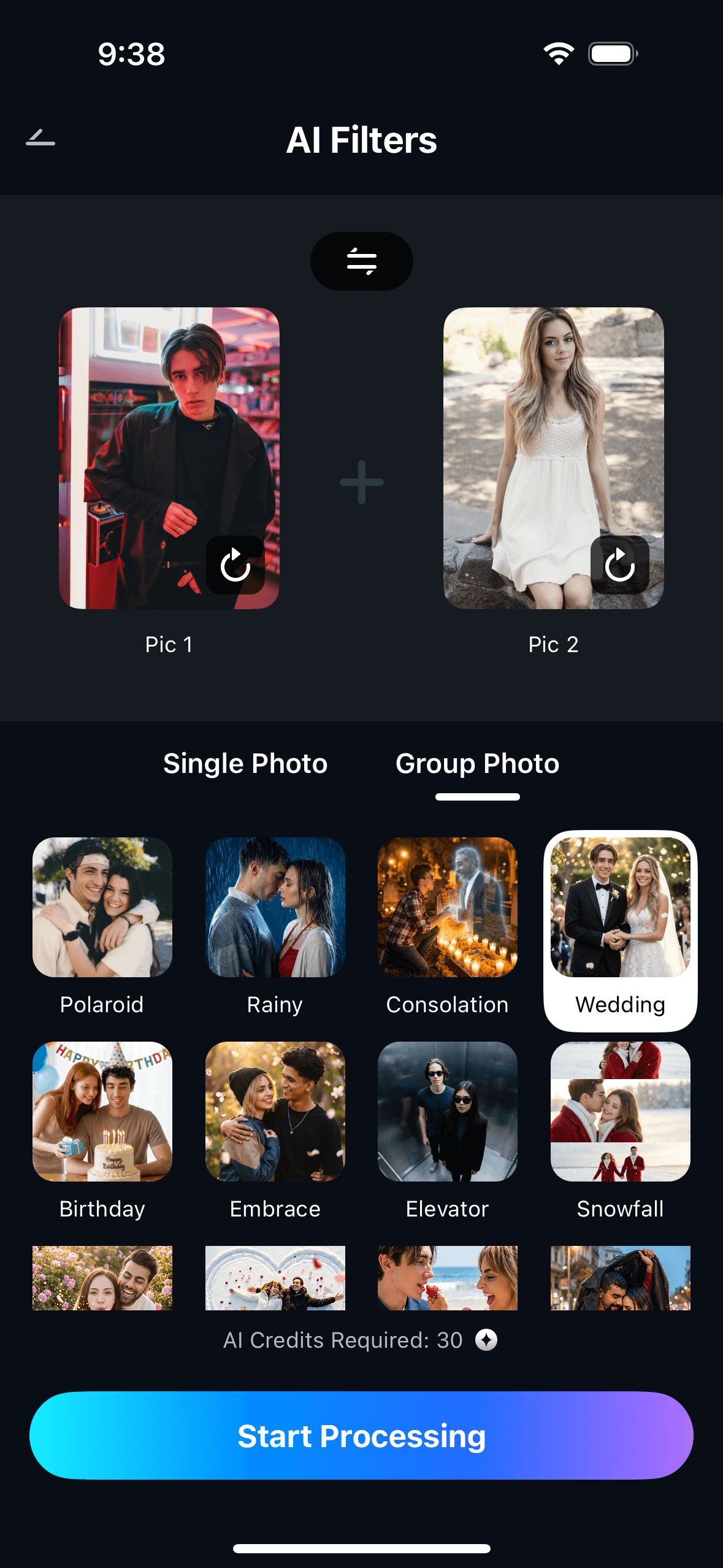
Open Relumi, tap Combine Photo on the home screen, then select AI Group & Family Photo. Upload individual portrait photos of each family member — one photo per person, clear and forward-facing works best.

Step 2. Describe the Scene & Start Processing
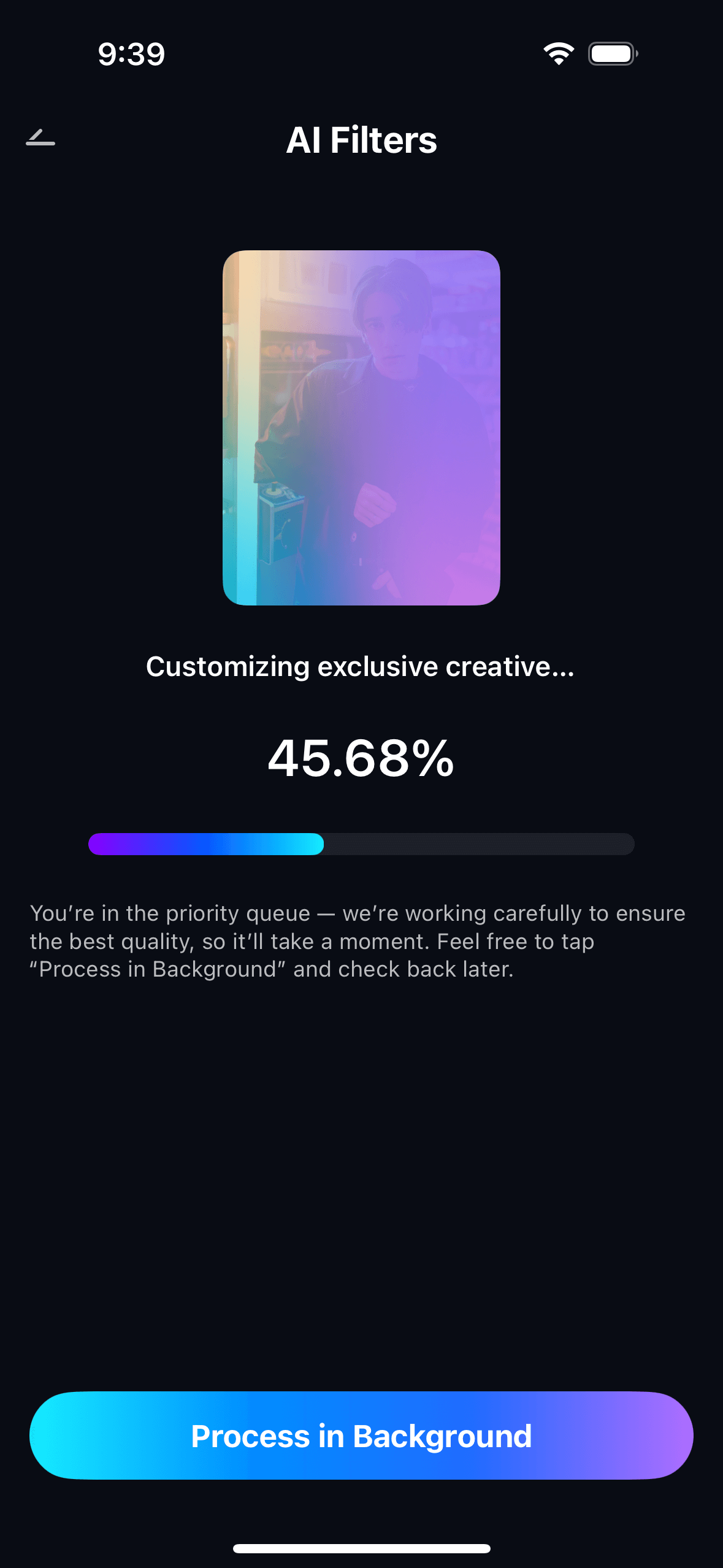
Type a short scene description — such as “family portrait in a garden with warm afternoon light” or “holiday group photo indoors with a decorated Christmas tree background.” Tap Start Processing and Relumi generates the complete group portrait.
Step 3. Preview, Save & View Your Creations
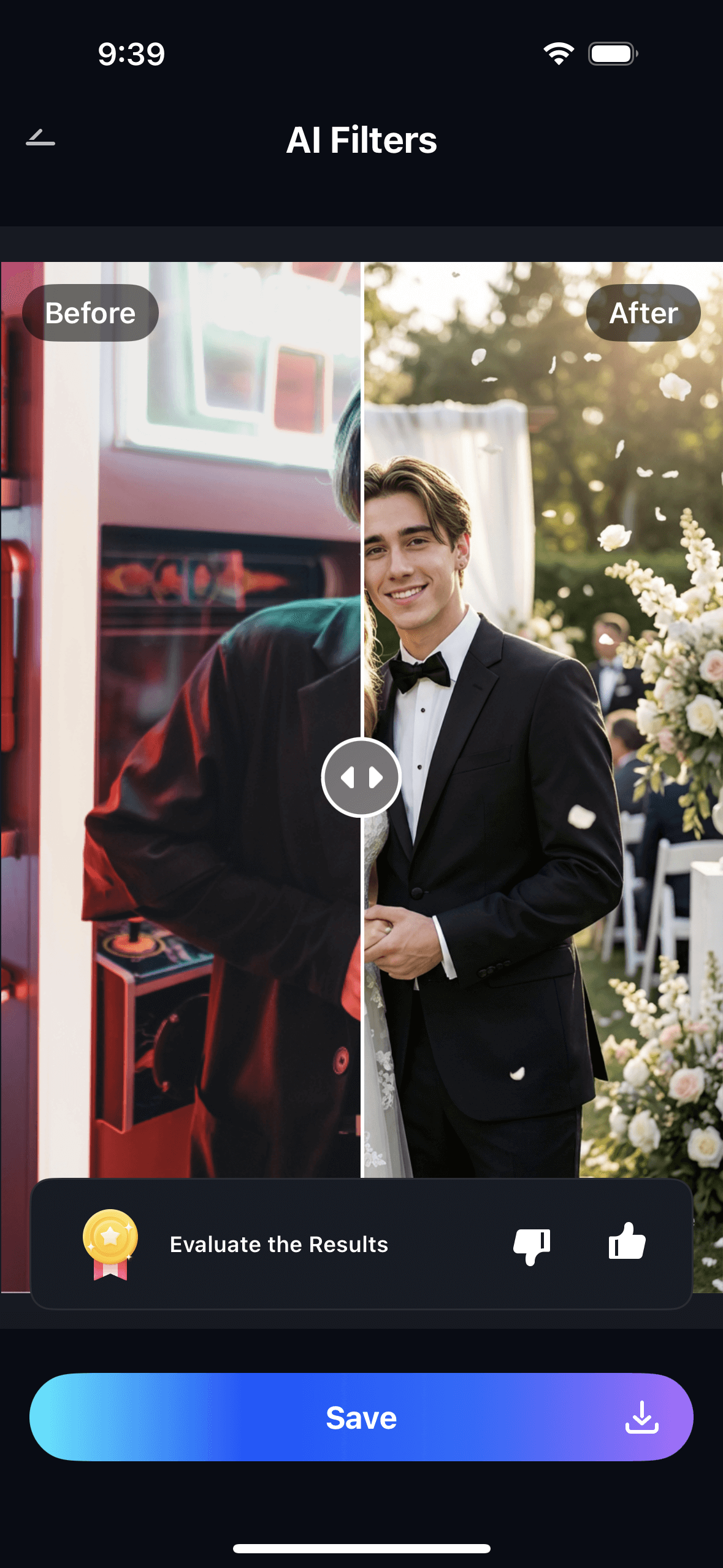
Preview the AI-generated family portrait. Tap Save to export to your photo gallery at full resolution. All generated portraits are saved in My Creations for easy access.
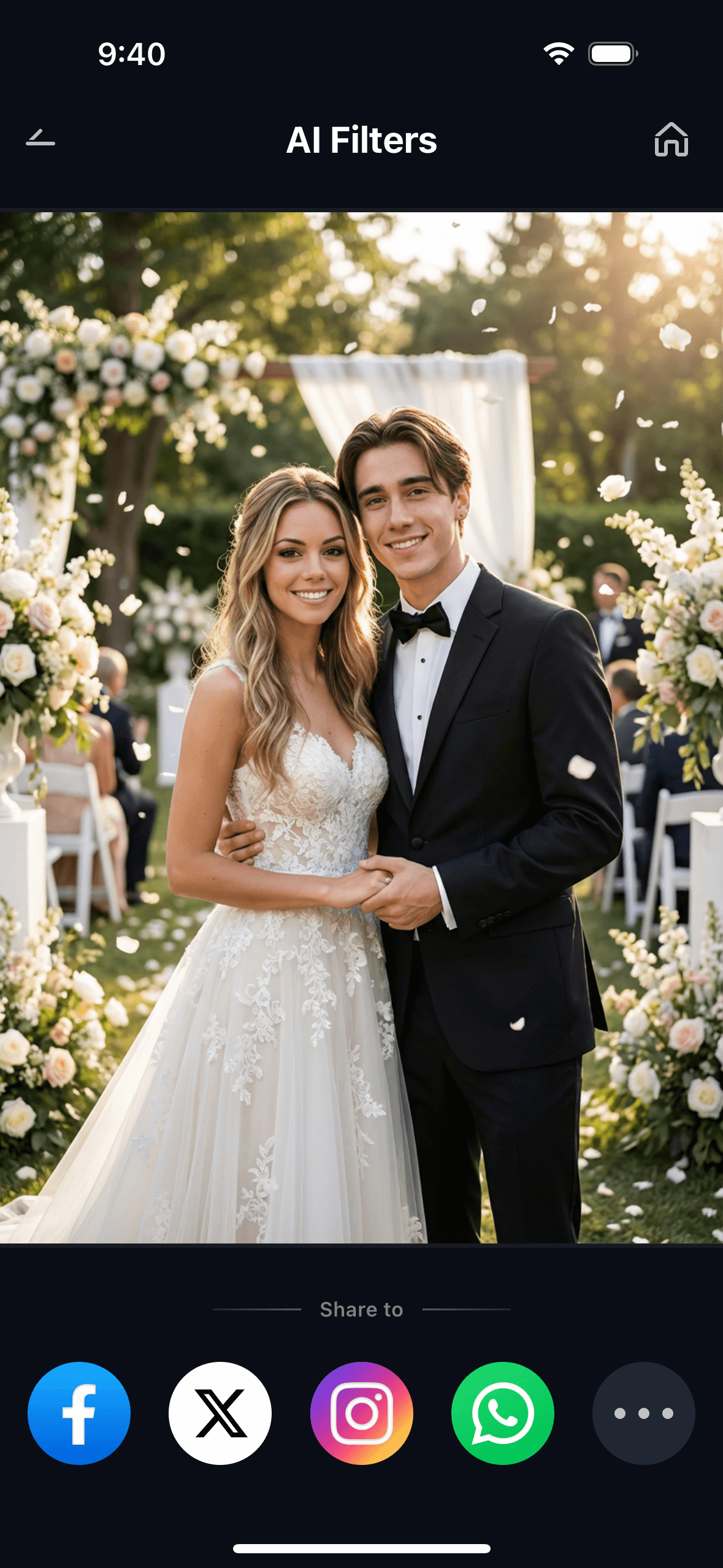
The scene description is where you control the feel of the photo. Describe the occasion, the setting, the lighting, even the general mood. You can run the same set of portraits through multiple prompts to generate versions of the same family in different settings — an outdoor summer portrait, a holiday indoor shot, a studio-style neutral background. Each generation is a complete new portrait, not an edit of an existing one.
Part 3: Three Situations Where This Actually Matters
The logistics of family group photos fail in a few specific ways. Each scenario has its own emotional weight, and it’s worth looking at them separately.
📸 1. Someone Missed the Reunion — Adding the Absent Member
This is the most common request in the Photoshop subreddits. A family gathering happens. A group photo is taken. One person couldn’t be there — they were sick, they were traveling, they had an emergency. The photo exists, it’s a good photo, and one family member is missing from it.
The Photoshop route — having someone manually composite the missing person into the existing photo — requires back-and-forth to get the lighting and placement right. It’s solvable, but it takes time, costs money, and the results vary considerably depending on how different the two source photos were.
With Relumi, the approach is different: upload individual portraits of everyone (including the person who was absent), describe the kind of scene the reunion was — a living room, a backyard, a restaurant — and generate a new group portrait with everyone in it. The output isn’t a composite of the existing reunion photo with an extra person added. It’s a new image, where everyone looks like they were photographed in the same room at the same time.
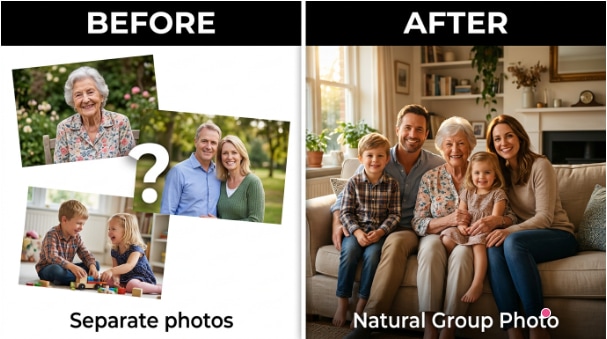
🏠 2. Family Scattered Across Cities — One Portrait Without the Flights
Getting an extended family into the same physical space for a photo is a serious logistical challenge. Some families haven’t had a complete group photo in years — not because they don’t want one, but because coordinating everyone’s schedules, travel, and geography to overlap in one place at one time just doesn’t happen.
The scene description prompt is what makes this work at scale. Describe the setting as a formal studio portrait, a garden backdrop, or a living room — whatever best represents the family. Each member’s portrait is used as an input, and the AI generates a single image where everyone appears together with consistent lighting and positioning. The result is something families can print, frame, and share — a complete group portrait that geography made impossible to take in a single session.
This is also useful for annual family updates: create a portrait from this year’s individual photos, even if everyone is in different cities. The family appears together in a scene that represents where they all are now — a visual record of the family unit that doesn’t require everyone to book flights.
❤️ 3. Honoring Someone Who’s Gone — Including a Loved One Who Passed
This is the most emotionally significant use case. A family member passed away. There are photos of them, but no photo that includes them with the family as it exists today — with grandchildren they never met, or at an event that happened after they were gone. The desire to have a visual record of the family as it should have been, complete, is a real and deeply human need.
Relumi’s approach to this is the same as its approach to any other group photo: upload the available portraits, describe the scene, generate. The person who has passed is represented by whatever photos exist — an old portrait, a scanned photograph, a good image from years ago. The AI uses that image to preserve their likeness in the output. The result is a family portrait that includes everyone who matters, regardless of when the photos were taken.
This use case is documented widely in request threads: people asking for a grandparent to be included in a graduation photo, a parent added to a family Christmas portrait, a sibling placed into a wedding group shot. The emotional weight behind each request is the same — the desire to see the family as whole. Relumi makes this possible without requiring manual Photoshop skills, a professional editor, or a paid service.
Conclusion
Family group photos have always depended on everyone being in the same place at the same time. Most families never fully achieve that. Someone is always missing — sick, abroad, unavailable, or no longer with us. The result is a photo archive full of almost-complete images, with the same gaps appearing year after year.
Relumi Combine Photo removes the logistics requirement. Upload individual portraits of each person you want in the photo — from your camera roll, from old scans, from wherever you have images of them. Describe the scene you want. The AI generates a new, unified group portrait with consistent lighting and natural positioning, where every face is preserved from the input photos. The result looks like a real photograph taken at a real event, with everyone who matters actually in it.
Upload the portraits. Describe the scene. Get the family photo that geography, scheduling, or time has made impossible.
FAQ
-
Does everyone need to be photographed together, or can I use photos taken at different times and places?
You can use photos taken at completely different times and places. Relumi generates a new unified scene from your individual input portraits, so it doesn’t matter that each photo was taken separately. The AI builds consistent lighting and environment from scratch, rather than trying to blend photos that were captured under different conditions. -
Will the faces look like the actual people, or will AI alter their appearance?
Faces are preserved from the input portraits — the output shows the actual people you uploaded, not AI-approximated versions of them. This is the key failure mode in general image generators, which tend to drift from the input likeness. Relumi is anchored to your input photos, so each person in the group portrait looks like themselves. -
Can I include a photo of someone who has passed away?
Yes. If you have a clear portrait of the person — even an old photograph, a scanned print, or a cropped image — you can upload it alongside the other family members. The AI uses that image to represent their likeness in the output. Many people use this to create portraits that include grandparents or other loved ones they’ve lost. -
How specific can the scene description be?
Fairly specific. Prompts like “family portrait in an autumn garden with warm sunlight” or “holiday group photo indoors, decorated Christmas tree in the background, everyone wearing matching sweaters” give the AI clear direction and typically produce results close to what you described. You can try different prompts with the same set of portraits to generate multiple versions — a formal studio shot, a casual outdoor one, a seasonal theme. -
What kind of input photos work best?
Clear, reasonably well-lit portraits where the face is visible and roughly forward-facing give the best results. Casual photos and selfies both work fine — they don’t need to be professional portraits. Avoid heavily side-angled shots, photos where the face is obscured by objects or shadows, or very low-resolution images where facial details are hard to make out. -
Is Combine Photo — AI Group & Family Photo free?
Yes. The feature is available on Relumi’s free tier for both iOS and Android. You can upload your portraits, describe the scene, generate the group photo, and save it in full resolution without a watermark — all for free. No subscription is required to use the core feature.



