
 TL;DR:
Relumi animates old family photos by combining automatic image enhancement with strictly limited 10–15% motion presets to prevent the uncanny, over-animated results common in AI video generation.
● Users bypass text prompts by selecting from predefined motion styles (Wave for portraits or landscapes, Dance for energetic groups, Clap for milestones, and Cheers for toasts) that map movement across single or multiple faces.
● The application animates black-and-white and faded scans (JPEGs or PNGs) by analyzing structural data like facial geometry rather than color pixels, simultaneously applying sharpening and scratch removal prior to animation.
● The process leaves the original photo entirely untouched, exporting the final animation as a separate MP4 file that is natively compatible with social media and messaging platforms.
Ask AI for a summary
 ChatGPT
 Perplexity
 Gemini
 Claude
 Grok
Grok
You found a box of old family photos in the garage. Faded prints, cracked edges, faces frozen in time — people you love or barely had a chance to know. You've seen clips online where someone animates an old photo so grandma blinks or dad tilts his head, and you want to do the same. But every app you try either leaves the photo blurry, makes the person look like a wax figure, or hides the best features behind a confusing paywall.
You're not alone. The demand to animate old photos has exploded, and so has the frustration with tools that overpromise and underdeliver. This guide explains exactly why that happens — and how Relumi's AI Animate Photo feature solves the problem in a way that's fast, natural, and genuinely emotional.
In this article
Part 1: Why Animating Old Photos Is Harder Than It Looks
If you've already tried to animate a still photo online, you know the results can range from "surprisingly touching" to "nightmare fuel." Understanding why helps you choose the right tool the first time.
The "Creepy" Problem
Most AI photo animation apps push the motion too far. A subtle blink or a slight head sway looks natural and emotional. Full facial contortions, exaggerated smiles, or fast panning movements cross straight into uncanny-valley territory. Reddit users who have been down this road are blunt about it:
The fix is an AI model trained specifically for old photo animation — one that maps facial landmarks precisely and keeps movement gentle by default. That's exactly what Relumi does with its preset motion styles. Each preset is calibrated to produce soft, believable motion instead of dramatic over-animation.
The "Restore OR Animate" Trap
A lot of people search for the best way to restore and animate old photos at the same time, only to discover that most apps do one or the other — rarely both, and almost never both well. One Reddit user described the experience perfectly:
Relumi is designed for exactly this gap. It combines AI photo enhancement (sharpening, scratch removal, color correction) with photo-to-video animation in a single mobile workflow. You don't need to move your photo between two different apps or figure out how to export at the right resolution for each one.
Black-and-White Photos Add Another Layer
Vintage and historical photos are often black and white, which makes AI photo animation significantly harder. The model has less color data to work with, and colorization errors become very visible once the image starts to move. A user on r/midjourney ran into this directly:
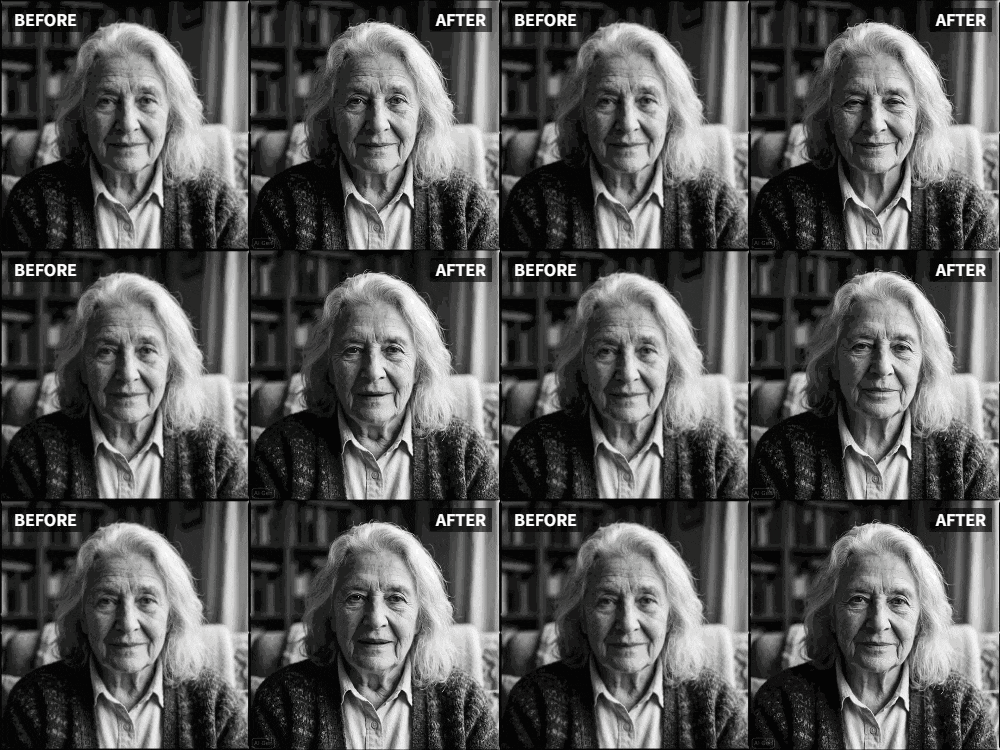
Relumi's AI engine handles low-resolution and grayscale images by analyzing structural information — facial geometry, lighting gradients, and edge data — rather than relying purely on color pixel data. This makes it one of the most practical tools for animating vintage photos and black-and-white portraits without the uncanny-valley shock.
Part 2: How Relumi AI Animate Photo Works — And How to Use It Step by Step
Relumi's AI Animate Photo feature takes any still image and converts it into a short, shareable AI video from photo. No timeline editing. No keyframes. No export presets. You pick a motion style and Relumi's model generates the animation in seconds.
Here's a full walkthrough so you know exactly what to expect.


Relumi AI Photo Animation
Bring old photos to life with AI-powered animation.

 Preset motion styles — Wave, Dance, Clap, Cheers & more
-
Works on old, faded, and black-and-white photos
-
No editing skills required — generate in seconds
-
One tap turns any still image into a moving memory.
Step 1: Download Relumi and Open the App
Get Relumi from the App Store or Google Play. Once installed, open the app. You'll land on the home screen, which organises Relumi's AI tools in a clean grid — Retake, Animate, Restore, Remove, Enhance, and more.

Step 2: Tap "Animate Photo"
On the home screen, tap the Animate tile. This opens the AI Animate Photo tool, where you'll choose your photo and select a motion style. The interface is minimal by design — Relumi handles all the technical complexity behind the scenes.

Step 3: Upload Your Old Photo
Tap the upload area and select the photo from your camera roll. Relumi accepts modern JPEGs and PNGs as well as scanned vintage prints. If the image is faded or low-resolution, Relumi's AI will quietly sharpen and enhance it before applying animation — no separate restoration step needed.
Step 4: Choose a Motion Style
This is where Relumi stands apart from generic AI tools. Instead of writing a text prompt (which most users find frustrating), you pick a preset motion style:
- Wave — A gentle sway that works beautifully for portraits and landscapes.
- Dance — A rhythmic motion that adds energy to group shots or celebration photos.
- Clap — Light applause movement, great for milestone or achievement photos.
- Cheers — A raising-glass animation perfect for wedding or party pictures.
Each preset is engineered to keep motion subtle and natural — deliberately staying in that 10–15% movement range that users on Reddit identified as the sweet spot for realistic photo animation.
Step 5: Preview, Save, and Share
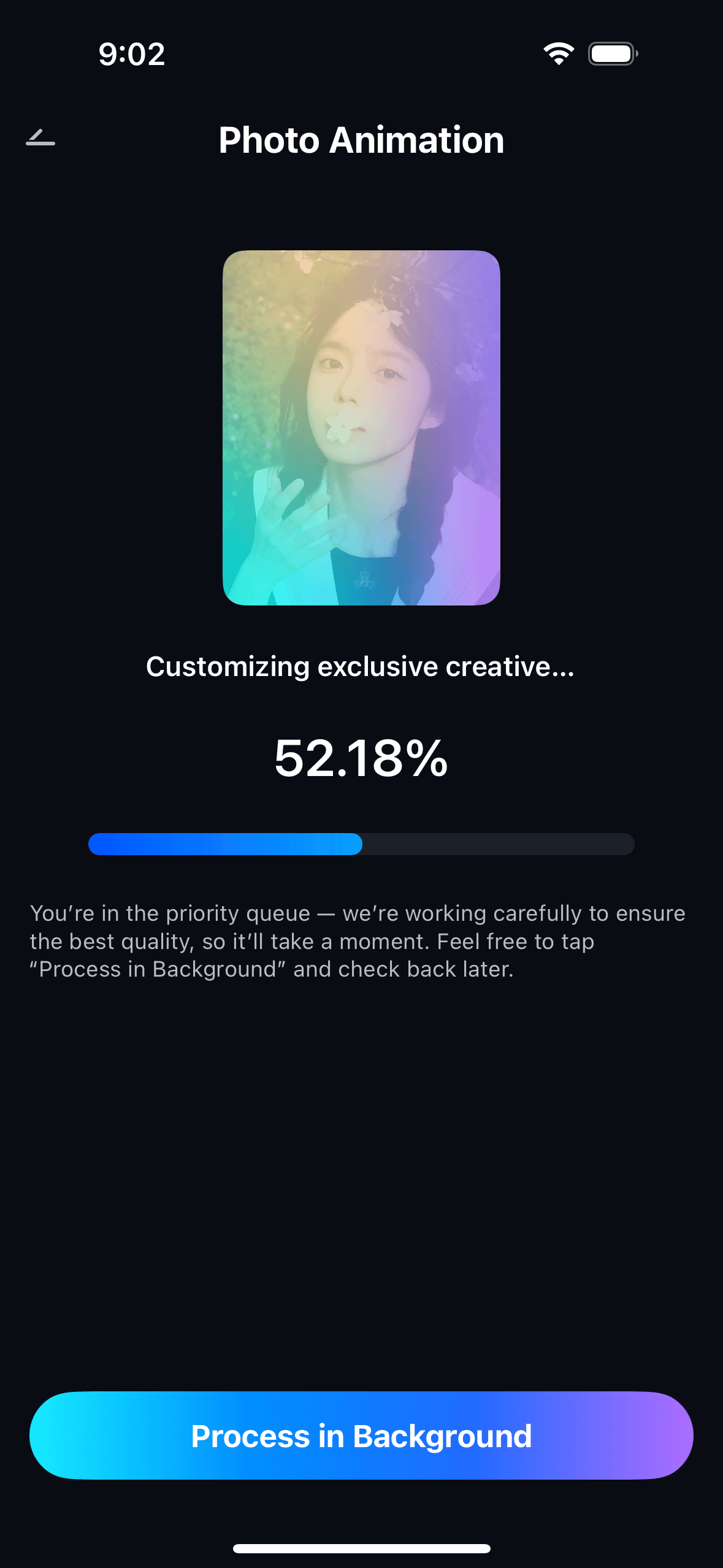
Relumi generates the animated clip in seconds. Watch the preview, and if you're happy with it, tap Save. The file exports as an MP4 — fully compatible with Instagram Reels, Stories, TikTok, WhatsApp, and any messaging app. Share directly or save to your camera roll to keep it forever.

Part 3: Real-World Scenarios — When People Want to Animate Old Photos
People search for "animate old photo AI" for deeply personal reasons. Below are three of the most common scenarios, drawn from real discussions on Reddit, along with how Relumi fits into each one.
Scenario 1: Keeping a Memory of Someone You've Lost
This is the most emotional use case for old photo animation. When a loved one has passed and the only record you have is a still photograph — a graduation portrait, a wedding snapshot, a scanned black-and-white print — seeing that face move, even slightly, can feel profoundly meaningful.
Relumi's Wave and Dance presets are especially well-suited for single portraits. The motion is gentle enough to feel respectful and human, not theatrical. And because Relumi enhances image quality before animating, even a 50-year-old print that's gone soft and faded can produce a result that your family will genuinely want to watch and share.
If you want to bring old photos to life for a memorial, a tribute video, or simply for yourself, this is the most direct path to a result that looks real rather than cartoonish.
Scenario 2: Surprising Family at a Reunion or Birthday
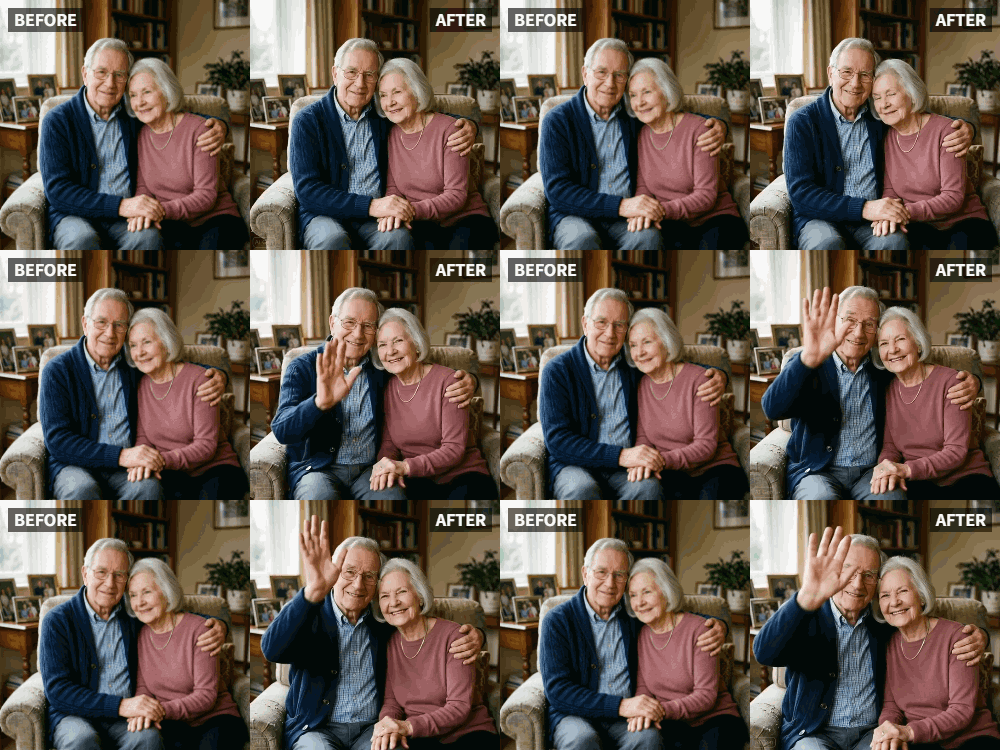
Family gatherings are one of the best moments to unveil an animated old family photo. Imagine showing your parents a clip of their wedding portrait from 1975 — suddenly moving, suddenly alive. Or presenting grandma with an animated version of a childhood photo she thought was just a faded print in a box.
You don't need to be a content creator or know anything about video editing to pull this off with Relumi. The Cheers preset works brilliantly for celebratory photos — toasts, group shots, and milestone moments. The Clap preset gives graduation or achievement photos a lively energy. And the whole process takes under two minutes from photo upload to shareable MP4.
It's also worth noting that Relumi works on group photos, not just solo portraits. If your old family photo has three, four, or more people in it, the AI engine still maps motion naturally across the whole image. No need to animate subjects one at a time.
Scenario 3: Sharing Vintage Moments on Social Media
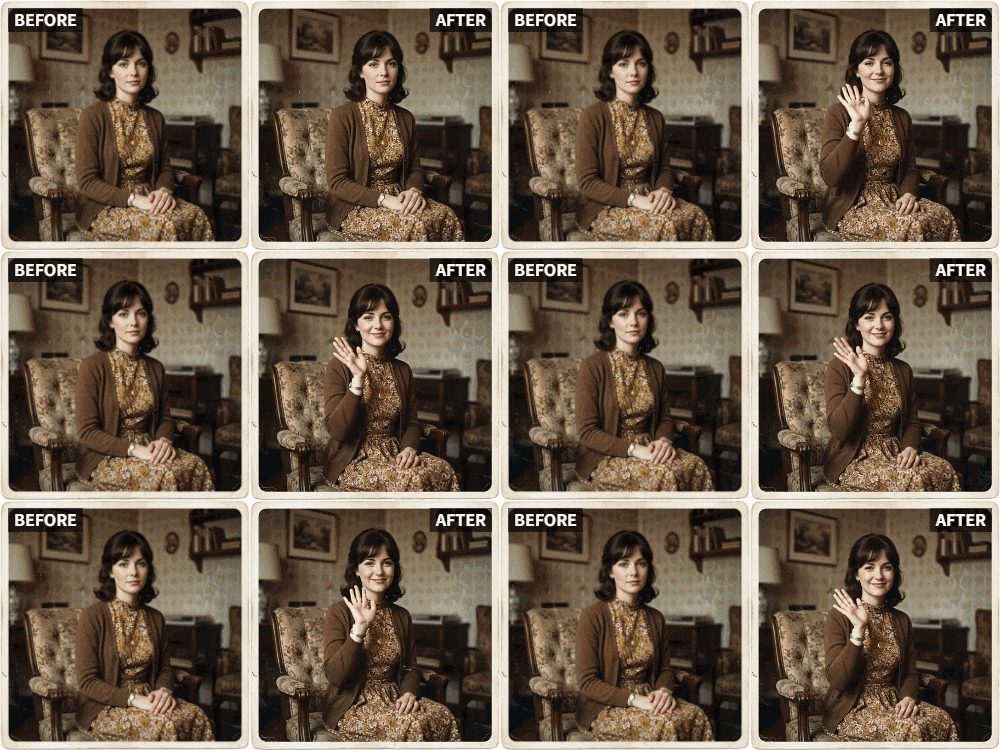
Throwback content performs exceptionally well on Instagram, TikTok, and Facebook. A moving photo effect applied to a vintage image gets far more engagement than a static post — the motion in the feed catches the eye instantly. If you're looking for a way to make old photos move for Instagram without spending hours in a video editor, Relumi's one-tap workflow is designed for exactly that.
The output is a clean MP4 video file. Upload it directly as an Instagram Reel, a TikTok, a Facebook post, or a WhatsApp status. Add a caption like "1978, colorised and animated with AI" and you'll have a post that people genuinely stop and watch. Animated old photos consistently outperform static throwbacks in terms of comments and saves, because they feel interactive in a way that a still image never can.
For landscape and travel photos, the Wave preset creates a cinematic parallax effect — trees sway, skies ripple, fields breathe. It turns a flat scan of a 1960s holiday snapshot into something that feels like a scene from an old film. This is sometimes called a cinemagraph effect or living photo, and it's one of the most-shared formats on social platforms right now.
Conclusion
Whether you're trying to animate old photos for a personal tribute, a family reunion surprise, or a viral Instagram moment, the challenge is always the same: finding a tool that produces natural-looking motion without requiring video editing skills or accepting creepy, uncanny results.
Relumi's AI Animate Photo feature is built specifically for people who aren't video editors — but who want a result that looks like they are. It handles image enhancement and animation in one step, keeps motion gentle by default, and exports a shareable MP4 in seconds. Whether your photo is a crisp modern JPEG or a cracked black-and-white print from the 1950s, Relumi gives it movement, warmth, and a second life.
Ready to bring your old photos to life? Download Relumi and try the Animate Photo feature today — no editing experience required.
Frequently Asked Questions
-
Can Relumi animate very old or damaged photos?
Yes. Relumi's AI enhances image quality as part of the animation process. It can sharpen faded prints, reduce visible grain, and smooth out minor scratches before applying the motion preset. You don't need a high-resolution scan to get a good result — though a cleaner image will always produce a more natural-looking animation.
-
Does Relumi work on black-and-white photos?
Yes. Relumi's animation engine works from structural data — facial landmarks, edge information, and depth mapping — rather than relying purely on color. This means black-and-white vintage photos and grayscale portraits can still produce smooth, believable animation. The result stays in grayscale unless you apply a separate colorization step.
-
Will the animation look unnatural or "creepy"?
Relumi's presets are calibrated for subtle, gentle motion rather than dramatic over-animation. The wave, dance, clap, and cheers styles all keep movement in a range that looks natural and emotional rather than uncanny. Users who have experienced creepy results from other AI tools typically find Relumi's output feels much more lifelike because the motion never overwhelms the original image.
-
What motion styles does Relumi offer for old photo animation?
Relumi currently includes Wave, Dance, Clap, and Cheers as preset motion styles. Wave works well for portraits, landscape photos, and vintage group shots. Dance suits celebration photos and energetic moments. Clap is great for milestone and achievement pictures. Cheers fits wedding photos, toasts, and party images. More presets are regularly added with app updates.
-
Is the original photo changed or overwritten?
No. Relumi creates a new animated video file and saves it separately to your camera roll. Your original photo remains completely untouched in your photo library. You can run the same photo through multiple presets and compare the results without any risk to the original image.
-
Can I use the animated clip directly on Instagram or TikTok?
Yes. Relumi exports the animation as an MP4 video file, which is the standard format for Instagram Reels, Instagram Stories, TikTok, Facebook, and WhatsApp. Save the clip to your camera roll, then upload it to whichever platform you're using — no additional conversion or editing required.
-
Do I need any video editing experience to use Relumi?
None at all. Relumi's animate photo workflow is entirely menu-driven. You upload a photo, choose a preset motion style, and tap generate. There are no timelines, keyframes, export settings, or technical parameters to adjust. If you can use a standard photo-editing app, you can use Relumi's AI animation feature with no learning curve.



