
 TL;DR:
You can replace generic stock footage in tribute videos by using the Relumi Clap preset to generate realistic applause animations directly from static photos of the event's actual speaker and audience.
● Generating synchronized group applause requires a high-resolution photo where the individual faces of the audience members are reasonably clear for AI detection.
● Relumi processes only the visual animation, meaning you must import the generated clips into a separate video editor to overlay authentic applause sound effects.
● The animation capability supports various image types, including old, faded, and black-and-white photos, without requiring manual editing skills.
Ask AI for a summary
 ChatGPT
 Perplexity
 Gemini
 Claude
 Grok
Grok
You're putting together a video tribute for a colleague who just won a major industry award. You have photos of them accepting the award, smiling, holding the plaque. But you also want to include a shot that represents the audience's reaction—the applause, the recognition from their peers. You search for stock footage of people clapping, but it feels generic and disconnected from your specific event.
Relumi's "Clap" feature offers a perfect, personalized solution. By animating a photo of the speaker themselves, or even a photo of the audience, you can create a powerful symbol of self-recognition and peer appreciation that feels tailor-made for your tribute .
In this article
Part 1: The Challenge of Conveying Recognition
On professional forums like those for event planners and corporate communicators, a common challenge is how to visually represent "recognition" in post-event highlight videos. You have the moments on stage, but capturing the feeling of the audience's approval is hard without having filmed the entire room.
Stock footage of clapping audiences is a go-to solution, but it often feels like a "filler" shot . It doesn't connect to the specific person or event. People want to feel that the applause is for their colleague, not just generic cheering. Relumi solves this by allowing you to create applause directly from the event's own photos.
Part 2: How to Create a Personalized Award Tribute with Relumi


Relumi AI Photo Animation
Bring old photos to life with AI-powered animation.

 Preset motion styles — Wave, Dance, Clap, Cheers & more
-
Works on old, faded, and black-and-white photos
-
No editing skills required — generate in seconds
-
One tap turns any still image into a moving memory.
Here's how to use Relumi to build a more meaningful award ceremony video.
Step 1: Gather Your Photos
You'll need two types of photos:
- A clear portrait of the award recipient (the speaker).
- A clear photo of the audience or a group of colleagues from the event.

Step 2: Animate with the "Clap" Preset
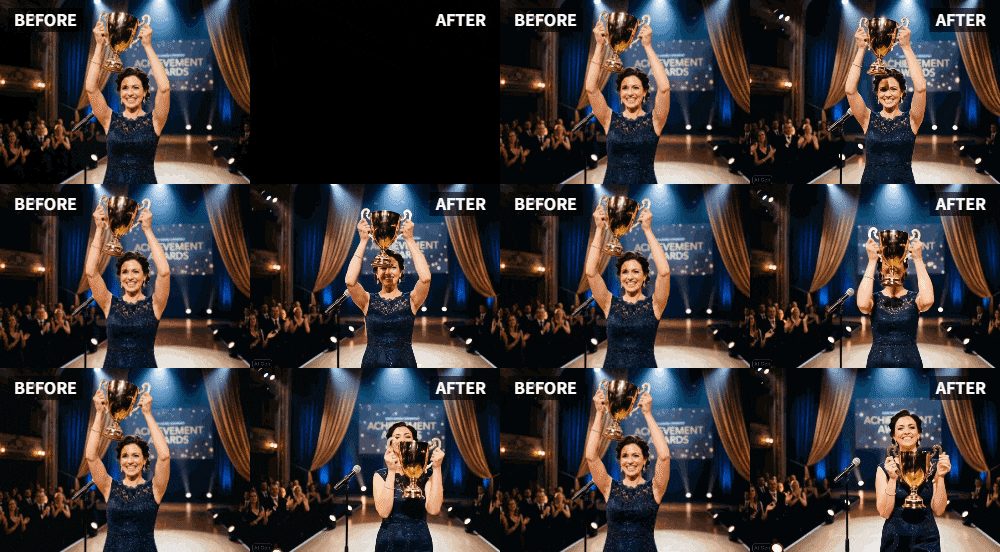
Upload the photo of the award recipient to Relumi and apply the "Clap" preset. You now have a video of them applauding—a beautiful symbol of self-acceptance and pride in their achievement. Next, upload the audience photo and apply the same "Clap" preset. You'll see the audience in the photo come to life, clapping in unison .

Step 3: Weave the Animations into Your Tribute Video
Import both animated clips into your video editor. You can now use them to:
- Open the Video: Start with the animated audience applause before revealing the winner's name.
- Create a Powerful Moment: After showing the recipient accepting the award, cut to the animated clip of them applauding, symbolizing their own pride.
- Close the Video: End with the animated audience giving a final, well-deserved ovation.

Part 3: Advanced Applications for Corporate and Event Videos
This technique elevates more than just award tributes. It can be used across various corporate communications.
- Employee of the Month Announcements: Instead of a static photo in a company newsletter, send out an animated clip of the employee clapping for themselves. It's a fun and modern way to celebrate their achievement.
- Retirement Tributes: In a farewell video for a retiring colleague, animate a group photo of their team clapping. It's a heartfelt way to show the appreciation of the people who worked alongside them every day.
- Conference Highlight Reels: Use animated audience photos throughout a conference highlight reel to convey the energy, engagement, and positive reception of the speakers and events .
Conclusion
Recognition should feel personal and powerful. By using Relumi's "Clap" feature to animate photos of both the award winner and the audience, you can create tribute videos that go beyond simple documentation. You build a narrative of appreciation that resonates deeply with the honoree and everyone who watches.
Frequently Asked Questions
-
Can I animate a photo of a large conference audience to make them clap?
Yes, Relumi's AI is designed to detect and animate multiple faces in a crowd. For the best results, use a high-resolution photo where individual faces are reasonably clear. -
Is it appropriate to animate a photo of the award recipient clapping?
Absolutely. It's a creative and powerful way to symbolize self-recognition and pride. Done tastefully, it adds a layer of emotional depth to the tribute. -
Can I add the sound of real applause to these animations?
Yes! While Relumi creates the visual animation, you can easily add sound effects in any video editor. Overlaying a cheering crowd sound on your animated audience clip creates an incredibly immersive experience. -
How can I make the clapping look synchronized in an audience photo?
Relumi's AI is trained to generate natural, synchronized motion for groups of people, ensuring the clapping animation looks cohesive and realistic, as if the whole audience is applauding together .



