
 TL;DR:
Create an impactful 3-5 minute tribute video for mentors by compiling individual thank-you clips that climax with a static group photo animated to applaud them using Relumi's "Clap" preset.
● Overcome geographical barriers by collecting selfie-style portraits from scattered individuals and combining them into a single composite collage before uploading to Relumi.
● Ensure the subjects in the chosen photo are looking directly at the camera so the AI-generated applause feels personally directed at the viewer.
● Apply the preset to old, faded, or black-and-white historical photos, with the option to use the app's restoration tools beforehand for optimal clarity.
Ask AI for a summary
 ChatGPT
 Perplexity
 Gemini
 Claude
 Grok
Grok
Teachers, mentors, and coaches dedicate their lives to helping others succeed. When they retire, move on, or simply deserve a massive thank you, finding the right way to express that gratitude can be hard. A card is nice. A gift is appreciated. But a video message from past and present students? That's unforgettable.
Relumi's "Clap" feature can take that thank-you video to the next level. By animating photos of the students themselves, you can create a powerful, unified visual of applause and appreciation that directly connects the mentor to the lives they've touched .
In this article
Part 1: The Challenge of a Collective "Thank You"
On education forums, teachers often share the heartfelt gifts they've received. Student-created videos are frequently cited as the most cherished. But there's always a question: how do you visually represent the collective gratitude of a group in a single, powerful shot?
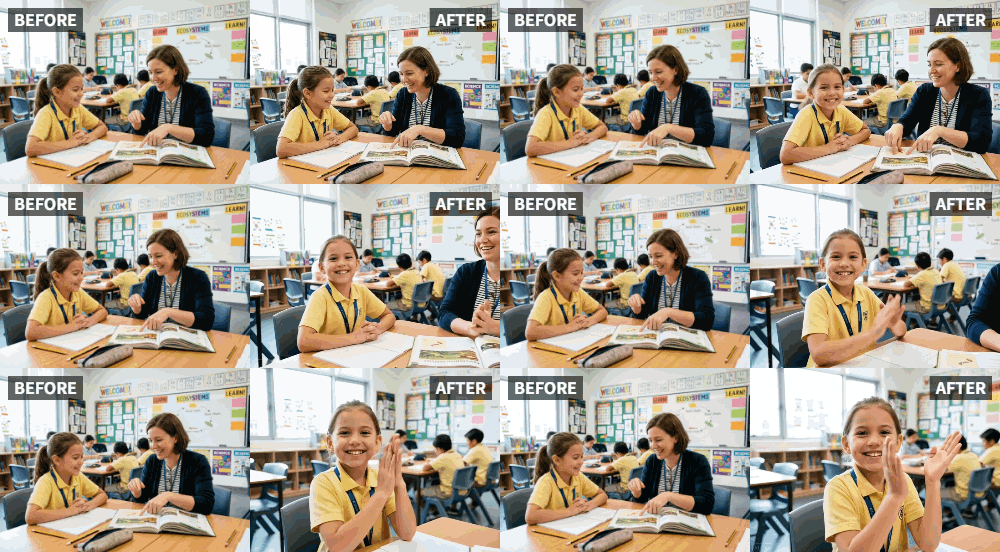
A group photo of students is a great start, but it's static. What you really want to convey is their active appreciation—their cheers, their smiles, their applause. Relumi's Clap feature solves this by making a group of students in a photo seem like they are all clapping, directly and enthusiastically, for their beloved teacher.
Part 2: How to Build a Heartfelt Tribute Video for a Mentor


Relumi AI Photo Animation
Bring old photos to life with AI-powered animation.

 Preset motion styles — Wave, Dance, Clap, Cheers & more
-
Works on old, faded, and black-and-white photos
-
No editing skills required — generate in seconds
-
One tap turns any still image into a moving memory.
Creating this tribute is a collaborative and deeply moving process.
Step 1: Gather a Group Photo of Students (Past and Present)
Reach out to former students and colleagues. Ask them to send a photo of themselves, ideally a clear portrait. You can also gather everyone for a new group photo. The goal is to collect as many faces as possible of the people this mentor has impacted.

Step 2: Animate the Group Photo with the "Clap" Preset
Once you have a final composite image or a single great group shot, upload it to Relumi. Select the "Clap" preset. Watch as the AI brings the entire group to life, their hands moving together in a unified, heartfelt applause, directed right at their mentor .

Step 3: Build the Complete Video Tribute
Now, use a video editor to assemble your tribute.
- Start with individual messages: Compile short video clips from different students saying thank you and sharing a memory.
- Build to the climax: After the individual messages, transition to the animated group photo of everyone clapping. This creates an overwhelming wave of appreciation.
- Add a closing message: End with a simple "Thank you for everything" text overlay.

Part 3: Other Ways to Use the Clap Feature to Show Appreciation
This idea extends far beyond teachers and mentors.
- For Coaches: Create an end-of-season tribute where the team photo is animated to clap for the coach who guided them.
- For Volunteers: Put together a thank-you video for a dedicated volunteer, culminating in an animated photo of the organization's members applauding their service.
- For Parents: On a milestone birthday or anniversary, surprise a parent with a video where a cherished family photo of the kids comes to life and claps for them, saying "thank you for everything."
Conclusion
The greatest gift you can give a mentor is the knowledge that their work mattered. By using Relumi's "Clap" feature to create a unified, animated visual of applause from all the lives they've touched, you're not just saying thank you. You're showing them the living, breathing proof of their incredible impact.
Frequently Asked Questions
-
How do I get a photo with everyone in it if former students live all over the world?
This is easy! Ask everyone to take a simple selfie-style photo. You can then use a photo editing app to create a collage or composite image that brings everyone together into one virtual group shot before animating it. -
Can I make the clapping animation seem like it's directed at the camera?
Yes, if the subjects in the photo are looking towards the camera, the clapping animation will feel naturally directed at the viewer (the mentor), creating a powerful sense of connection. -
What if the group photo is old and I want to use it for a reunion tribute?
Old photos work wonderfully with Relumi's animation. You might even want to use the app's restoration tools first to clean up the image, then animate it. Seeing an old team photo come to life with clapping is an incredibly emotional experience. -
How long should the final tribute video be?
For a mentor or teacher, a 3-5 minute video is usually perfect. It's long enough to include several meaningful messages but short enough to hold attention and deliver a powerful emotional punch.



