
 TL;DR:
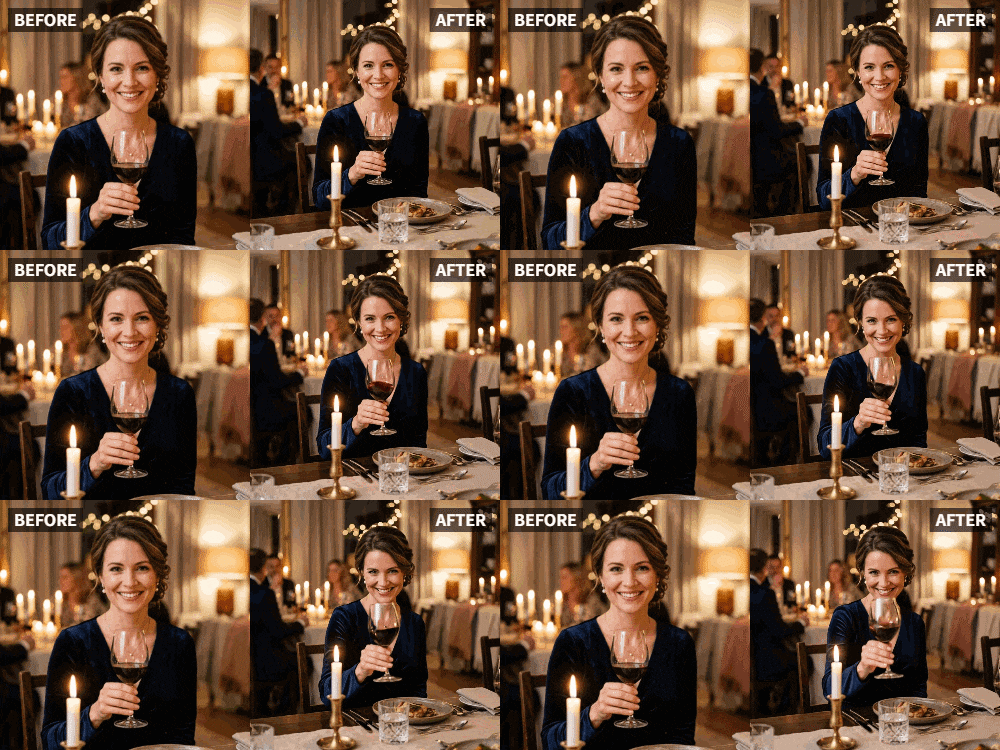
Transform static graduation photos into dynamic social media videos by applying the "Cheers" preset in Relumi AI Photo Animation to make the subjects raise a glass in celebration.
● For optimal results, select a clear photo where the subject is already holding a drink, though the AI will automatically generate a natural raising hand gesture if no glass is present in the original image.
● The animation supports both solo portraits and group photos, allowing you to create synchronized toasting videos for digital open house invitations, social media announcements, or post-graduation thank-you cards.
● While the AI generates the visual animation in under a minute, you must export the clip to a separate video editor if you want to add text overlays, trending social media audio, or school music.
Ask AI for a summary
 ChatGPT
 Perplexity
 Gemini
 Claude
 Grok
Grok
The cap is tossed, the diploma is in hand, and the future is bright. You have the perfect graduation photo—a smile, a gown, maybe a glass of something celebratory. But when you go to post it, it's just... there. It doesn't capture the feeling of relief, pride, and excitement that's coursing through the graduate.
Relumi's "Cheers" feature is made for this moment. It takes that graduation portrait and animates it, making the graduate raise their glass in a triumphant toast to their own achievement. It's the perfect visual for a "congrats, grad!" video.
In this article
Part 1: Making a Graduation Announcement Feel as Big as the Achievement
Graduation is a major life milestone. It represents years of hard work, late nights, and dedication. A static photo, while a record of the moment, can feel too quiet for such a loud achievement .
On social media, graduation posts flood feeds for weeks. To stand out, you need something that captures the energy and emotion of the day. An animated "cheers" video does exactly that. It's dynamic, joyful, and perfectly matches the celebratory mood. It turns a simple announcement into a moment that makes viewers feel the graduate's pride.
Part 2: How to Create a Graduation Cheers Video with Relumi


Relumi AI Photo Animation
Bring old photos to life with AI-powered animation.

 Preset motion styles — Wave, Dance, Clap, Cheers & more
-
Works on old, faded, and black-and-white photos
-
No editing skills required — generate in seconds
-
One tap turns any still image into a moving memory.
Creating this standout post is quick and easy.
Step 1: Choose the Perfect Graduation Photo
Select a clear photo of the graduate. A shot where they're holding a drink (champagne, a soda, anything) and smiling at the camera is ideal. A solo portrait or a shot with friends celebrating together both work great.

Step 2: Upload to Relumi and Apply the "Cheers" Preset
Open the Relumi app, go to Photo Animation, and select the "Cheers" preset. The AI will generate a short video where the graduate (and friends, if present) raise their glasses in a joyful, synchronized toast to their success.

Step 3: Share Your Celebration with the World
Export the clip and share it.
- Instagram Reel: Post it with a trending audio track and hashtags like #grad2026 #congratsgrad.
- Facebook Announcement: Share it on your timeline with a heartfelt message from the family.
- Group Chat: Drop it in family and friend group chats for immediate celebration.
- Add Text: Overlay "Congrats, Grad!" or "Class of 2026" using a simple editor.

Part 3: Creative Graduation Uses for the Cheers Feature
This idea can be used in many ways throughout the graduation season.
- Open House Invitations: Create a digital invitation for a graduation open house that ends with an animated photo of the graduate toasting the recipient.
- Thank You Cards for Gifts: After graduation, send a thank-you video to relatives that includes an animated "cheers" from the grad.
- Celebrating Different Milestones: Use the feature for high school graduation, college graduation, grad school completion, or even finishing a big certification program.
- Group Graduation Photos: Animate a photo of the entire friend group or graduating class, all raising their glasses together in a unified toast to their shared achievement .
Conclusion
Graduation is a moment of immense pride and joy. Don't let it be announced with a silent, static image. Use Relumi's "Cheers" feature to give that moment the voice and celebration it deserves, creating a living tribute to the graduate's incredible achievement.
Frequently Asked Questions
-
What if the graduation photo doesn't show anyone holding a drink?
The "Cheers" preset can still work! The AI will generate a natural "raising" gesture. For the best result, a photo with a glass in hand is ideal. -
Can I animate a photo of the graduate with their parents?
Absolutely! A family photo where everyone is toasting the grad is a beautiful and heartwarming image to animate. -
How long does the animation take?
Just a few seconds. You can create a professional-looking celebratory video in under a minute. -
Can I add the graduate's school song or alma mater music?
Yes, that's a fantastic idea. Export the clip and use a video editor to add the perfect soundtrack.



