
 TL;DR:
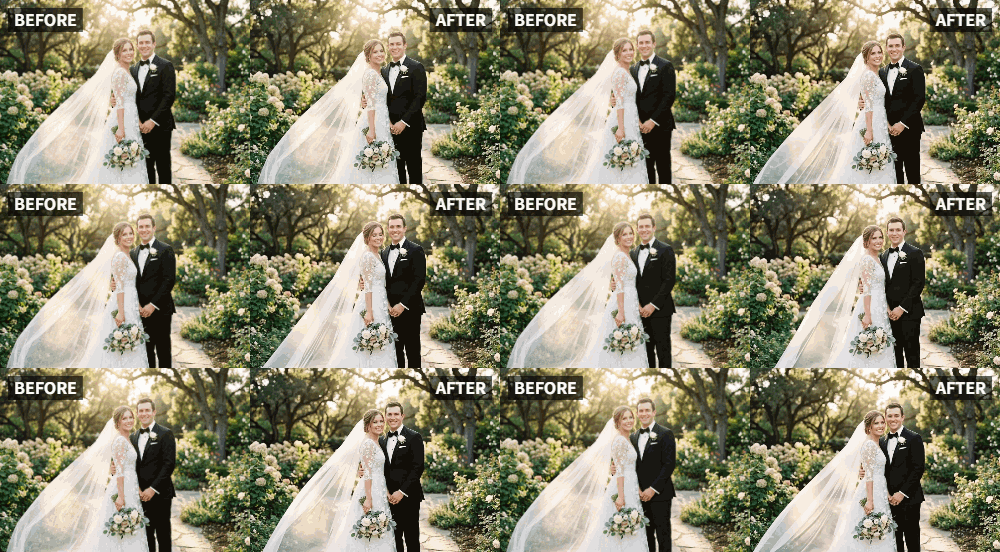
Relumi's "Relive" feature transforms static photographs of deceased loved ones into subtle, 2-5 second looping animated videos for digital memorials and tributes.
● Select the "Relive" animation mode to apply gentle, respectful movements like a soft blink or slight turn, specifically avoiding dynamic presets like "Dance" or "Cheers."
● The tool only animates visuals, requiring you to export the clip to a separate video editing app if you want to integrate music or personal voice recordings.
● For old or low-quality snapshots, utilize the app's built-in photo enhancement tools to improve resolution and face clarity before generating the animation.
Ask AI for a summary
 ChatGPT
 Perplexity
 Gemini
 Claude
 Grok
Grok
On forums dedicated to grief and remembrance, like r/GriefSupport, a recurring theme is the search for meaningful tributes. "I want to do something special for the anniversary of my mom's passing," a user writes. "I have so many photos, but a slideshow feels so flat. I want to capture her spirit." The pain of loss is often compounded by the feeling that static images don't do justice to the vibrant, moving, living people we've lost.
This is where Relumi's "Relive" feature finds one of its most profound applications: creating moving memorials. By gently animating a favorite photograph, you can create a tribute that feels more present, more alive, and more deeply connected to the person you loved. It’s not about bringing them back, but about honoring the life they lived in a way that feels true to their memory.
In this article
Part 1: Why Static Tributes Feel Incomplete
A photograph captures a single, frozen moment. But our memories of a person are dynamic. We remember their laugh, the way their eyes crinkled when they smiled, the slight tilt of their head when they were listening. A static image can feel like a poor substitute for the full, living memory we hold in our hearts .
Traditional memorial videos are often slideshows set to music. While beautiful, they can still feel like a collection of objects rather than a representation of a person. By using Relumi to animate key photos, you inject a sense of life and presence back into the tribute. Seeing a loved one's face gently move can evoke their personality in a way that a still image simply cannot, offering a deeper form of comfort and connection .
Part 2: How to Create a Heartfelt Animated Memorial with Relumi


Relumi AI Photo Animation
Bring old photos to life with AI-powered animation.

 Preset motion styles — Wave, Dance, Clap, Cheers & more
-
Works on old, faded, and black-and-white photos
-
No editing skills required — generate in seconds
-
One tap turns any still image into a moving memory.
Creating a memorial tribute is a deeply personal act. Here’s how to use Relumi to do it with care and intention.
Step 1: Choose the Right Photograph
Select a photo that captures the essence of your loved one. It could be a formal portrait, but often a candid shot where they are laughing or looking thoughtfully into the distance works best. The key is to choose an image that feels like them. Ensure the face is clear and well-lit for the best animation results.

Step 2: Animate with the "Relive" Preset for Subtlety
Upload the photo to Relumi and select the "Relive" animation mode. This is crucial. For a memorial, you want subtle, respectful motion—a gentle breath, a soft blink, a slight turn. Avoid more dynamic presets like "Dance" or "Cheers," which are not appropriate for this context. The goal is gentle enhancement, not performance.

Step 3: Integrate into a Larger Tribute
Once you have your animated clip, you can use it as the centerpiece of a larger memorial. Import it into a video editor and combine it with other photos, home videos, and a meaningful piece of music. You can even use Relumi's "Relive" feature on multiple photos to create a sequence of animated memories, building a powerful and deeply personal tribute video.

Part 3: Powerful Ways to Share Animated Memorials
An animated memorial can be shared and experienced in many ways, each offering a unique form of comfort.
- At Funerals and Memorial Services: Instead of a static photo on an easel, consider displaying a gently animated portrait on a digital screen during the service. It creates a focal point that feels more present and comforting for attendees . The subtle motion can be a beautiful, silent reminder of the life being celebrated.
- For Anniversaries and Special Dates: On the anniversary of a loved one's passing or their birthday, sharing a short, animated clip on social media or in a family group chat can be a touching way to honor their memory. It’s a simple act that shows they are still remembered and loved .
- As a Personal Digital Keepsake: Keep an animated portrait on your phone or digital photo frame. Seeing your loved one gently blink or smile as you pass by can bring a moment of comfort and connection in your daily life, keeping their presence alive in your home .
Conclusion
Grief is a journey, and finding meaningful ways to remember our loved ones is a vital part of it. Relumi's "Relive" feature offers a gentle, powerful tool to honor their memory, transforming static photographs into living, breathing tributes that celebrate the people they were and keep their spirit vibrantly alive in our hearts.
Frequently Asked Questions
-
Is it respectful to animate photos of the deceased?
For many, it is a deeply meaningful way to honor a loved one and feel closer to them. The key is subtlety. Relumi's "Relive" mode is designed for gentle, respectful animation, which most people find comforting rather than unsettling. -
Can I animate a photo from a funeral program or a very old, low-quality snapshot?
Yes. Relumi works on a wide range of photo qualities. For the best results, you can first use the app's photo enhancement tools to improve the resolution and clarity of the image before animating it. -
How long should a memorial animation be?
Relumi creates short, looping video clips, typically 2-5 seconds. This is the perfect length for a subtle, impactful moment. For longer tributes, you can combine several animated clips in a video editor. -
Can I add a voice recording of the person to the animation?
Relumi animates the visual, not the audio. However, you can absolutely combine an animated clip with an audio recording (e.g., a voicemail, a home video clip) in a separate video editing app to create an even richer tribute.



